Knowledge Base
10.4.2602
Search this version
Knowledge Base
Knowledge Base
Configuration & Settings
Features and Functionality
Licensing, Setup and Deployment
Title
Message
Create new category
What is the title of your new category?
Edit page index title
What is the title of the page index?
Edit category
What is the new title of your category?
Edit link
What is the new title and URL of your link?
How do I increase the score of Browser Security on Security Score in MacOS devices?
Summarize Page
Copy Markdown
Open in ChatGPT
Open in Claude
How to get a max score
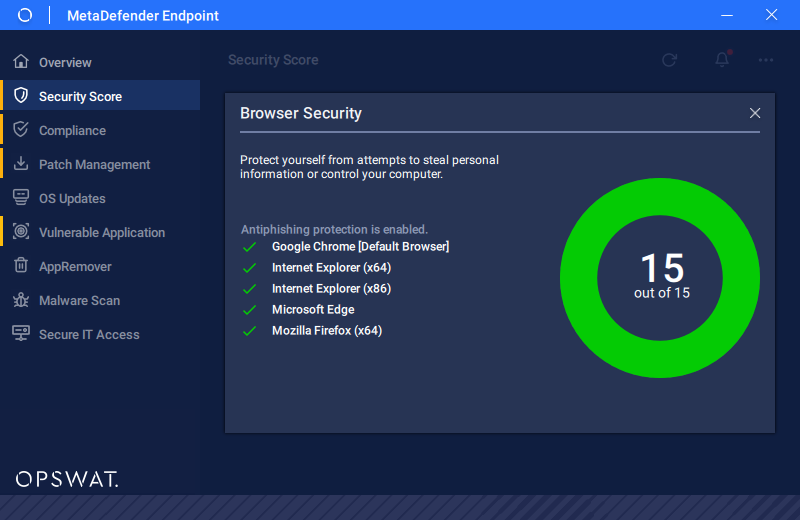
To get the max score for this category, we need to enable Antiphishing for all the browsers on your computer.
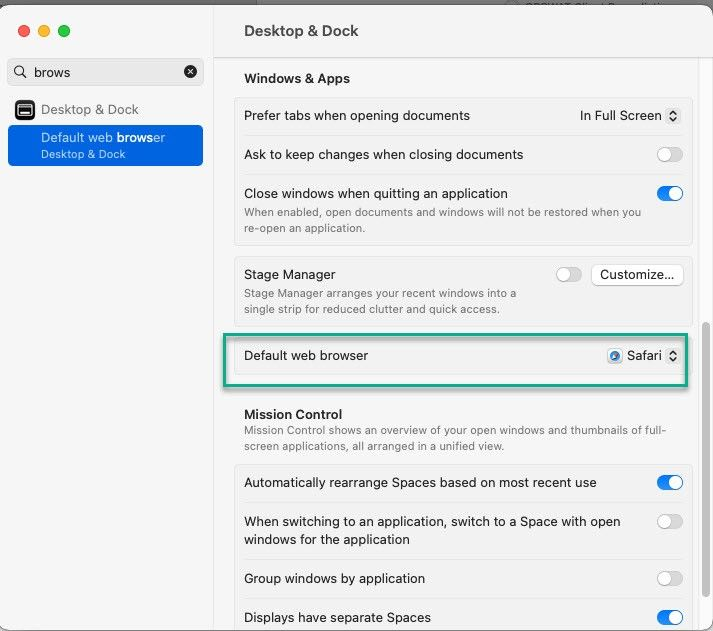
How to set default browser on macOS
Go to System Settings to search for Default Web Browser.
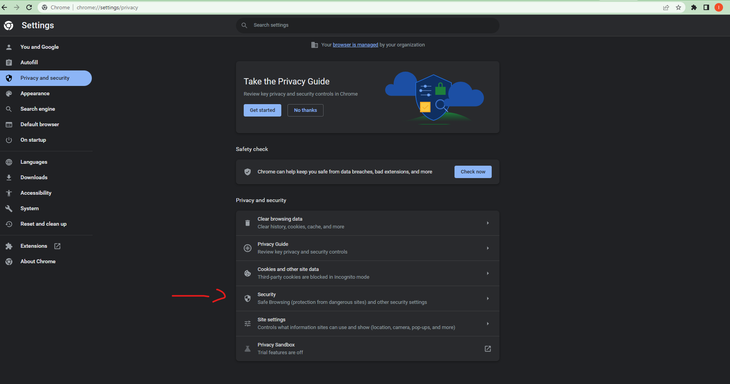
How to enable Antiphising in Chrome
Open Chrome Browser, go to the three dots on top right of the Chrome Browser, click Setting. Select "Privacy and Security on the left menu of Settings page, then choose "Security"
Select any protect options for Chrome browser to enable Antiphishing in Chrome
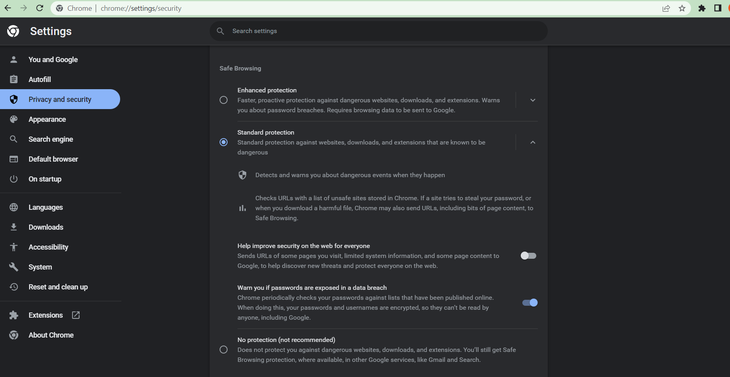
Note: This action is only valid for the dedicated profiles on Chrome. Thus, to get max score, users must enable all profiles within Chrome Browser.
Type to search, ESC to discard
Last updated on
Was this page helpful?
Discard Changes
Do you want to discard your current changes and overwrite with the template?
Archive Synced Block
Message
Create new Template
What is this template's title?
Delete Template
Message
