
Term | Detail |
|---|---|
Problem | Managed devices are unable to report to OPSWAT Central Management (Disconnected status) |
Cause | OPSWAT Central Management has had its address changed and the server URL setting does not reflect the change. |
Troubleshooting | Check if Server Configuration > Device API > Server URL is set correctly |
Solution | Correct Server URL and reinstall MetaDefender Endpoint on the affect devices. |
If managed devices previously connected to OPSWAT Central Management now display as Disconnected, the OPSWAT Central Management console may have had its address changed since the last time OPSWAT Client were installed on the affected devices. This can be caused by a change in the IP address assigned to the system OPSWAT Central Management is running on.
To correct the server URL attached to OPSWAT Client by OPSWAT Central Management, navigate to Server Configuration > Device API > Server URL.
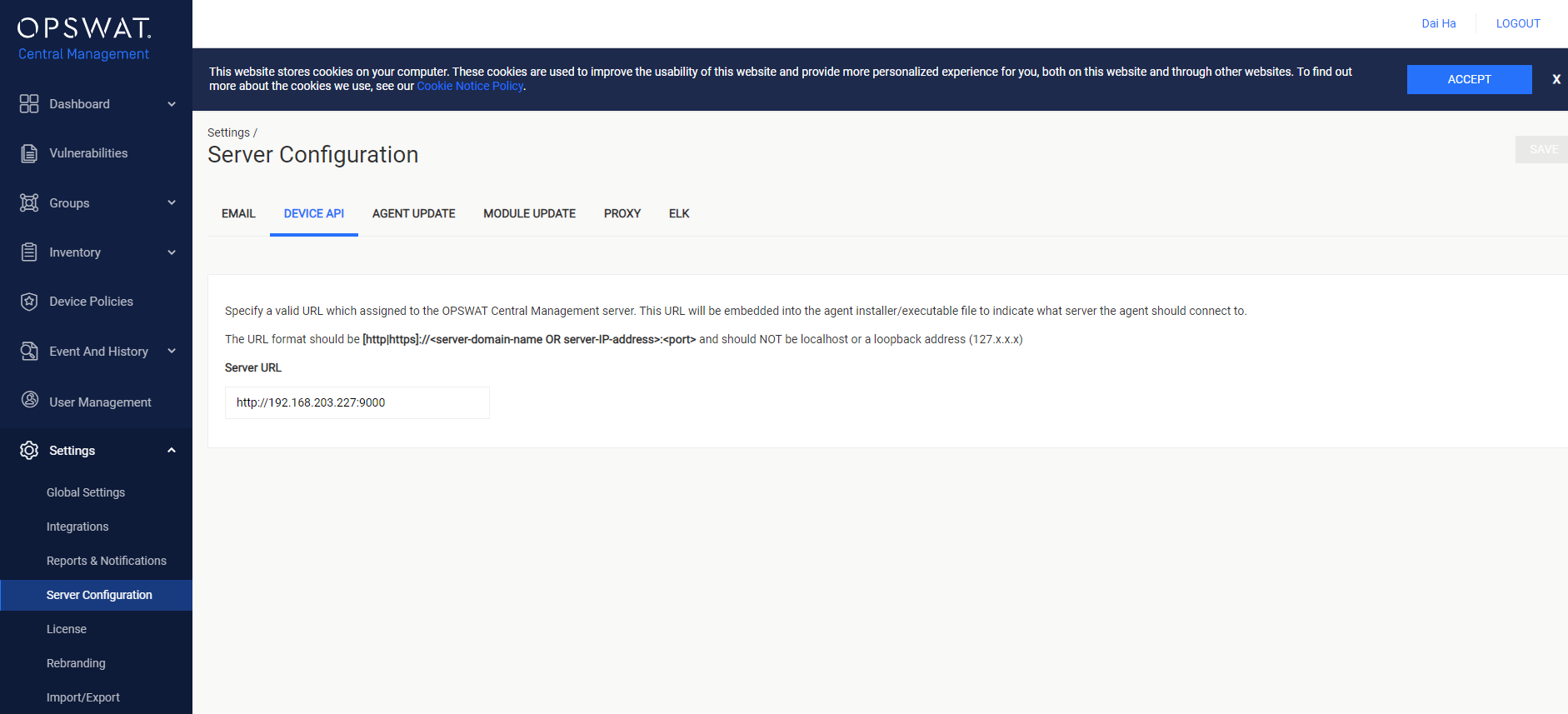
Finally, reinstall OPSWAT Client on the affected devices according to Distribute OPSWAT Client to devices.