
This article applies to all OPSWAT Central Management V7.5.0+ releases deployed on Windows or Linux systems.
In large organizations, it is not uncommon for more than one user to be assigned as manager of an OPSWAT Central Management account.
To add another user to monitor and manage a network via your account, please follow the instructions below.
Log into the OPSWAT Central Management Console, then navigate to User Management.
Click the ADD NEW USER/GROUP button to add one or more users to manage your account.

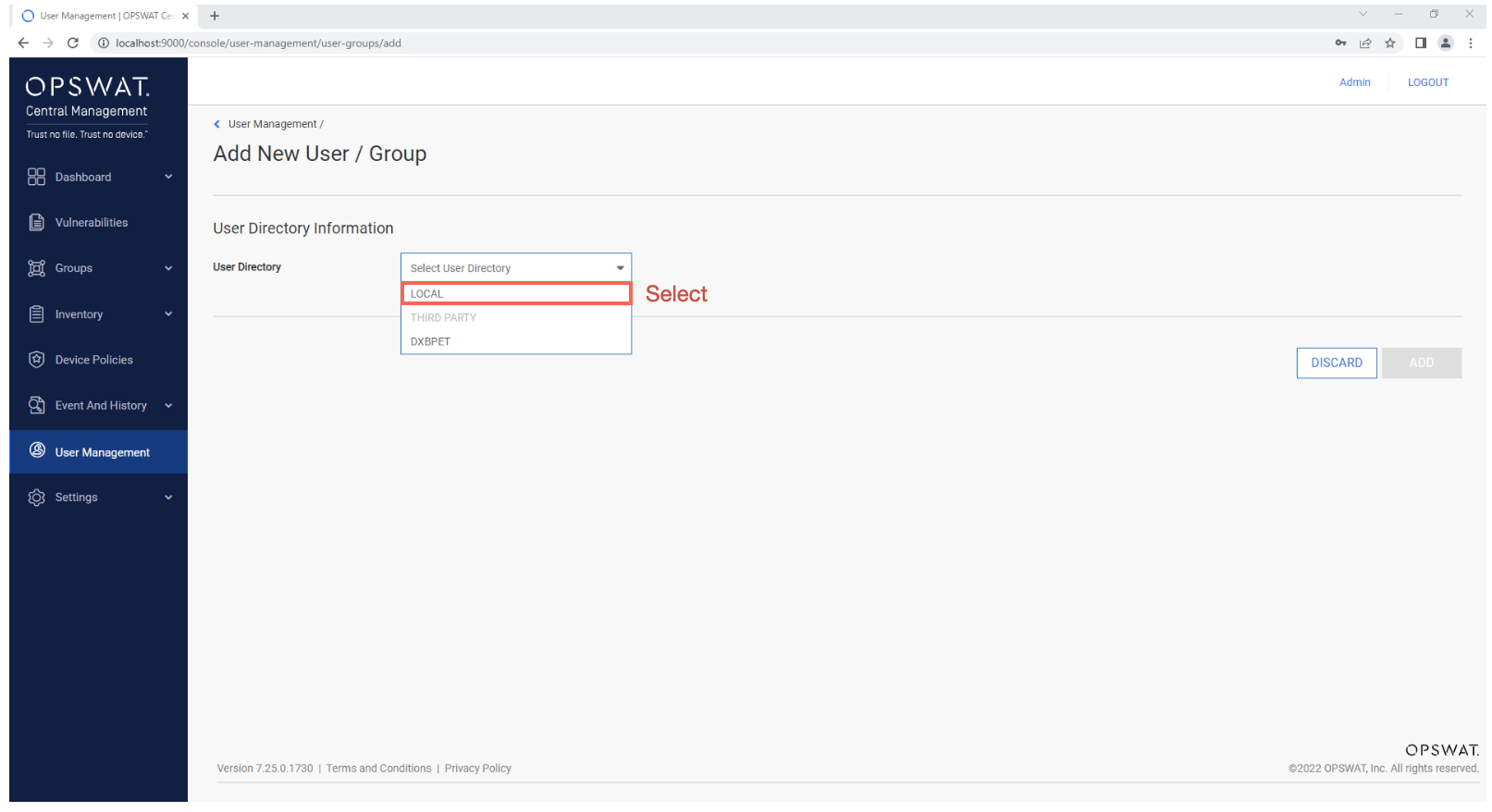
From the Select User Directory option menu, select the Local option, as illustrated in the screenshot below.
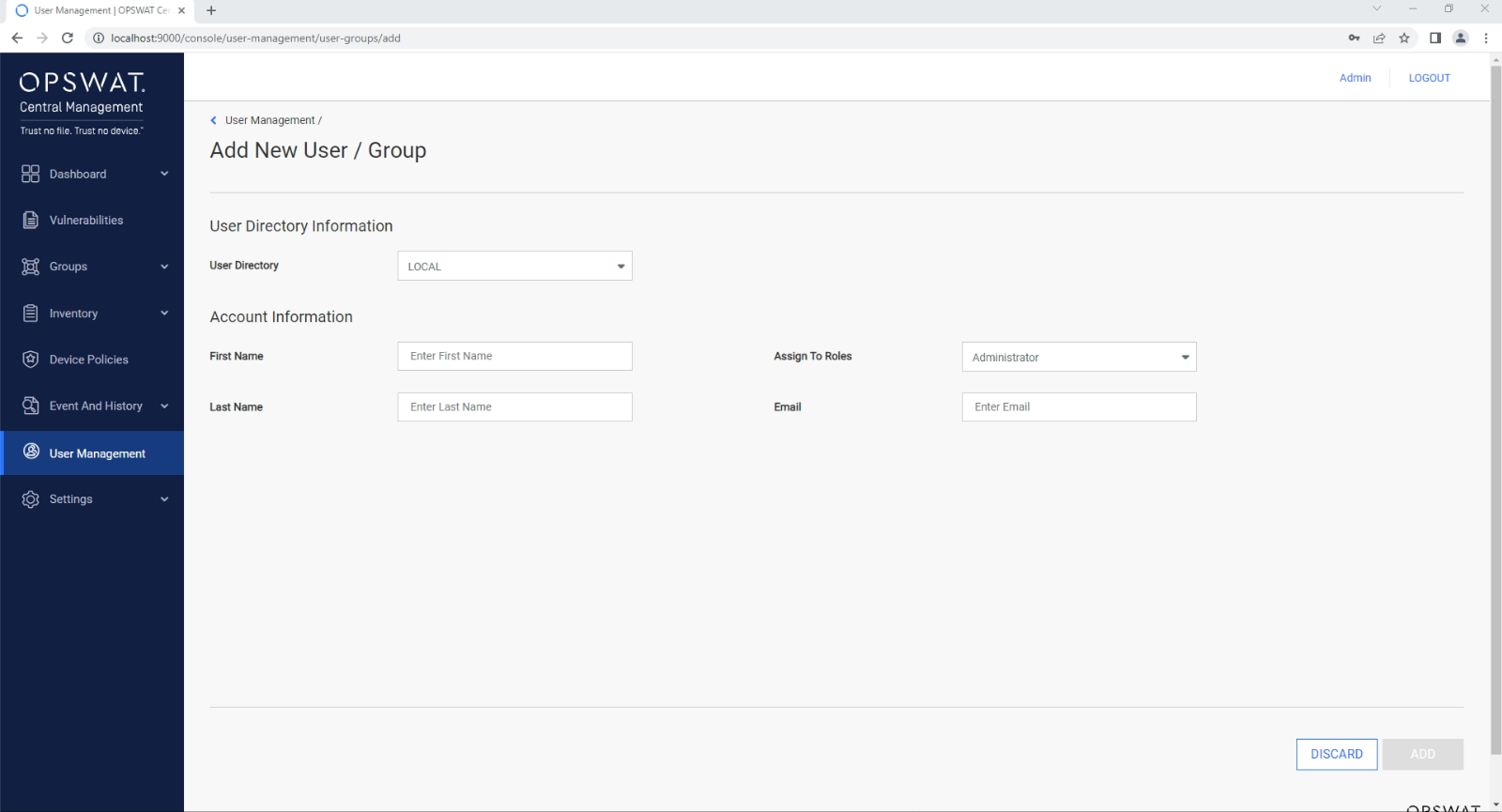
Enter the user’s Name, Last Name, Email Address and the Role that you would like to assign to them.
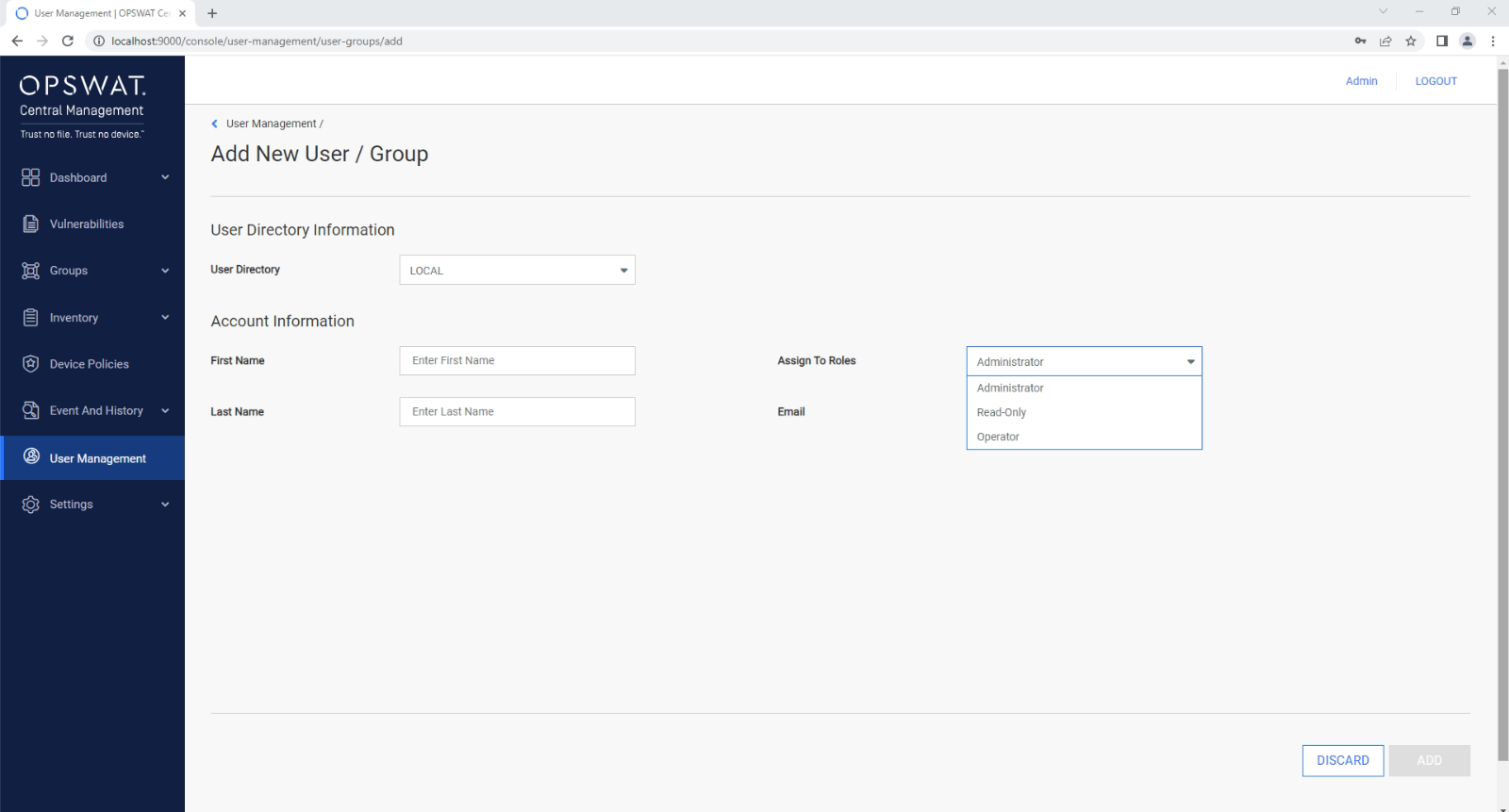
Role options include Administrator, Read-Only and Operator, and are configurable via the Assign To Roles option menu.
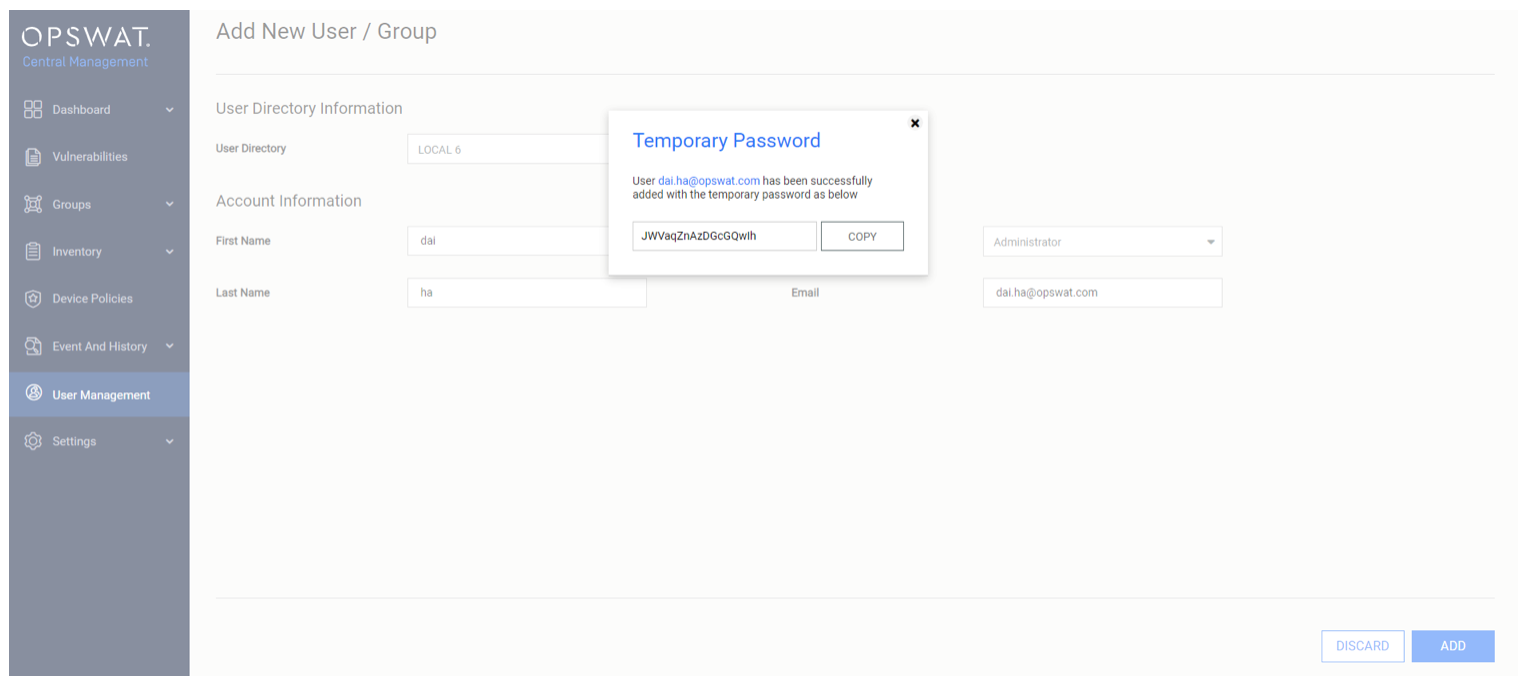
Once all of the required fields are filled, click the ADD button to implement your changes, confirming with your PIN as prompted.
You will then be issued with a Temporary Password for the new user, which can be used by the user to log into the OPSWAT Central Management Console and reset the user PIN to their preference.
Once a user has been invited or added to your account, the OPSWAT Central Management Console will display:
the date on which the user was invited
the status of the invitation
the role selected for the user
The OPSWAT Central Management Console gives you the option to update user info or delete users at any time.
If you have followed the instructions above but have been unable to Add Additional Users To Manage Your OPSWAT Central Management Account, please open a Support Case with the OPSWAT team via phone, online chat or form, or feel free to ask the community on our OPSWAT Expert Forum.