Installing or Upgrading
v7.27.0
Search this version
Installing or Upgrading
Title
Message
Create new category
What is the title of your new category?
Edit page index title
What is the title of the page index?
Edit category
What is the new title of your category?
Edit link
What is the new title and URL of your link?
Importing in Setup Wizard
Copy Markdown
Open in ChatGPT
Open in Claude
The following guideline describes how to import data from an older version of OPSWAT Central Management (from version 5.2.7) during configuration wizard.
Go to the Import Data step in Setup Wizard. You can choose Import to continue migrate data from the old version or skip the migration step by click on Import Later button.
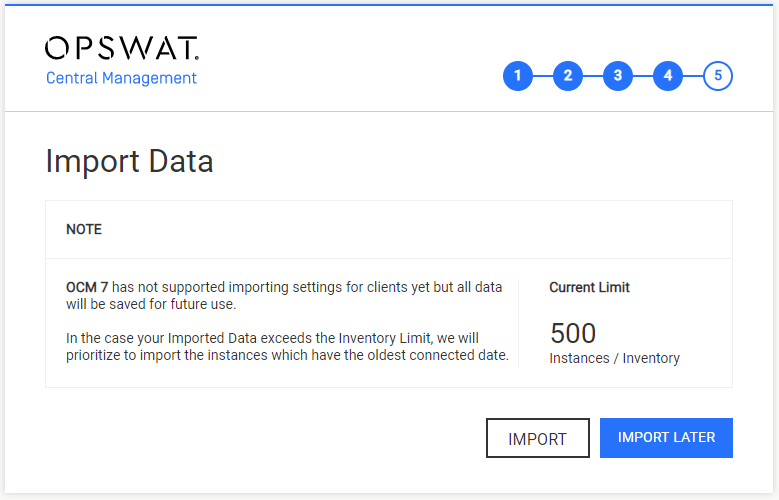
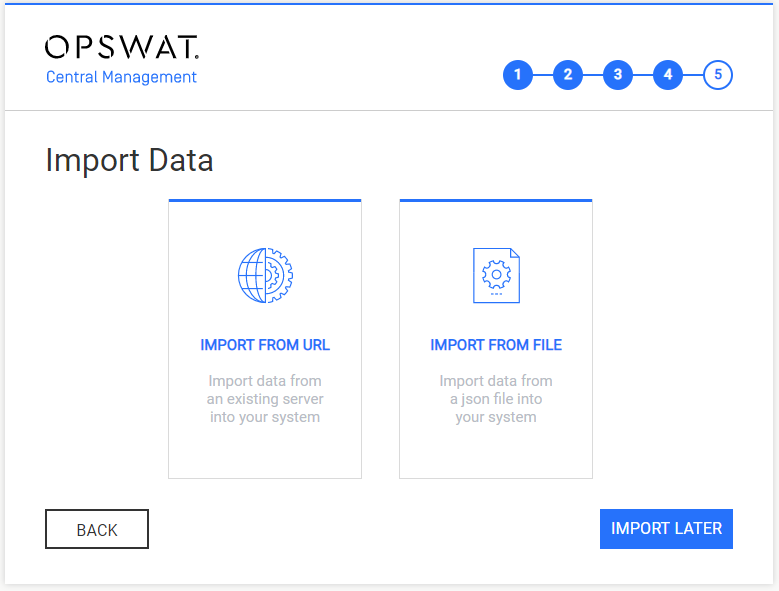
After choosing option Import option, you need to choose which migrate method you will use. There are 2 options: Importing from URL and Importing from file.
Type to search, ESC to discard
Last updated on
Was this page helpful?
Next to read:
Importing and ExportingDiscard Changes
Do you want to discard your current changes and overwrite with the template?
Archive Synced Block
Message
Create new Template
What is this template's title?
Delete Template
Message
