
You can find the update settings for My OPSWAT On-premises in the Settings > Products page. The Products tab contains the following function:
MetaDefender Kiosk L-Series Update
MetaDefender Media Firewall Update
Upgrade My OPSWAT
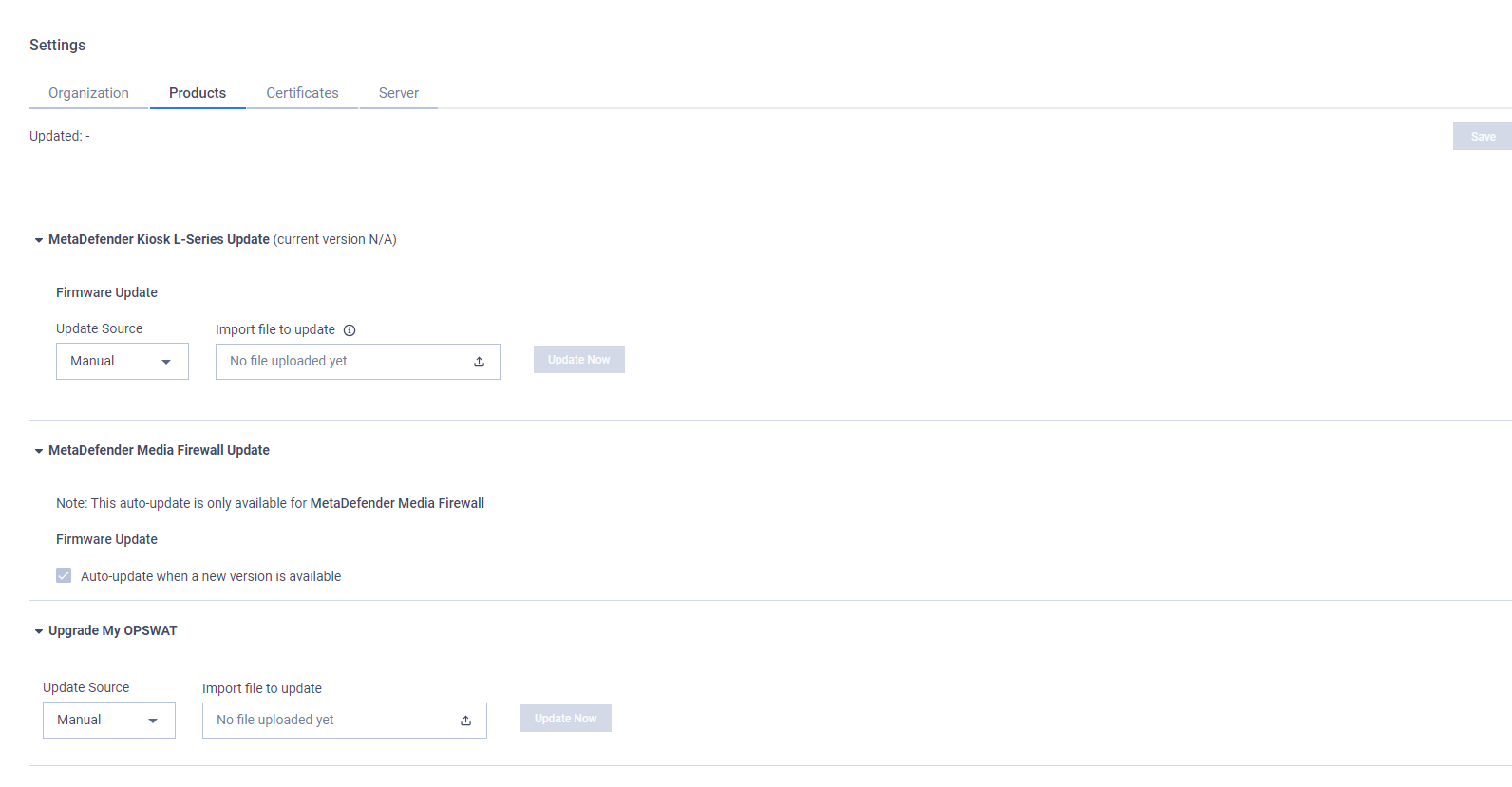
MetaDefender Kiosk L-Series Update
In this section, administrators can configure how My OPSWAT On-premises updates a firmware package for managed MetaDefender Kiosk L-Series instances. A MetaDefender Kiosk L-Series instance checks if a new version is available with My OPSWAT On-premises and updates itself, if any.
The following option(s) are currently available:
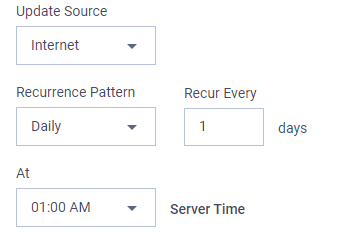
Update Source:
Manual: The administrator must manually upload the update files to My OPSWAT On-premises.
Import file to update: Open the file browser to select the update package include yml and tgz files.
Update Now: start uploading selected files.

Internet: My OPSWAT On-premises periodically reaches to OPSWAT update servers to fetch the latest update files.
Recurrence Pattern: Minutely/Hourly/Daily/Weekly/Monthly.
Recur every: an update frequency depending on the selected recurrence pattern.
MetaDefender Media Firewall Update
Managed MetaDefender Media Firewall instances need to have a Internet connection to auto-upgrade to the latest version.
Upgrade My OPSWAT
Please refer this documentation