Using My OPSWAT Portal
2025.2.1
Search this version
Using My OPSWAT Portal
Page
Code Steps
Category
Label
Link
Separator
Title
Message
Page icon
No icon. This page keeps the plain index row.
orSVG or PNG, square, at least 32×32.
Create new category
What is the title of your new category?
Edit page index title
What is the title of the page index?
Edit category
What is the new title of your category?
Edit link
What is the new title and URL of your link?
Product Downloads
AI Tools
Summarize Page
Copy Markdown
Open in ChatGPT
Open in Claude
Connect to Cursor
Connect to VS Code

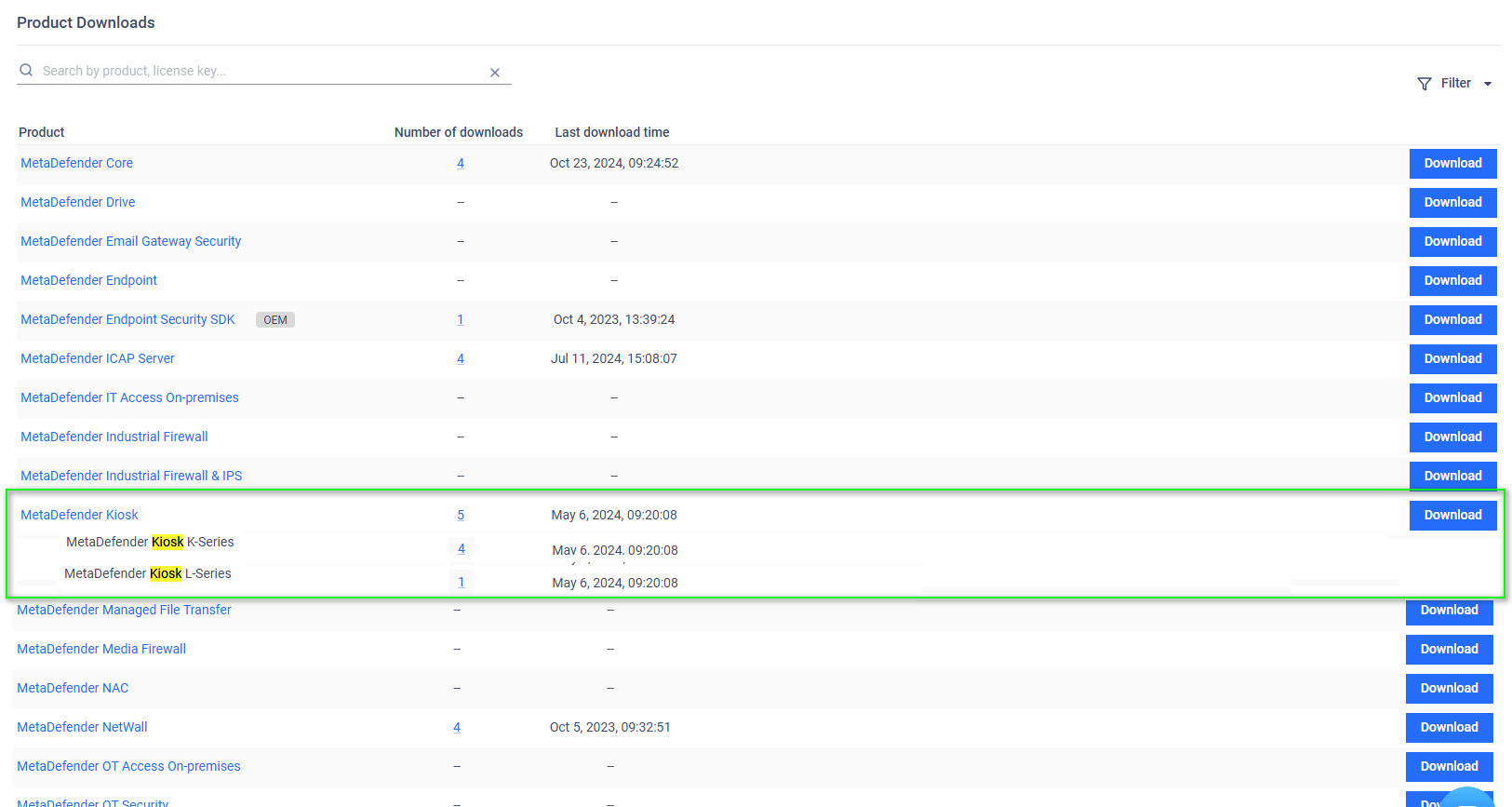
The Product Downloads page shows all available on-premises products that you can download.
How to Access: Select Product Downloads from the left navigation menu to open this page.
Displayed Information for Each Product:
Product: The name of the OPSWAT product.
Number of Downloads: The total times the product files have been downloaded.
Last Download Time: The date and time when the product was last downloaded.
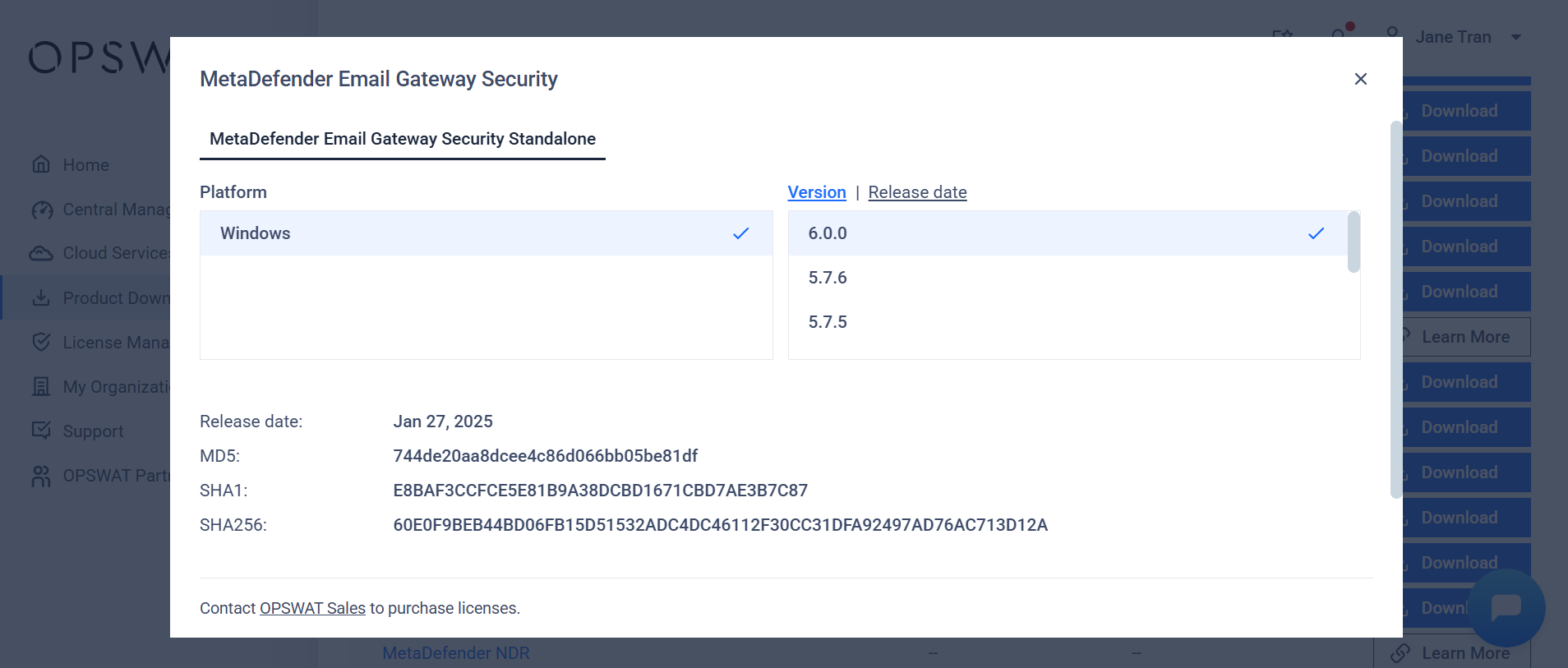
Click on a product name to go to its Product Details page. Click Download to open the Download OPSWAT Products dialog
Info
The Time filter is based on Last download time.
Last updated on
Was this page helpful?
Next to read:
Cloud Servicesnull
Discard Changes
Do you want to discard your current changes and overwrite with the template?
Archive Synced Block
Message
Create new Template
What is this template's title?
Delete Template
Message