
| Product Specification Requirements | Version |
|---|---|
| Service Message Block (SMB) protocol | SMB 3.1.1 (or SMB3) |
Integration with SMB Compatible Storage is currently accomplished via the Service Message Block (SMB) TCP protocol. Before you begin, you should ensure that this protocol is enabled on your computer.
In order to integrate SMB Compatible Storage with MetaDefender Storage Security please follow these steps:
- From the left side menu, navigate to Storage units, click on Add storage unit and choose SMB Compatible
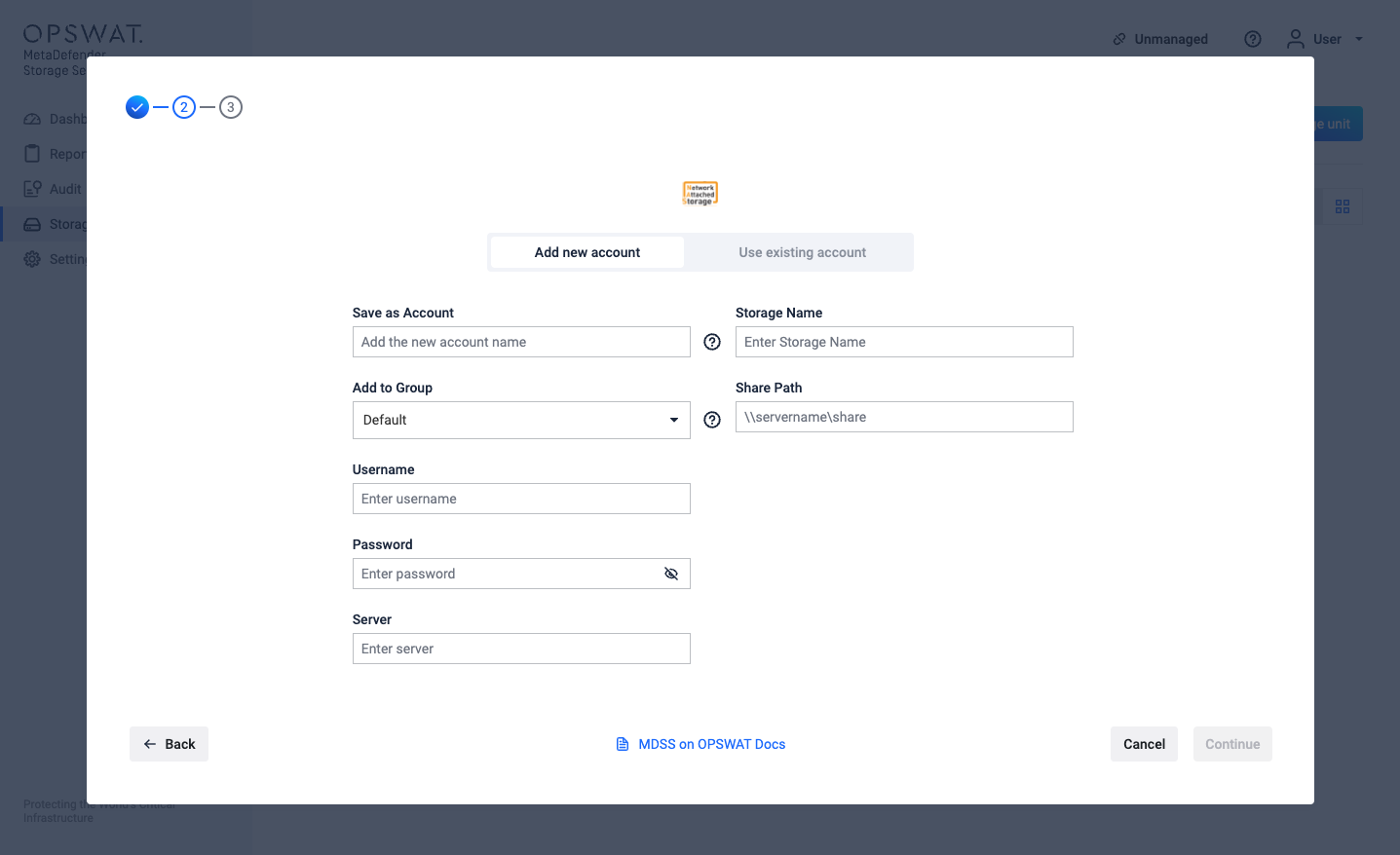
Give your account a name so you can easily identify it later
Give your storage a name so you can easily identify it later
Enter the Username that has access to the share. (The user should have at least read and write security permissions. To use Deep CDR & Remediations capabilities, modify permissions are required too).
Enter the Password.
Fill in the SharePath field which represents the path to the share. The following formats are currently supported:
- file://servername/pathToShare
- \servername\pathToShare
- //servername/pathToShare
- smb://servername/pathToShare
Click Add in order to finish the process.
To avoid authentication issues the Username should have one of the following formats:
- local users should be .\username (for example: .\Administrator)
- domain users should be username@domain or domain\username
A Samba file server needs to be enabled in order to connect to a Unix-based system SharePath. Since Samba doesn’t use the system account password, it needs to be set up using the sudo smbpasswd -a username command.
If you use a hostname in the host portion of IPv4/v6 socket address, the program may show a non-deterministic behavior. The socket address will be resolved differently into an actual IPv4/v6 address, depending on the results from DNS resolution and/or the host configuration. For deterministic behavior use a numeric address in host portion.
Windows client shares have a default configuration of 20 connections in the same time. Our default configuration will require 50 connections. To adjust this SMBSERVICE_SESSIONS_ON_STORAGE should be set to a value lower than 4
Please note that SMB over QUIC is not supported at this time - only traditional SMB over TCP connections are compatible with this integration. See [Windows] How to Expose an SMB Share as an NFS Storage Unit for more details.