
Integrations
1. Prerequisites
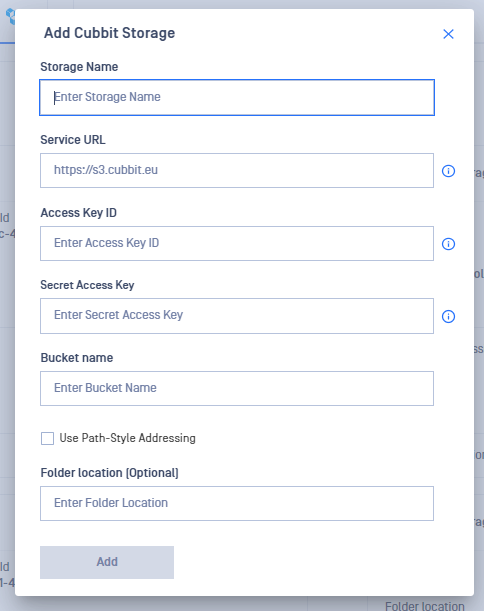
In order to Add a Cubbit storage in MDSS, you will need the Cubbit Service URL, Access Key Id, Secret Access Key and the bucket name.
2. Obtaining the Service URL
- Enter s3.cubbit.eu as the REST Endpoint or if you have a custom tenant s3.[your-tenant].cubbit.eu.
3. Obtaining Access Keys
- Access Console: Go to the Cubbit console dashboard.
- Find Access Keys: Look for API keys in the side menu
- Generate Keys: Create a new set of keys, following any provided guidelines.
- Record Keys: Securely note down your Access Key ID and Secret Access Key.
4. Obtaining the bucket name
- Login: Sign into Cubbit and navigate to the dashboard.
- Identify Bucket: Find your bucket in the list and note its name.
5. Adding Cubbit storage in MDSS
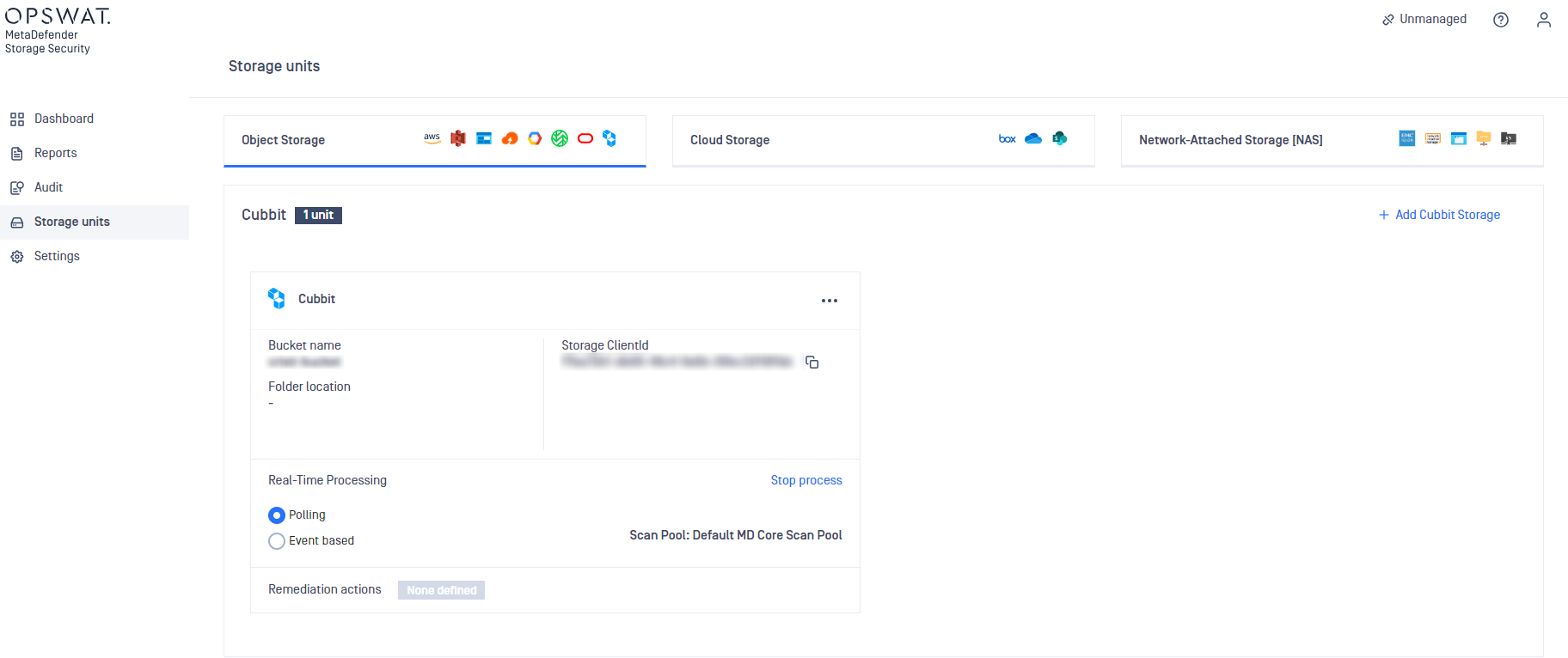
Once you have the details above, go to your MDSS web page, Storage Units page, click Add Cubbit Storage and fill the form. The Cubbit storage is now added:
6. Limitations
Due to a known issue with the Cubbit, any action that MDSS does to delete a version of the file will not work as expected. This will not affect in any way a user that doesn't use bucket versioning
Was this page helpful?