
Quick Overview
Starting with v2.0.6, a new settings page allows the configuration of all security aspects of the product.
The old procedure is still supported, and details can be found here.
Step-by-Step Guide for Enabling HTTPS
An SSL/TLS certificate must be created before activating HTTPS. Refer to the How to Add SSL Certificate page for more details.
After adding the SSL certificate, go to the "Server configuration" tab.
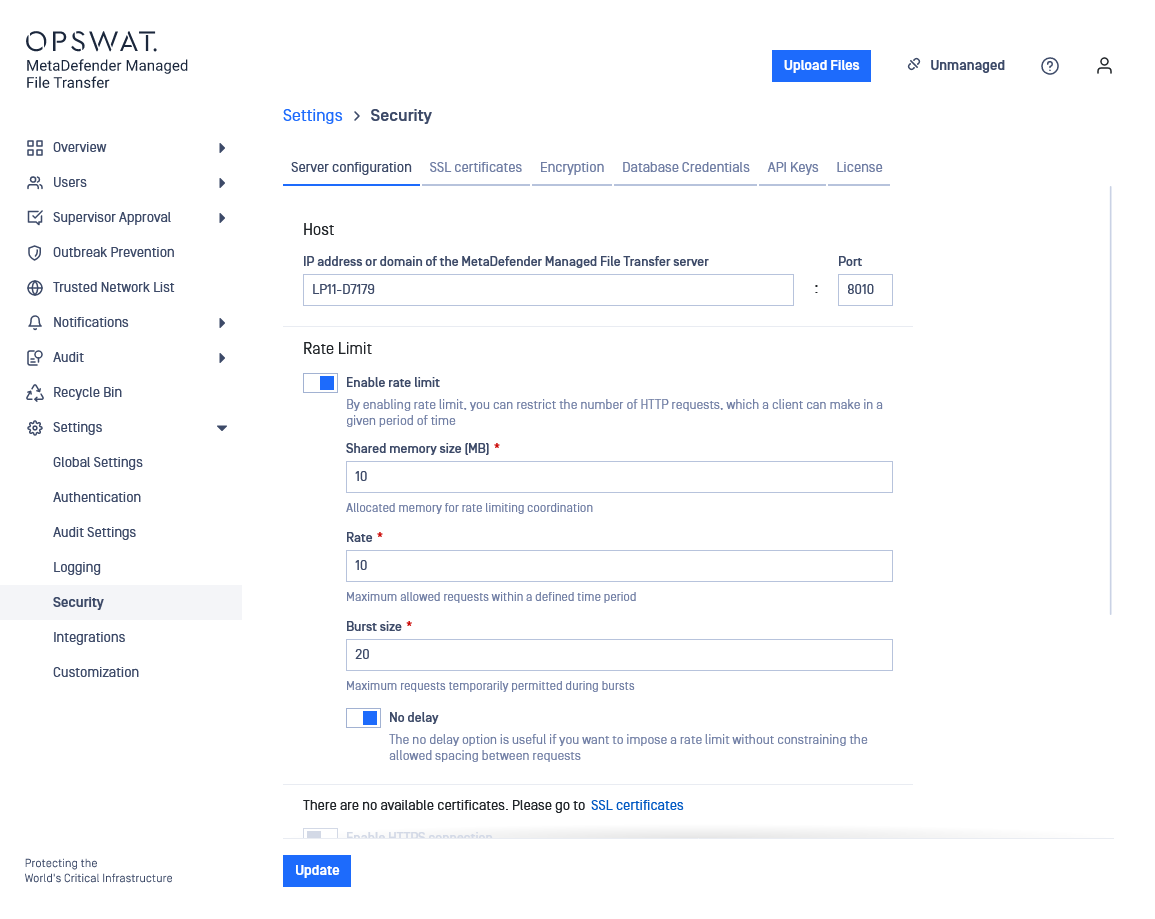
Enable HTTPS.
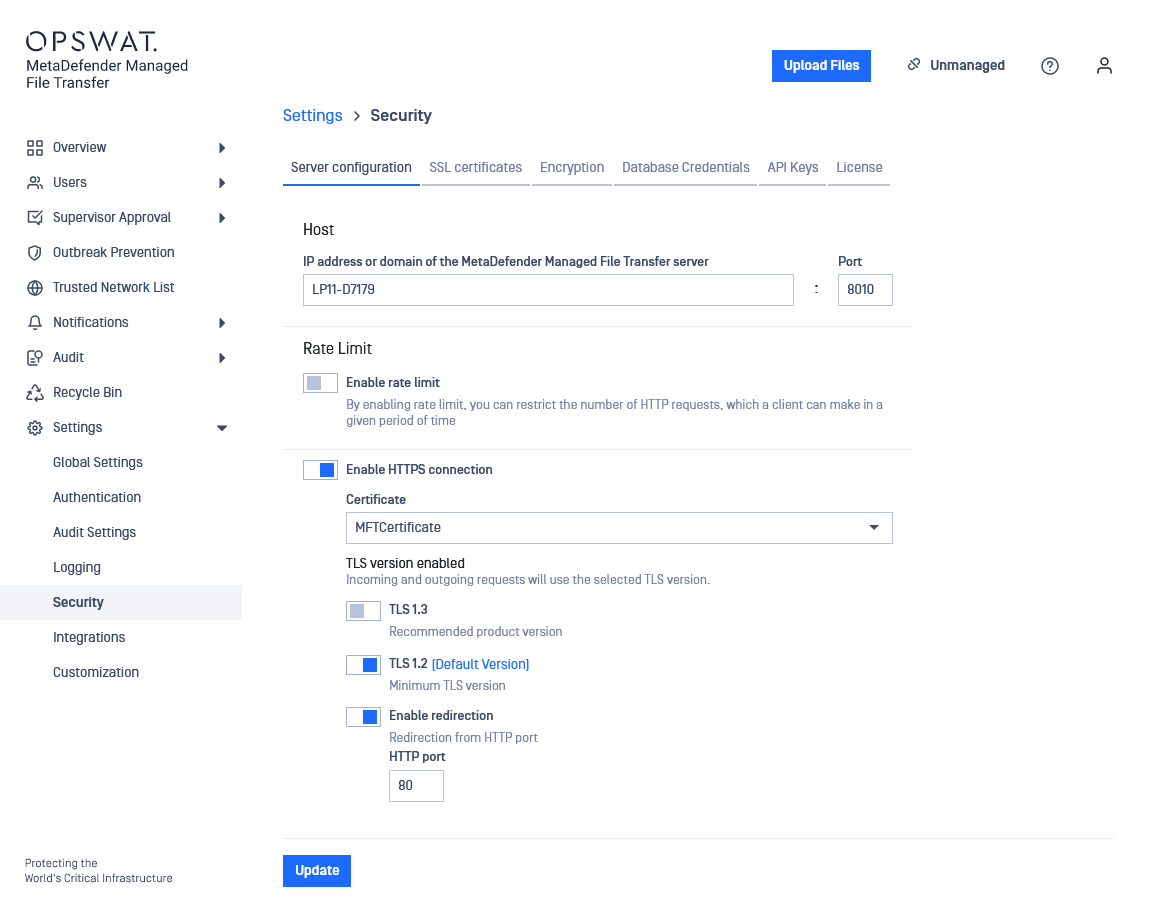
Fill in the desired settings in the configuration window. Detailed information about each field is provided below.
Name | Description |
|---|---|
Host | DNS name or IP Address of the machine running the MetaDefender Managed File Transfer server. A DNS name causes the server to listen on all network interfaces, while an IP address binds the server to that particular value. Note: this value is also used to generate links in email notifications. |
Port | The port used to listen for connections. |
Shared Memory Size | Allocated memory for rate-limiting coordination. |
Rate | Maximum allowed requests within a defined time period. |
Burst Size | Maximum requests temporarily permitted during bursts. |
No Delay | Useful if imposing a rate limit without constraining the allowed spacing between requests. |
Certificate | Name of the certificate created in step 2. |
TLS version | TLS protocol version to use. By default TLSv1.2 will be enabled if the operating system allows it. Connections with clients that do not support at least one of the configured TLS versions will fail. |
Click "Update" and wait to be redirected to the new URL.
Enforcing TLS Version
Upgrading from a previous version or leaving all TLS options unchecked will instruct XY to default as follows:
Outbound connections (i.e. requests made by Managed File Transfer) will use the operating system's default TLS protocol
Inbound web requests will dafault to TLS v1.2 or TLS v1.3 for Managed File Transfer's web server (NGINX)
To enforce a particular TLS version, please select only that option.