End-User Guide
v3.8.0
Search this version
End-User Guide
End-User Guide
Title
Message
Create new category
What is the title of your new category?
Edit page index title
What is the title of the page index?
Edit category
What is the new title of your category?
Edit link
What is the new title and URL of your link?
Tagging Files
Copy Markdown
Open in ChatGPT
Open in Claude
Tags are keywords that make it easier to find your files later.
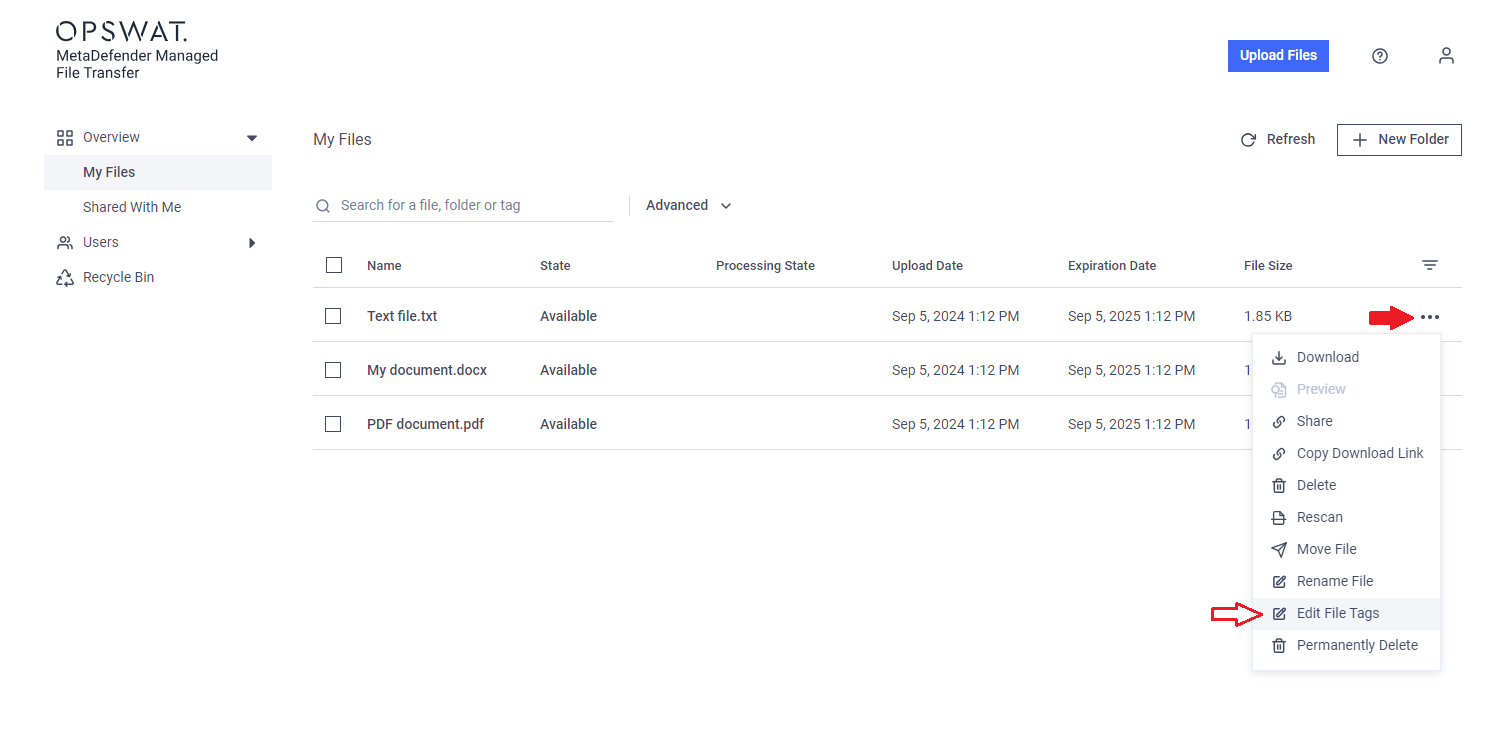
- Click the "action" menu (three dots) next to the file name on the right.
- Select "Edit file tags."

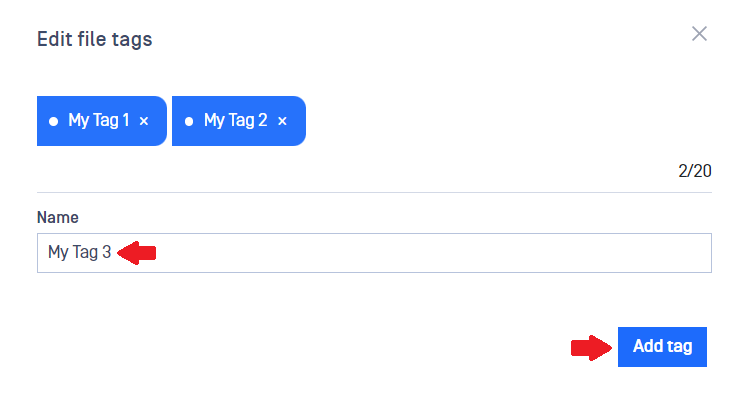
- Enter a new tag in the text box and click "Add tag." To remove a tag, click the "x" next to it.
You can search for files using these tags.
Tag search is case insensitive, so tags like "MyProject" or "myproject" will return the same results.
You can assign up to 20 tags to each file, and a tag can be up to 50 characters long.
Type to search, ESC to discard
Last updated on
Was this page helpful?
Next to read:
Searching FilesDiscard Changes
Do you want to discard your current changes and overwrite with the template?
Archive Synced Block
Message
Create new Template
What is this template's title?
Delete Template
Message