End-User Guide
v3.8.0
Search this version
End-User Guide
End-User Guide
Title
Message
Create new category
What is the title of your new category?
Edit page index title
What is the title of the page index?
Edit category
What is the new title of your category?
Edit link
What is the new title and URL of your link?
Sharing Files
Copy Markdown
Open in ChatGPT
Open in Claude
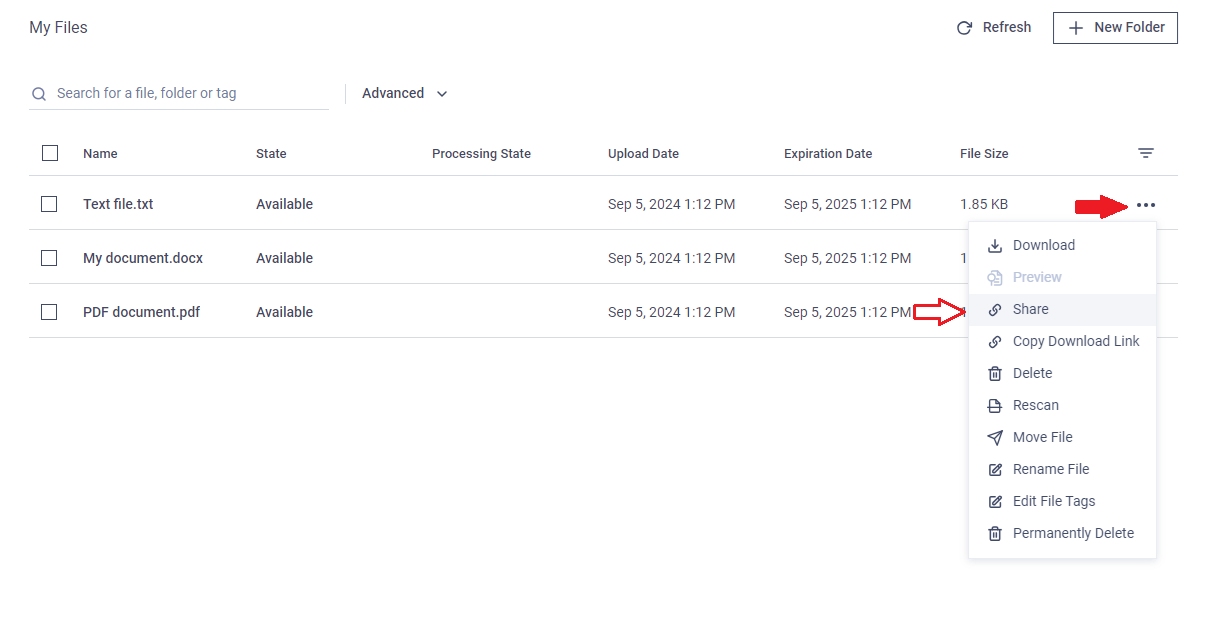
You can share files and folders with other users or create a download link.
Simple Share
- Click on the three-dot menu and select "Share."
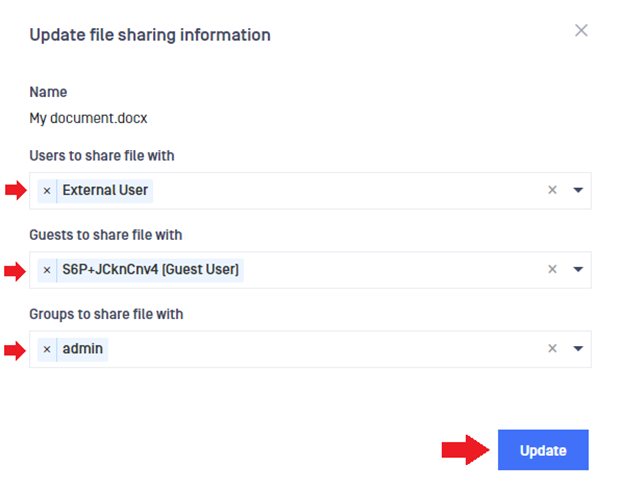
- In the pop-up window, select the users you want to share the file or folder with. You can share with local users, guest users, or external users.
Share by Download Link
You can share files by creating a download link and sending it to users.
- Click the three-dot menu and select "Copy download link."
- Paste the link into a message and send it to the desired users.
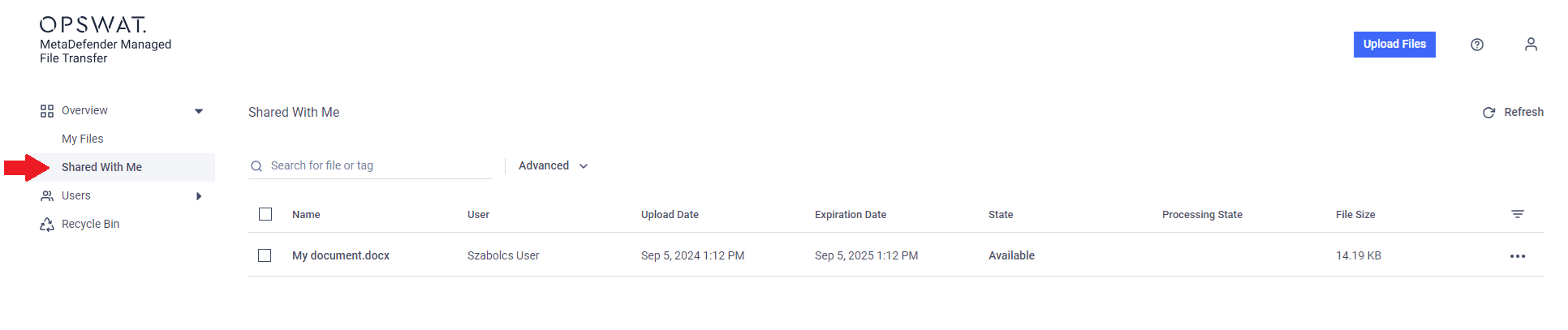
The download link may only be accessible to MetaDefender MFT users, depending on the application's configuration.
Type to search, ESC to discard
Last updated on
Was this page helpful?
Next to read:
Shared with meDiscard Changes
Do you want to discard your current changes and overwrite with the template?
Archive Synced Block
Message
Create new Template
What is this template's title?
Delete Template
Message
