
Various applications and scenarios tend to make use of the Base64 Encoding when sending data. In such cases, users may wish to test different functionalities manually, by sending different calls to the system.
For instance, MetaDefender Managed File Transfer will require Login Credentials encoded in Base64 for performing the Authentication API:
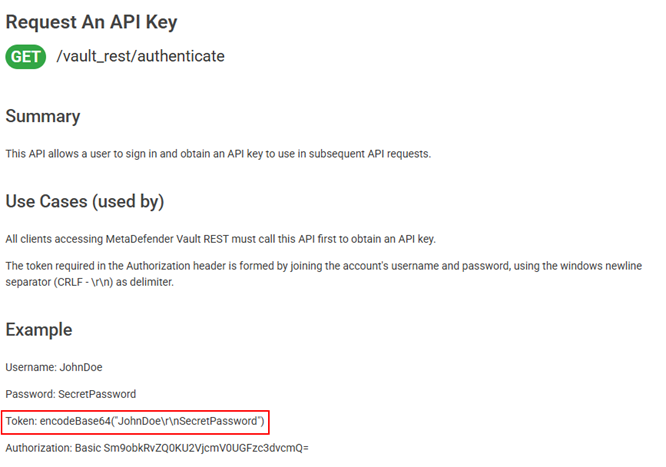
The presence of escape characters ( \r \n ) might complicate things a little, so in this case we want to make sure that our encoding is correct. One way of successfully and correctly encoding this would be making use of the Java Programming Language, and running a script like the one below:
That would provide us with the Encoded String: Sm9obkRvZQ0KU2VjcmV0UGFzc3dvcmQ=
Alternatively, you can also use PowerShell:
Which we can further use to our scenario, as needed.
If Further Assistance is required, please proceed to log a support case or chatting with our support engineer.