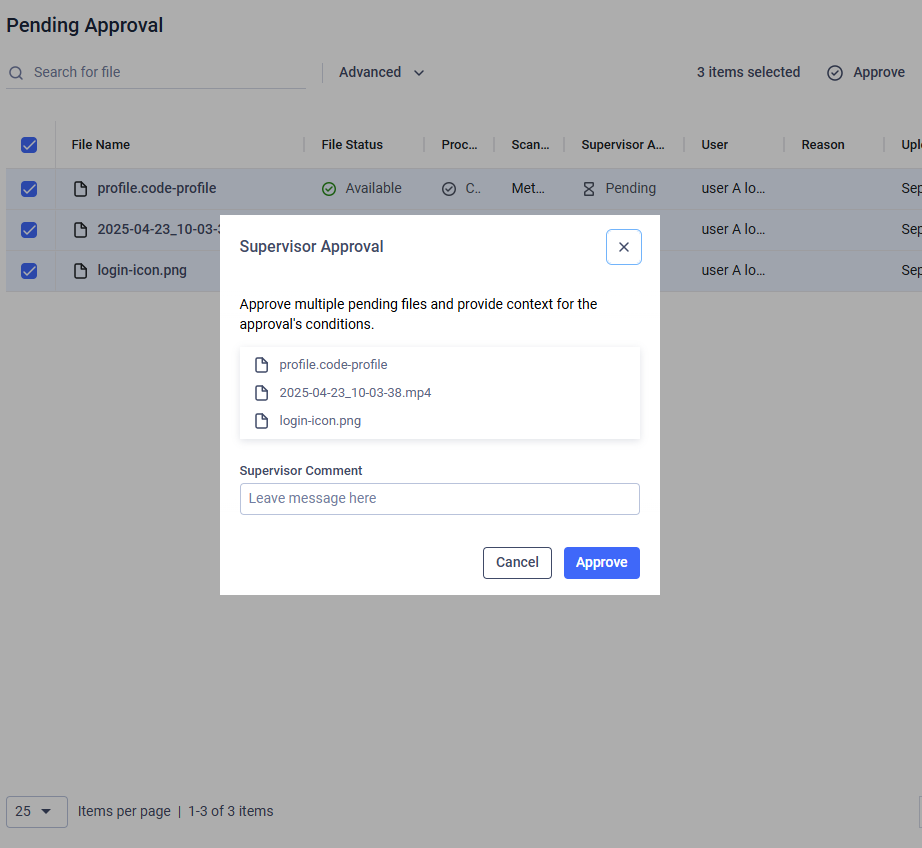
This page allows supervisors to manage files uploaded by supervised users.
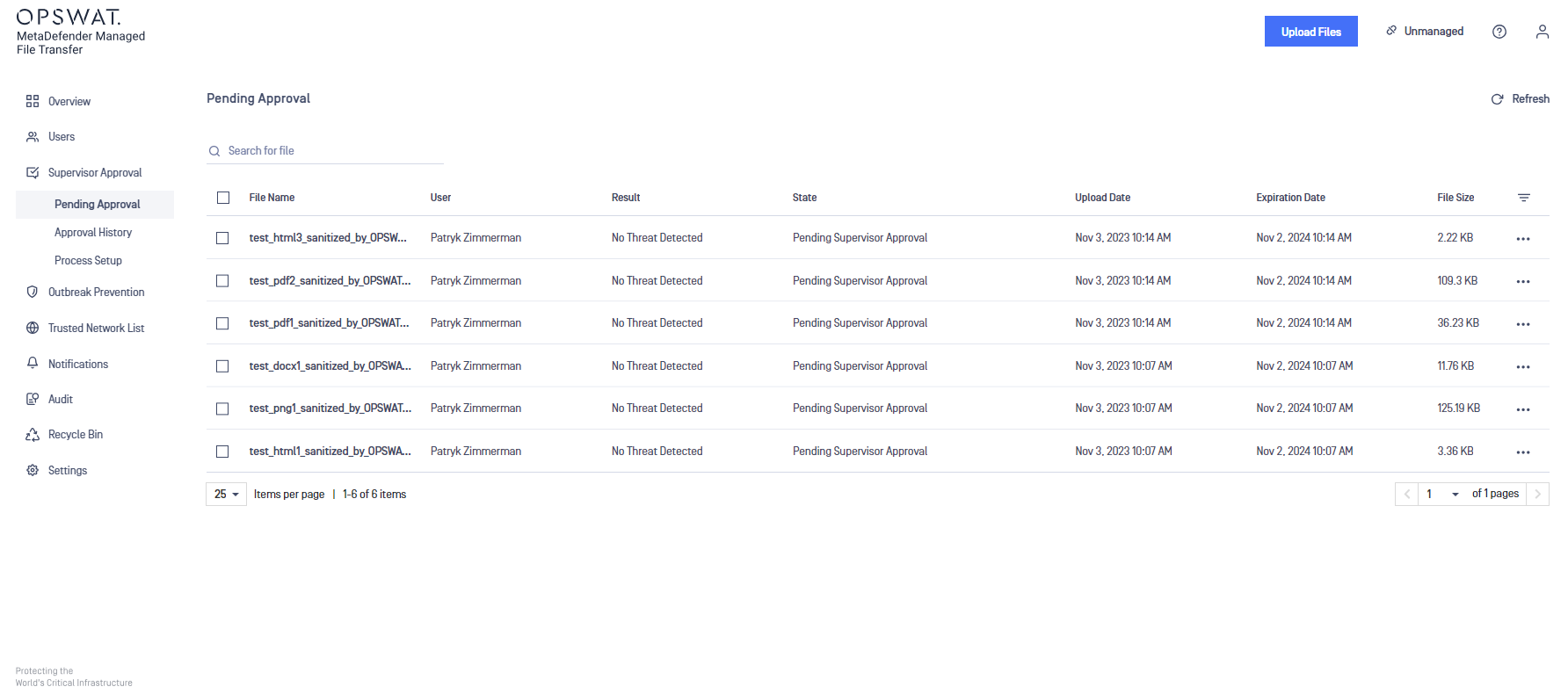
The following options are available in the last column:
Supervisor approval: opens the supervisor approval modal with detailed supervisor information
Approve file: make the file available for download
Revoke approval: deny access to download the file
Retry processing (only visible in case of failures)
Download
Rescan
Supervisors can see "Pending Supervisor Approval" and "Blocked" files, but they can only approve files that are not blocked by MetaDefender Core.
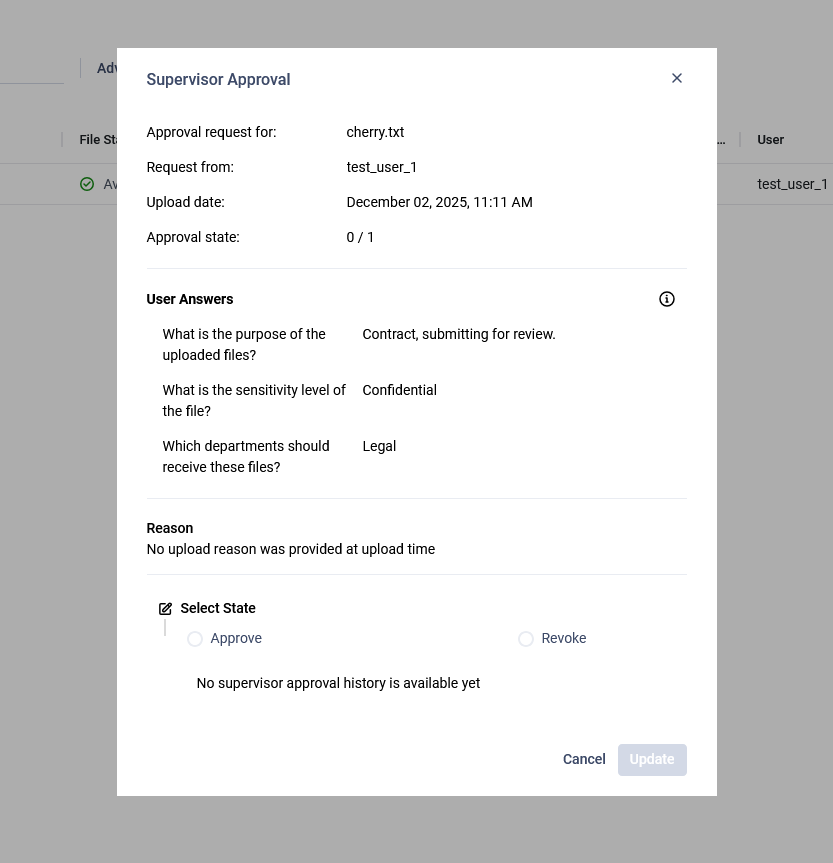
Supervisor Approval Modal
Opening the supervision approval modal will display additional information about the uploaded file, including the answers provided in the upload questionnaire. This allows supervisors to make informed decisions based on the context provided by the uploader.
Approve or Revoke Multiple Files at Once
Supervisors can also approve or revoke multiple files simultaneously.
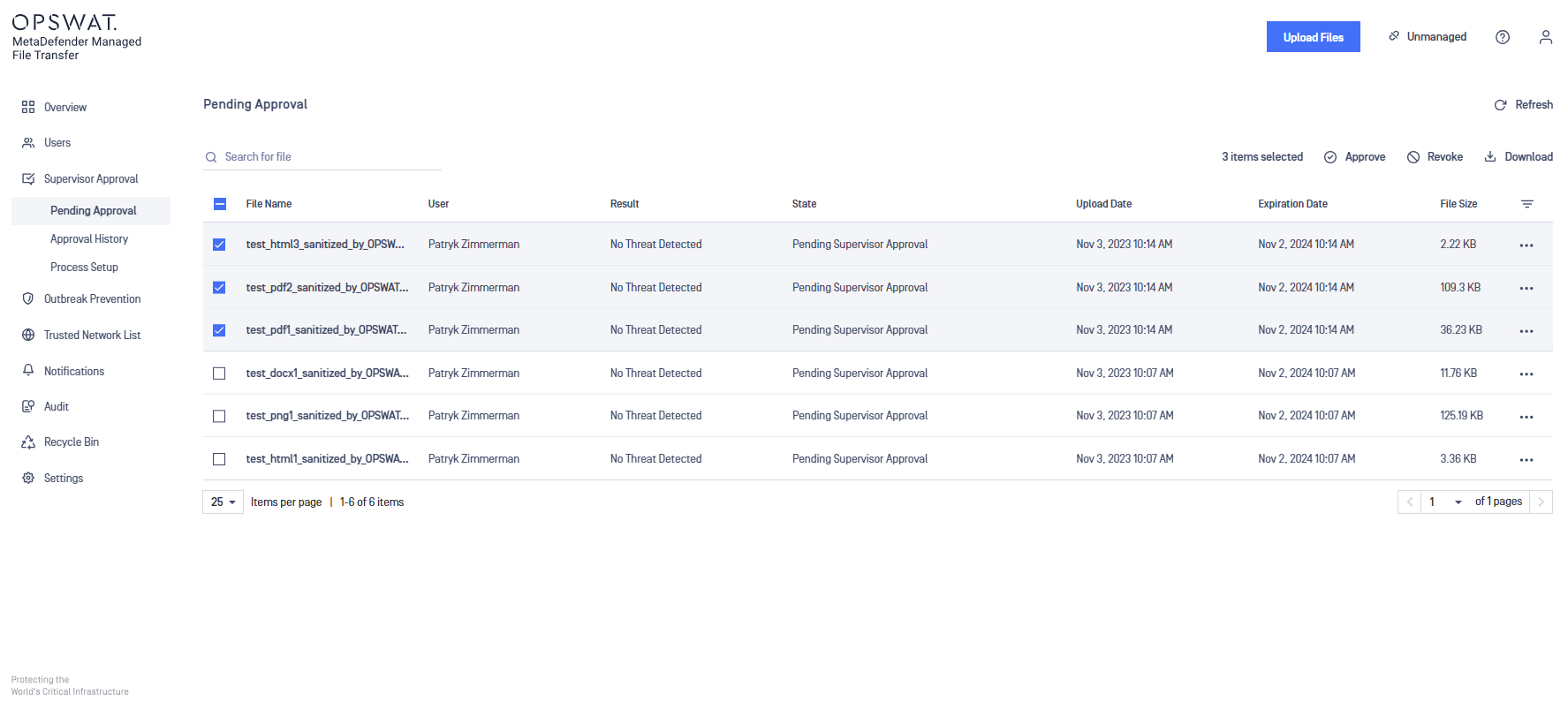
By selecting multiple files, the following actions become available:
Approve
Revoke Approval
Delete
Download as archive
If Supervisor Comments is enabled, supervisors can enter a comment explaining the reason for approving a file.