
This section covers configurations specific to the High Availability (HA) setup.
High Availability Configuration Tool
Use the High Availability Configuration Tool to configure MetaDefender MFT HA Controller™ and manage and monitor your HA environment. It allows you to configure nodes, adjust cluster settings such as timeouts, and review node and peer health status. The tool can also generate support packages to assist with troubleshooting. Additional capabilities will be added in future releases.
For details, see the HA Configuration Tool.
HA Cluster Notification URL
If you are using email notifications you have to configure the Notification URL Configuration. Change the Notification URL to the HA Controller’s address.
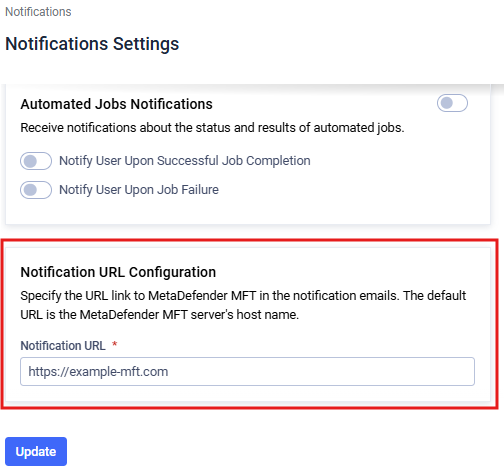
This address will be used in the email notifications as link to the MetaDefender® MFT. Since users will access the application through the MetaDefender MFT HA Controller™ the notification URL must be changed to it's address.
More information can be found at the Notification URL section.
Server configuration
Server configuration is instance-specific and stored locally (not in the shared database). All settings under Settings > Security > Server Configuration—such as HTTPS, rate limiting, and port configuration—must be set independently on each node.
Changes made on one node do not automatically apply to the other node.
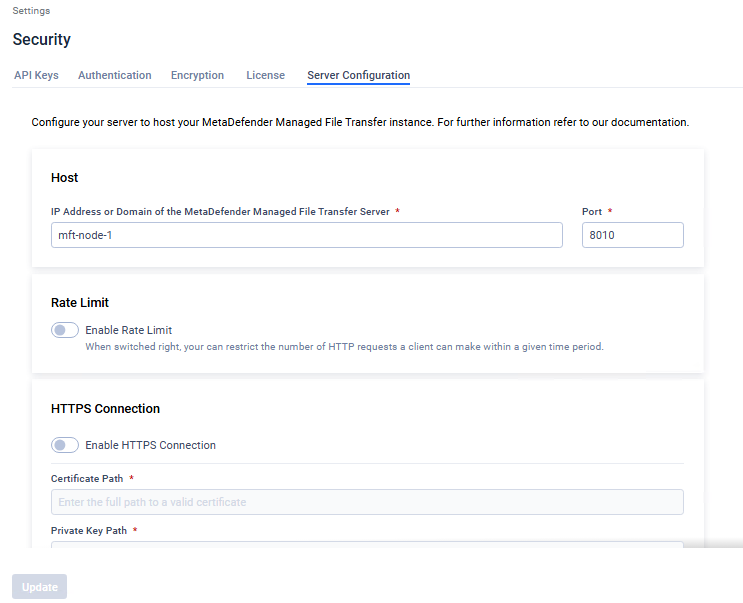
It's not necessary to align the MetaDefender® MFT Server Configuration across nodes. For instance, the hostname will inherently differ between nodes. Additionally, if Node1 has higher specifications and requires a larger rate limit, you can configure a higher rate limit on Node1 compared to Node2.
You can use the Host field to check which Node is currently active.