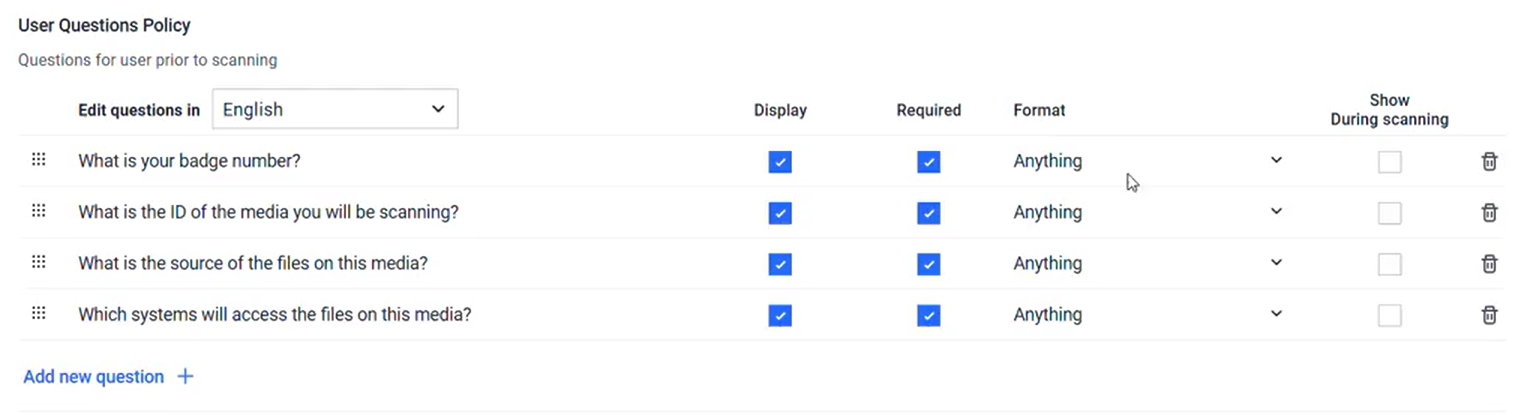
The User Questions Policy page lets you create questions for users to answer before processing files. You can require that these questions be answered before the user is allowed to continue. Any required responses are stored in the User Question section of the session log.
Multiple and single choice question
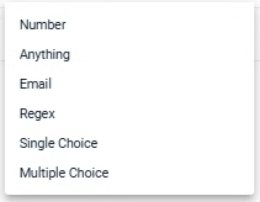
Starting from version 4.7.10, Kiosk supports both multiple-choice and single-choice questions. To create a question of either type:
Step | Description |
|---|---|
Step 1 | Create a new question or edit an existing question |
Step 2 | In Format, select Single Choice or Multiple Choice
|
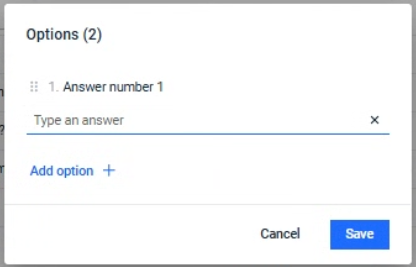
Step 3 | Define answers to the question. Click Add option to define more answers
|
Sync question response with MFT
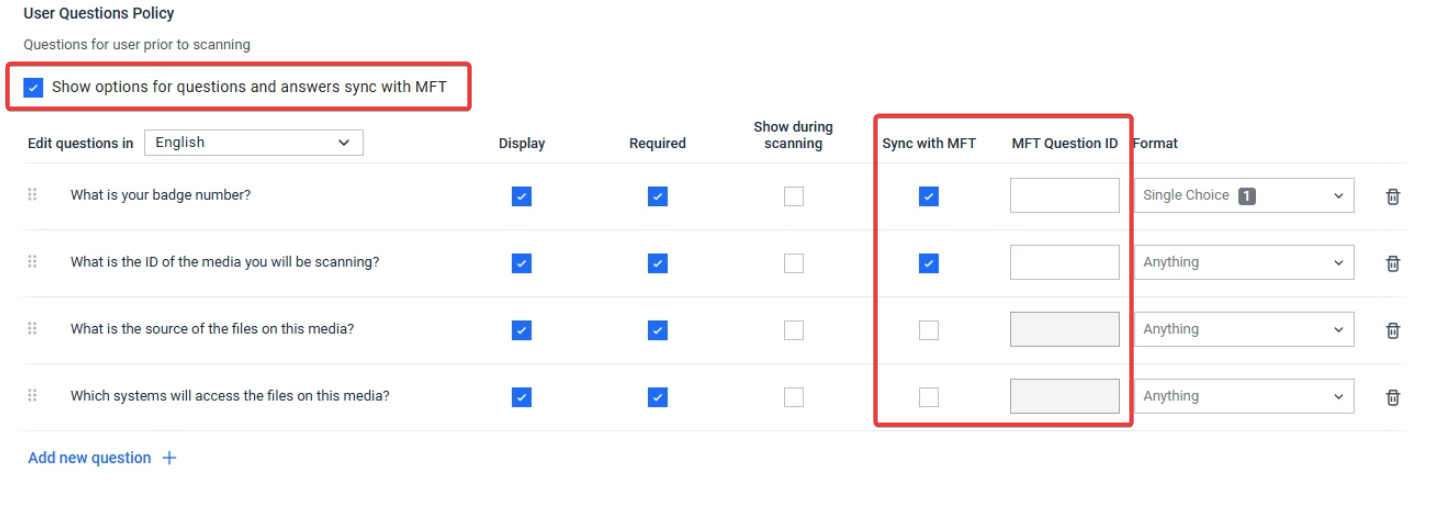
In Kiosk 4.7.11, administrators can choose to send workflow Question and Answer (Q&A) responses to MFT 3.11.0. MFT uses these responses to route files, apply automated policies, and support approval workflows. Refer to [MFT documentation](Refer to MFT documentation for setup details link) for setup details
To use and configure this feature correctly:
Ensure your MFT server is running version 3.11.0 or later.
All Question IDs and Answer IDs must exactly match the configurations on the MFT side, or the upload will be rejected.
Step | Description |
|---|---|
Step 1 | Enable 'Show options for questions and answers sync with MFT' |
Step 2 | For each question, tick “Sync with MFT” to send that answer to MFT. |
Step 3 | Enter the MFT Question ID. This must match the Question ID configured on the MFT server.
|
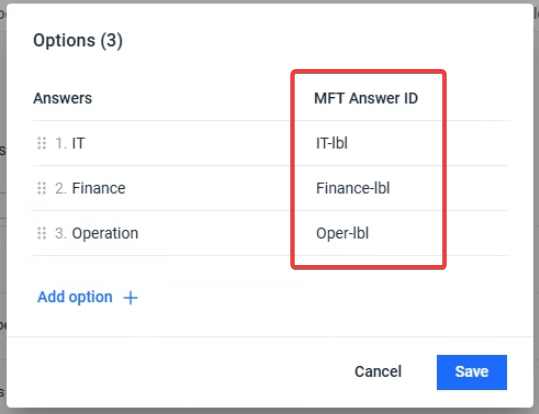
Step 4 | If the answer is free text, the text is sent directly; no Answer ID required. If the answer is single choice or multiple choice, provide the MFT Answer ID for each option. These IDs must match the MFT configuration.
|