
MetaDefender Kiosk 4.8.0 | |
|---|---|
2 February 2026 (Kiosk 4.8.0.5836) | |
Fixed Bugs | |
Fixed issue when Kiosk workflows do not sync all CN attributes of users | Resolved an issue where adding users in Kiosk workflows whose Distinguished Name (DN) contained multiple CN attributes resulted in the Kiosk creating the user with only two CN attributes. |
Fixed intermittent setup Wizard display after Kiosk upgrade from Kiosk 4.7.0 | Resolved an intermittent issue where the Kiosk console displayed the setup wizard after upgrading from Kiosk 4.7.0 to a newer version |
Fixed issue with CD/DVD detection | Resolved an issue when CD/DVD sometimes could not be detected. |
27 January 2026 (Kiosk 4.8.0.5807) | |
New Features | |
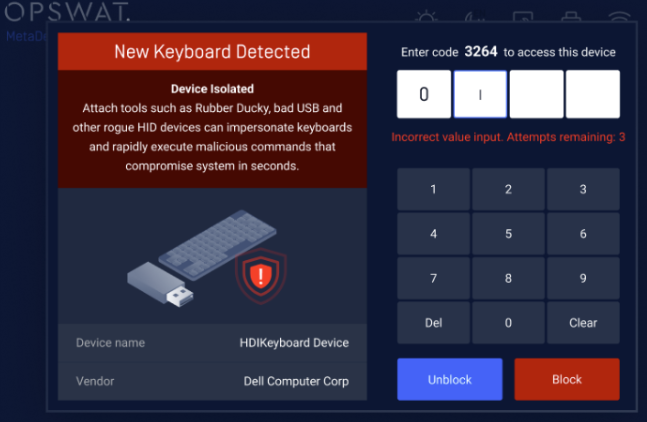
Protection against BadUSB and malicious USB Devices | Kiosk now detects and blocks BadUSB, malicious devices, and other non–mass‑storage USB interfaces, helping protect against attacks that emulate keyboards, inject keystrokes, or create covert network connections. This enhancement strengthens device security by preventing unauthorized USB behavior before it can compromise the system.
|
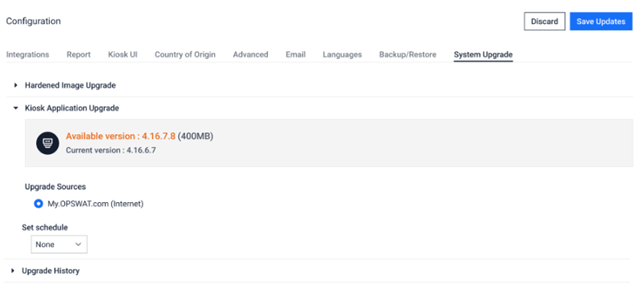
Support Kiosk application upgrade | Kiosk now supports remotely upgrading Kiosk applications through direct Kiosk Console or via Central Management. Administrators can schedule upgrades, monitor progress, and roll back if needed, removing the need for manual on‑site updates.
|
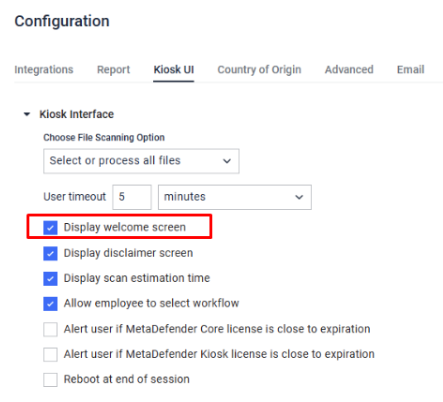
Option to disable displaying the Welcome Screen | Administrators can now configure Kiosk to skip displaying the Welcome screen and go straight to the media detection prompt, streamlining the user flow in environments where the initial screen is unnecessary.
|
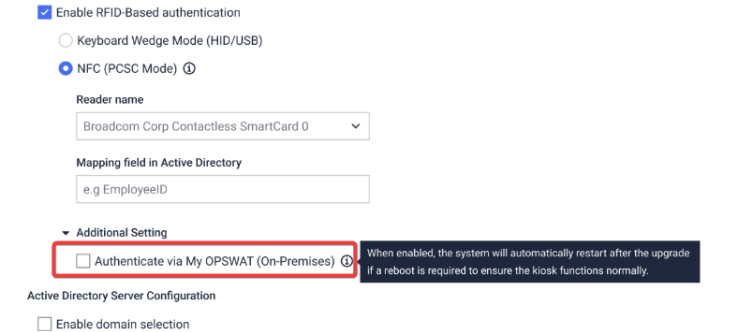
Support for RFID and AD Login via OPSWAT CM10 | Kiosk now supports authentication through CM10, allowing users to sign in using both RFID cards and Active Directory credentials. This enhancement improves access‑control flexibility and supports environments that require integrated RFID and AD authentication flows.
|
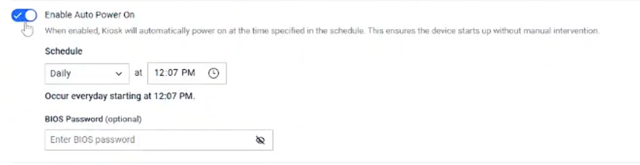
Kiosk supports scheduled shutdown and startup | Kiosk now supports scheduled shutdown and startup of the device, enabling automated power management for deployments that require predefined power cycles.
|
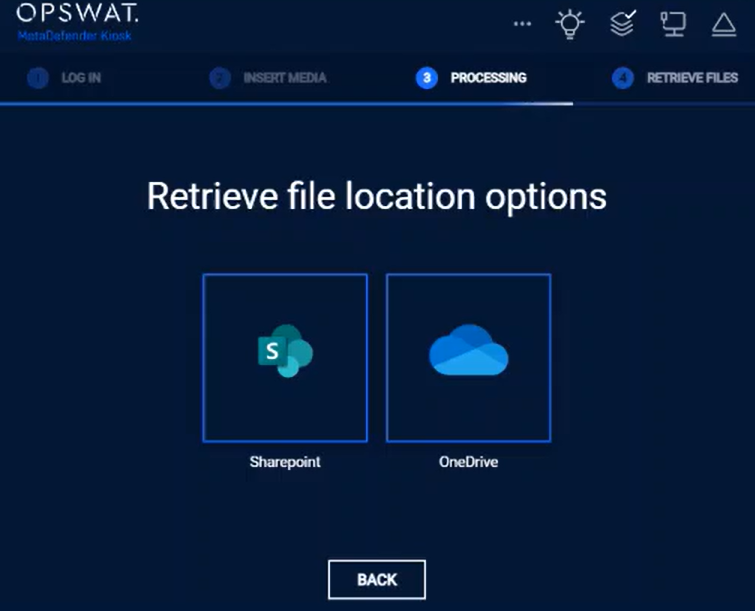
Retrieve files from Onedrive and Sharepoint | Kiosk now supports retrieving files from OneDrive and SharePoint using Entra ID, allowing users to browse and select files directly in the Kiosk UI for file retrieval.
|
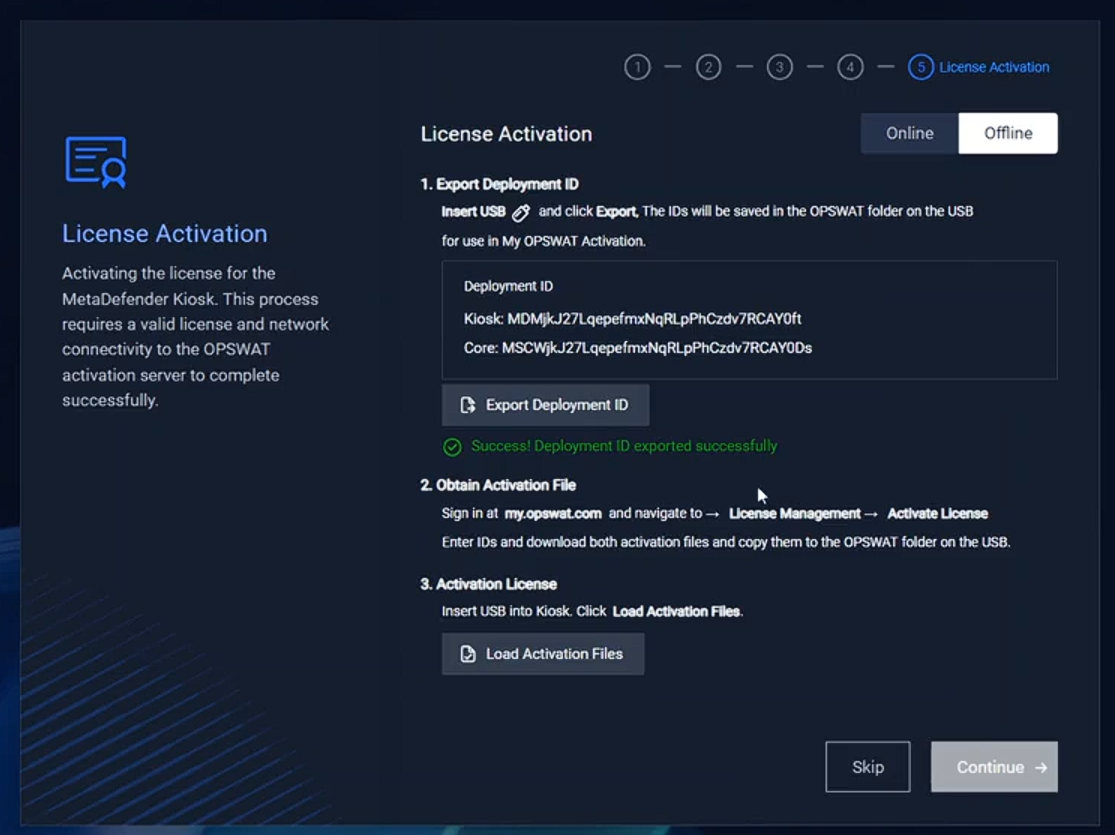
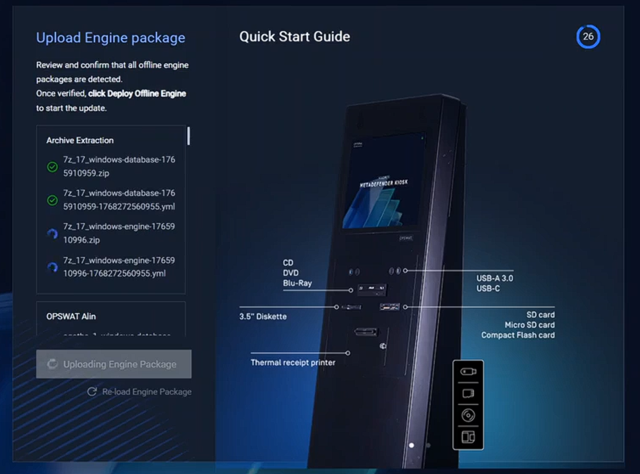
Kiosk OOBE supports activation and deployment engine offline [Kiosk Hardened Image] | Kiosk OOBE now supports offline activation for both Kiosk and Core licenses, enabling administrators to complete the full setup in air‑gapped environments. This enhancement ensures smoother deployment in highly restricted or isolated networks, and administrators can also update engines offline as part of the setup process.
|
Enhancement | |
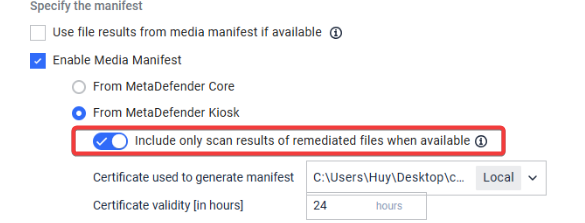
Option to exclude original files from the manifest when a sanitized version exists | Kiosk provides a new option allows administrators to exclude original files from the manifest, ensuring only sanitized versions are shown to users. When enabled, original files are automatically blocked if a sanitized copy exists. This enhancement improves safety and streamlines access to sanitized files on USB devices.
|
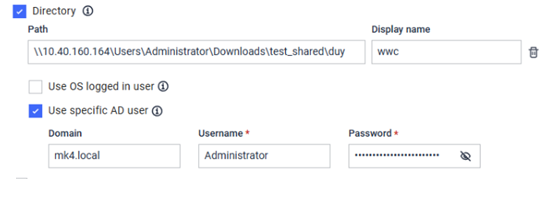
Use specific user to copy files to network locations | Kiosk now supports using a specific domain account to copy files to network locations, providing more flexible access control while retaining fallback to the OS logged‑in user when needed.
|
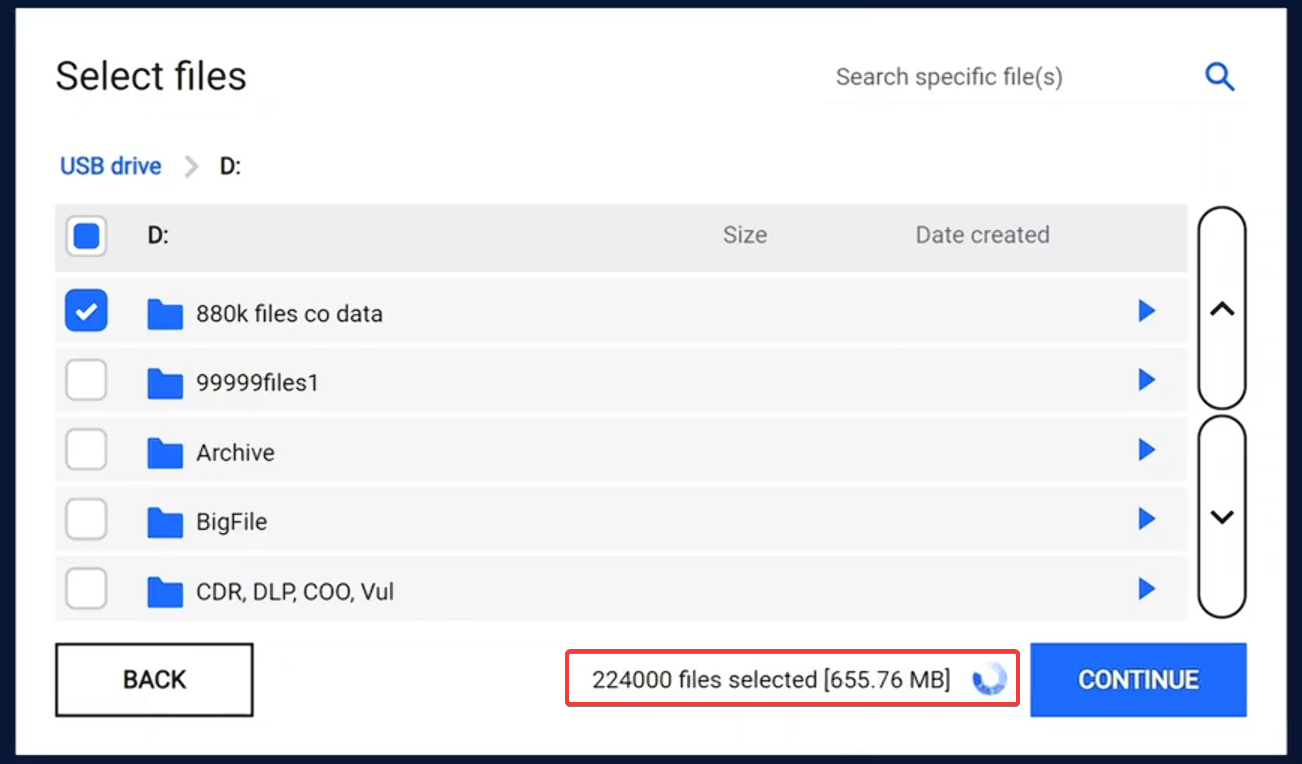
Real‑time file counting during file selection and scanning | Kiosk now displays a real‑time counter during file‑counting phases, showing the number of files detected as scanning progresses. This improvement provides clearer feedback and prevents confusion when scanning large directories.
|
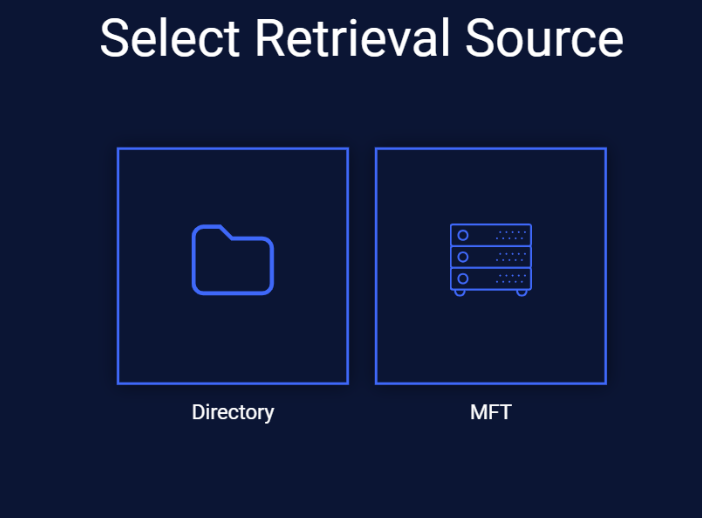
Show only enabled source options when copy or retrieve files | Kiosk now allows to display only the source options that are enabled and properly configured, hiding all unavailable options for a cleaner and more intuitive user interface.
|
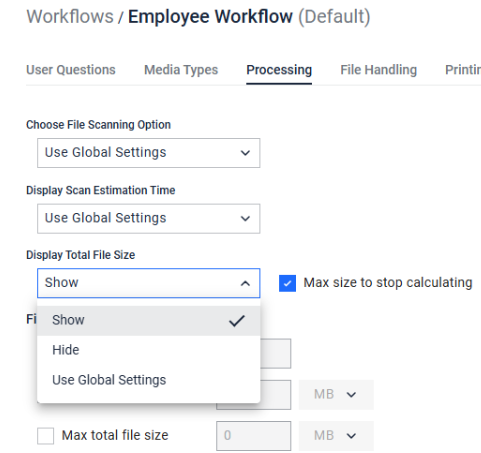
Configure file-size calculation per workflow | Administrators can now configure file‑size calculation settings per workflow directly in the Kiosk UI, replacing the previous global‑only configuration and offering more flexibility across different workflows.
|
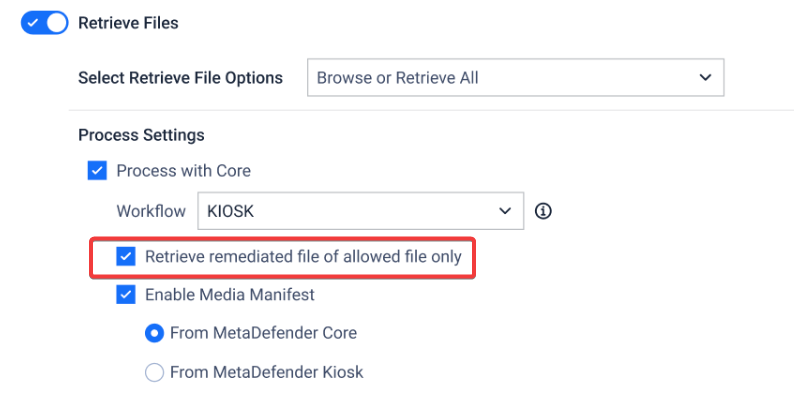
Retrieve remediated files of allowed files only | Kiosk introduces a new option to only retrieve remediated version of the allowed files. Preventing retrieving sanitized or DLP-processed files when the original files were blocked.
|
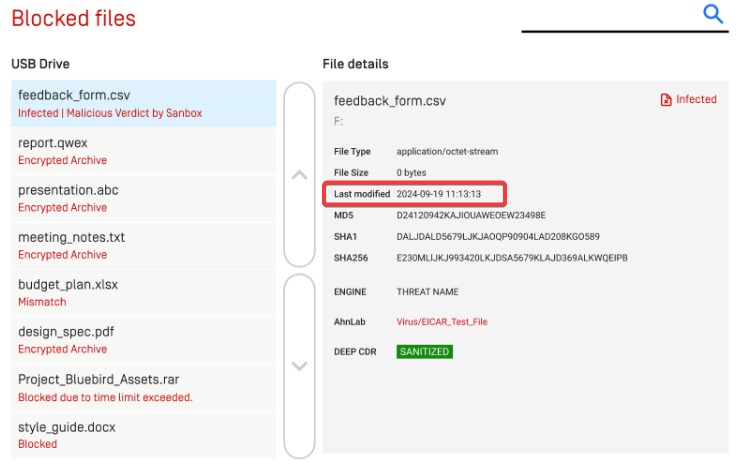
Last modified date for blocked files | Kiosk now displays the last modified date for blocked files, helping administrators identify whether a file was altered between scan sessions. The implementation ensures accurate timestamps, resolves earlier translation issues
|
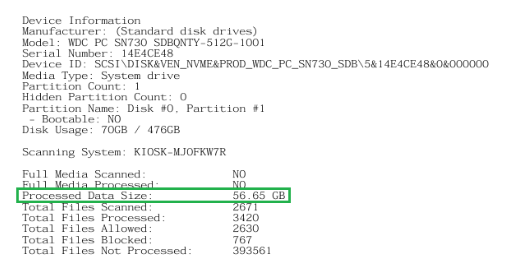
Added total scanned file size to logs and reports | Kiosk now includes the total scanned file size in both the session log and the scan report, providing clearer visibility into the overall data volume processed during each scan.
|
Print layout enhancements and paper size support | The print layout for Kiosk reports has been improved in Kiosk 4.8.0, providing a cleaner and more readable output in different paper size. |
Media Detection Enhancements | Kiosk includes several enhancements to media detection, improving the speed, accuracy, and reliability of identifying across different media types. Deliver a smoother, more consistent user experience during the scanning process |
Kiosk support Predictive AI engine | Kiosk confirms supporting the Predictive AI engine, enabling advanced file analysis and faster threat detection. This AI‑driven enhancement improves scanning accuracy and strengthens overall security. |
Improved detection for VMDKs with multiple filesystems | Scanning for VMDK files with multiple filesystems has been improved to ensure all valid partitions are detected. The system now checks for inaccessible partitions and automatically switches to VHDX conversion when needed, preventing cases where only the UEFI partition was mounted. |
Improved detection for Acronis TIBX backup files | Support for Acronis TIBX backups has been improved with more reliable mounting for both disk‑level and file‑level backups. Compatibility was enhanced across multiple Acronis versions, though numeric‑only filenames may still fail due to a known Acronis bug. |
Update MetaDefender Drive engines from Kiosk UI | Kiosk now supports updating the MetaDefender Drive engine directly from the Kiosk UI using MyOPSWAT as the update source, providing a more flexible and streamlined update process. |
USB Device information sent to My OPSWAT | Kiosk now sends full USB device information to My OPSWAT, improving visibility and reporting on USB usage across deployments. |
Include new version of Paragon Linux File System for Windows (version 6.1.300) | Kiosk now includes an updated Paragon Linux File System for Windows (version 6.1.300), improving VHDX detection and mounting reliability |
Fixed Bugs | |
Fixed issue with file transfer from mobile devices to MFT | Fixed an issue where file transfers from mobile devices (iOS and Android) to MFT via Kiosk would hang during scanning, causing sessions to stall and the UI to become unresponsive. The update ensures reliable detection and transfer of files from connected phones, preventing endless loading states and UI freezes. |
Fixed issue with Kiosk 4.7.10 configuration reverting to OCMv7 defaults | Fixed an issue where the configurations on Kiosk 4.7.10 reverted to the OCMv7 default instead of retaining the configured value on Kiosk, ensuring the setting now synchronizes correctly across Guest and Employee workflows. |
Fixed issue with Windows Services reverting to Manual Startup | Fixed an issue where certain Windows services were incorrectly changed from Automatic to Manual startup during Kiosk installation or upgrade. |
Known issues | |
BadUSB detection popup not displaying when Kiosk interface timeout is disabled | When the kiosk interface timeout is disabled (User Timeout = 0 minutes), the BadUSB detection popup may not appear |
Encrypted USB not detected in some rare case | In rare cases, an encrypted USB devicemay mistakenly detected as CD/DVD and only detected the boot sector. Reconnecting the device is required to proceed |
Screensaver video preview not playing | When configuring the screensaver, the video preview may not play after selecting a file. However, the settings are saved successfully, and the screensaver functions correctly on the Kiosk UI. |
Partitions in BitLocker-encrypted USB may not mount in some rare case | In rare cases, partitions on a BitLocker‑encrypted USB device may not mount. |
MetaDefender KIOSK Documentation
The users can consult this web page or, alternatively, they can download the manual in pdf format from the link below:
MetaDefender KIOSK manual (SHA256: 404339BCE0F3E4C5EFA52F55903C8C617C0F9630D01E2020EC09EA6CDC1304C7).
OPSWAT MetaDefender AGD Documentation_v1.6 (SHA256: 78A69F89D3C0D0FCA8A4B8D30B2C92E55D80CC559583F23AC61158F67CE04988).