Operating
v4.7.10
Search this version
Operating
Operating
Title
Message
Create new category
What is the title of your new category?
Edit page index title
What is the title of the page index?
Edit category
What is the new title of your category?
Edit link
What is the new title and URL of your link?
Inserting Digital Media
Copy Markdown
Open in ChatGPT
Open in Claude
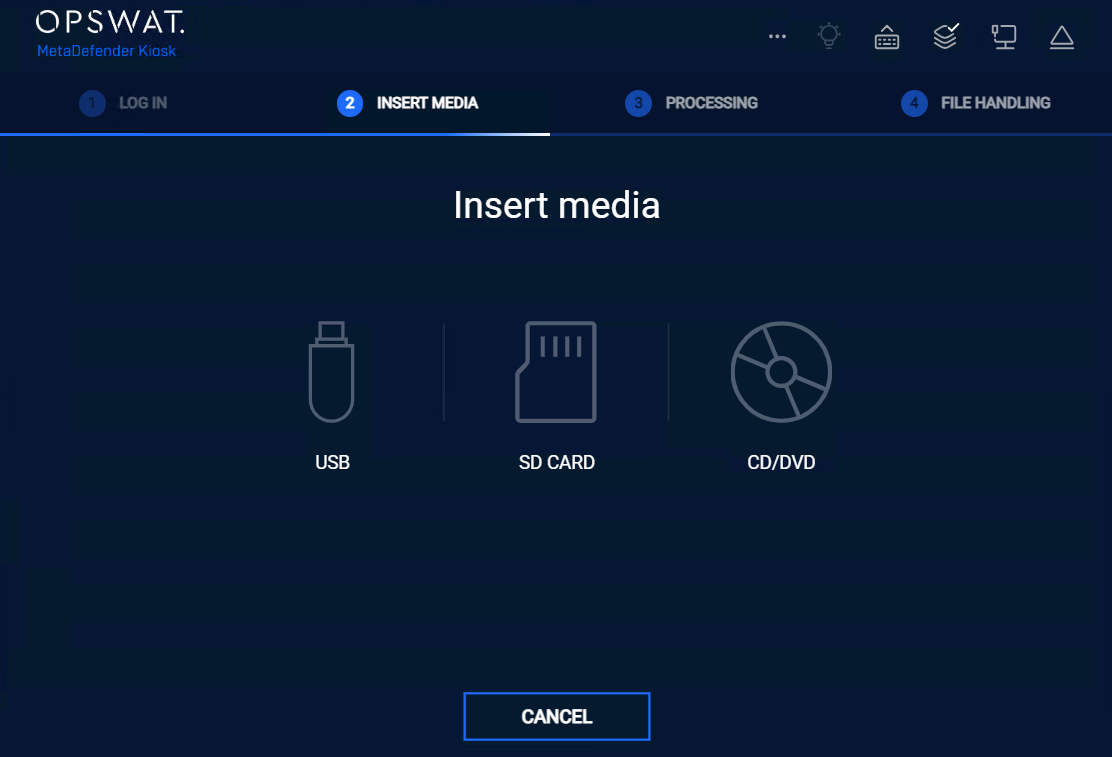
After the login process is complete and, if applicable, all user questions have been submitted, the Insert Media screen displays.
Starting from Kiosk version 4.7.6, users can insert their media at any time during operation. The Kiosk will automatically recognize the inserted media and display it on the Media Detection screen for further processing
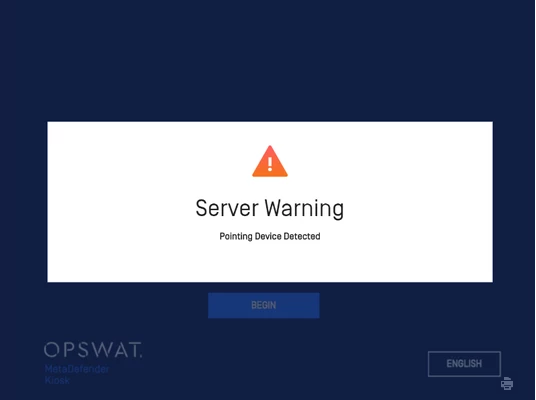
At any point during a session, if a device is inserted that Kiosk cannot process, an alert will pop up indicating it detected a new device.
For example, in the event a mouse is connected:
Type to search, ESC to discard
Last updated on
Was this page helpful?
Next to read:
Unlocking Encrypted DevicesDiscard Changes
Do you want to discard your current changes and overwrite with the template?
Archive Synced Block
Message
Create new Template
What is this template's title?
Delete Template
Message
