
The Media Manifest is a digitally signed file that contains hashes of all the clean and approved files that were processed by MetaDefender Kiosk.
This document covers the entire flow of the Media Manifest feature, from setting up the certificate used for signing in MetaDefender Core, enabling the feature in Kiosk and utilizing it in the OPSWAT Media Validation Agent.
Setup:
Core
Create a signing certificate and add it to MetaDefender Core by following the steps here.
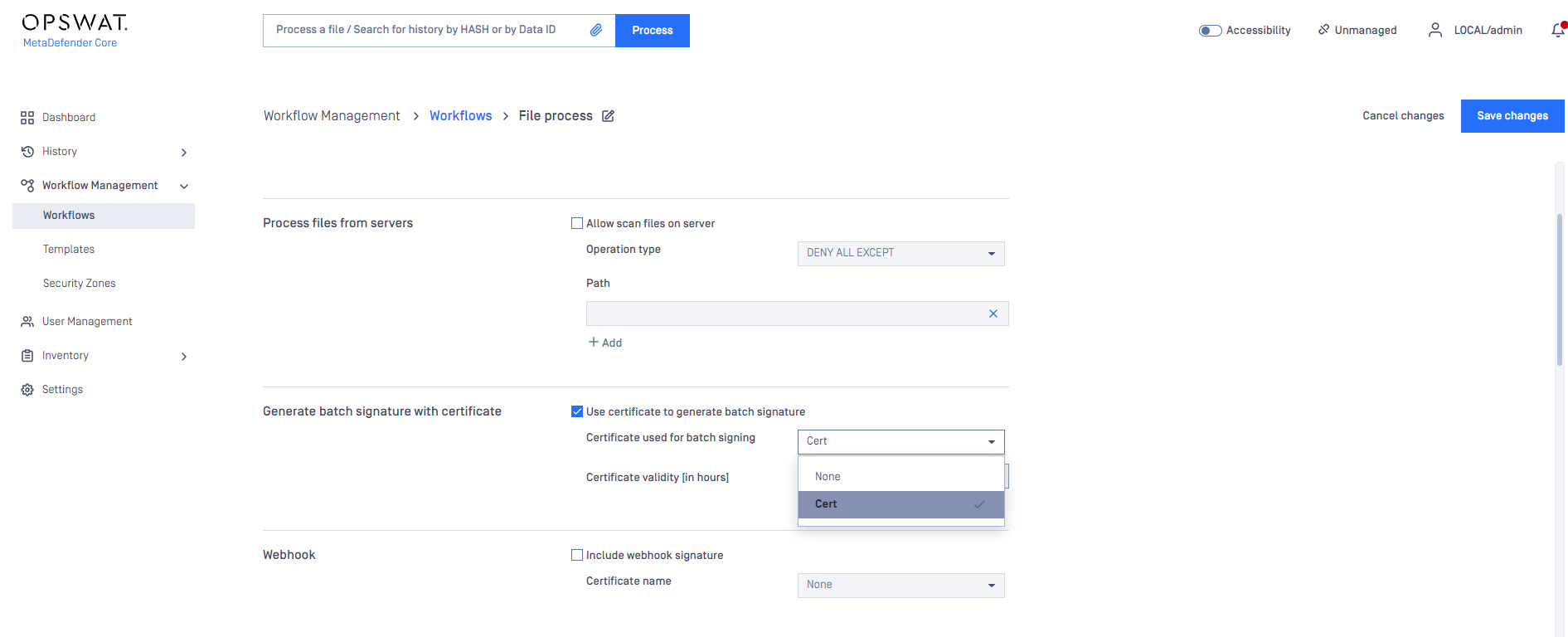
Assign the certificate to a workflow
Kiosk
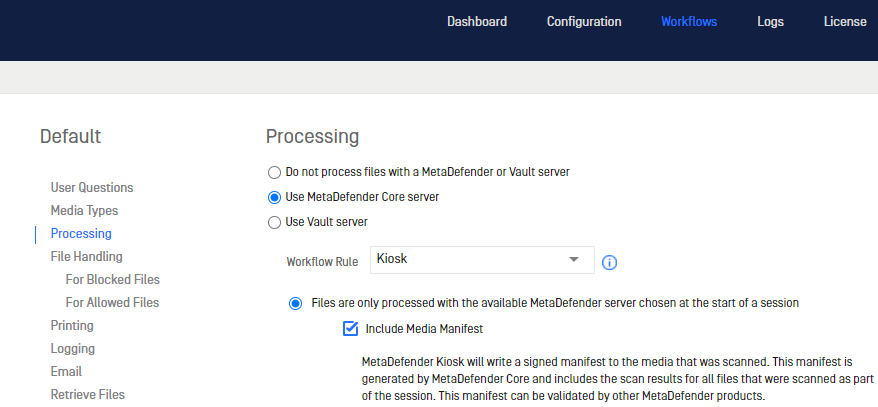
Enable media manifest in Kiosk
Set Kiosk to use the MetaDefender Core workflow rule configured above
OPSWAT Media Validation Agent
Install the OMVA on an endpoint from the Kiosk Resources Page or from our Portal under Modules & Utilities
Install the public key of the certificate to the endpoint
Validation Flow:
The Kiosk sends files from the external media to MetaDefender Core for processing
MetaDefender Core will generate a manifest containing all the files processed in the Kiosk session, signed with the certificate
The Kiosk downloads the manifest from MetaDefender Core on to the processed media
Insert the media in to an endpoint with OPSWAT Media Validation Agent installed
Media Validation Agent will check if the signed media manifest is trusted
Media Validation Agent will then check the hashes of the files in the media manifest and compare with the files located on the media
Media will be then allowed in case the hashes of the files are the same as the information found in the media manifest or blocked if there are any discrepancies