
In order to create a MetaDefender Kiosk support package users must access the Kiosk console (ex: http://localhost:8009), navigate to the “Logs tab” and select “export verbose logs”.
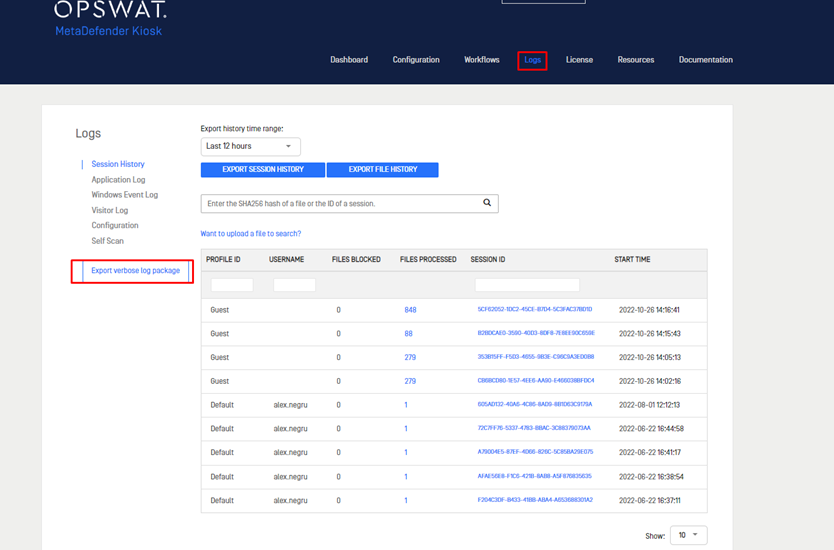
Once the process is finished, it will result in the creation of a zip archive containing the necessary support logs.

The support package contains the following elements:
Configuration files.
Log files.
System information
Directory and files information.
Registry key configuration
Support:
If Further Assistance is required, please proceed to log a creating a support case or chat with our support engineer.
Was this page helpful?
Knowledge Base