Requirement
MD ICAP Server v5.7.0 and newer
2 new service paths were created to support integration with GLobalScape (avoid setting the flag unique_uri_per_service)
REQMOD: OMSScanReq-AV-GLBEFT
RESPMOD: OMSScanResp-AV-GLBEFT
MD ICAP Server v4.11.0 and newer
with traditional service path (OMScanReq-AV and OMScanResp-AV) set true for unique_uri_per_service on the MD ICAP Server and then restart the MD ICAP Server (supported since MD ICAP Server v4.11.0) Refer to: https://docs.opswat.com/mdicap/configuration/configuration-file
Sample Configuration
below is the guideline to configure the upload server with GlobalScape and also integrate with MD ICAP Server (as a example)
Use-case
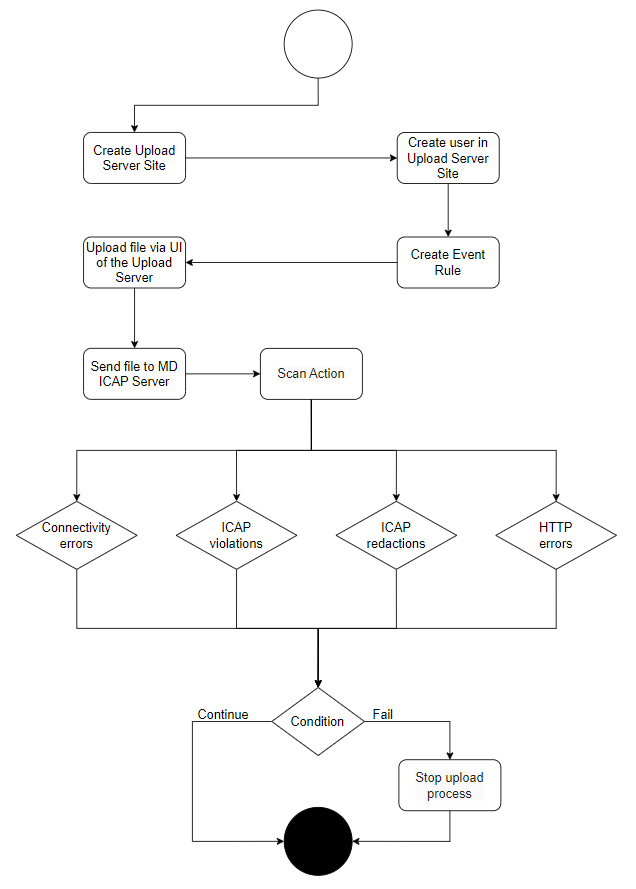
Configuration
Navigate to the tab Server → Default Server Group → LocalHost → Right-click to create the new Site
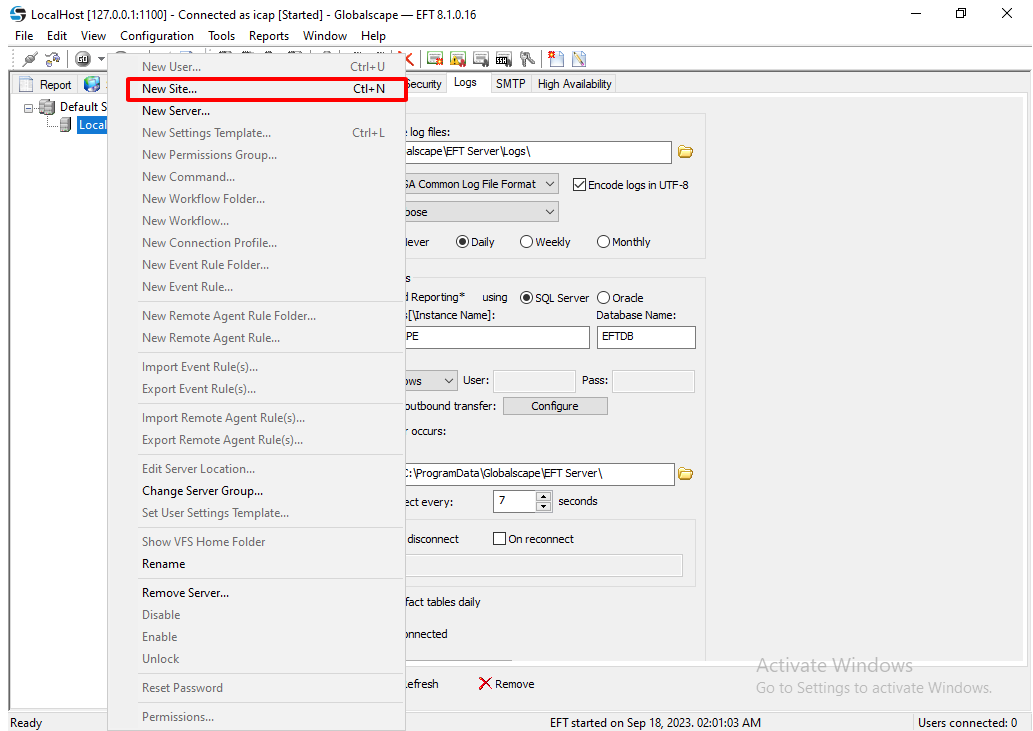
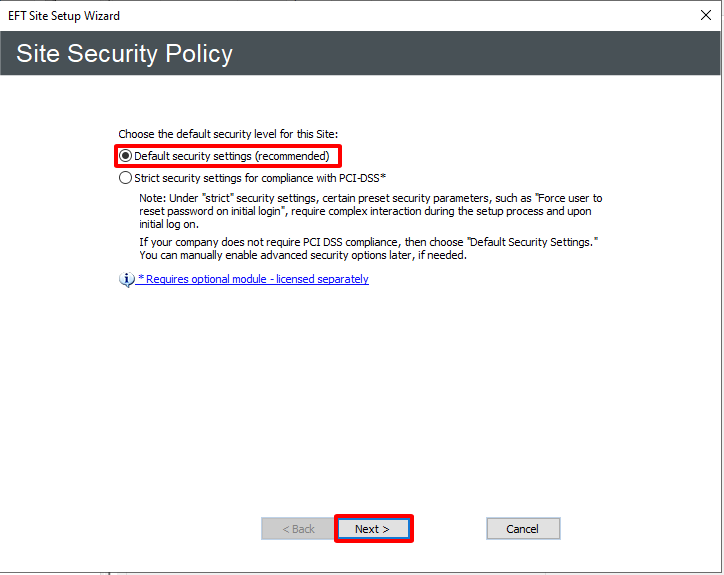
Choose the Next button
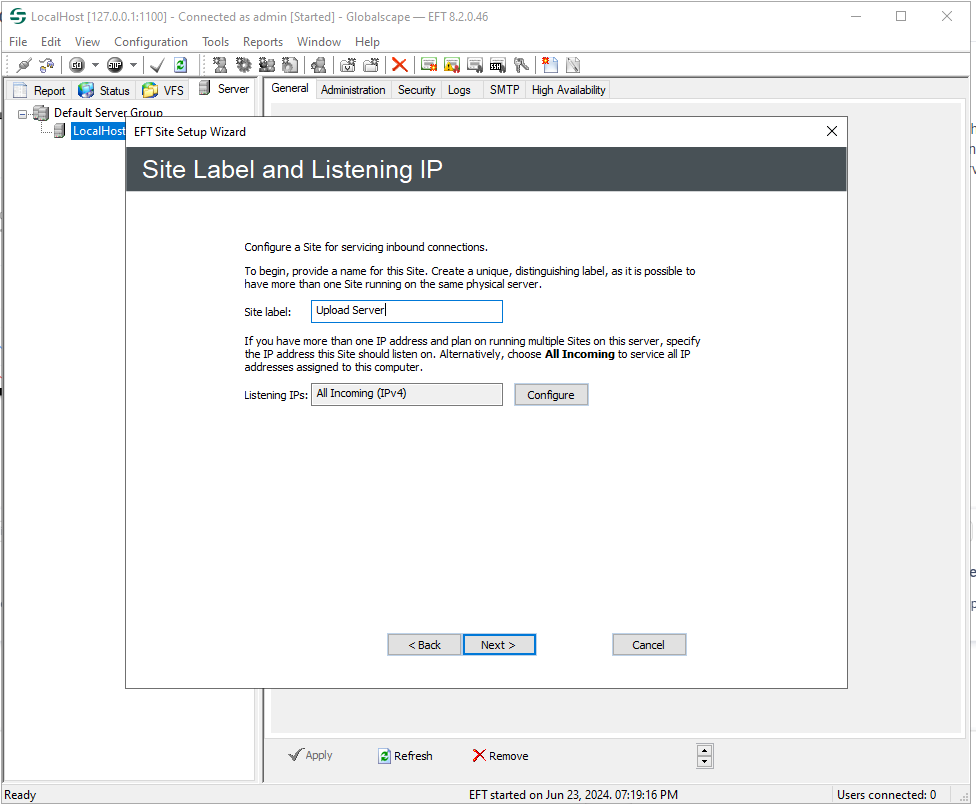
Input the Site label → Click on the next button
Choose the next button
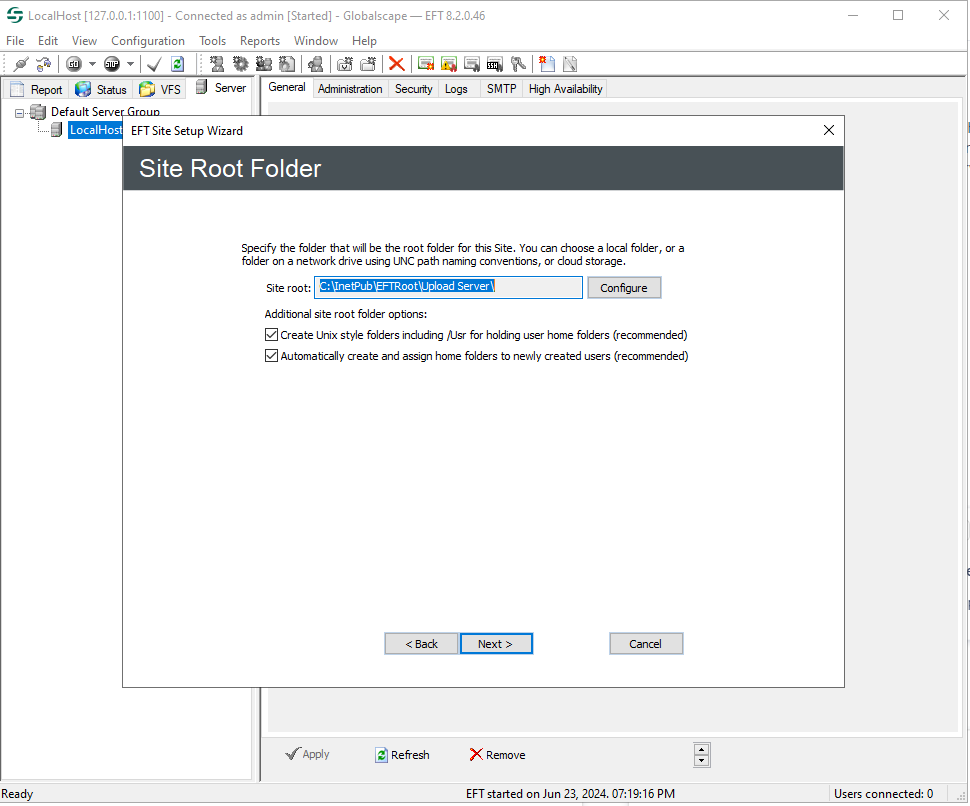
Choose the next button
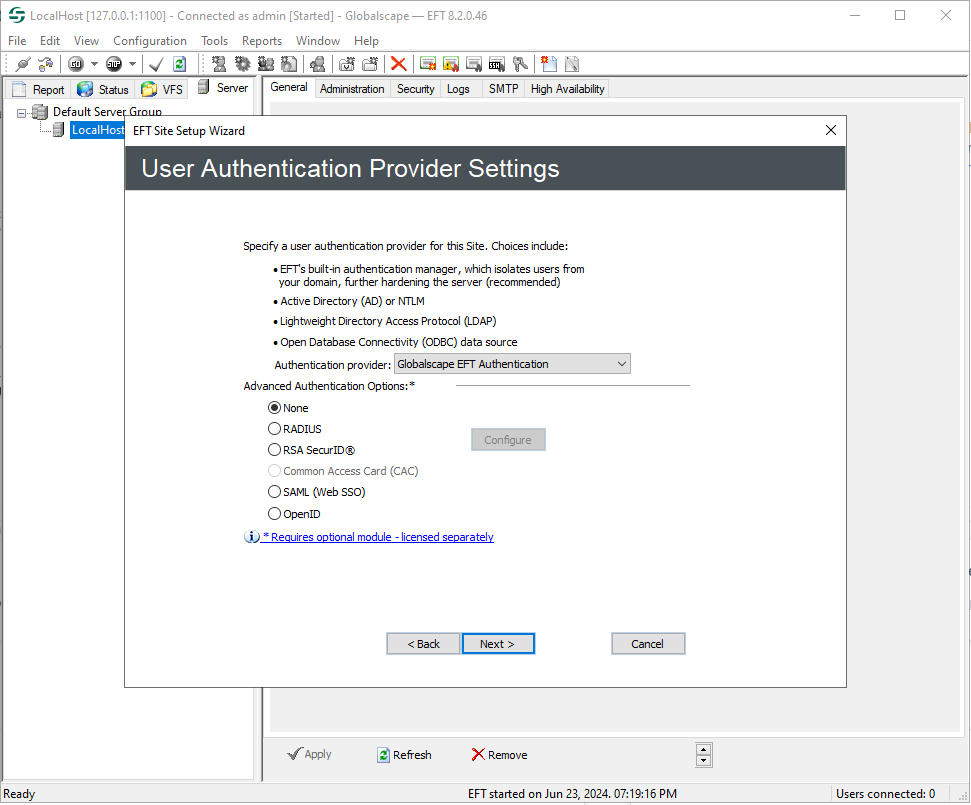
Choose the next button
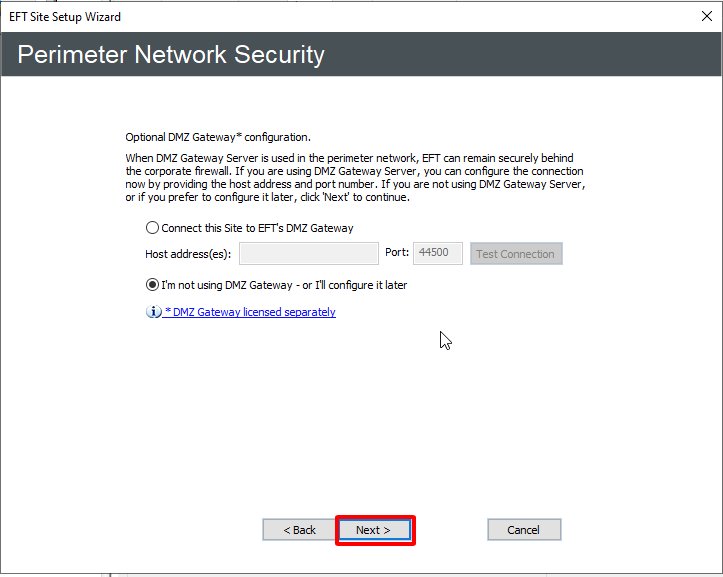
Generate certificates for the server and add them to your site
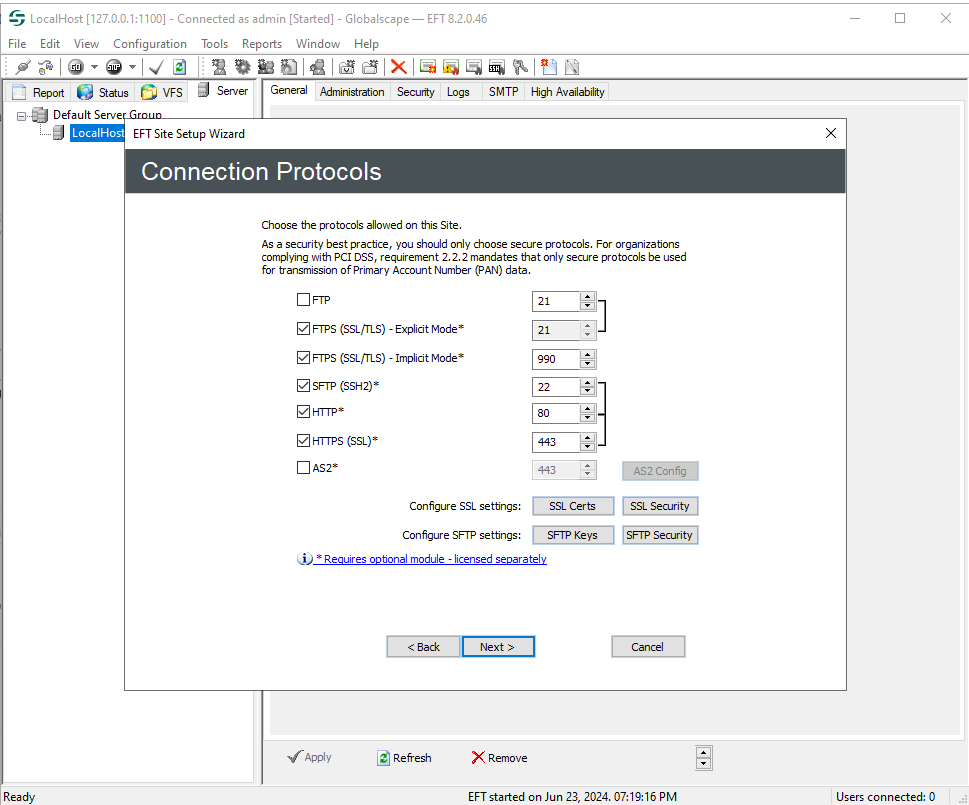
Create a new user for your site
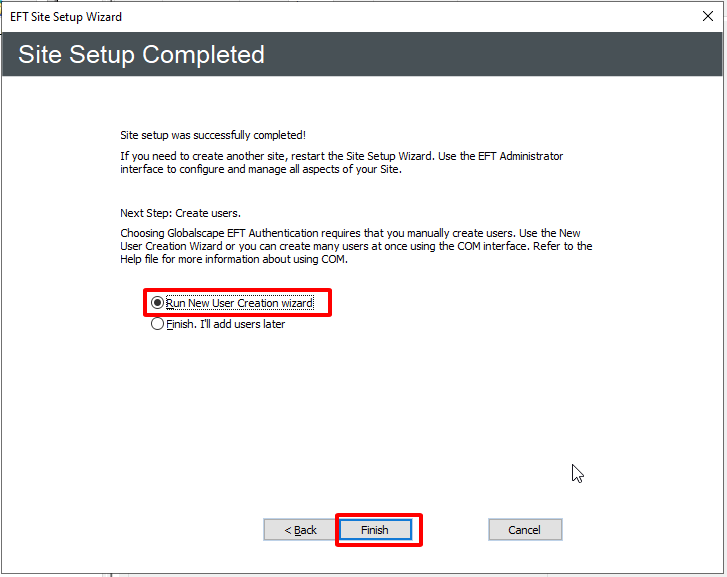
Fill your username and password to the input box
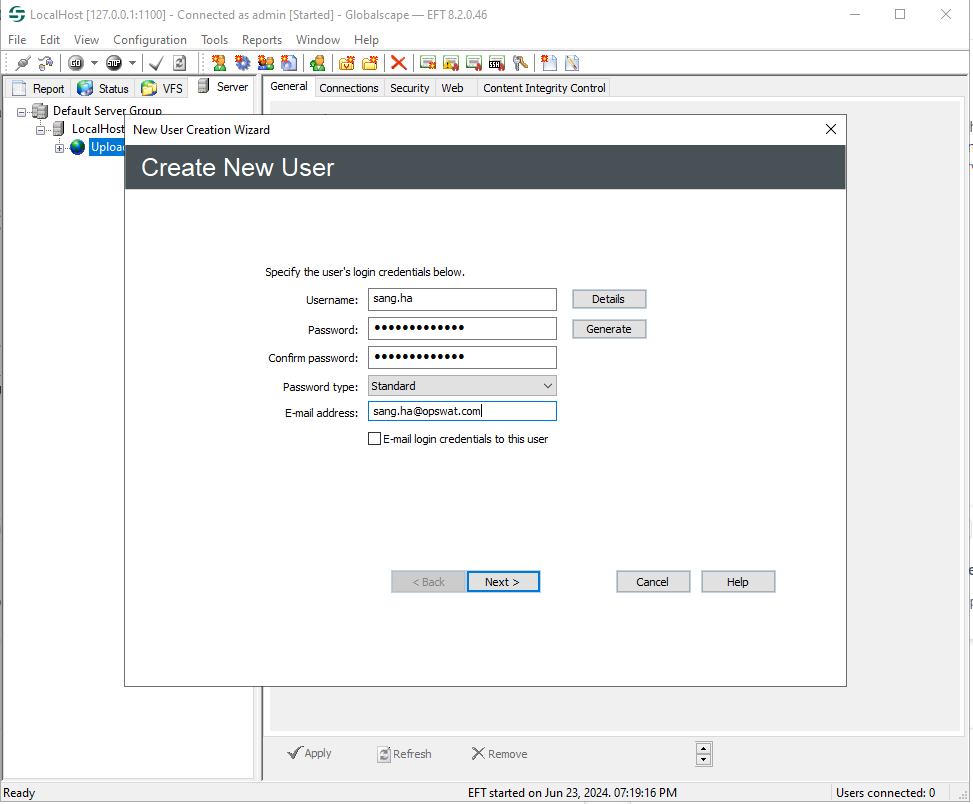
Choose the next button
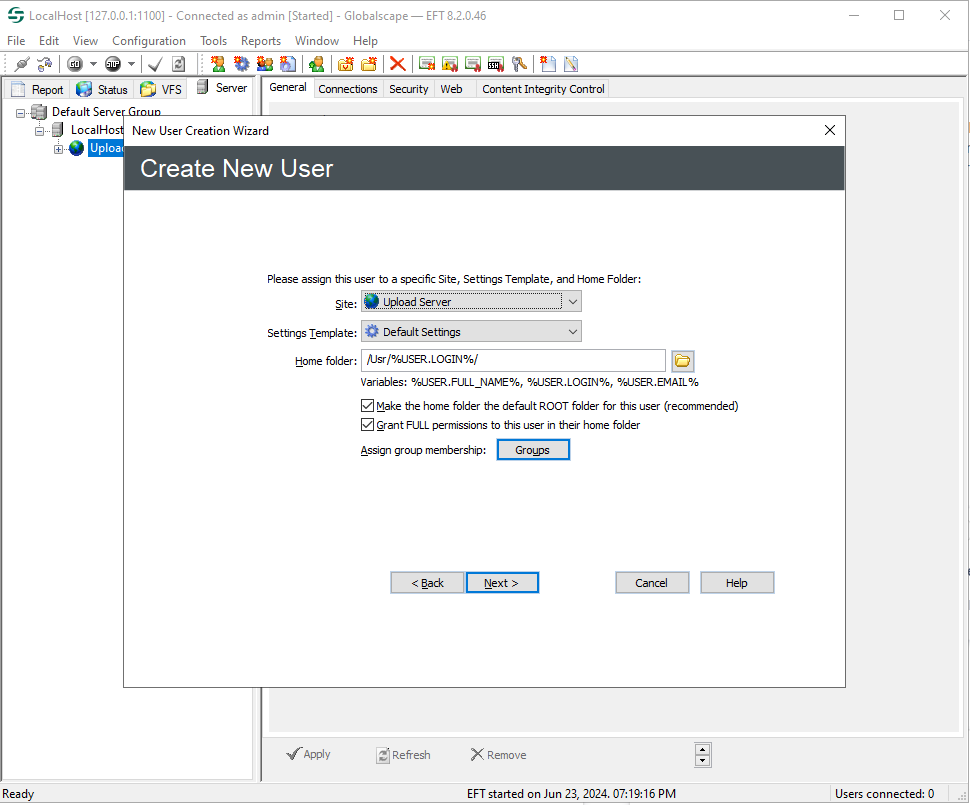
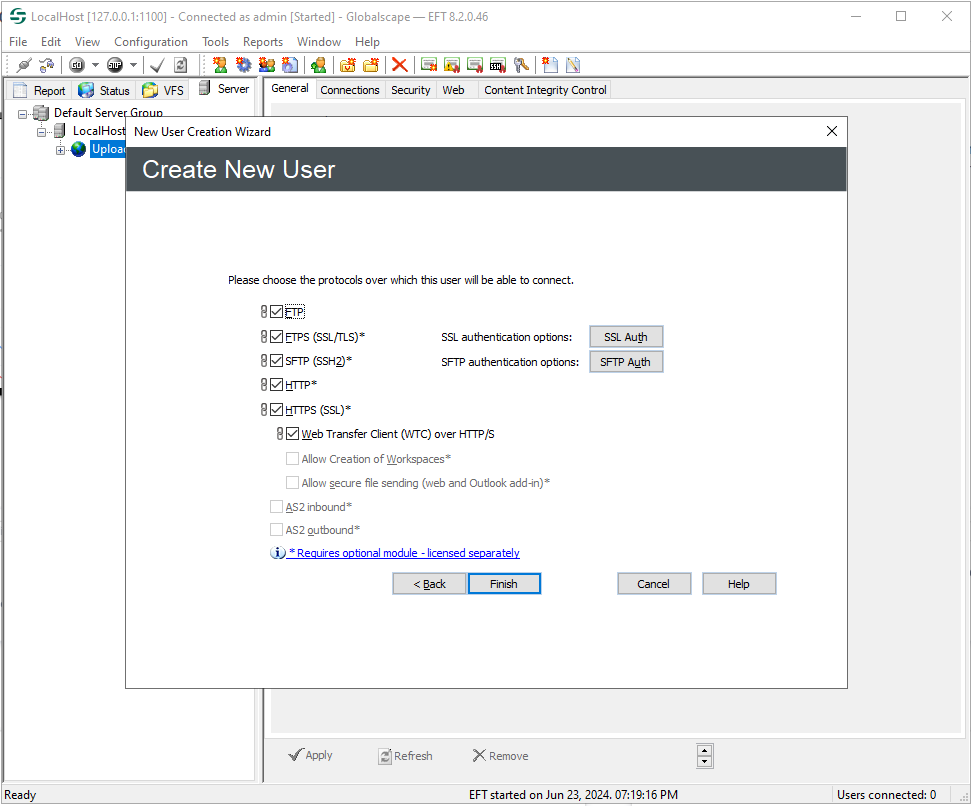
Choose the next button to complete create user
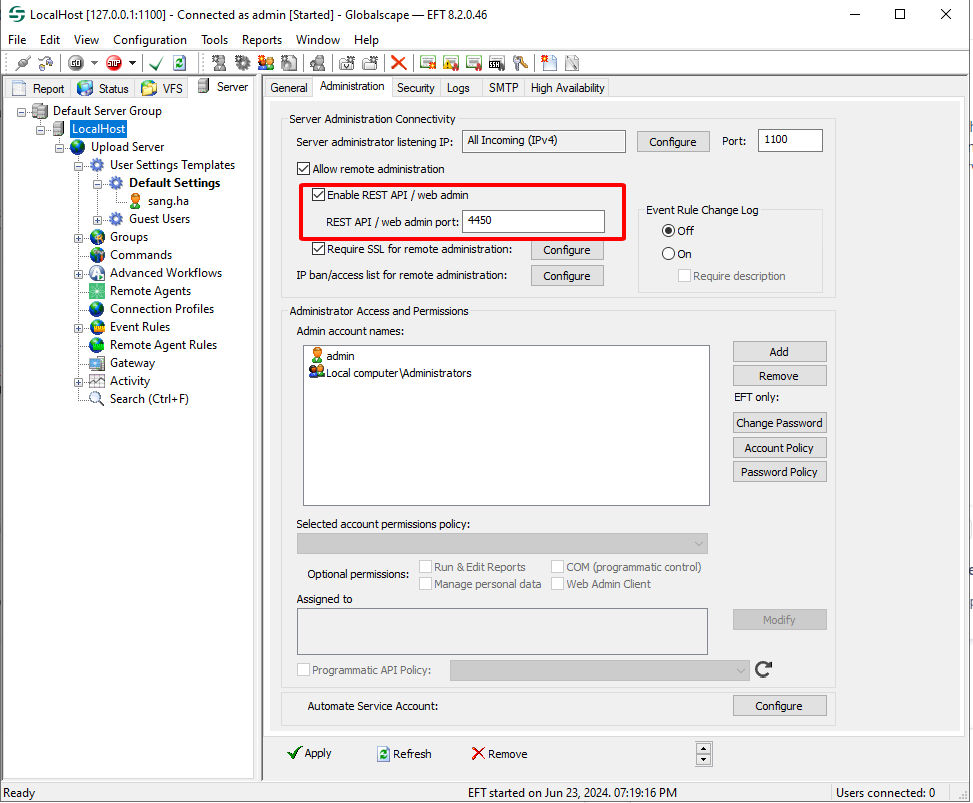
After creating the user we will enable the WEB Admin to upload files to the server
Create a new profile
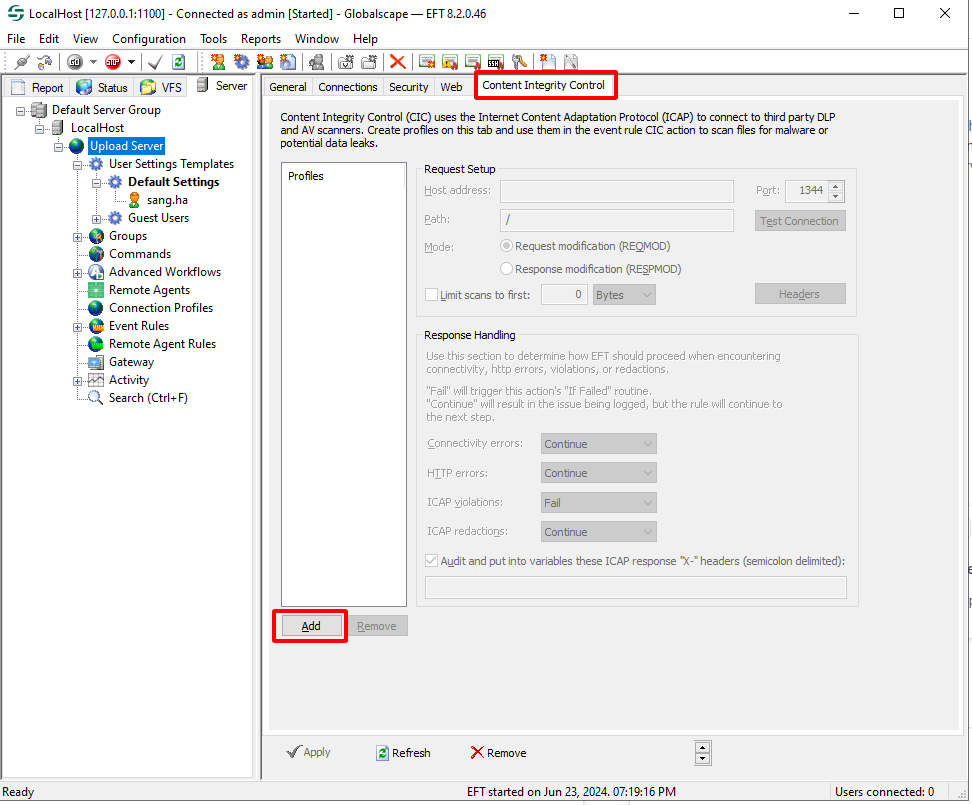
Configure Content Integrity Control profile: https://www.globalscape.com/services-support/eft-best-practices/use-efts-content-integrity-control-feature-add-extra-layer-data
with ICAP version v5.7.0 or newer the path can be OMSScanReq-AV-GLBEFT for REQMOD or OMSScanResp-AV-GLBEFT for RESPMOD
with ICAP v4.11.0 or newer, if use the traditional service paths (OMScanReq-AV and OMScanResp-AV) the the flag unique_uri_per_service must be set true
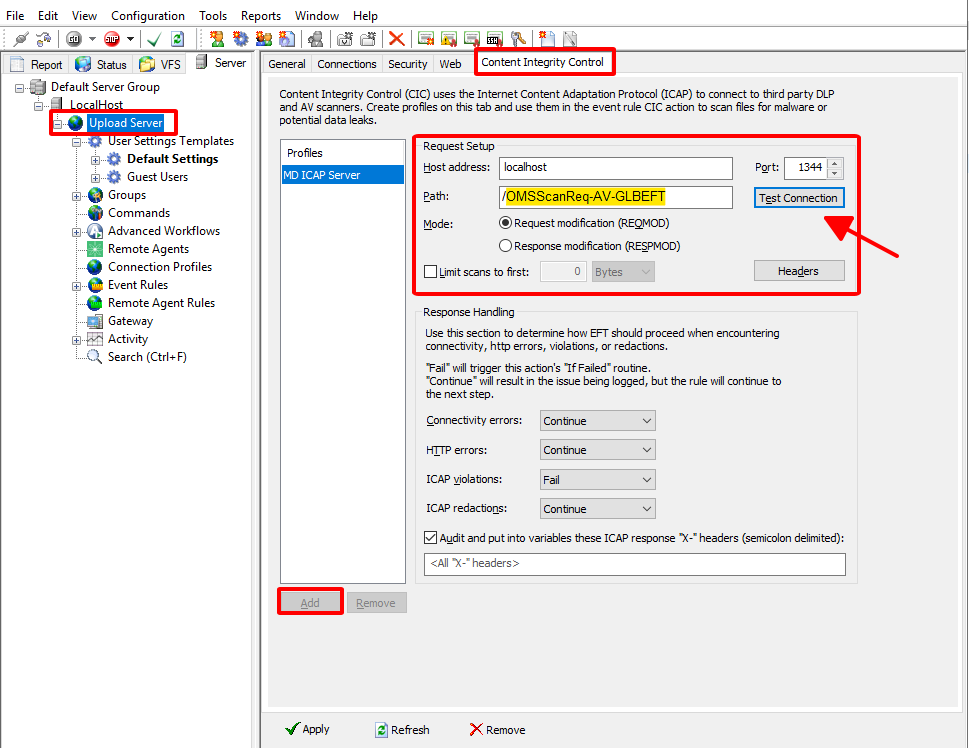
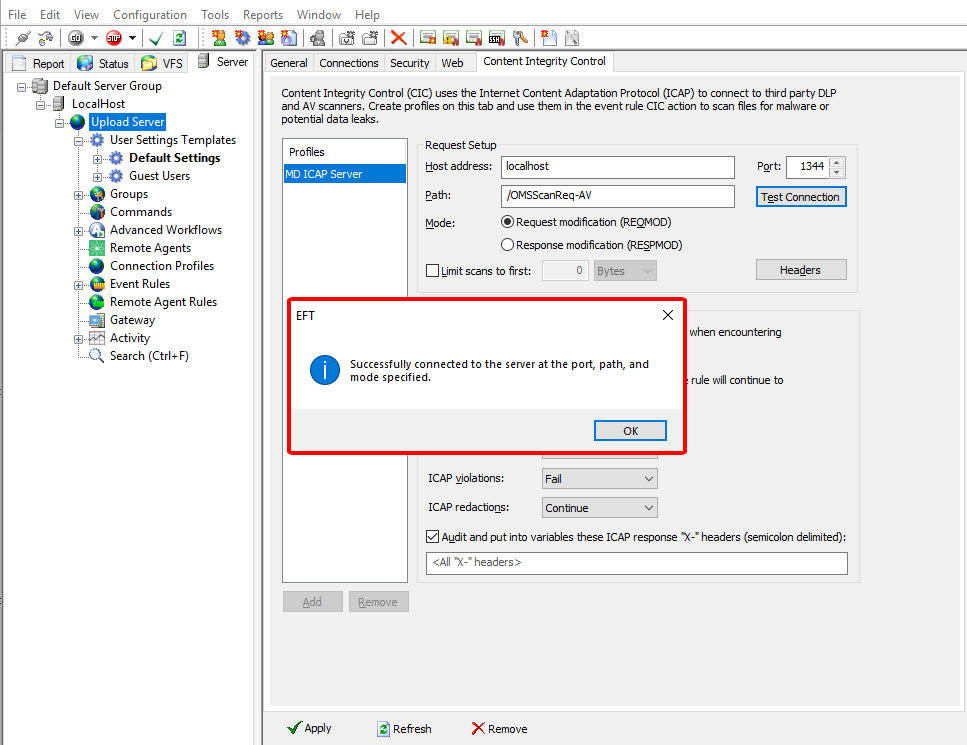
Hit the button Test Connection to verify connection to the MD ICAP Server
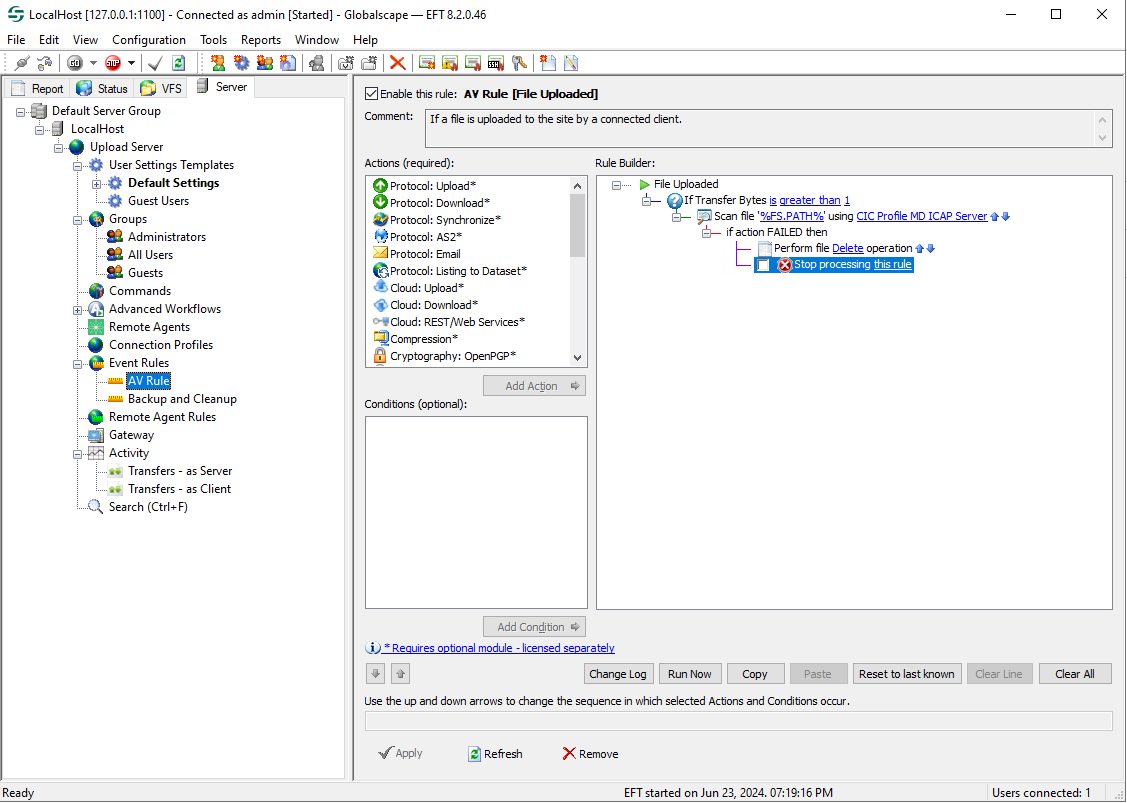
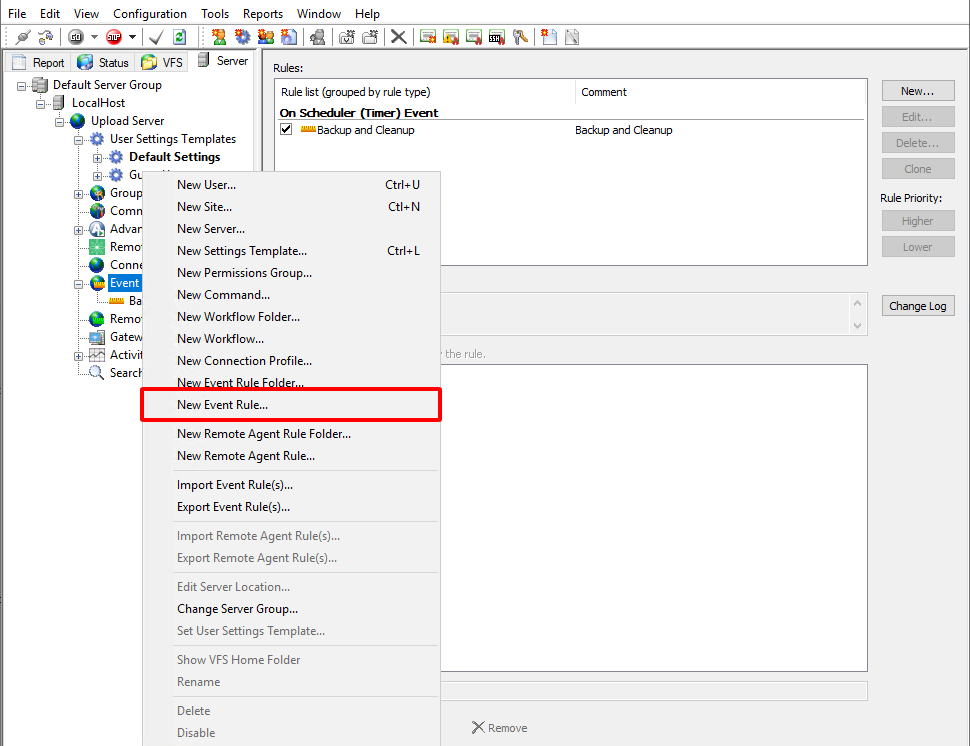
Create a new Event Rule for the Site
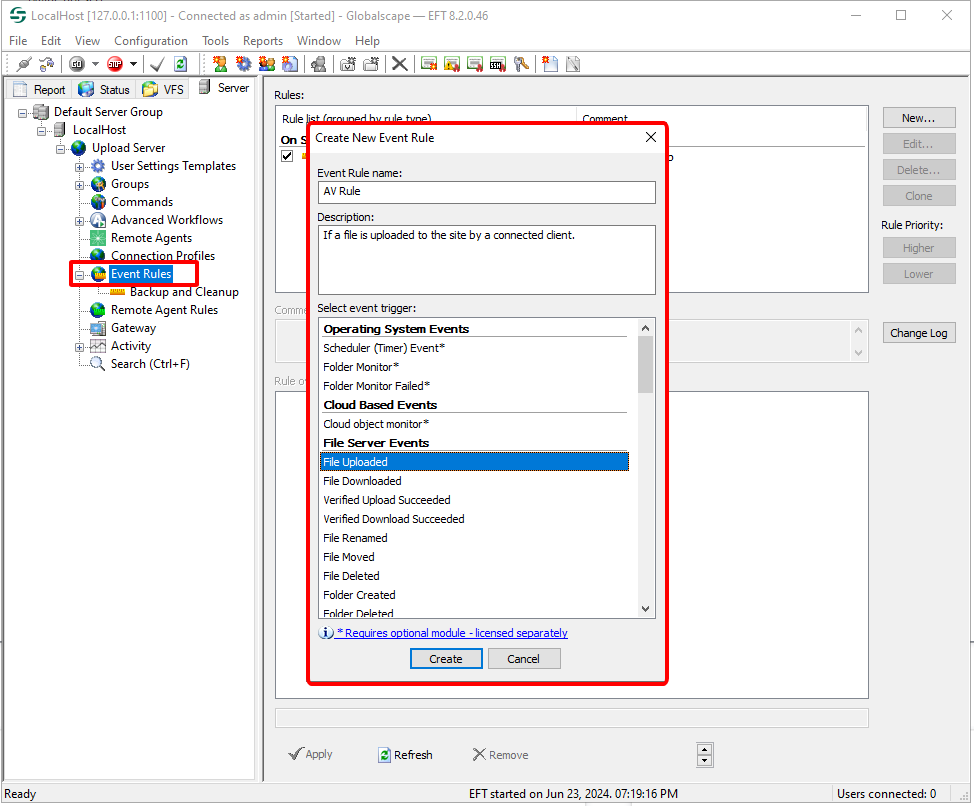
Add the condition If Transfer Bytes below the event File Uploaded
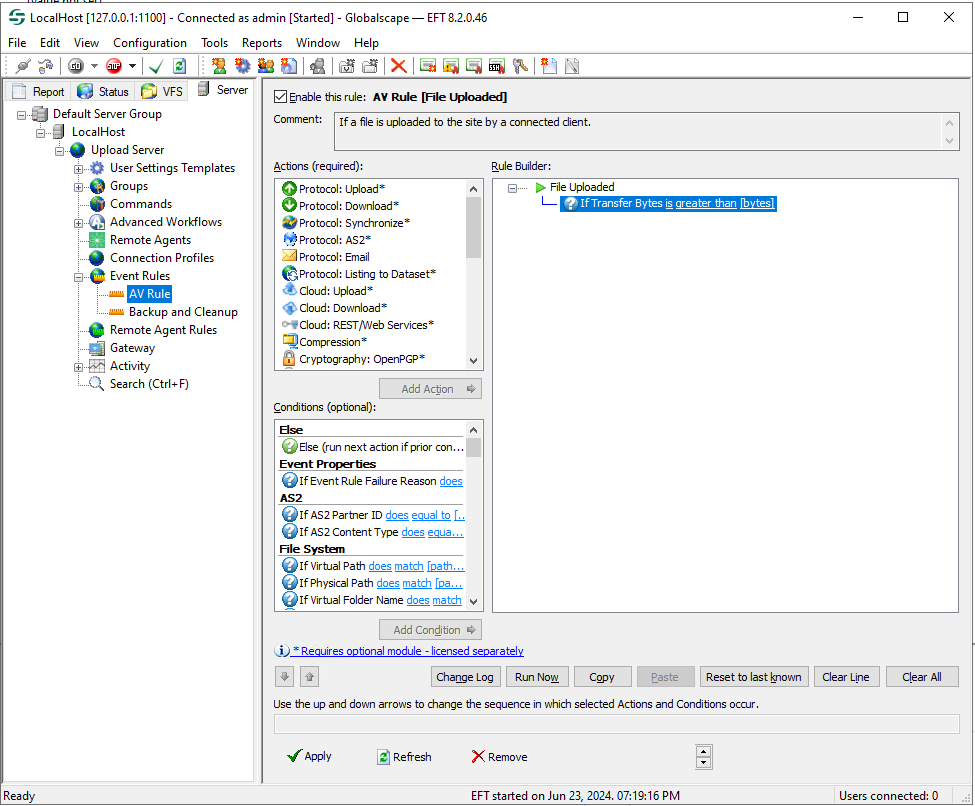
Add the action File: Scan and select the MD ICAP Server profile created above
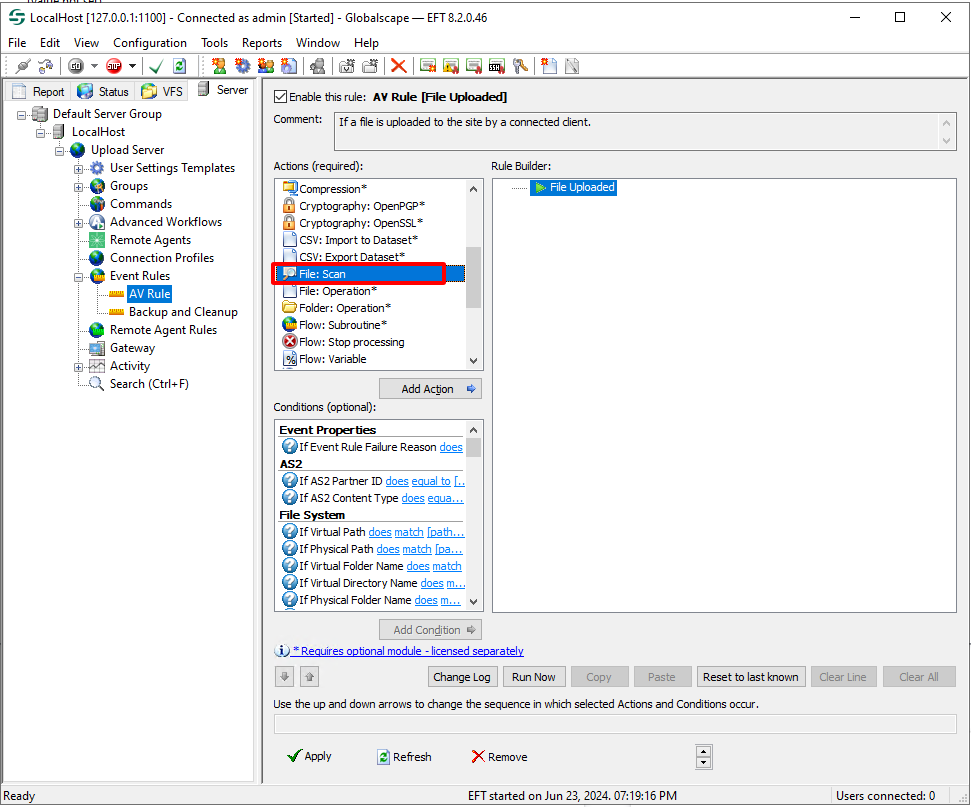
Select the profile MD ICAP Server created above
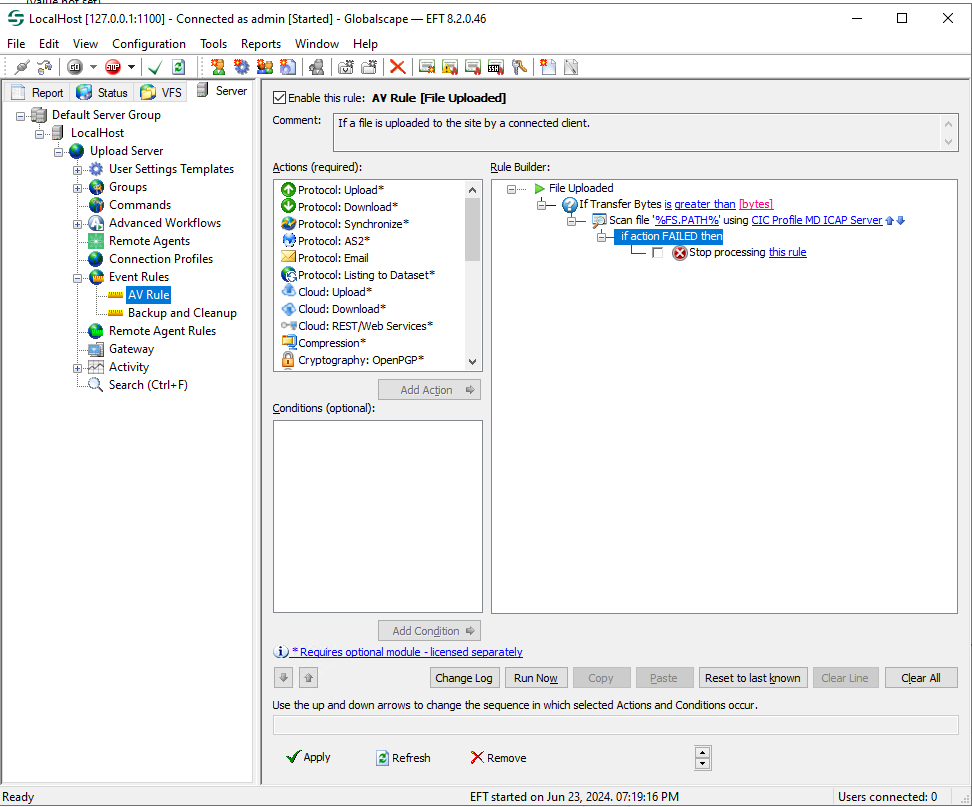
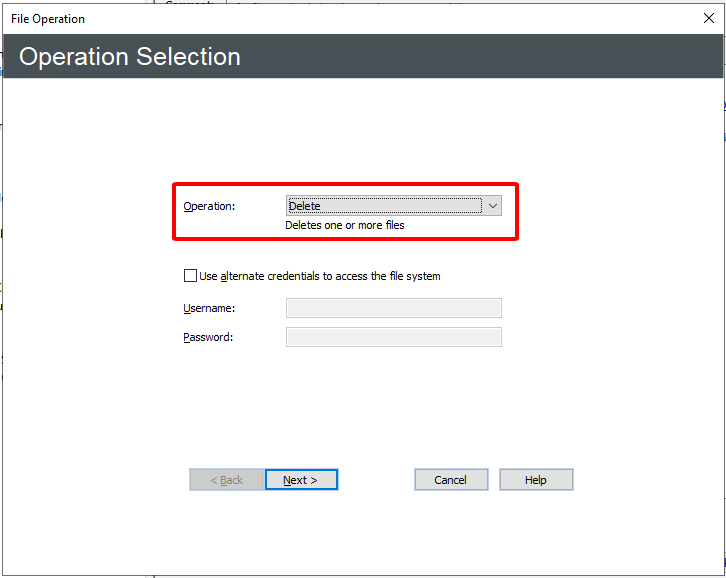
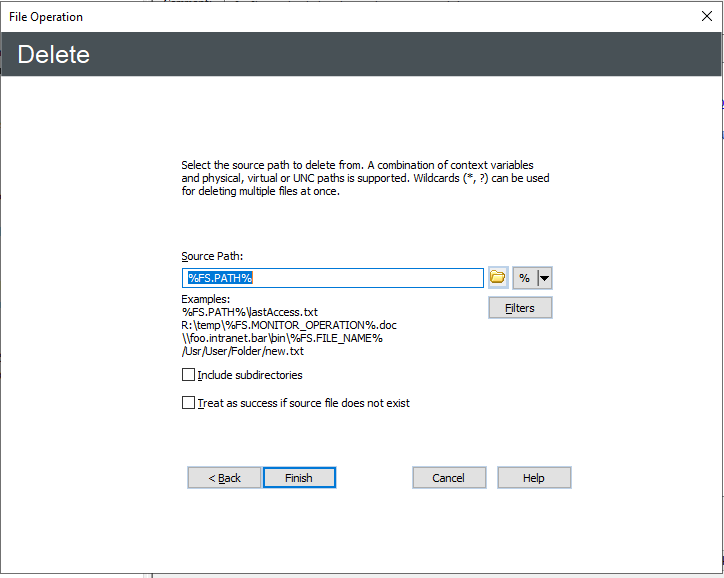
Add an action File: * Operation to delete the file if the result is failed
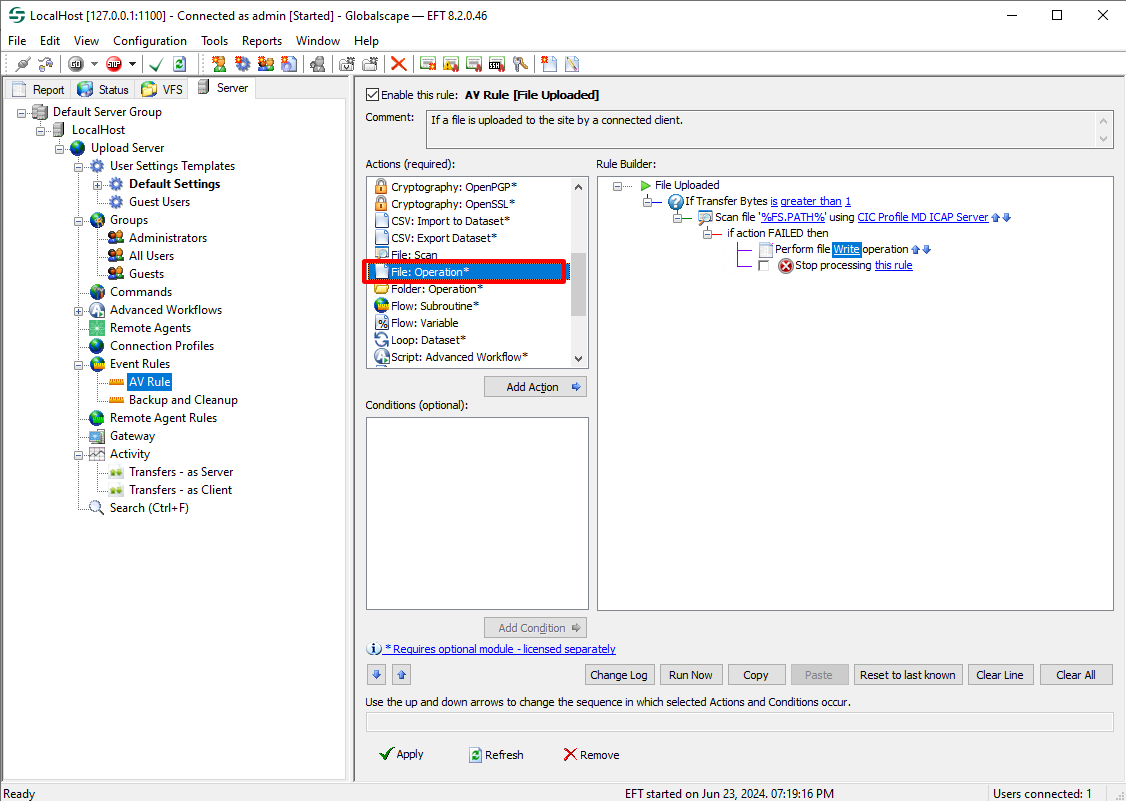
Config File Operation