Configuration
v5.3.0
Search this version
Configuration
Configuration
Title
Message
Create new category
What is the title of your new category?
Edit page index title
What is the title of the page index?
Edit category
What is the new title of your category?
Edit link
What is the new title and URL of your link?
Change user password
Copy Markdown
Open in ChatGPT
Open in Claude
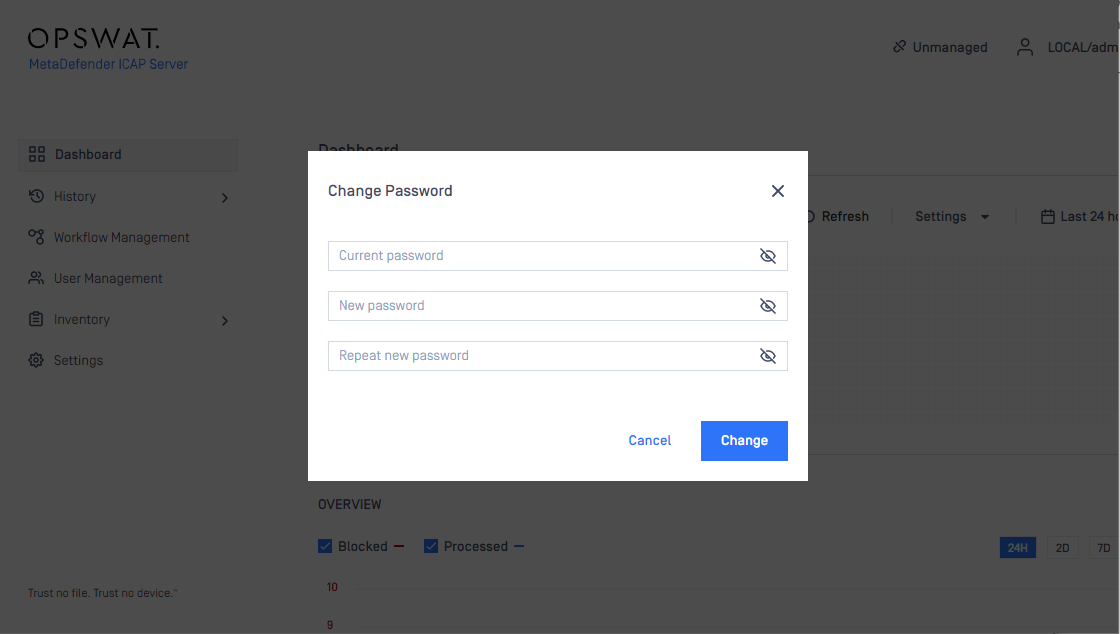
The current user can change their password under User's icon > Change Password.
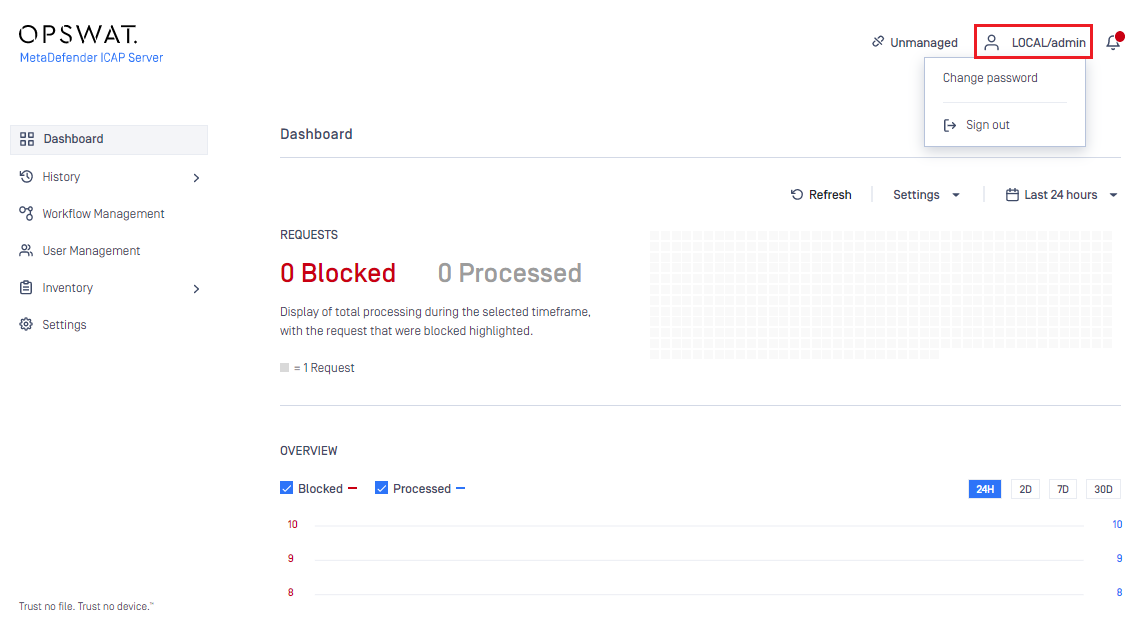
The password change option is only available for users of Local type user directories.
Changing passwords in LDAP or Active Directory services is not supported.
If enhanced password policy is enabled for the user directory this user belongs to then the new password must fulfil the password complexity requirements listed at the Local type user directories section.
Important notes
As long as TLS is not configured for the Web Management Console, passwords are sent clear-text over the network. To set up TLS see Configuring TLS.
Type to search, ESC to discard
Last updated on Oct 5, 2022
Was this page helpful?
Next to read:
Active Directory attributesDiscard Changes
Do you want to discard your current changes and overwrite with the template?
Archive Synced Block
Message
Create new Template
What is this template's title?
Delete Template
Message
