
This article applies to all MetaDefender ICAP Server releases deployed on Windows or Linux systems.
OPSWAT provides support for each release of MetaDefender ICAP Server for 18 months after the publication of the following release of the product. So, once a new release is published, you have 18 more months of support on the previous release.
Keep in mind, however, that bug fixes and enhancements are applied only to the next release of a product, not to the current release or historical releases - even when those releases are still under support.
In some cases, hot-fixes can be provided for the current release of the product, and then incorporated as regular fixes in the next release.
OPSWAT highly recommends that users regularly upgrade to the latest version of MetaDefender ICAP Server and not wait until the end of a release’s support cycle.
Current versions incorporate state-of-the-art features and necessary bug fixes, and are freely available for all license holders to download.
To upgrade, follow these steps:
Browse Release Notes for details on the latest MetaDefender ICAP Server version release.
Visit the OPSWAT Portal to download a new version under the relevant package license.
If you are upgrading from an older release, visit Upgrading MetaDefender ICAP Server.
How can I check the support lifecycle for a specific MetaDefender ICAP Server version?
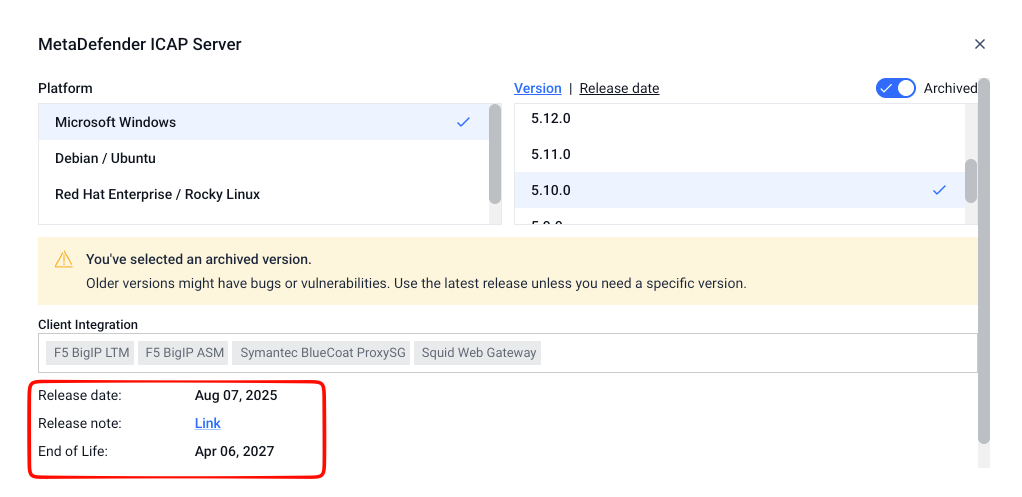
To check the release and end-of-life information for a specific MetaDefender ICAP Server version:
Sign in to My OPSWAT.
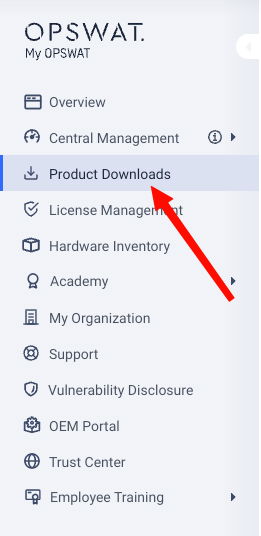
Go to Product Downloads.
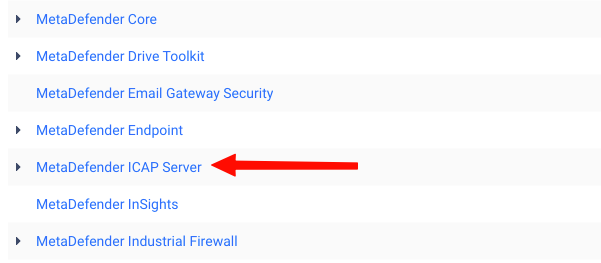
Select MetaDefender ICAP Server.
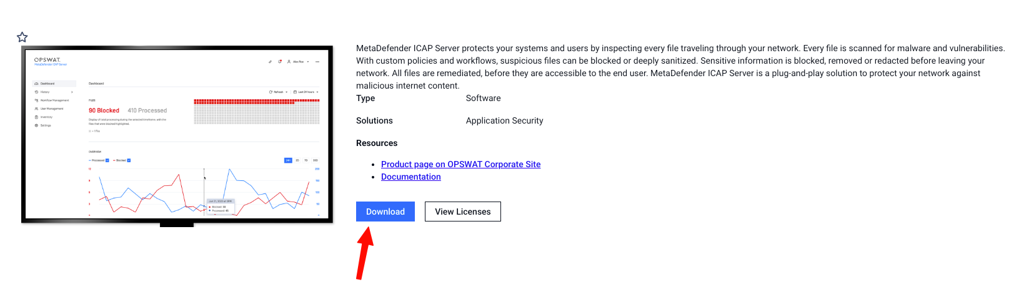
Click Download.
Enable Archived to display previous MetaDefender ICAP Server releases.
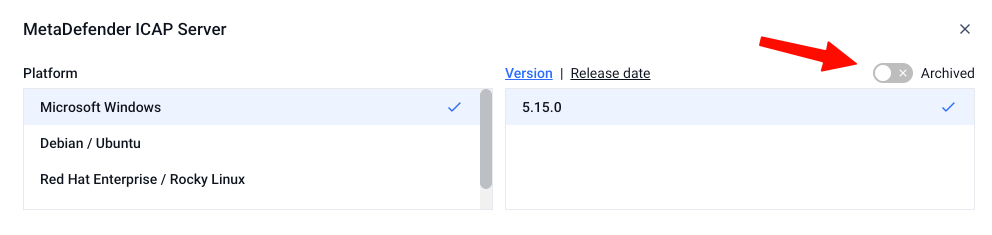
Select the version you want to check and review the version information displayed on the page, including its release and end-of-life information.
Support
For any issues or queries regarding supported versions of our MetaDefender ICAP Server, please follow these instructions on How To Create a Support Package, before creating a support case or chatting with our support engineer.