
Check Your Version:
This article applies to MetaDefender ICAP Server 5.12.0 and later releases deployed on Windows and Linux systems.
Overview
The Allowlist by file type and Allowlist by file size workflow settings allows you to skip MetaDefender Core scanning entirely for files of specific types and sizes.
When a request matches an allowlist rule, the request is ALLOWED with the verdict label “ICAP Allowlisted”.
This feature was introduced in MetaDefender ICAP 5.12.0 as a workflow option, helping reduce unnecessary scans (such as extremely small files, less than 10-20 bytes).
Configuration
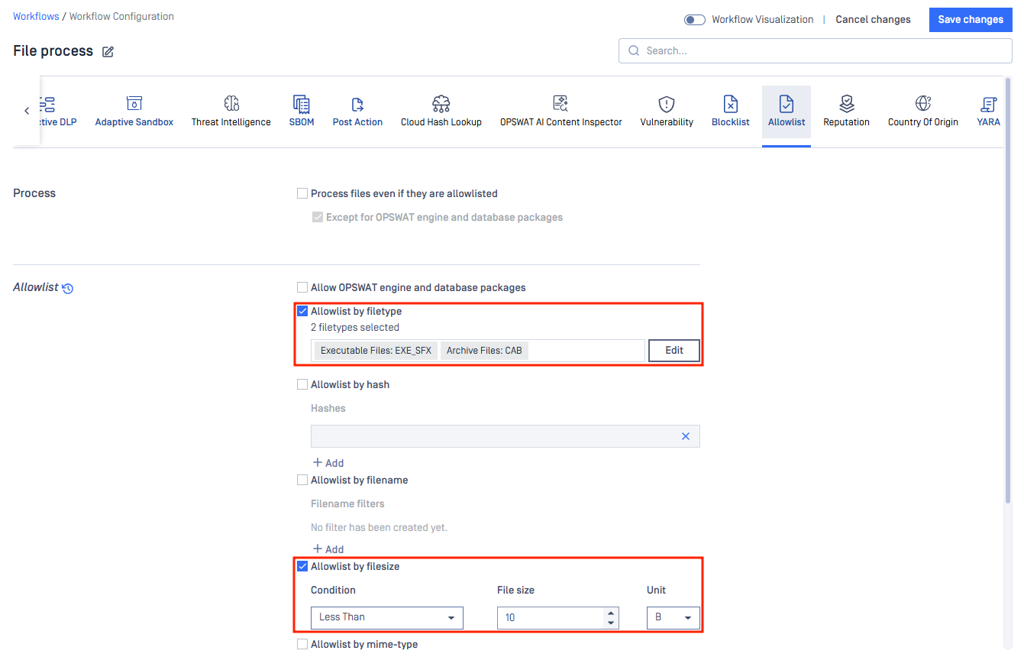
You can set this feature in the Allowed List tab in the Workflow Configuration page.
Important:
Allowlisting means the file is trusted and bypasses all scanning. Use this only for file types you are confident do not need inspection.
Adding an Allowlist by file type rule
Enable Allowlist by File type
Click the file type category that the file type you want to allowlist falls into (e.g. Archive Files)
Click the drop-down, and select the file type ID
Save changes
Adding an Allowlist by file size rule
Enable Allowlist by file size
Choose the condition “Less than” or “Greater than”
Enter the file size and select the unit (MB/KB/B)
Save changes
When both Allowlist by file type and Allowlist by file size are enabled in an ICAP workflow, the matching relationship is OR: a file will be allowlisted if it matches either condition - it does not need to satisfy both.
Examples
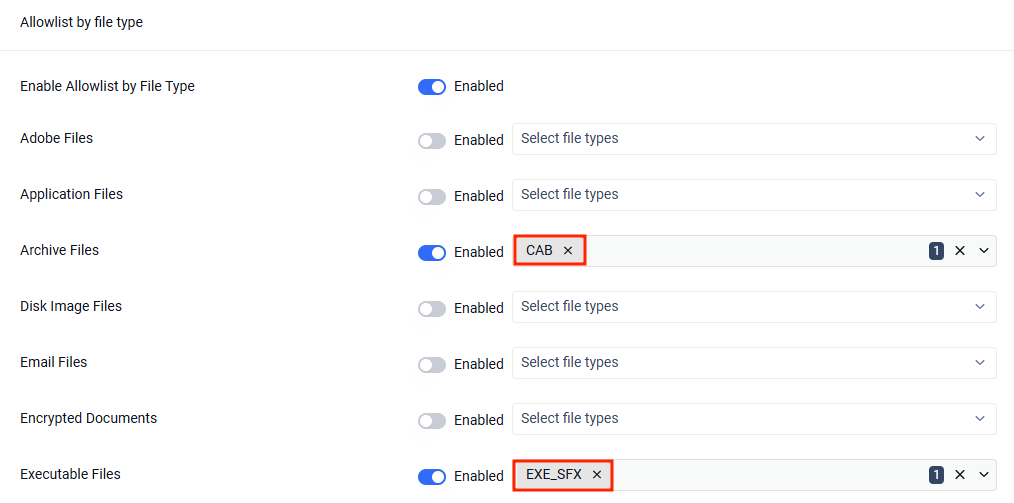
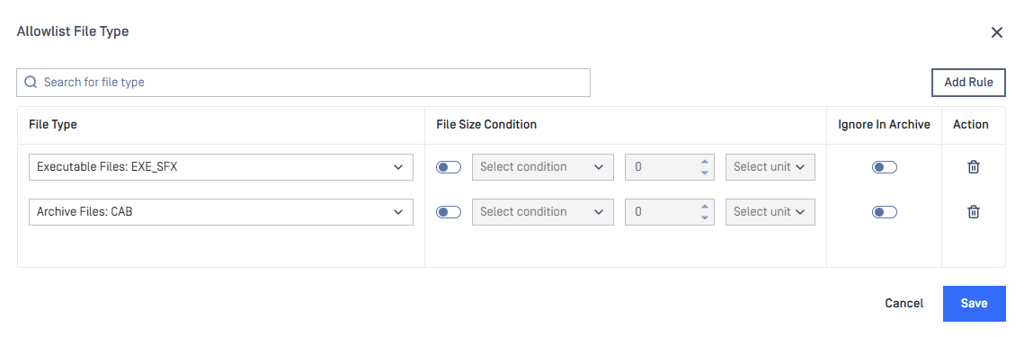
Example 1: allowing CAB and SFX files
Example 2: allowing files smaller than 10 bytes

If both the above examples are configured in the workflow:
File | Type Match? | Size Match? | Result |
|---|---|---|---|
download.cab (500 KB) | ✅ | ❌ | Allowlisted (matched type) |
tiny.txt (5 B) | ❌ | ✅ | Allowlisted (matched size) |
download.sfx (5 B) | ✅ | ✅ | Allowlisted (matched both) |
big.exe (2 MB) | ❌ | ❌ | Not allowlisted → sent to Core for scanning |
Older versions
If you’re using an older version of MetaDefender ICAP that does not have this workflow configuration feature, then the allowlisting of file types and file sizes would need to be configured on the MetaDefender Core workflow, following this documentation: MetaDefender Core - Allowlist by filetype configuration
Using the previous examples, the equivalent on MetaDefender Core for: allowing CAB and SFX files, or files smaller than 10 bytes.
Support:
If further assistance is required, please log a support case or chat with our support engineer.