
Info
Support Red Hat Enterprise Linux 9 and,
Ubuntu 22.04, 24.04 Pro
Red Hat
Install OpenSCAP
yum install openscap-scanner scap-security-guide
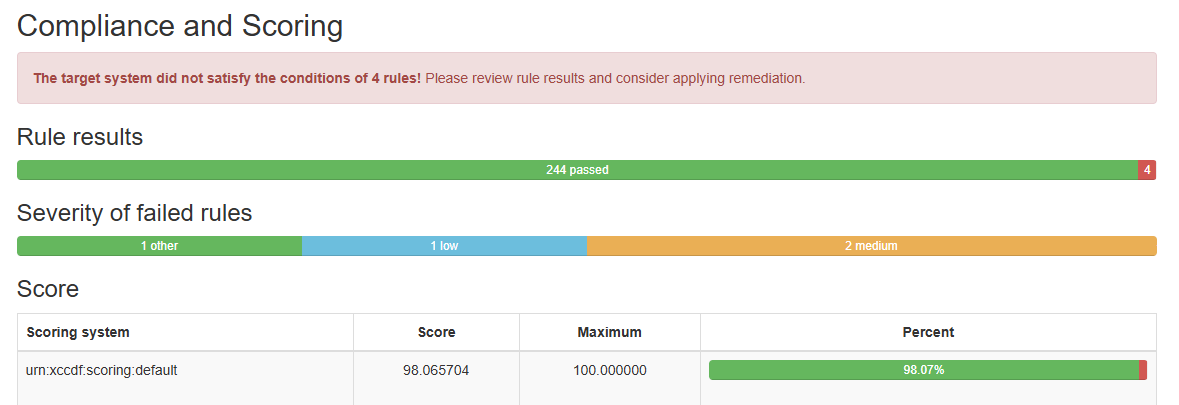
Generate a result file and a HTML report using OpenSCAP scanner tool
oscap xccdf eval --profile xccdf_org.ssgproject.content_profile_cis_server_l1 --results scan_results.xml --report scan_report.html /usr/share/xml/scap/ssg/content/ssg-rhel9-ds.xml
Remediation of CIS Level 1 issues
Generate a remediation script based on the ssg-rhel9-ds.xml file:
oscap xccdf generate fix --profile xccdf_org.ssgproject.content_profile_cis_server_l1 --fix-type bash --output remediations.sh /usr/share/xml/scap/ssg/content/ssg-rhel9-ds.xml
And execute remediation script.
./remediations.sh
Review the results after remediation
oscap xccdf eval --profile xccdf_org.ssgproject.content_profile_cis_server_l1 --results scan_results.xml --report scan_report.html /usr/share/xml/scap/ssg/content/ssg-rhel9-ds.xml
Ubuntu Pro
Install the UA client
sudo apt install ubuntu-advantage-tools
Set up the Ubuntu Security Guide
sudo ua enable usg && sudo apt install usg
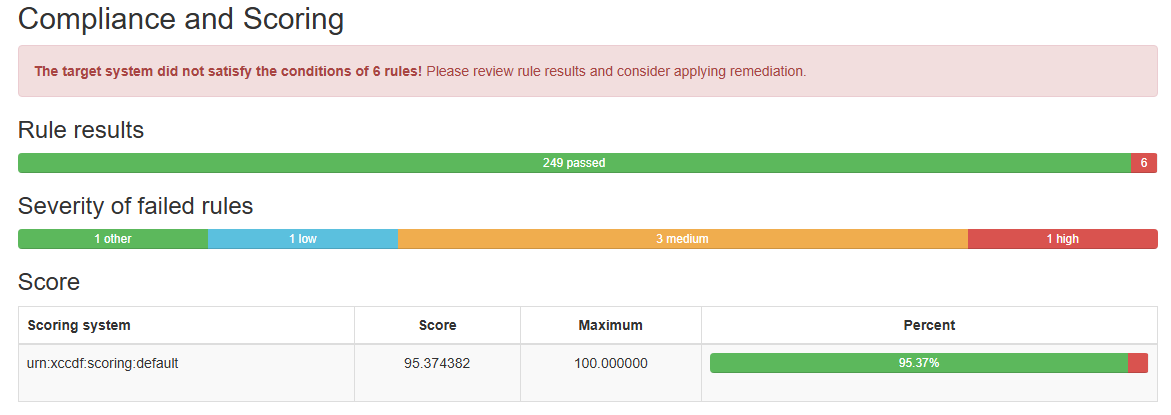
Auditing an Ubuntu System for DISA-STIG compliance
sudo usg audit cis_level1_server
Applying the CIS rules to a set of systems
sudo usg fix cis_level1_server
Was this page helpful?
On This Page
CIS Level 1 GuidelinesRed HatUbuntu ProInstall OpenSCAPGenerate a result file and a HTML report using OpenSCAP scanner toolRemediation of CIS Level 1 issuesReview the results after remediationInstall the UA clientSet up the Ubuntu Security GuideAuditing an Ubuntu System for DISA-STIG complianceApplying the CIS rules to a set of systemsInstallation