
Explore the MetaDefender for Salesforce Command Center: Click on the Dashboards tab at the top of your OPSWAT - MetaDefender for Salesforce page!
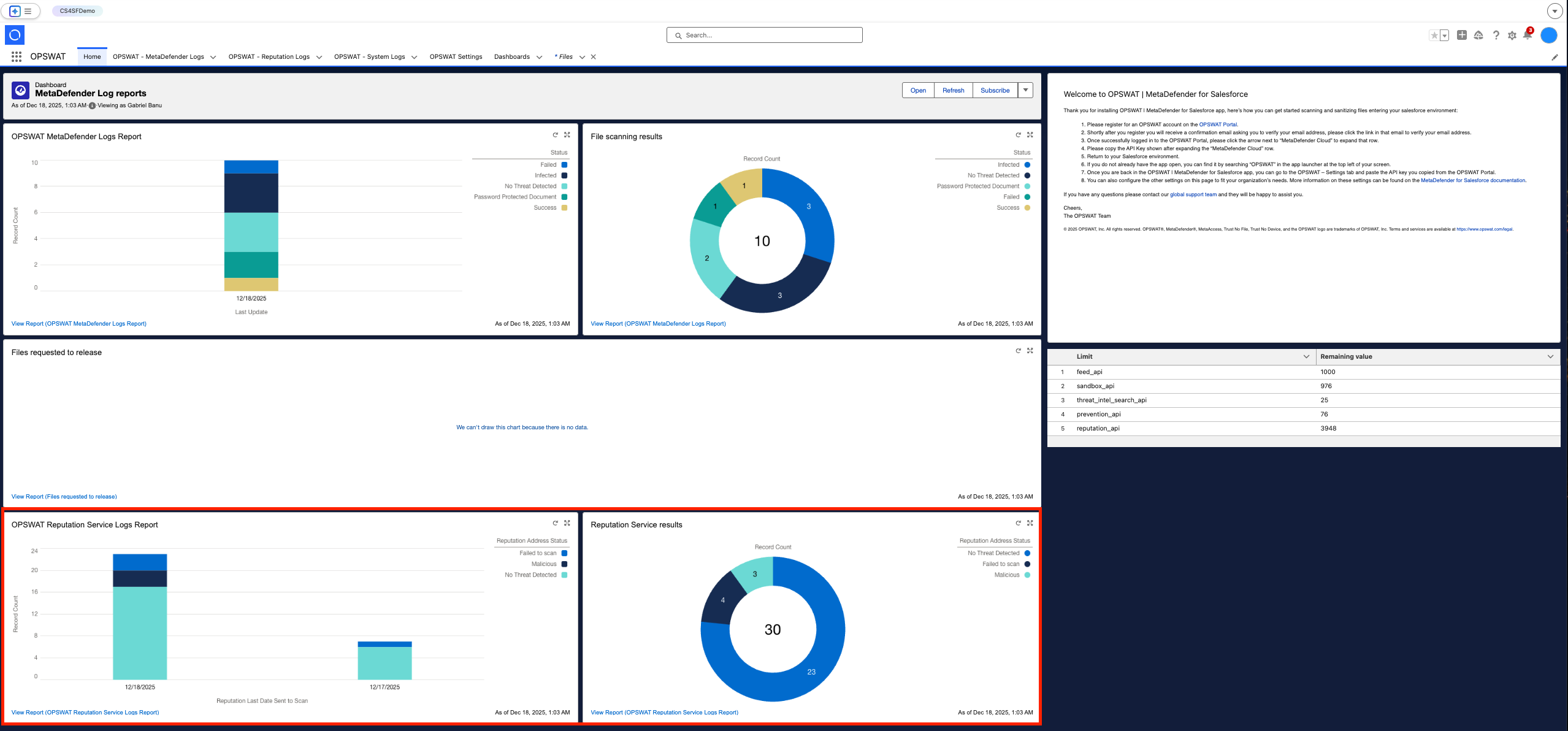
Within the MetaDefender Log Reports dashboard, you can gain a comprehensive overview of all files uploaded to your Salesforce environment. The dashboard provides counts for URL/IP/Domains categorized as "No Threat Detected", and the ones identified as "Infected/Malicious".
The OPSWAT MetaDefender Logs Report widget on the left furnishes details about file uploads based on dates. Clicking on the dark or light blue segments of each bar grants access to a corresponding list in the reports module.
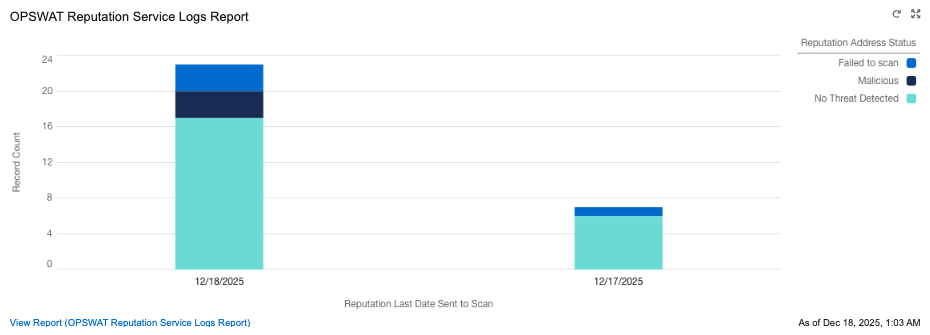
The File Scanning Results widget on the right presents information about URL/IP/Domains scanned, through a pie chart. This chart visually represents the number of clean and infected addresses, with the total count of addresses displayed in the center.
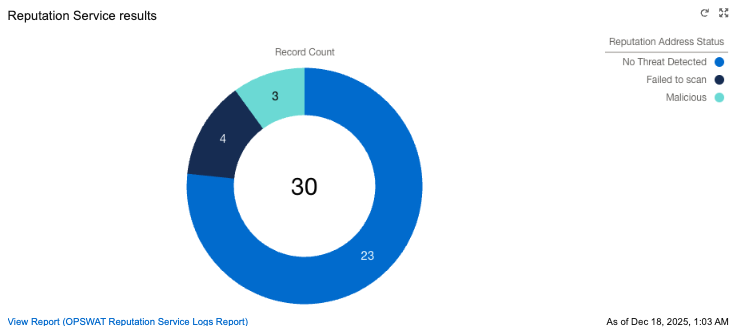
Within the table under the Welcome note, you have your remaining limits available within the apikey used in order to utilize MetaDefender Cloud for Salesforce, as displayed below.
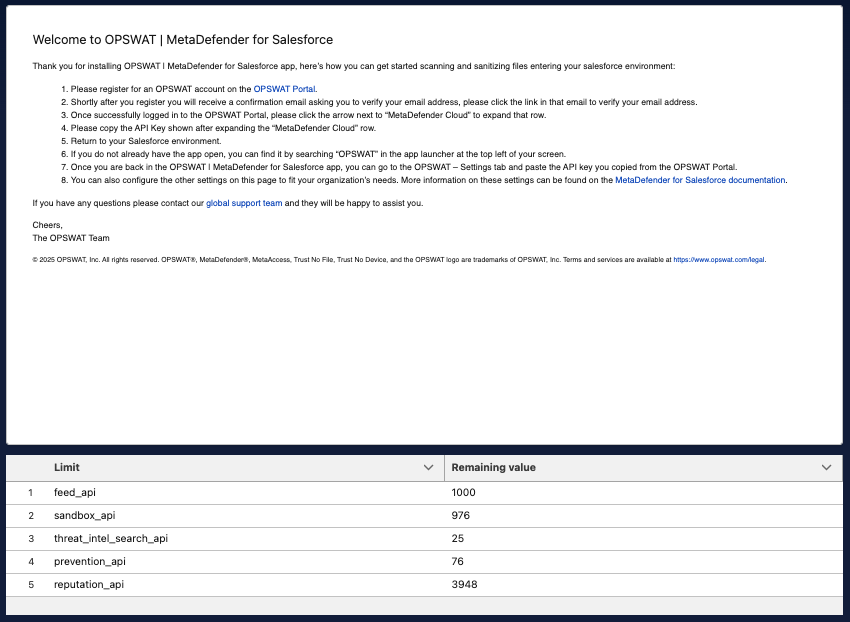
Limits are consumed as below:
Limit | Description and Usage |
|---|---|
prevention_api | Prevention limits are used for Multiscanning, Sanitization and Data Loss Prevention services. |
reputation_api | Reputation limits are used for URL/IP/Domain scanning. |
sandbox_api | Sandbox limits are used for Sandbox scanning (applicable for both files and URL/IP/Domain). |