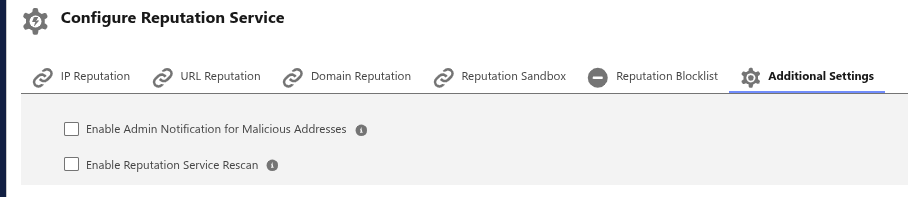
To configure Reputation Service for address analysis, navigate to the application in Salesforce via the app launcher and click on "OPSWAT Settings" below the search bar on the top of the page and go to "Reputation Service" tab.
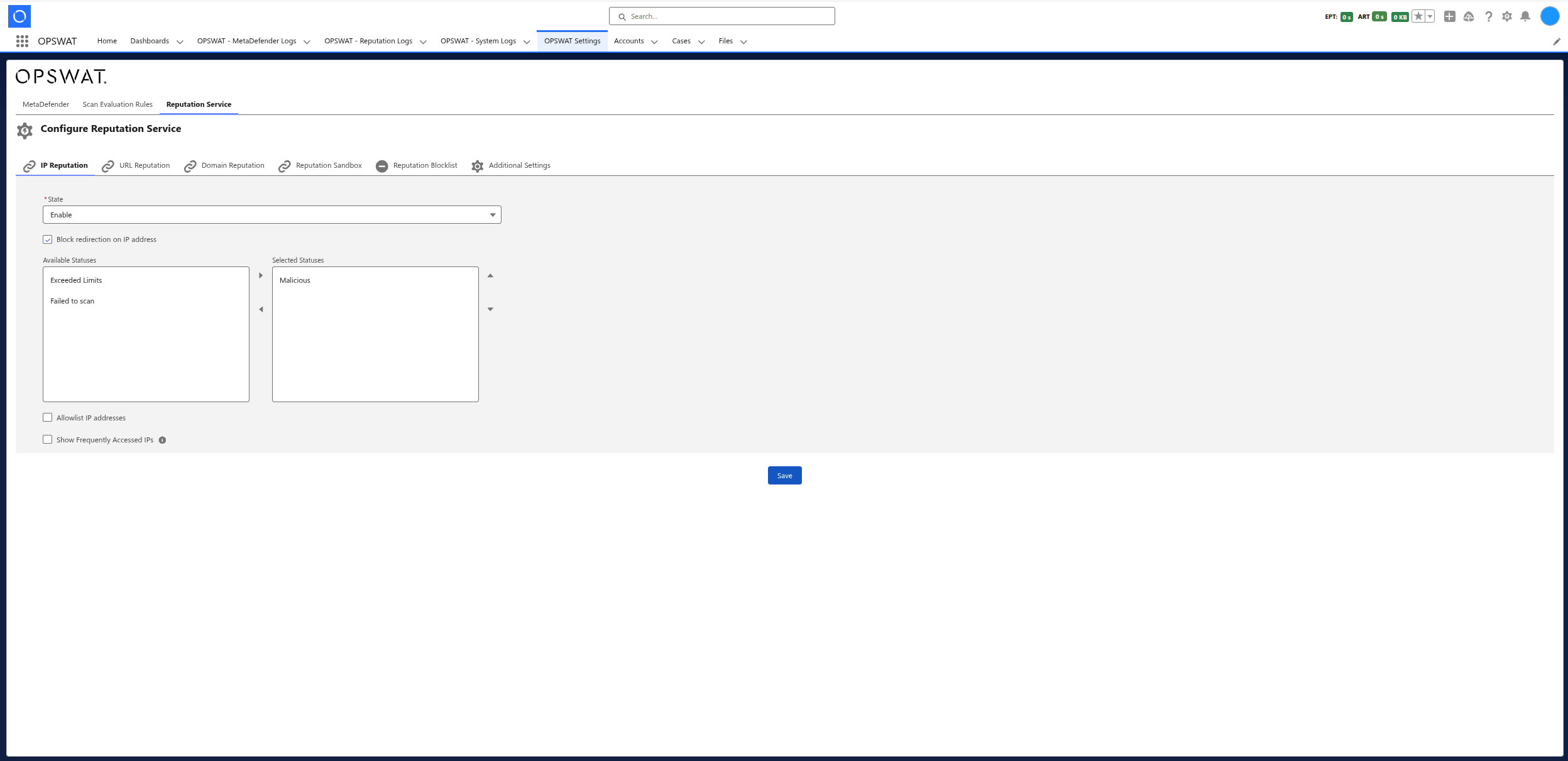
Summary table
Reputation Service functionalities | Description |
|---|---|
IP Reputation | Threat intelligence lookup for IPv4/IPv6 addresses |
URL Reputation | Threat intelligence lookup for web URLs |
Domain Reputation | Threat intelligence lookup for domain names |
Reputation Sandbox | Dynamic analysis of addresses in a sandbox environment |
Reputation Blocklist | Manual blocklist for custom address blocking |
Admin Notifications | Email and bell alerts for malicious address detection |
Reputation Rescan | Re-scans addresses upon user access/click |
IP Reputation
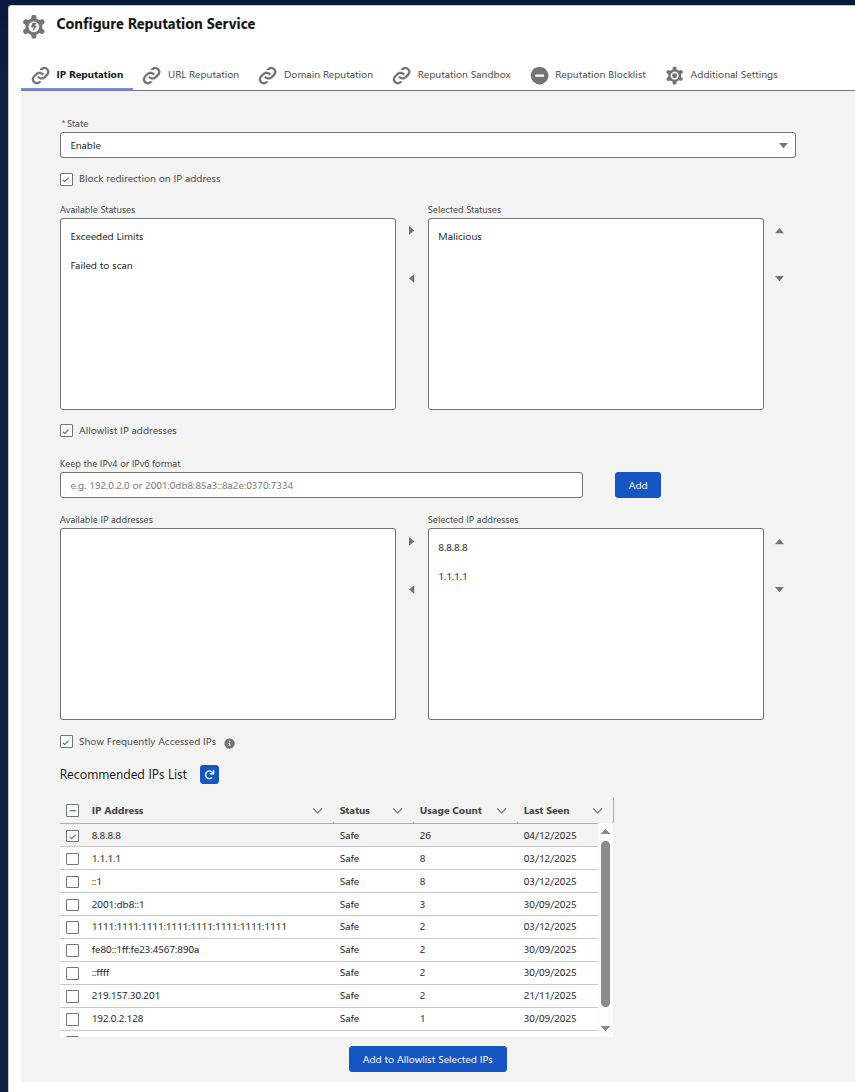
Scans IP addresses (both IPv4 and IPv6) found in Salesforce records against OPSWAT's threat intelligence database to detect malicious IPs associated with known attacks, botnets, or suspicious activity. Features:
Enable/Disable scanning
Block redirection on malicious IP addresses based on configurable status thresholds
Allowlist trusted IP addresses to skip scanning
Frequently Accessed IPs - displays safe IPs that can be quickly added to the allowlist to improve performance
URL Reputation
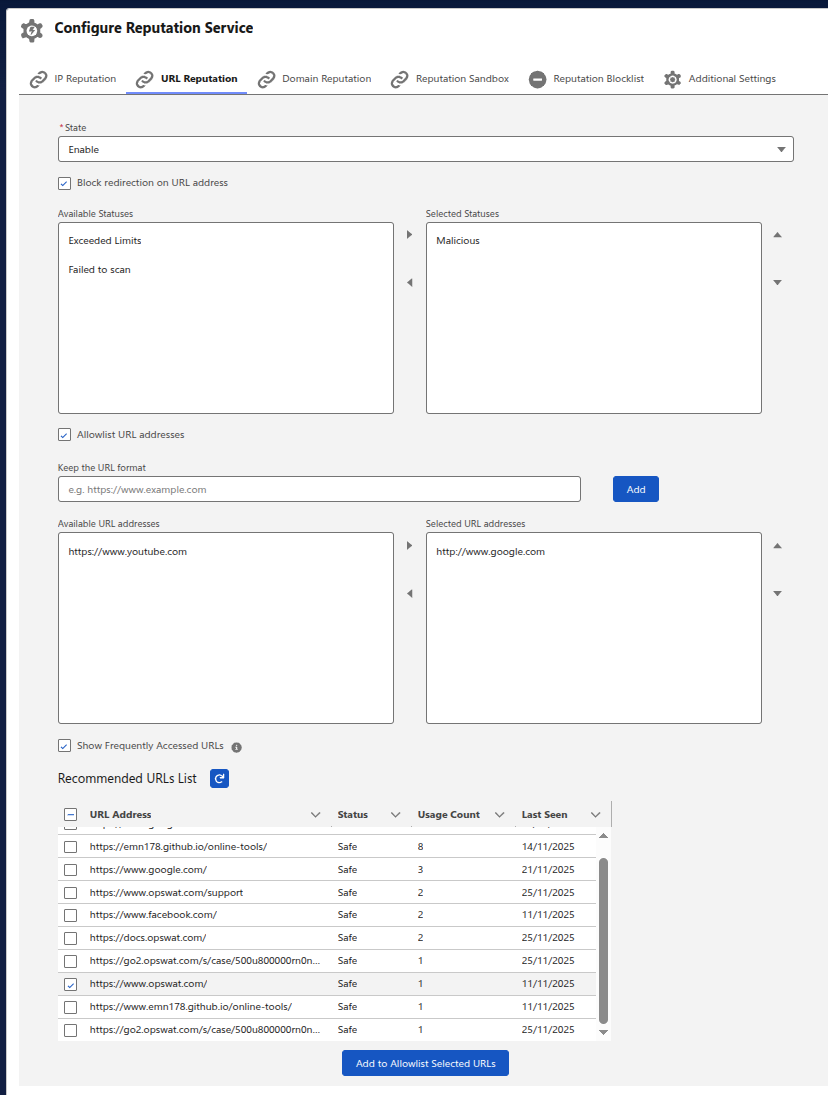
Scans URLs found in Salesforce records to identify phishing links, malware distribution sites, and other malicious web addresses. Features:
Enable/Disable scanning
Block redirection on malicious URLs based on configurable status thresholds
Allowlist trusted URLs to skip scanning
Frequently Accessed URLs - displays safe URLs that can be quickly added to the allowlist to improve performance
Domain Reputation
Scans domain names found in Salesforce records to detect domains associated with malicious activity, spam, or command-and-control servers. Features:
Enable/Disable scanning
Block redirection on malicious domains based on configurable status thresholds
Allowlist trusted domains to skip scanning
Frequently Accessed Domains - displays safe domains that can be quickly added to the allowlist to improve performance

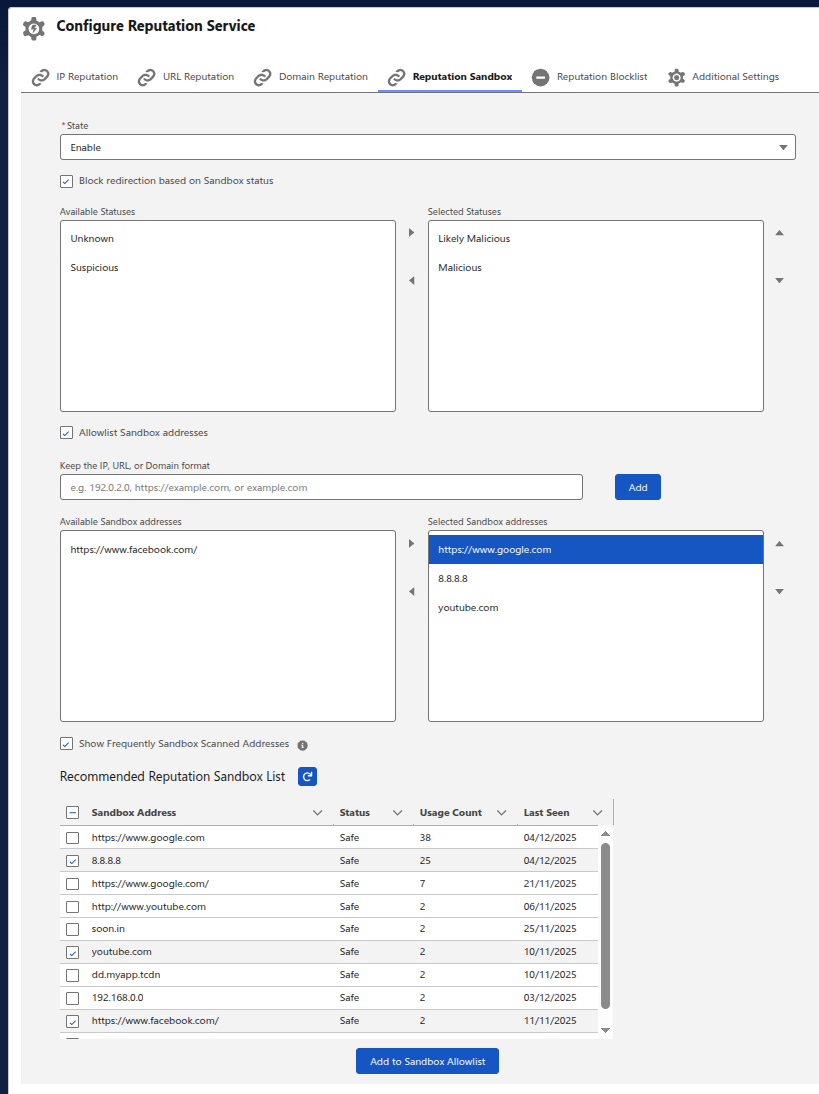
Reputation Sandbox
Performs dynamic sandbox analysis on IP addresses, URLs, and domains by executing them in a controlled environment to detect advanced threats that evade static reputation checks (e.g., zero-day attacks, evasive malware). Features:
Enable/Disable sandbox scanning
Block redirection based on sandbox verdict (Malicious, Suspicious, Likely Malicious)
Allowlist trusted addresses (IP, URL, or Domain) to skip sandbox analysis
Frequently Sandbox Scanned Addresses - displays safe addresses that can be quickly added to the allowlist
Reputation Blocklist
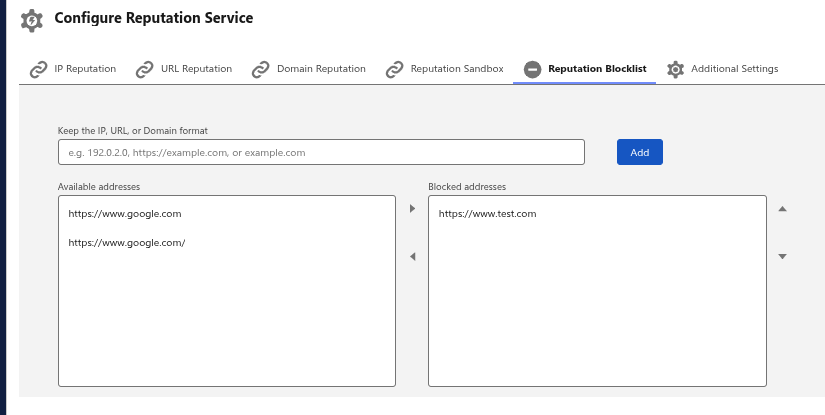
A custom blocklist allowing administrators to manually block specific IP addresses, URLs, or domains regardless of their reputation scan results. Features:
Manually add addresses (IP, URL, or Domain) to a blocklist
Manage blocked addresses via a dual-listbox interface
Additional Settings
Admin Notification for Malicious Addresses When enabled, administrators receive email notifications and in-app bell notifications when a malicious address is detected (either via multiscan or sandbox analysis).
Reputation Service Rescan When enabled, the system automatically rescans addresses when users access or click on them, ensuring up-to-date threat detection for previously scanned addresses.