
This document details the introduction and configuration of MetaDefender Endpoint Plus with embedded anti-malware engines scanning, powering our key features including Peripheral Media Protection, Download Protection, and Malware Scan for continuous, uninterrupted protection.
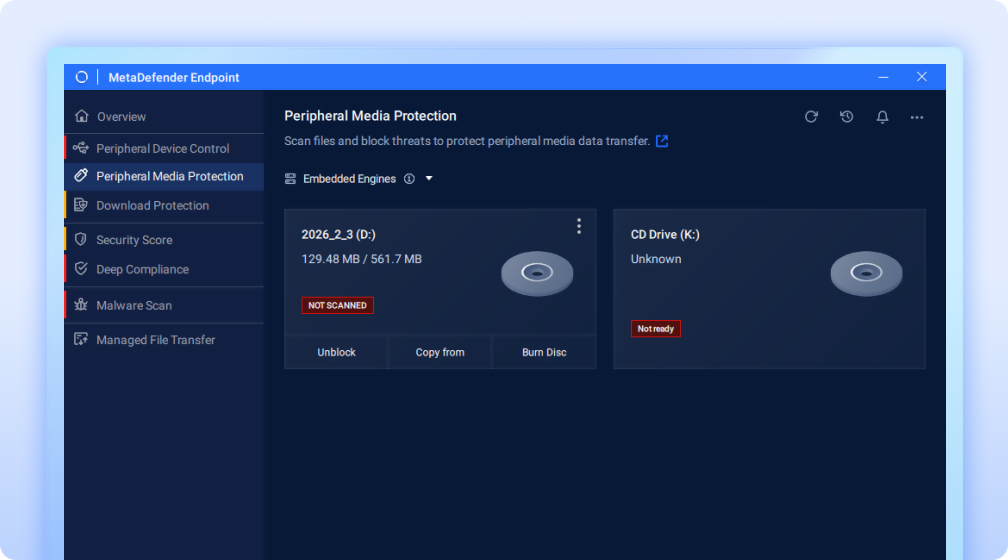
This capability ensures that even when connectivity is interrupted or unavailable, organizations can maintain consistent protection against malware, malicious files, and peripheral media threats using embedded anti-malware engines.
Benefits
Always-On File Scanning
The embedded anti-malware engines in MetaDefender Endpoint™ Plus eliminate the need for external dependencies such as continuous internet access, servers, or cloud services for scanning.
This feature ensures files on removable media are scanned under all conditions, including within air-gapped environments:
With internet connections available: Files can be scanned using our powerful MetaDefender Core™ or MetaDefender Cloud™ solutions, delivering advanced threat detection capabilities.
With interrupted or unavailable internet connection: Organizations can still ensure continuous protection through embedded anti-malware engines. By removing reliance on active connectivity, critical endpoints remain secured against malware and peripheral media threats, ensuring uninterrupted enforcement.
Scanning in Low-Bandwidth Environments Without Network Dependency
Embedded multiscanning provides exceptional value for organizations operating in environments with limited network bandwidth or strict data transfer policies. By scanning files directly on the device, sending data over the network to external scanning services becomes unnecessary, increasing security, boosting operational efficiency, and aiding compliance.
Configuration
Administrators can enable this feature through the management console in Scan Workflow section in My OPSWAT Central Management.
Navigate to Peripheral Media Protection > Policies > Peripheral Media Protection > Windows/macOS > Scan Workflow
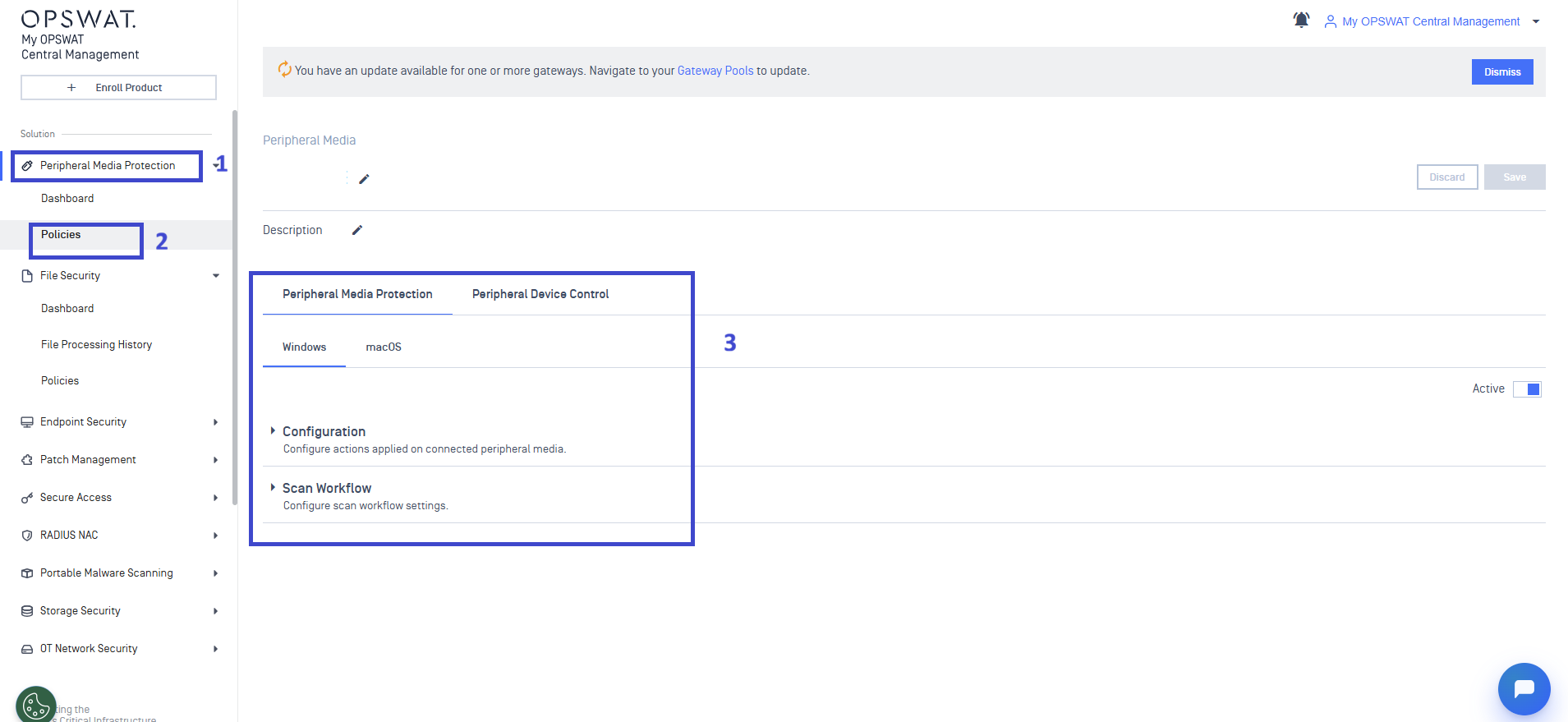
Scan workflow tab is only enabled for On-access scanning mode and Allow selected actions mode.
For more details on scan workflow configuration, please follow this user guide For administrators - MetaDefender Endpoint
If multiple scanning servers are available, administrators can configure the server priority by specifying the order (for example, primary, secondary, and so on, simply by using the drag-and-drop icon on the left-hand side or the arrow buttons on the right-hand side

When enabled, eligible users can switch between scanning with Embedded Engines and MetaDefender Core™ or MetaDefender Cloud™ directly within the MetaDefender Endpoint™ user interface, providing seamless experience.
We also support Automatic Scan Server Failover. When the primary scanning server becomes unreachable, Peripheral Media Protection automatically fails over to another available scan server