
Overview
Operating System (OS) Updates
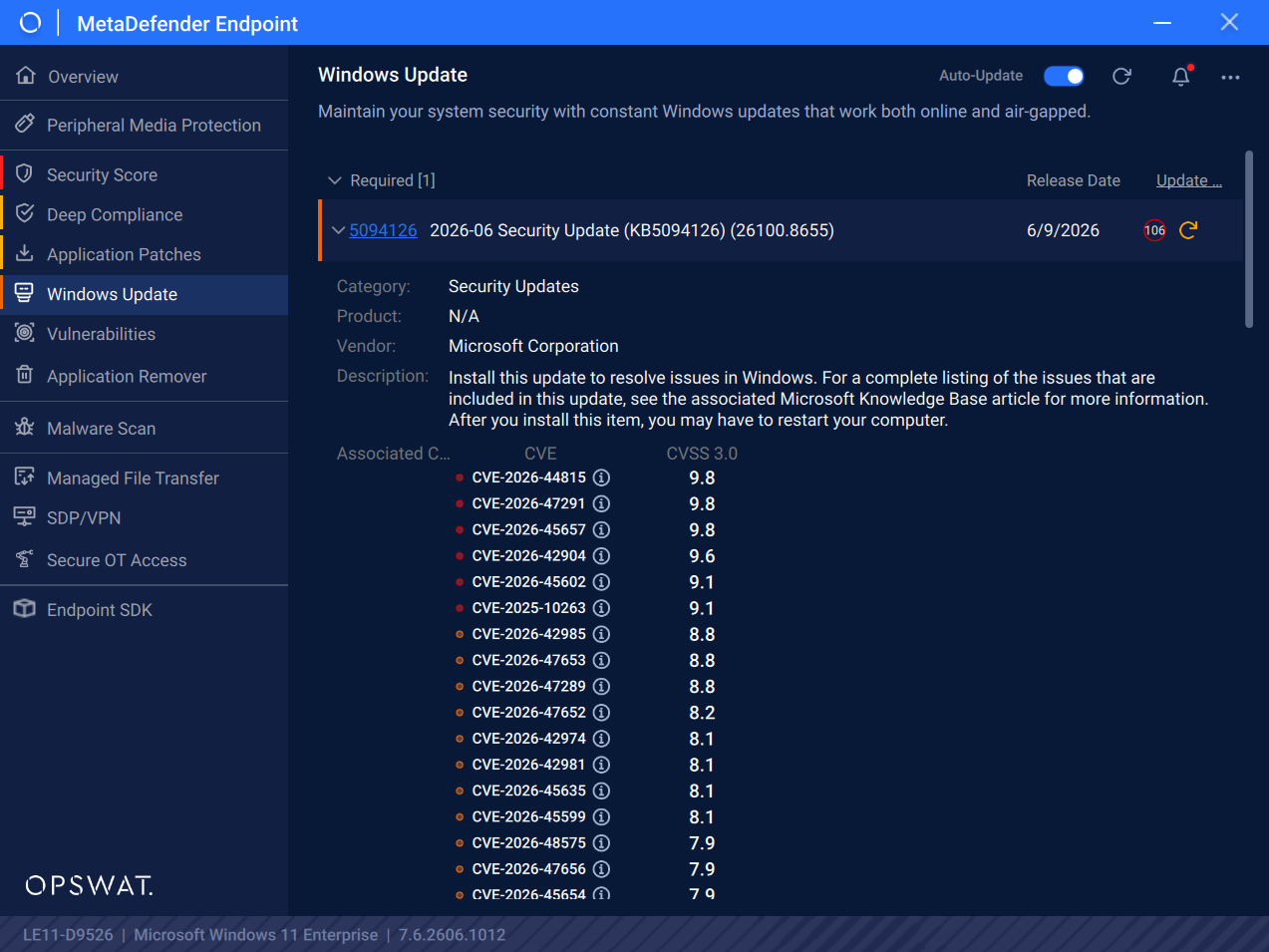
MetaDefender Endpoint can automatically update an OS to the latest version when available. Through the user interface of MetaDefender Endpoint, users can gain insights on the CVEs that would be resolved when applying a specific missing patch detected on the system.
Third-Party Application Patching
MetaDefender Endpoint offers automatic patching across 660+ third-party applications. Through the user interface, users can view the list of applications with details such as current version, latest known update version, and action needed for easy review and monitoring.
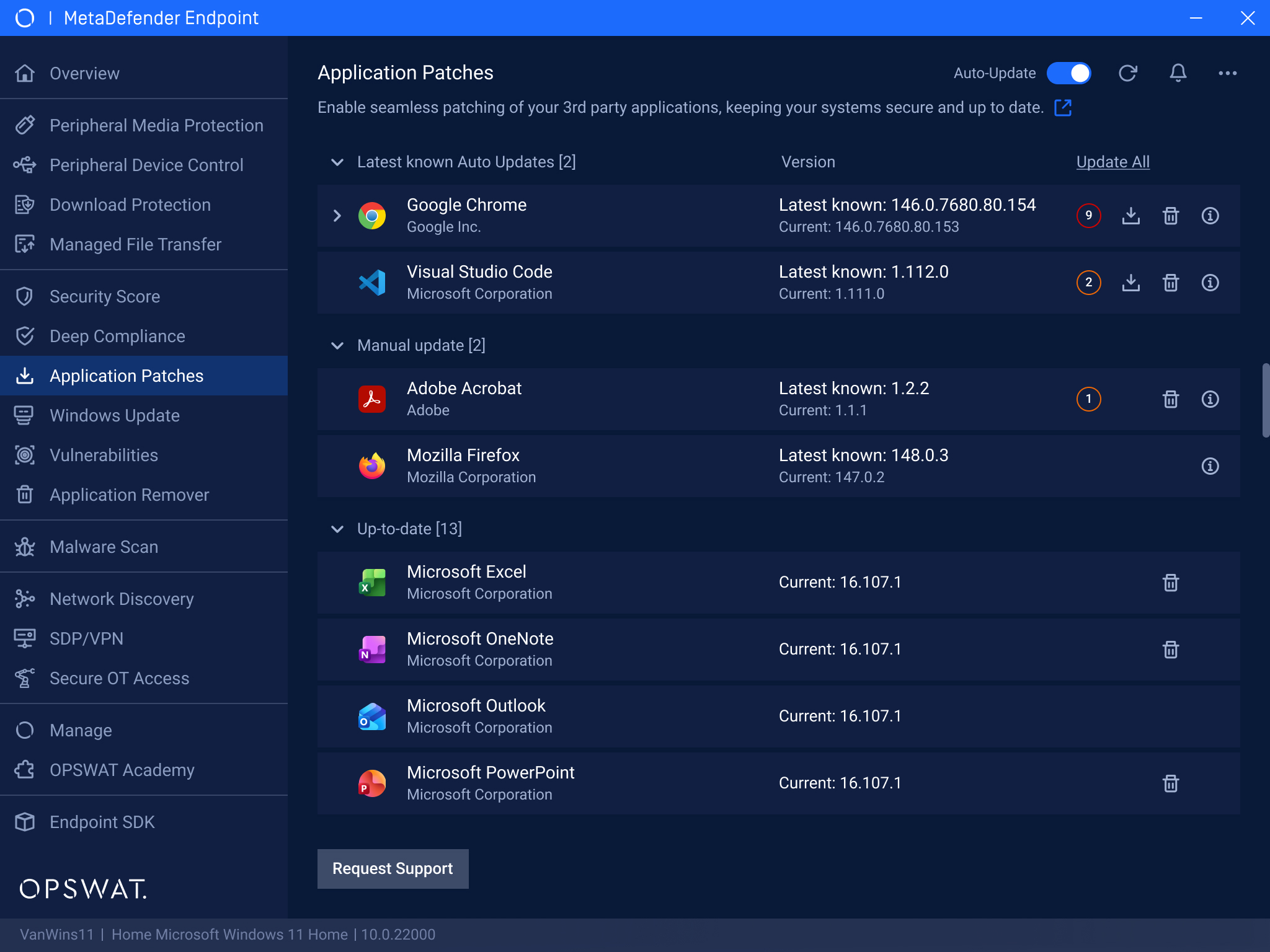
The patching capability with MetaDefender Endpoint currently supports Windows & macOS. Support for Linux devices will be added in the future.
Patching Process
Leveraging MetaDefender Endpoint and My OPSWAT Central Management, users gain a single view of all missing patches across an environment among OS and third-party applications.
Continuously monitor all managed endpoints, identify missing patches, categorize them by severity and device compliance status, and deploy seamless patching with the OPSWAT Patch Management solution.
Overall End-to-End Process
Step 1: MetaDefender Endpoint actively detects and reports missing patches to the management console.
Step 2: When a vulnerability is detected, it's instantly highlighted in the management console in My OPSWAT Central Management with severity level, CVE details, and affected asset information.
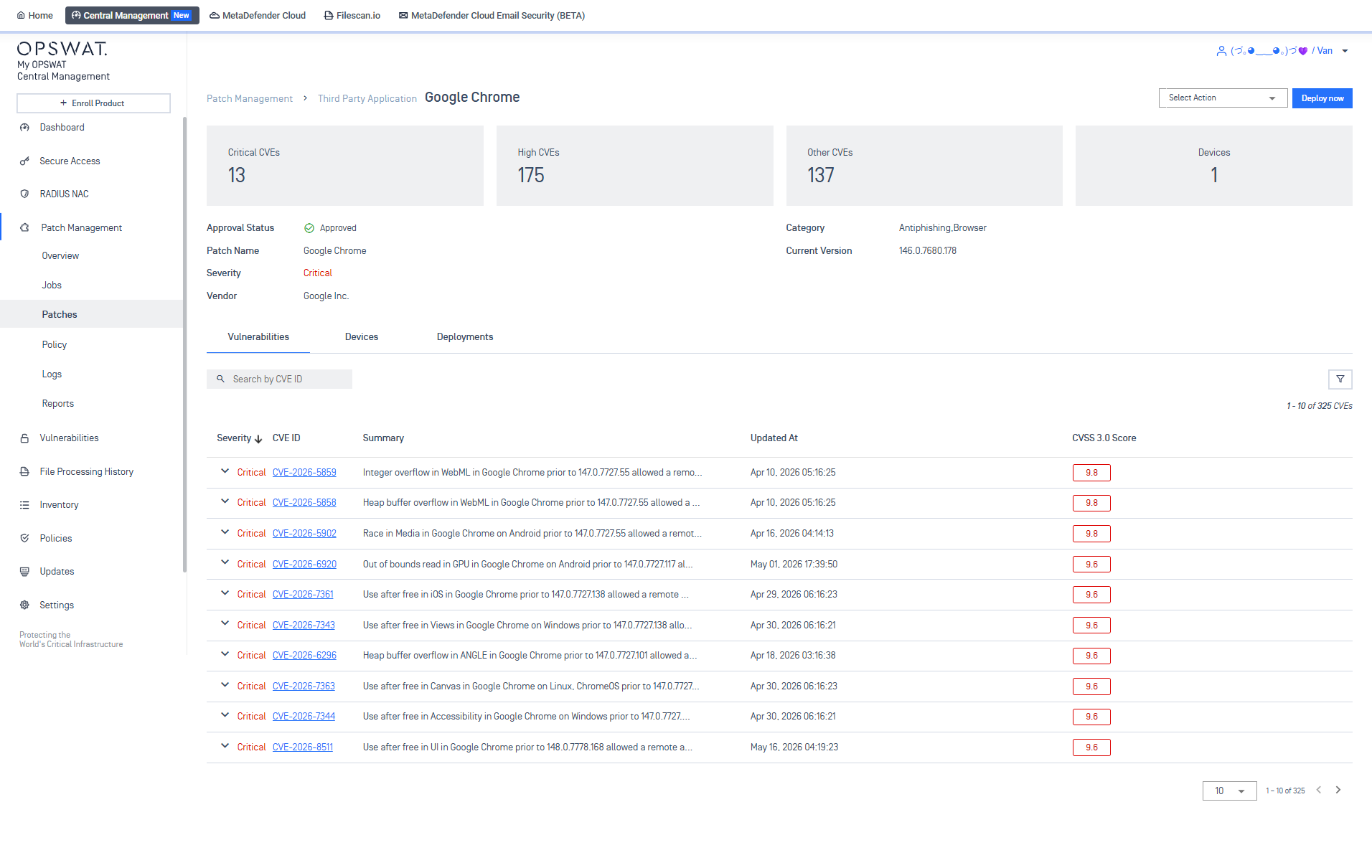
Step 3: Through My OPSWAT Central Management, admins instantly view severity level, associated CVEs, release date, category, and current patching status. Admins can search, filter, and sort by severity, KB, application name, category, or approval status.
Admins can also approve or reject patches; rejected patches are auto-excluded from all deployments
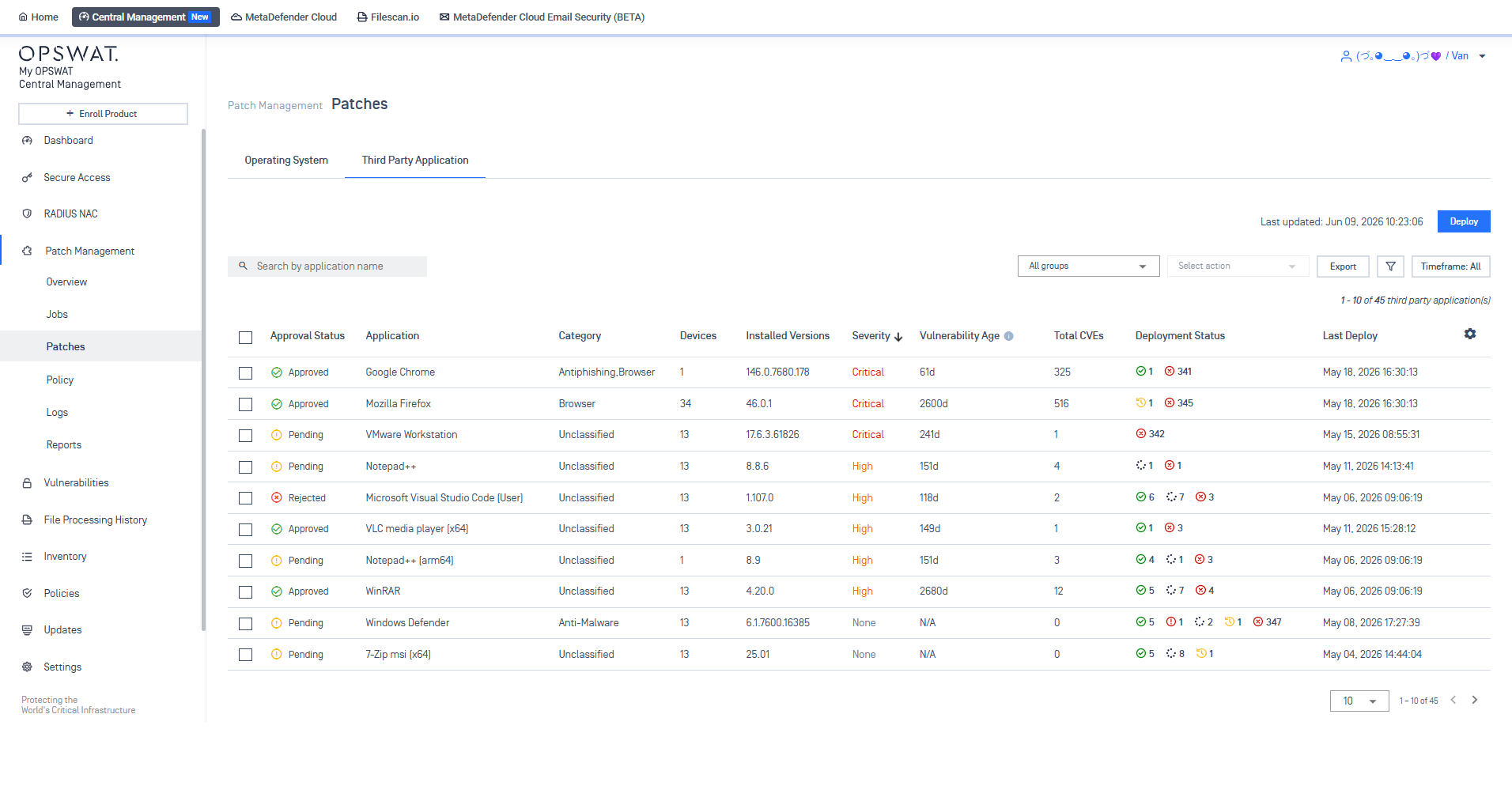
Step 4: Deploy patches
For more details on how to set up, configure, and monitor patch deployments using My OPSWAT Central Management, please refer to these following user guides: Deploy Patches - My OPSWAT Central Management
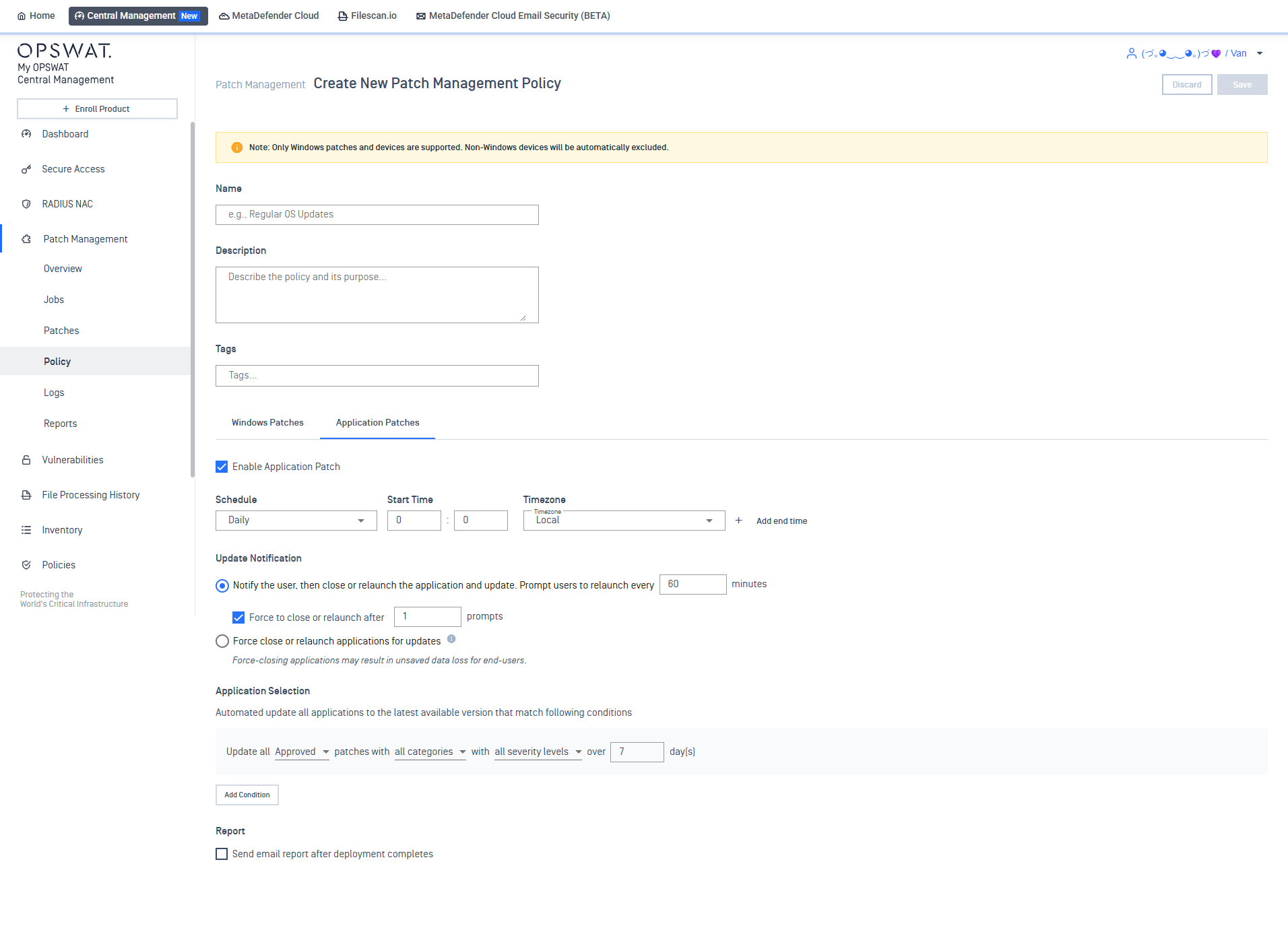
Step 5: Automatically deploy across managed endpoints
At the scheduled time, the platform automatically distributes verified patches across all targeted endpoints, no manual intervention is needed.
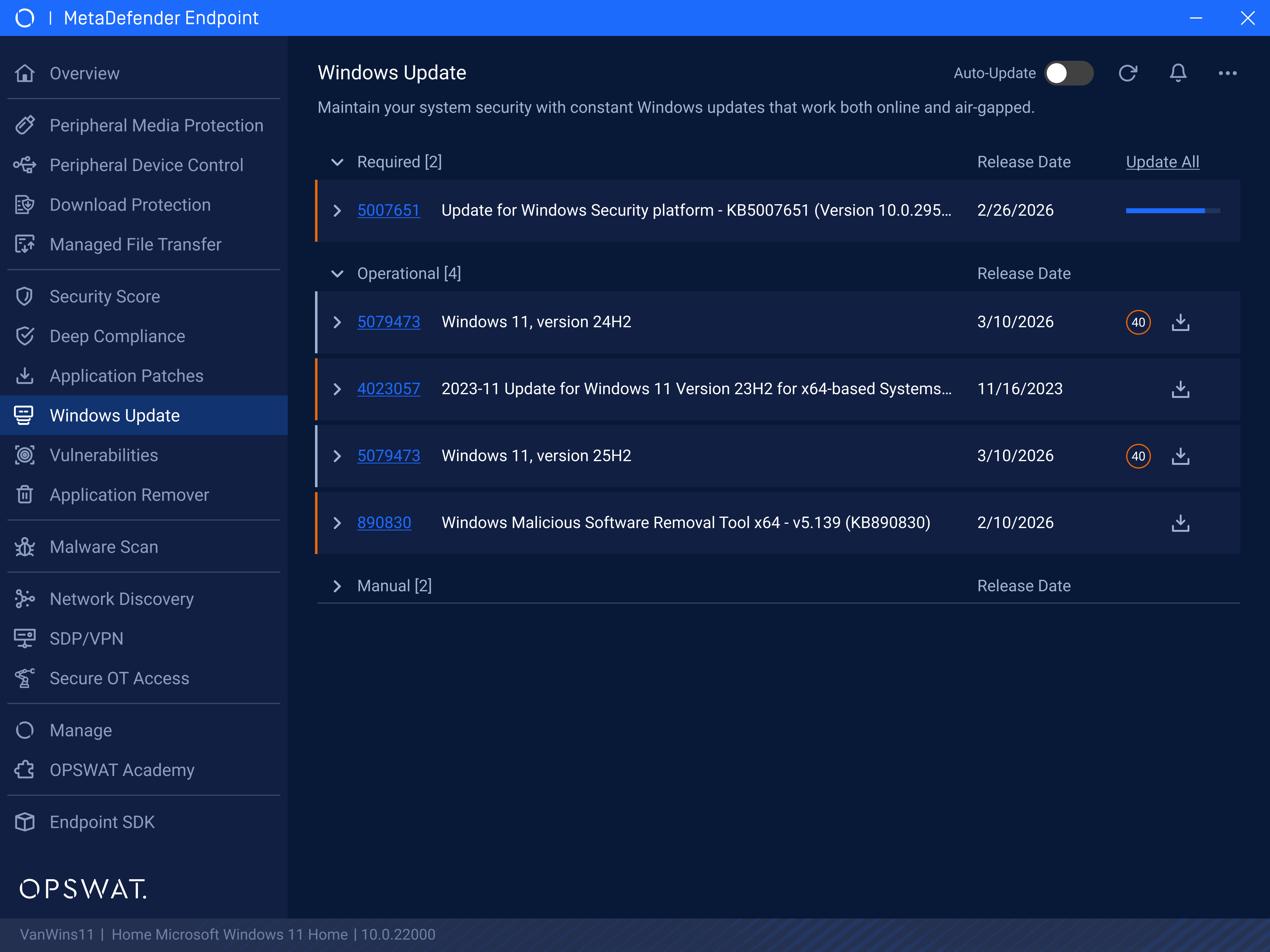
Step 5: Receive real-time notifications
Gain full awareness with installation result notifications delivered to end users on MetaDefender Endpoint.
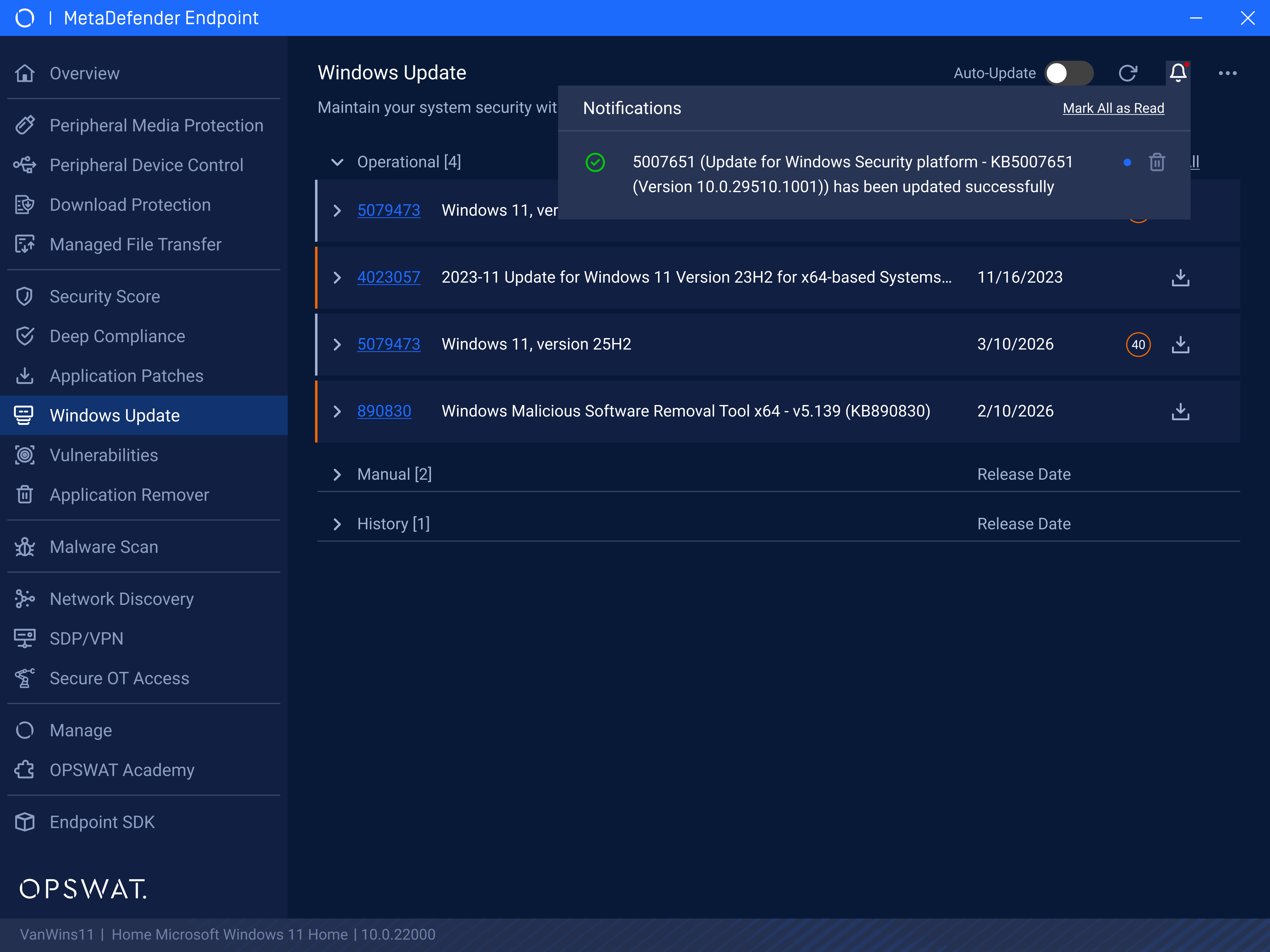
Step 6: View Patching Status in the Management Console
Patching status is recorded in the management console in My OPSWAT Central Management for full visibility and auditability.