
Version | 6.4.3 |
|---|---|
Release date | 21st October, 2026 |
Scope | This release brings several security and minor functionality improvements that customers asked for in MetaDefender® Email Gateway Security. |
New & Improved
Address Rewrite with Regular Expressions
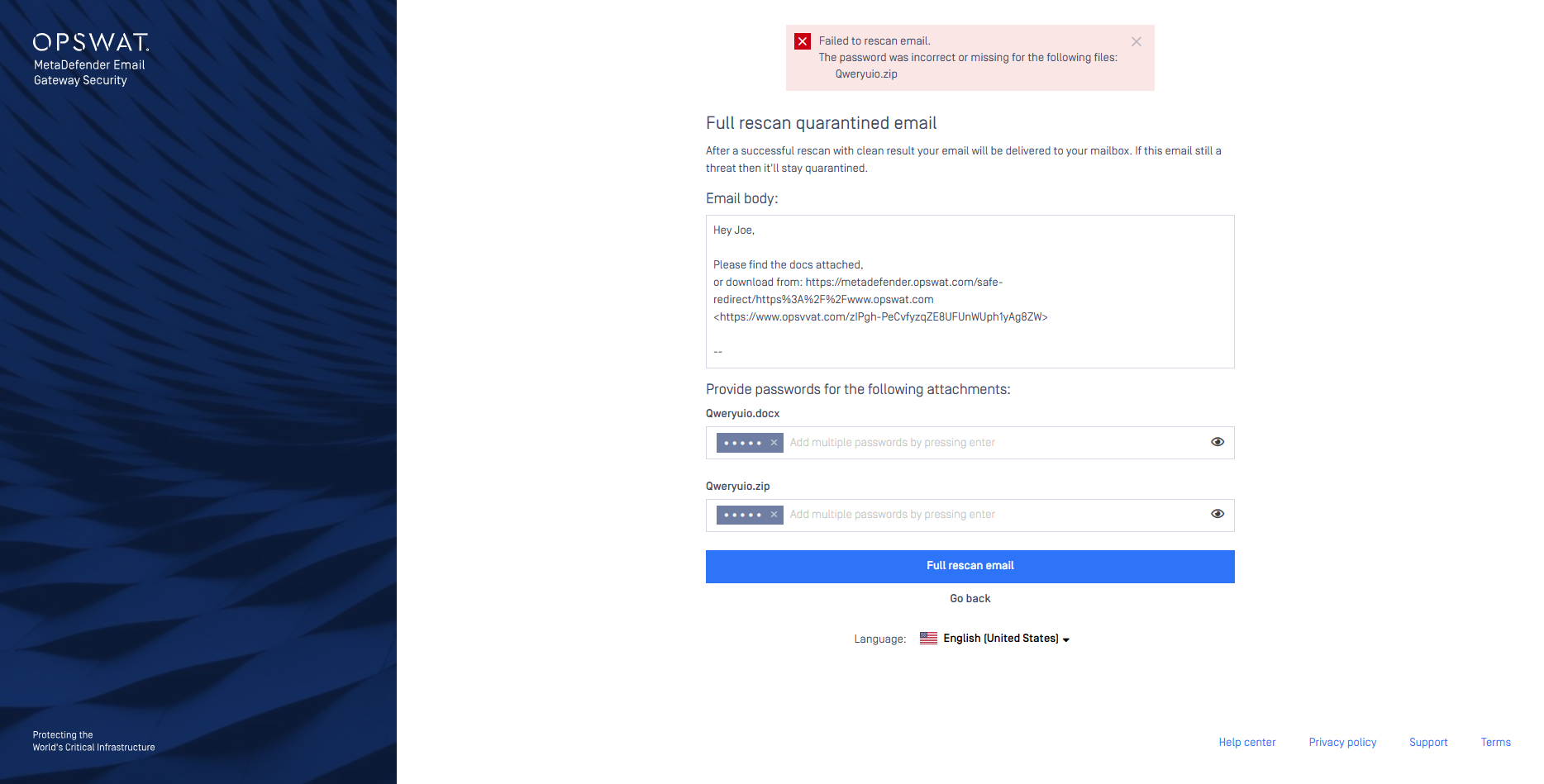
Administrators can now rewrite sender and recipient email addresses with address rewrite entries on the new Settings > Address Rewrite page. Each entry has ordered internal and external mapping rules, each with a regular expression and a replacement, and you can select an entry in a security rule, in a server profile of the Outbound server type, or as the default.
Inbound security rules use the internal mapping rules, and outbound security rules use the external mapping rules
The first matching rule changes the envelope sender, the envelope recipients and the address headers when the email is delivered. Display names do not change
Address rewrite changes where email is delivered. Test new rules with one security rule before you set an entry as the default
Without address rewrite entries, email delivery does not change
SMTP (Simple Mail Transfer Protocol) rewrite, the SMTP sender or recipient rewriting option of security rules, is now deprecated, and it is planned to remove it in an upcoming release of Email Gateway Security. Until then, it applies only when no address rewrite entry is selected for the email.
Customers who use SMTP rewrite should move their settings to address rewrite entries. For details see Migrate from SMTP rewrite to address rewrite.
For details see Address rewrite, Policy, Server profiles and Users.
Grace Period for Connectivity Alerts
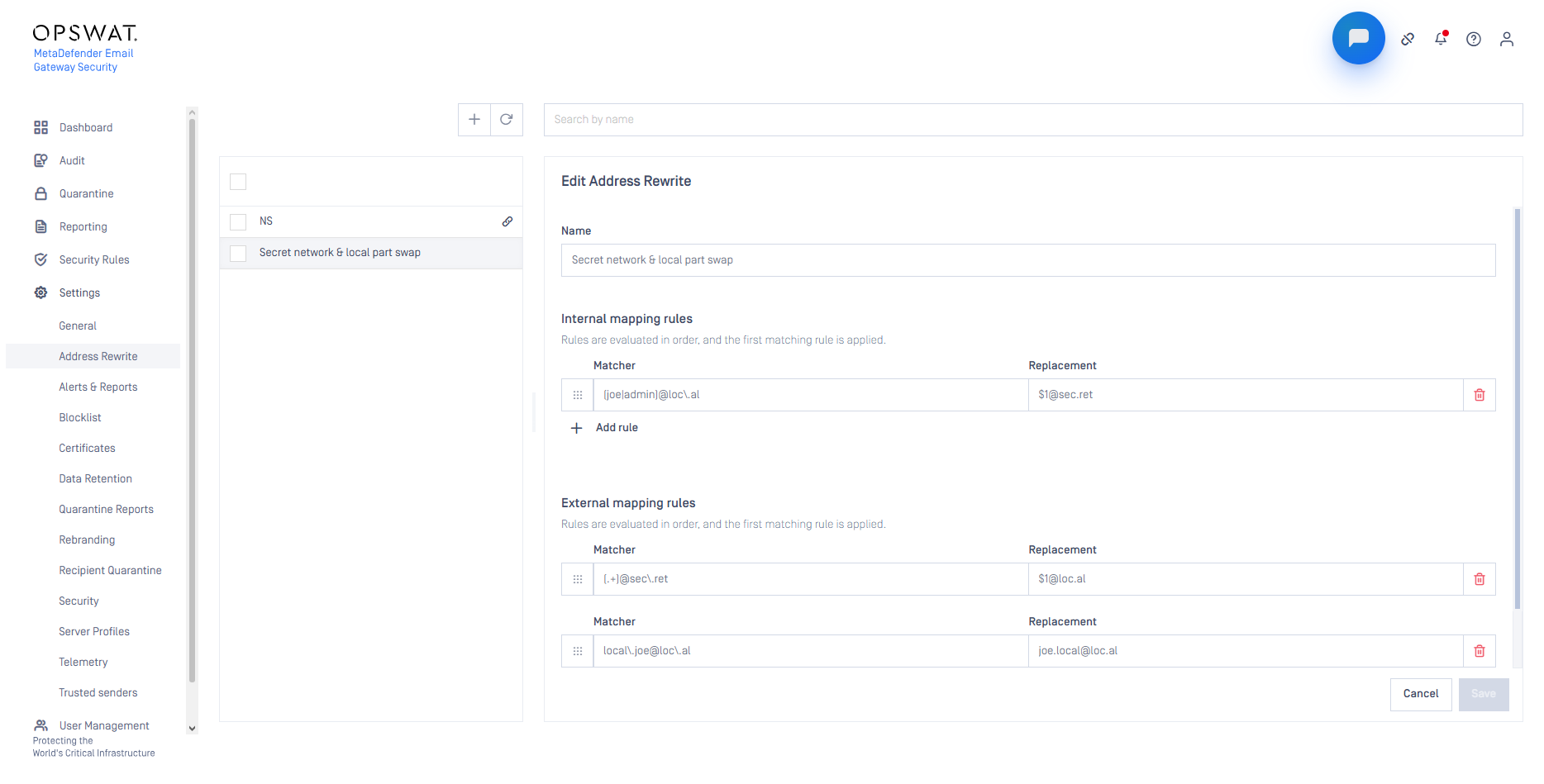
Connectivity alerts now have their own group on the Alerts & Reports page, with a grace period of 1–600 seconds that is disabled by default. When the grace period is enabled, the alert email is sent only if the connection problem, for example an unreachable MetaDefender Core™ server, continues after the grace period, but the console still shows the issue at once.
For details see Alert, notification and quarantine report emails.
Option to Keep Original Message-ID
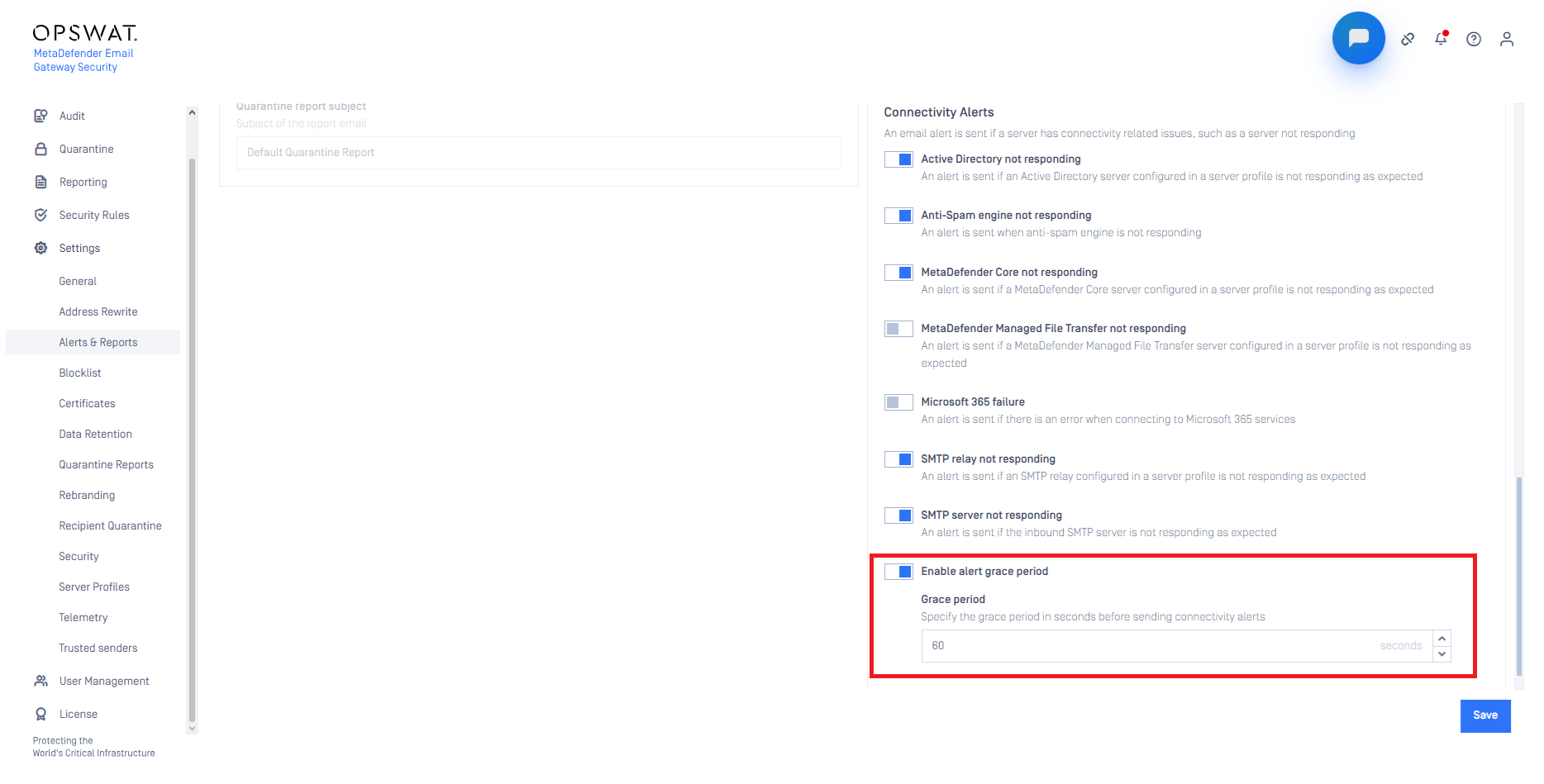
A new Keep original Message-ID setting under Settings > General > Email lets quarantined emails keep the original value of their Message-ID email header when they are released, forwarded or rescanned. By default, a numeric prefix is still added to the Message-ID header, because some receiving mail systems drop an email with a Message-ID header value that they have already seen.
For details see Settings and Quarantine.
Per-File Password Errors on Rescan
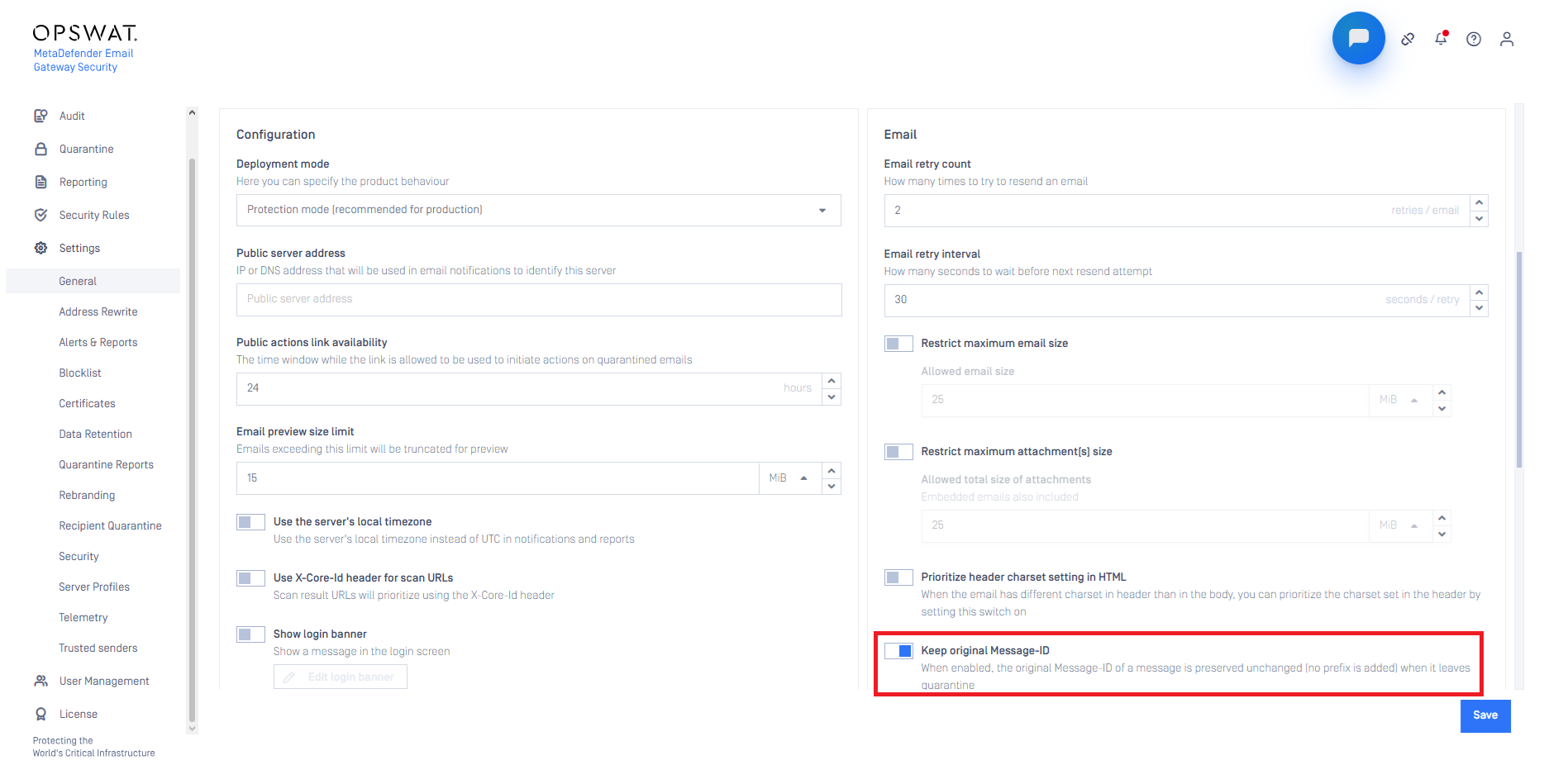
When a rescan fails because of a wrong password, the console now lists the password-protected attachments that could not be decrypted, instead of a general error. Recipients see the same list on the public rescan page if Display failed encrypted files on public rescan page is enabled in the security rule, which is the default.
For details see Password protected attachments, Email recipient guide and Policy.
Identity Provider Initiated SAML Sign-In
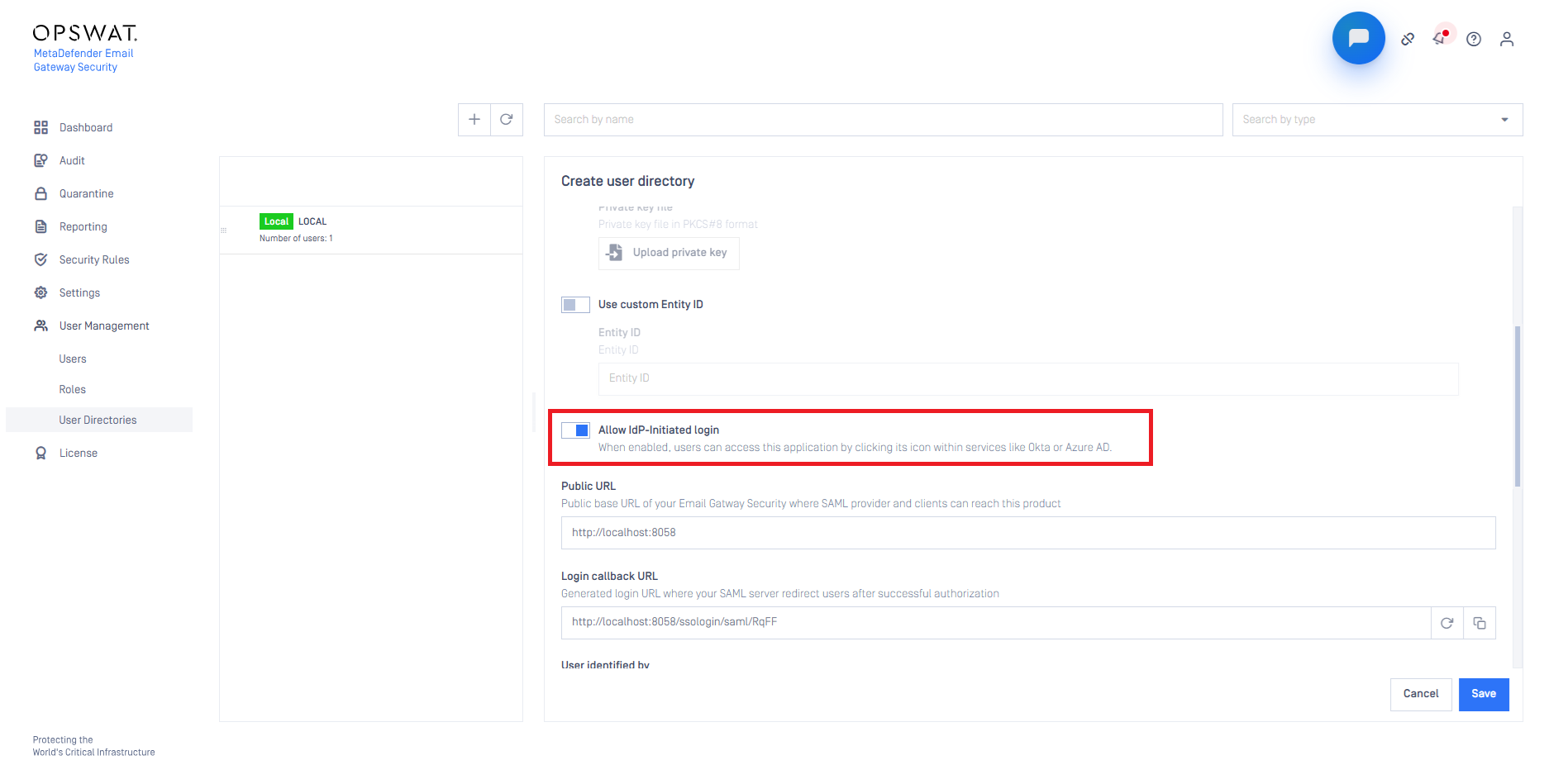
Users can now sign in from the portal of their IdP (Identity Provider), for example CyberArk, Okta, Keycloak or Microsoft Entra ID, when Allow IdP-Initiated login is enabled in the SAML user directory. The option is disabled by default, and if it is disabled, the error message explains why the sign-in failed.
For details see Identity provider initiated sign-in.
Changed
Original Attachment Filenames Are Preserved
Email Gateway Security no longer tries to work out the file type of an attachment from its MIME (Multipurpose Internet Mail Extensions) Content-Type header or from its filename extension. Only MetaDefender Core detects the file type, and Email Gateway Security uses the file type that MetaDefender Core reports.
As a result, attachment filenames no longer get an extra extension from a mismatching Content-Type header, so an attachment named report.pdf that is declared as text/plain stays report.pdf and does not become report.pdf.txt. This prevents false file type mismatch blocks and double extensions after Deep CDR™ processing.
MetaDefender Core now receives only the attachment filename, without the email subject in front of it. The MetaDefender Core scan history still identifies the email by its subject. On MetaDefender Cloud™, the subject stays in the filename, so you can still find the email in the MetaDefender Cloud scan history.
For details see Policy.
More Telemetry Metrics, Hourly Export by Default
Telemetry now exports more metrics, for example about scanning, host resources, the features in use and address rewrite.
If you already use telemetry, check your dashboards and alerts after the upgrade:
Metrics are exported once per hour by default, instead of once per minute. To keep the old interval, set
telemetry_export_interval_msto 60000 in the RegistryThe
egs_email_processing_duration_secondshistogram is replaced by theegs_p50_email_delivery_durationandegs_p95_email_delivery_durationgauges, in millisecondsThe resource attributes follow the OPSWAT telemetry standard. For example,
product.versionis nowversion, andproduct.nameis nowproduct_id
The names of the other metrics from version 6.4.2 do not change.
For details see Telemetry and Registry configuration.
Fixed
Whole Email Scanned as EML File
When Scan email as a whole was enabled, Email Gateway Security told MetaDefender Core to treat the email as a text file, so MetaDefender Core did not unpack the email parts. The email is now submitted with the EML file type.
This fix needs MetaDefender Core 5.21.0 or later.
For details see Policy.
Email History Queries on Large Databases
On very large email history databases, some queries, for example for quarantine reports, could fail with a temporary file size error and slow down email processing. These queries are now more efficient.
Errata
Force Scan on Mismatch Always Rescans
With MetaDefender Core, the Force scan on mismatch option of hash lookup finds a file name mismatch for every file. As a result, Email Gateway Security scans every email part again, and hash lookup does not save processing time when this option is enabled.
The option is disabled by default, and MetaDefender Cloud is not affected. This is planned to be fixed in an upcoming release. Until then, disable Force scan on mismatch if you want to use cached scan results.
For details see Policy.