
Overview:
On a MetaDefender Drive, when running MetaDefender Drive In-Session Scan, there is a message saying Low Disk Space
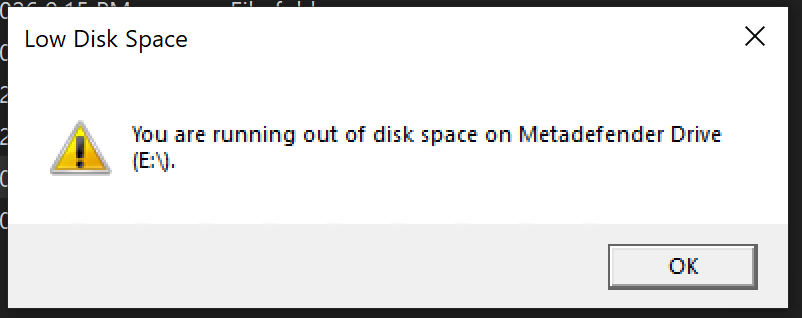
In some cases, the root cause of it is because engines folder are taking up space, like in this screenshot, ESET database is occupying 2.94GB.

Solutions:
Create a .cmd file with following content
@echo off
setlocal EnableDelayedExpansion
rem ============================================================
rem Remove-DatabaseFolders.cmd
rem Recursively finds all folders named "database" under
rem .\CTR\engines and deletes them.
rem
rem Usage:
rem Remove-DatabaseFolders.cmd (asks for confirmation)
rem Remove-DatabaseFolders.cmd /y (no prompt)
rem Remove-DatabaseFolders.cmd /list (dry-run, list only)
rem Remove-DatabaseFolders.cmd "C:\other\root" (custom root)
rem Remove-DatabaseFolders.cmd "C:\other\root" /y (custom + no prompt)
rem ============================================================
set "ROOT=%~dp0CTR\engines"
set "AUTO=0"
set "LISTONLY=0"
:parseArgs
if "%~1"=="" goto afterArgs
if /I "%~1"=="/y" ( set "AUTO=1" & shift & goto parseArgs )
if /I "%~1"=="-y" ( set "AUTO=1" & shift & goto parseArgs )
if /I "%~1"=="/list" ( set "LISTONLY=1" & shift & goto parseArgs )
if /I "%~1"=="-list" ( set "LISTONLY=1" & shift & goto parseArgs )
if /I "%~1"=="/?" ( goto usage )
if /I "%~1"=="-h" ( goto usage )
if /I "%~1"=="--help" ( goto usage )
set "ROOT=%~1"
shift
goto parseArgs
:afterArgs
if not exist "%ROOT%" (
echo [ERROR] Root path not found: %ROOT%
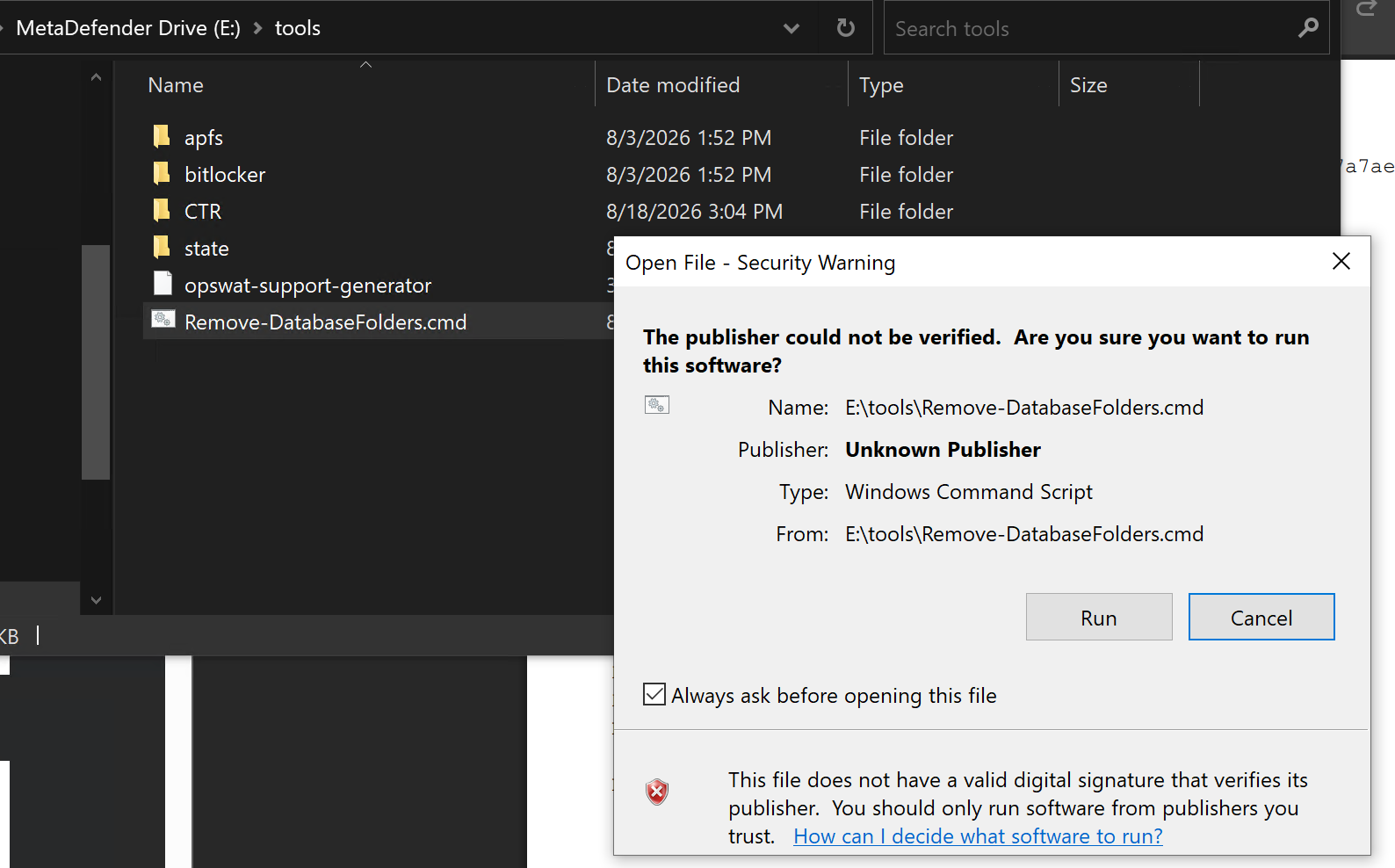
Copy the script to /MetaDefender Drive (disk-label):/tools then run the script from there
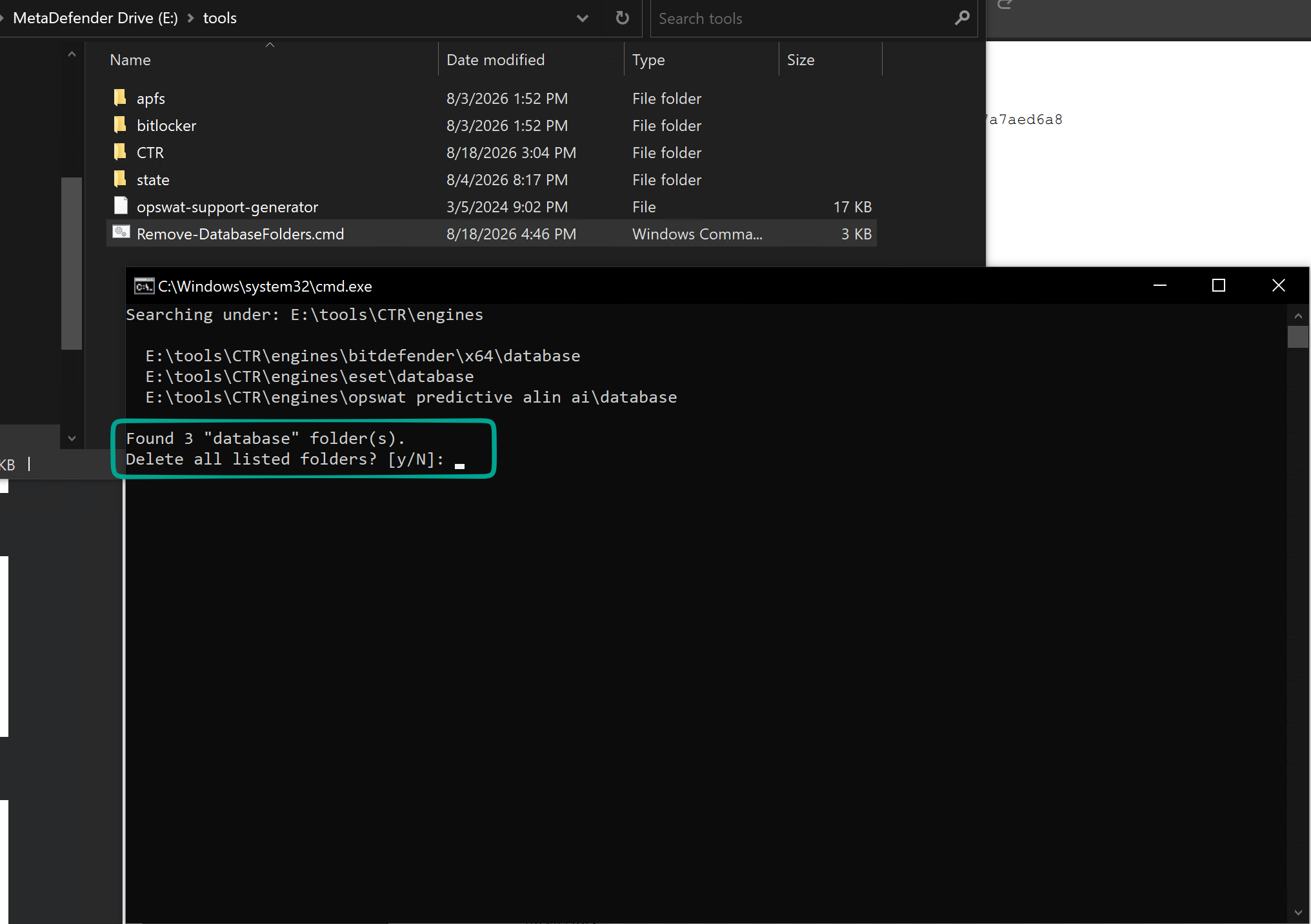
Say "y" (yes) when asked and your disk space is reclaimed.
Launch Drive In-Session again and let it download needed data
Was this page helpful?
Knowledge Base