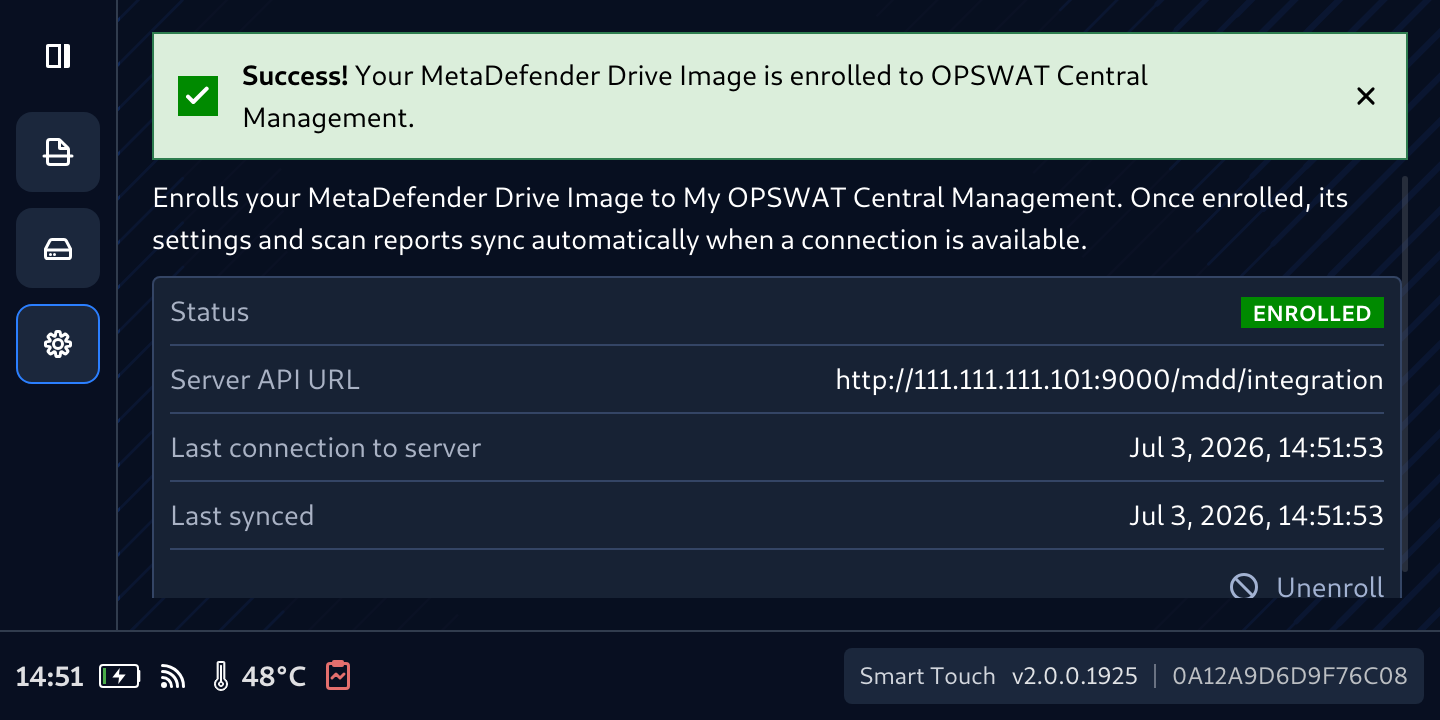
From MetaDefender Drive with Smart Touch version 2.0.0 and later, MetaDefender Drive can be enrolled in Central Management directly from Smart Touch, without having to boot the Drive on a PC. Once connected, enrollment is reflected across Smart Touch, Drive, and DTK, and settings and reports begin syncing with cloud or on-premises Central Management.
Follow these steps to enroll from Smart Touch
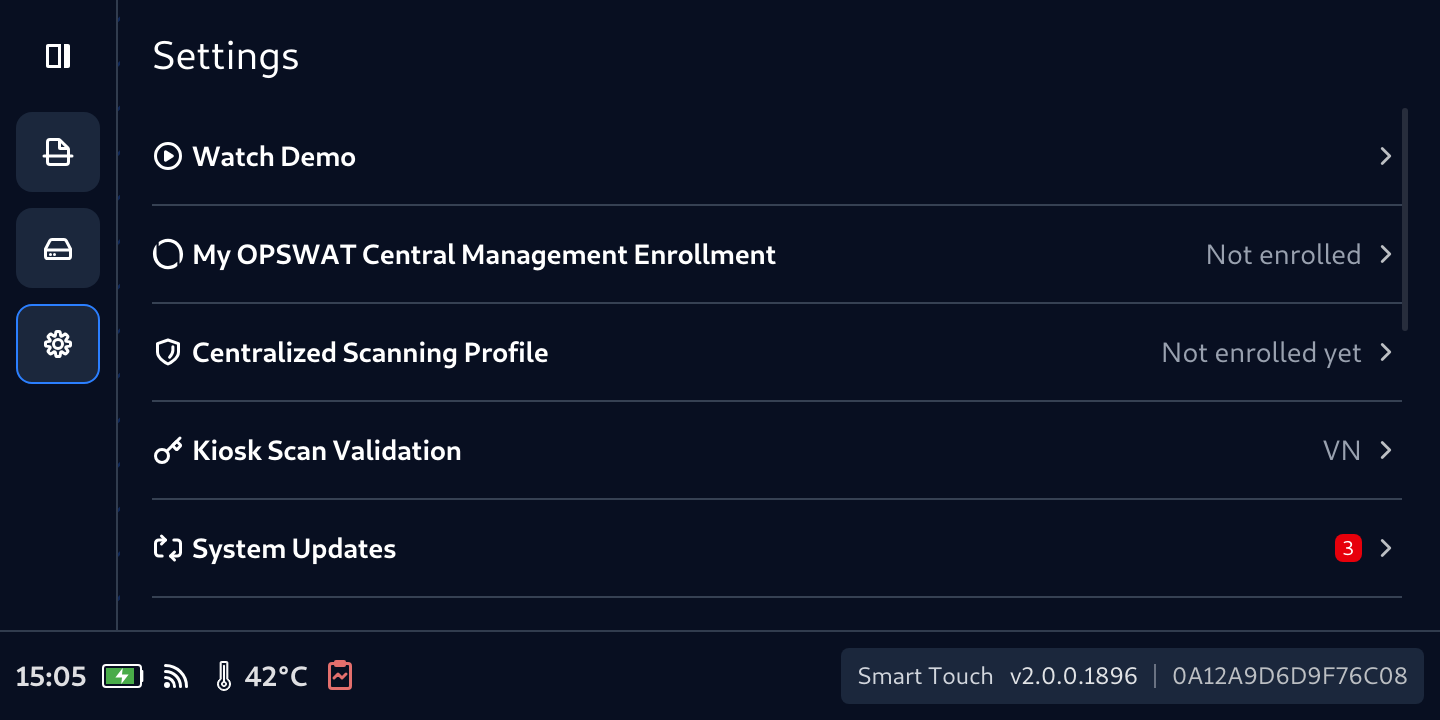
From Smart Touch, tap Settings, then tap My OPSWAT Central Management Enrollment
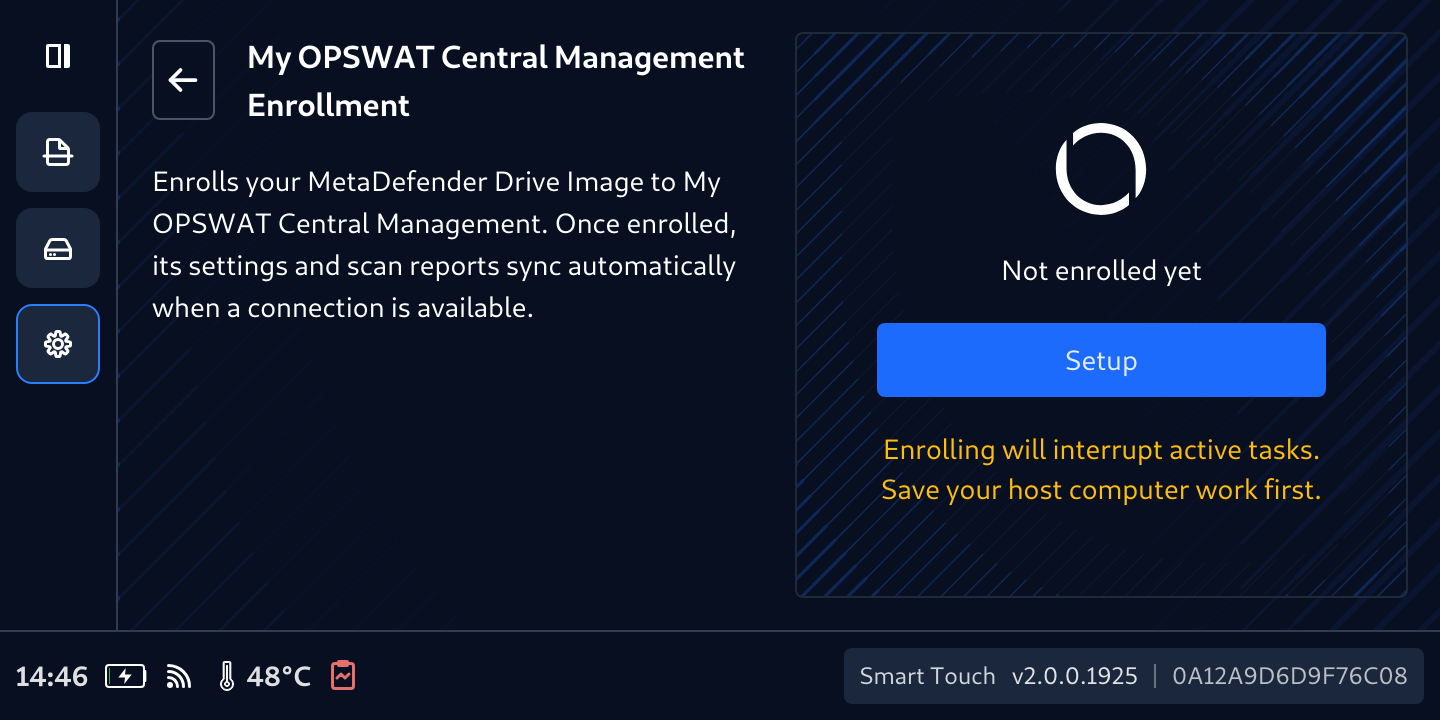
Notice the warning, make sure it is not scanning or not in Secure File Storage mode, then tap Setup
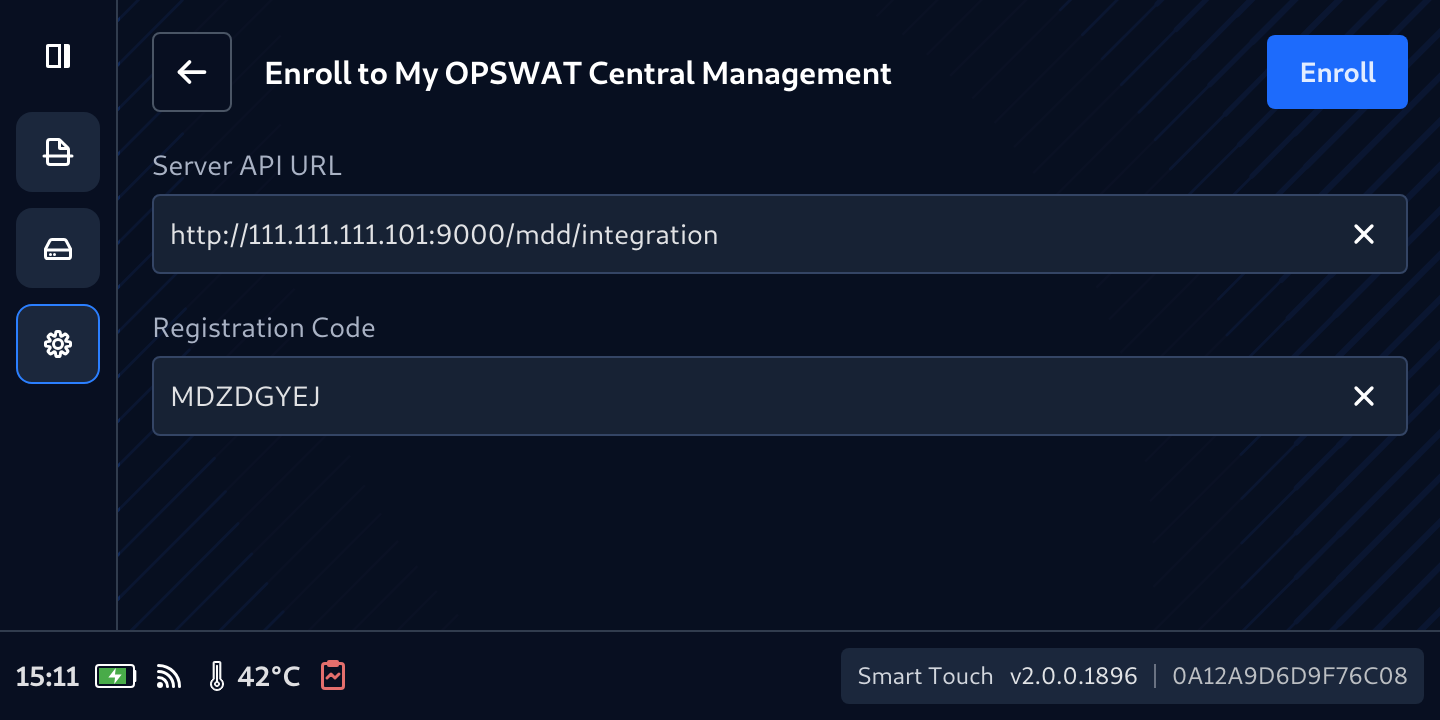
Enter the URL and Registration Code of Central Management
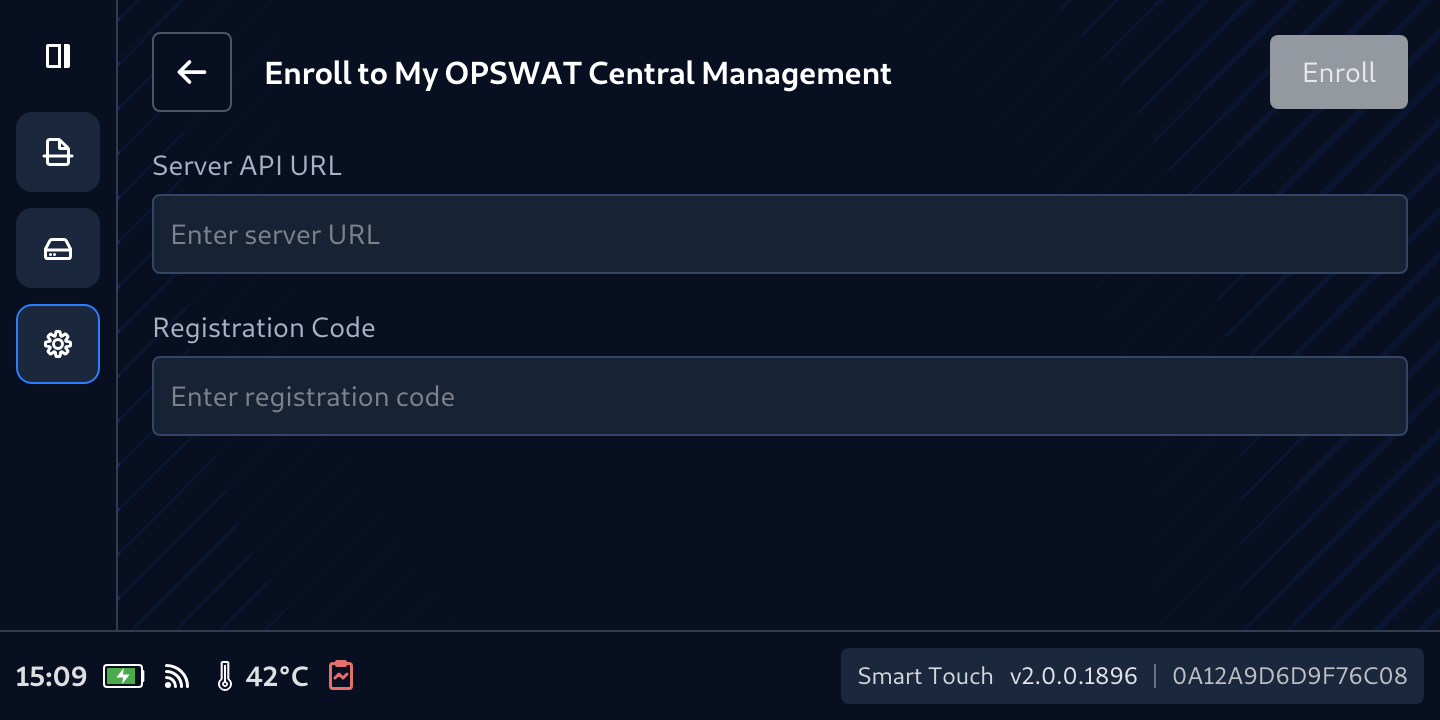
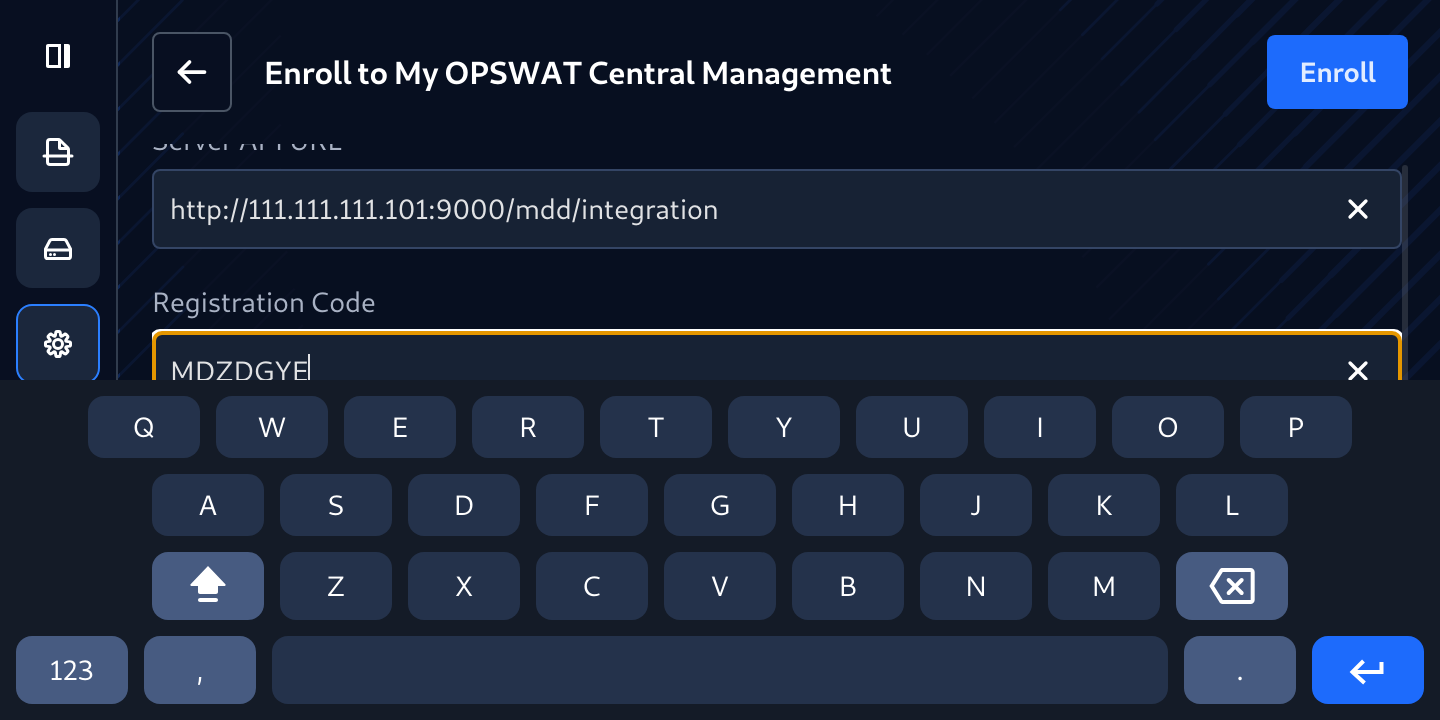
Tap Enroll
Notice the warning about interruption
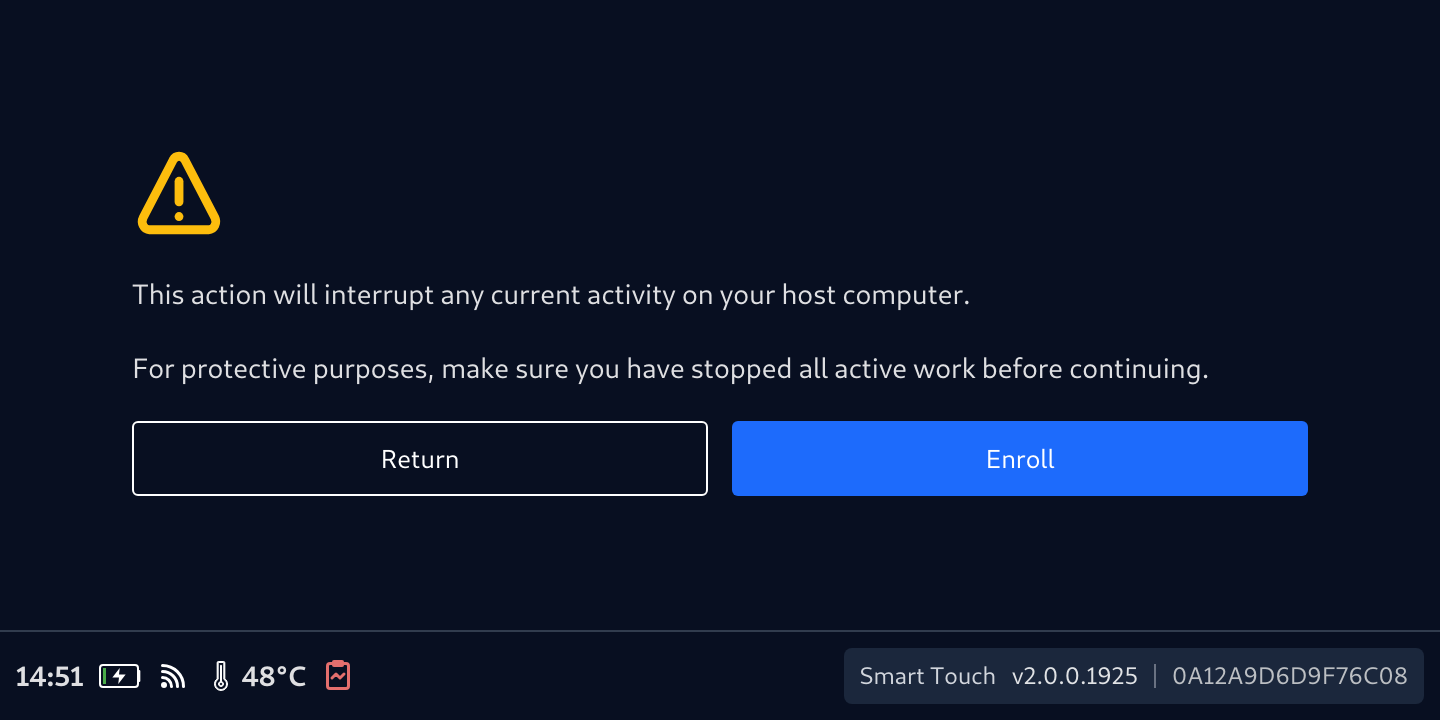
Tap Enroll button
Wait for it Enrolling...
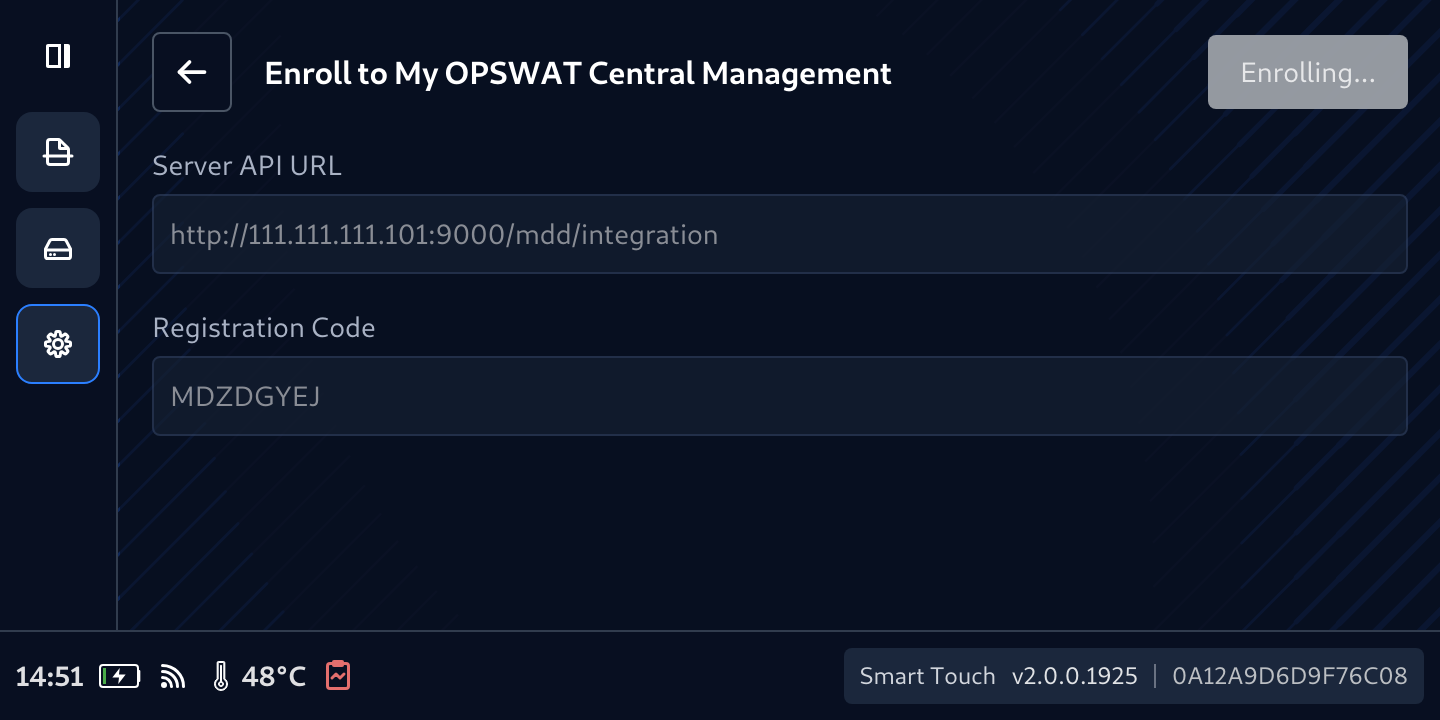
If entered information is correct, Success message will appear, and the Drive has been enrolled successfully