
Overview:
In some cases where there is update in MetaDefender Drive that requires reactivation like
Extend the expired license
New engine being added
Changing license tier
Reactivate with MetaDefender Drive:
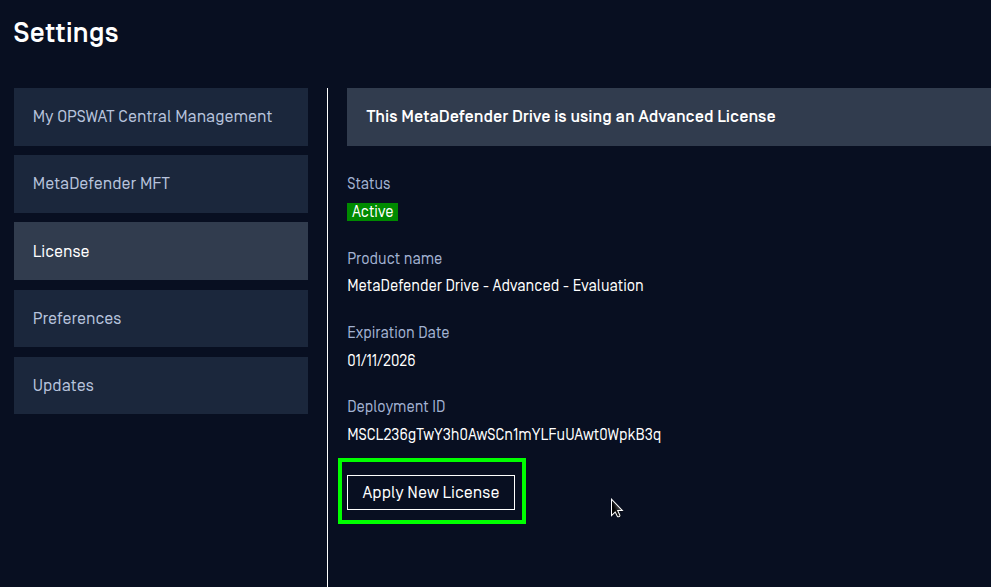
Navigate to Settings --> Preferences --> License
Click Apply New License
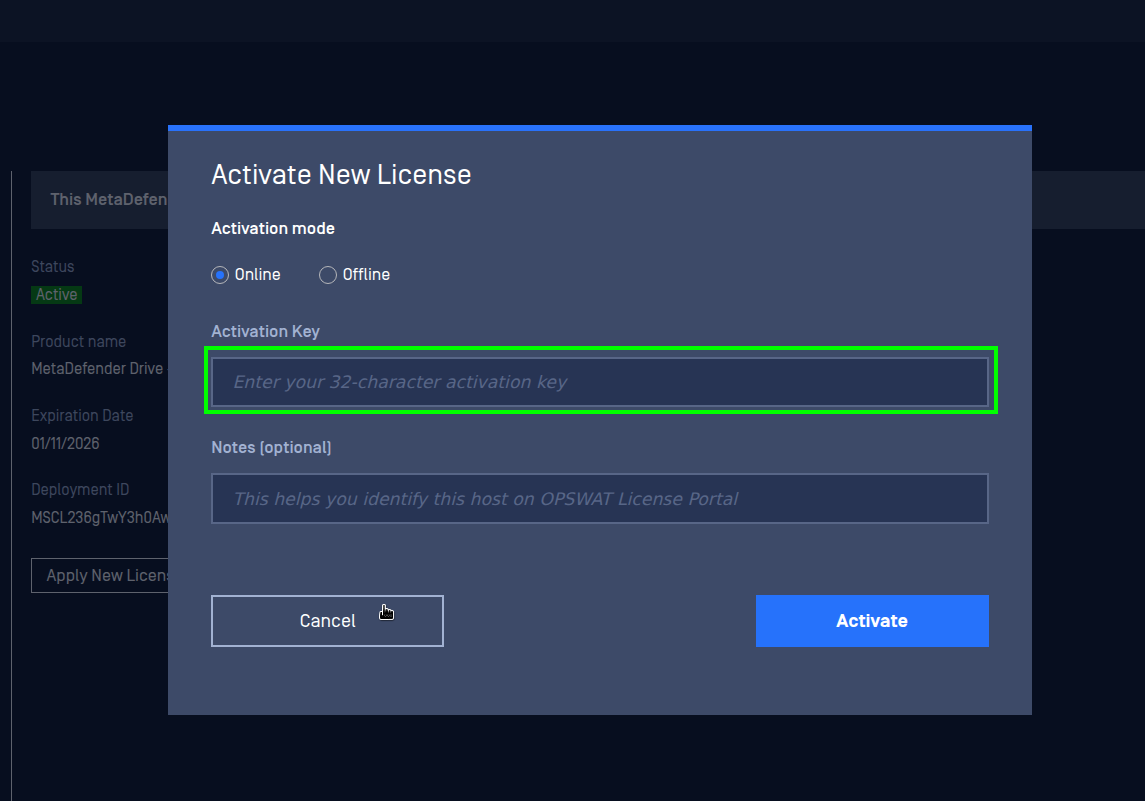
Enter the new license key, then click Activate
Reactivate with MetaDefender Drive Toolkit:
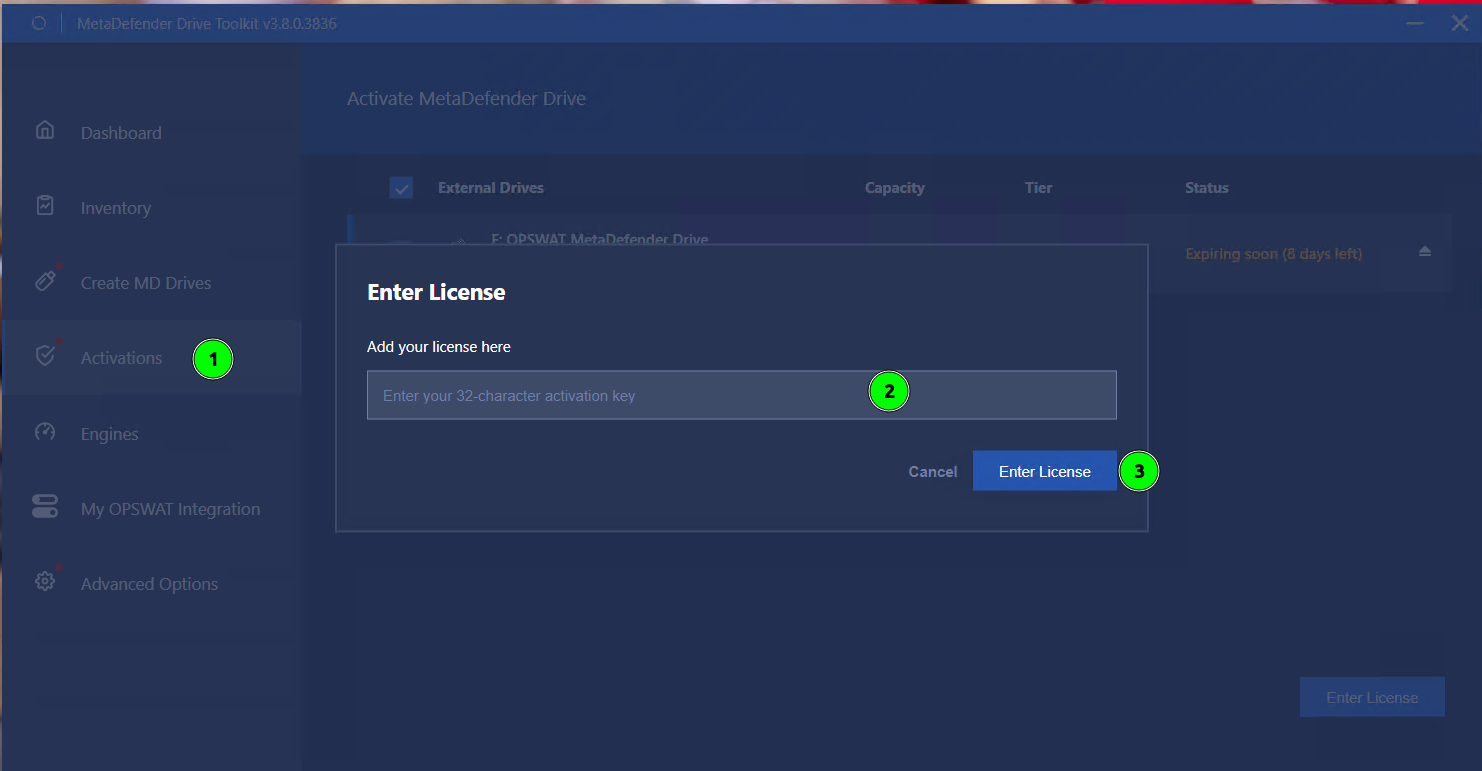
Navigate to Activations
Select the MetaDefender Drive that needs to be reactivated
Enter the new license, click Enter License
Was this page helpful?
Knowledge Base