
The following are 3 different approaches to generate support packages from a malfunctioning MetaDefender Drive, starting by the easiest to the hardest:
1. Generate a Support Package using MetaDefender Drive Toolkit
If you haven't installed MetaDefender Drive Toolkit yet, you can download it from this link.
Launch MetaDefender Drive Toolkit by right-clicking the MetaDefenderDriveToolkit.exe file and selecting Run as Administrator.
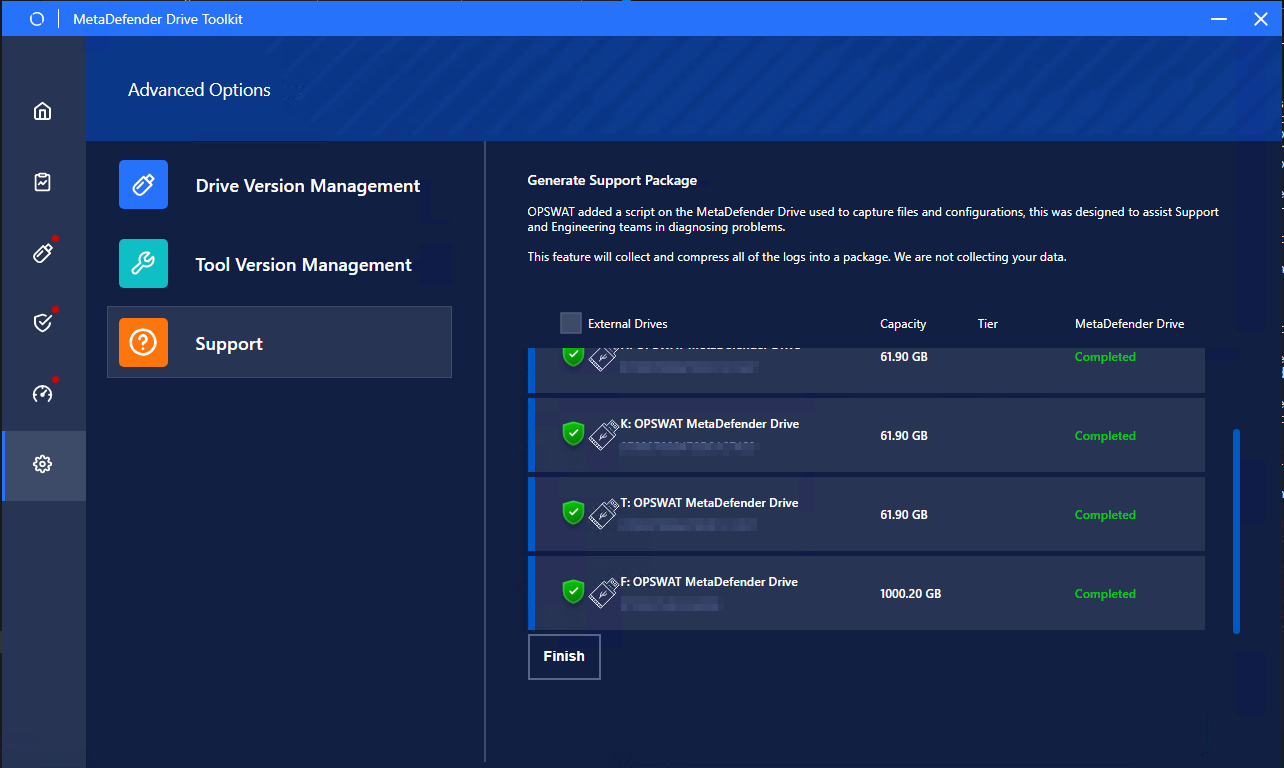
Navigate to Advanced Options → Support.
Select the drive you want to gathers its logs into a support package, identified by its serial number, and click Generate Support Package.
Track the progress until it shows the Completed status. The needed time will depend on how much reports and logs being located on the Drive's storages.
You can also generate support packages for multiple MetaDefender Drives using this method.
2. Generate a Support Package during when MetaDefender Drive Malfunctions
If you face an issue while MetaDefender Drive is running, follow these steps:
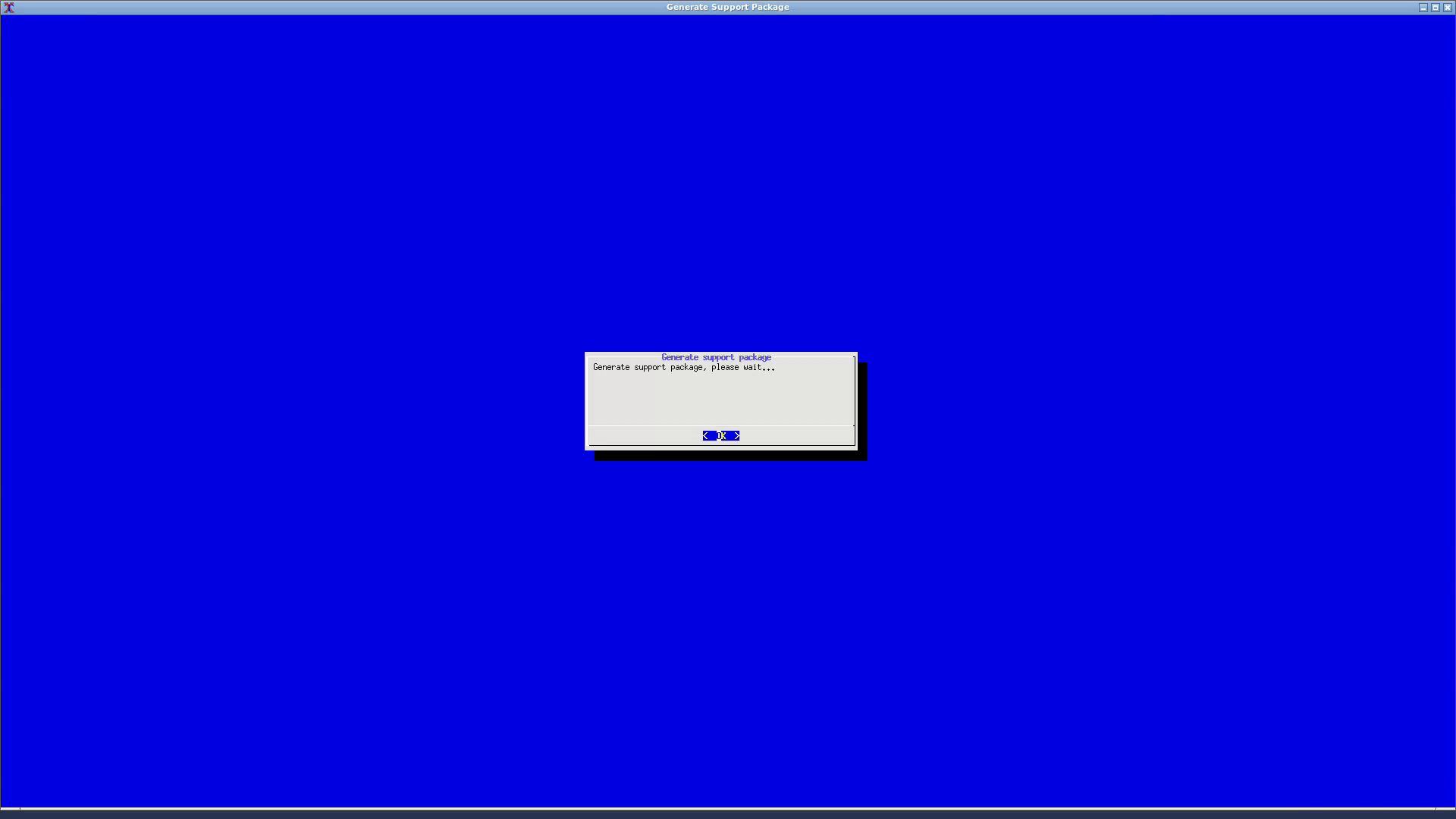
Press and hold the keyboard keys ⌥+ ⇧+ F3 for 5 seconds**.**
Wait for the support package generation to complete and reset your system.
3. Generate a Support Package while MetaDefender Drive is running
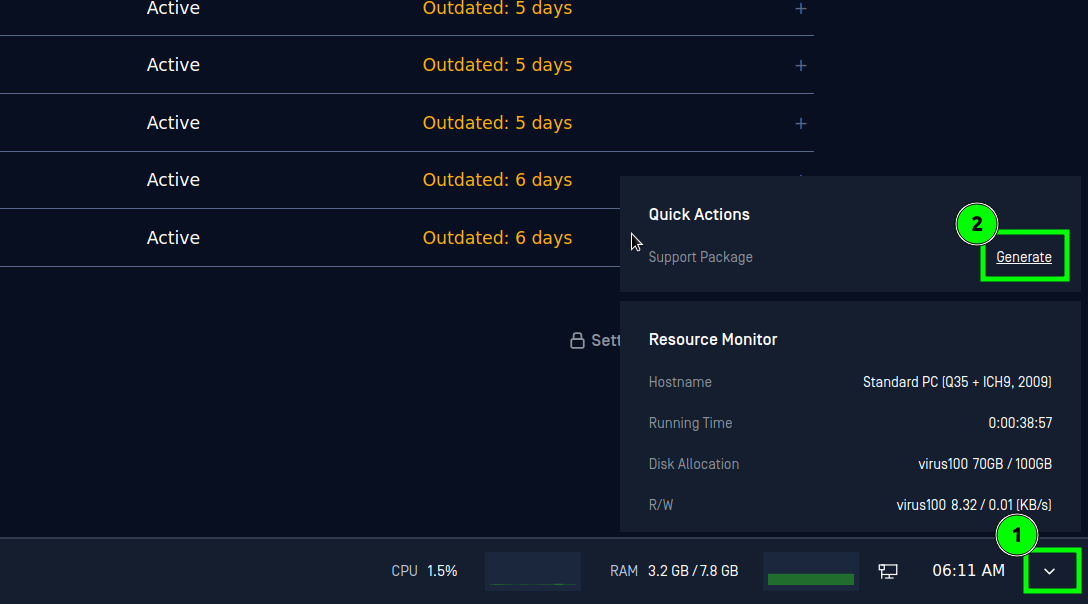
Click the arrow icon at the bottom right corner, and click the Generate button from the Quick Actions menu.
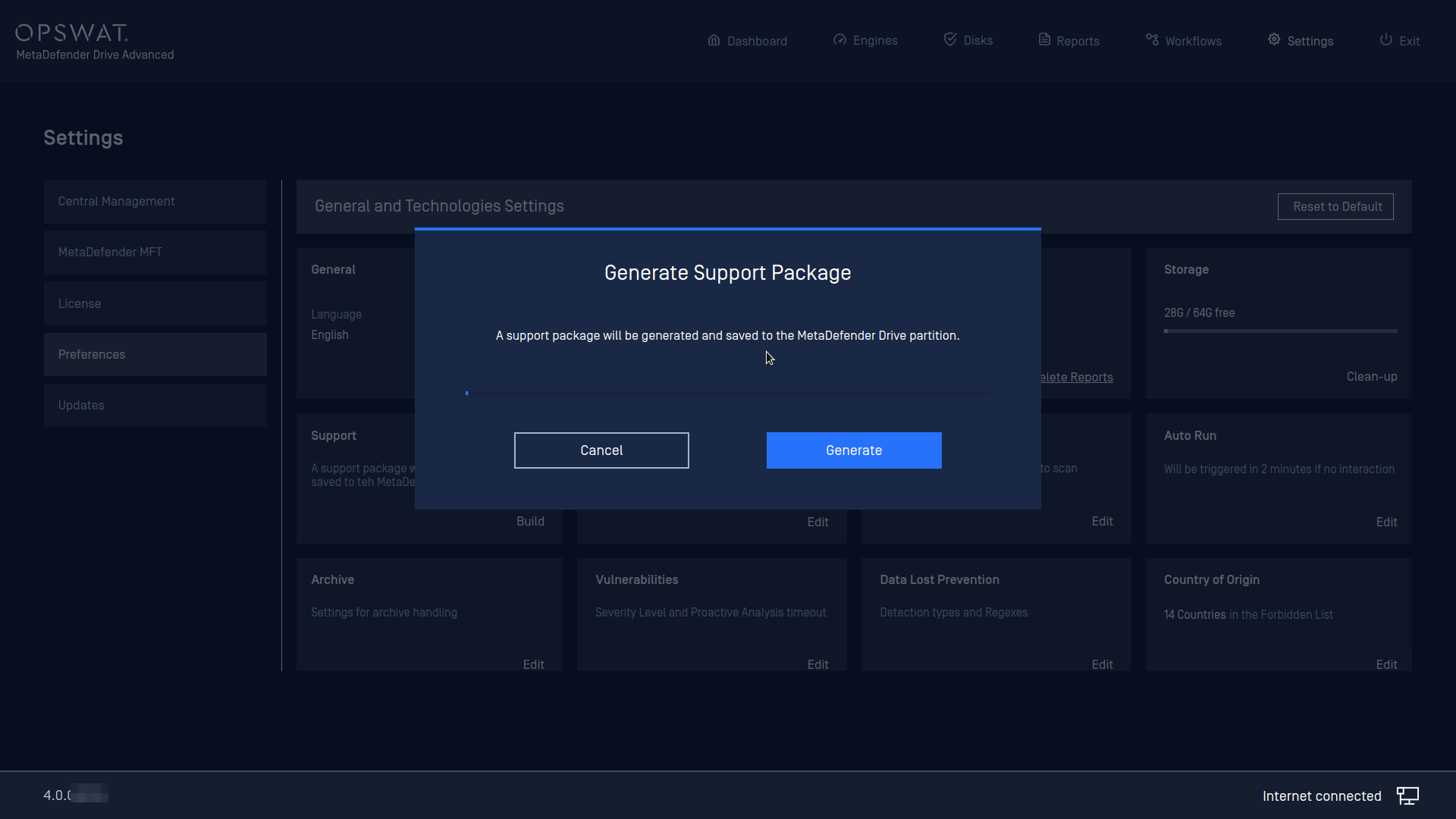
Click Generate when prompted to confirm generating a support package.
.