
After a successful scan, MetaDefender Drive users can back up the clean data into an external USB drive. The file transfer can be performed from the scan report page.
Transferring Clean Files to External USB Storage
Open the Clean Files tab, and select the files you want to back up. Then, click the Transfer Clean Files button:
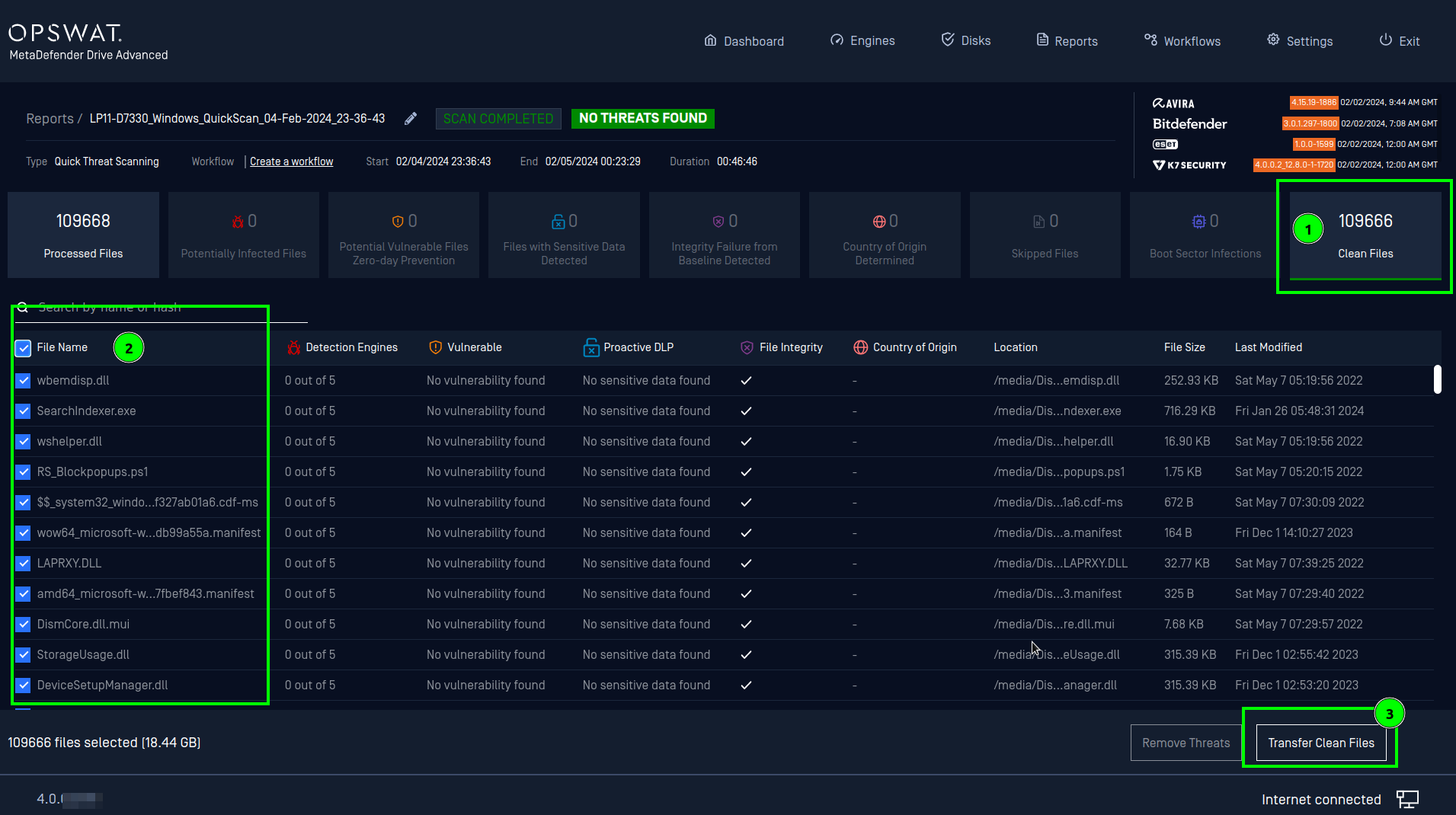
MetaDefender Drive only supports transferring data to unencrypted USB drives formatted in FAT, exFAT, NTFS, ext2, ext3, and ext4 filesystems.
When prompted, insert the external USB drive into your target device:
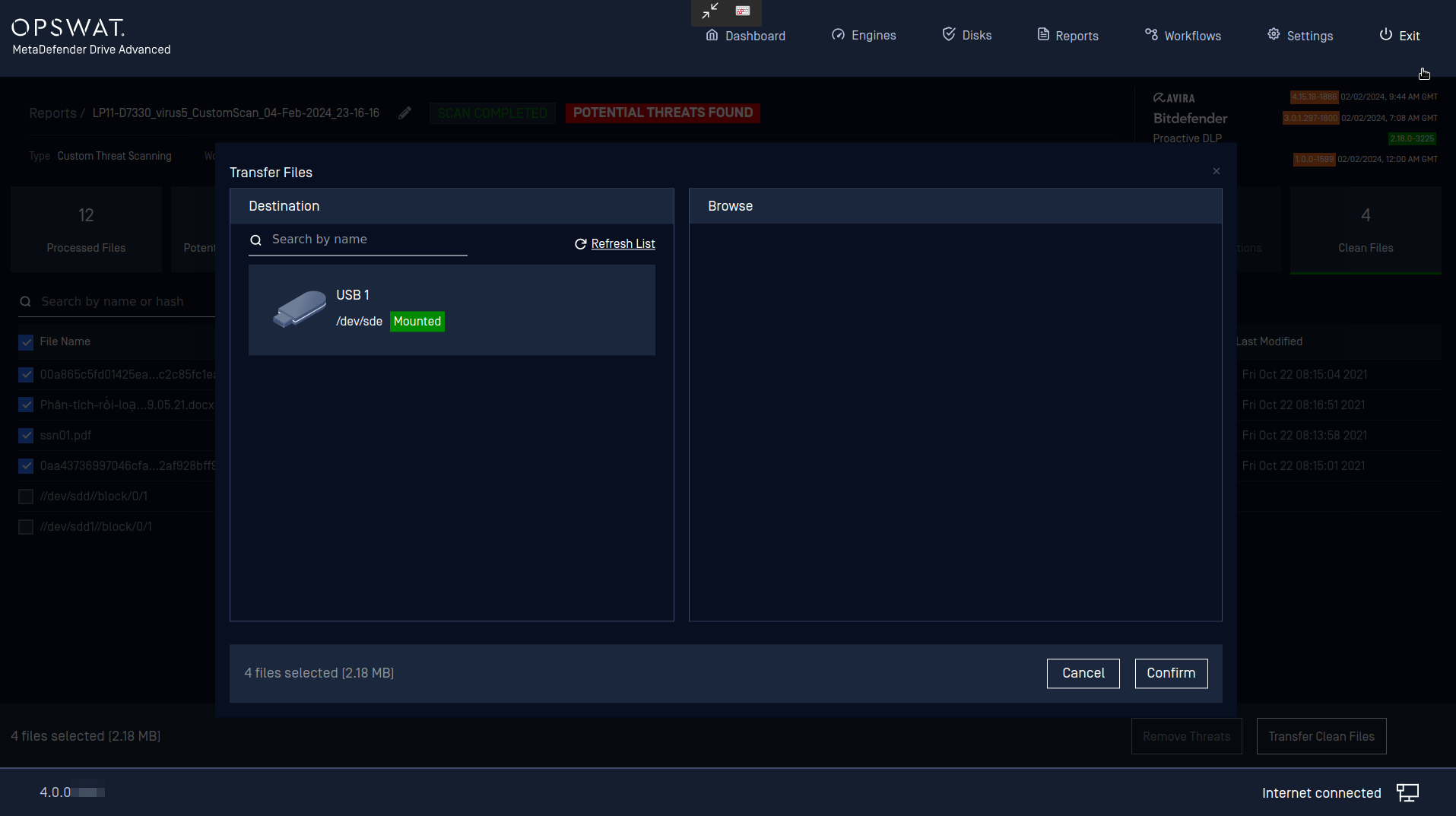
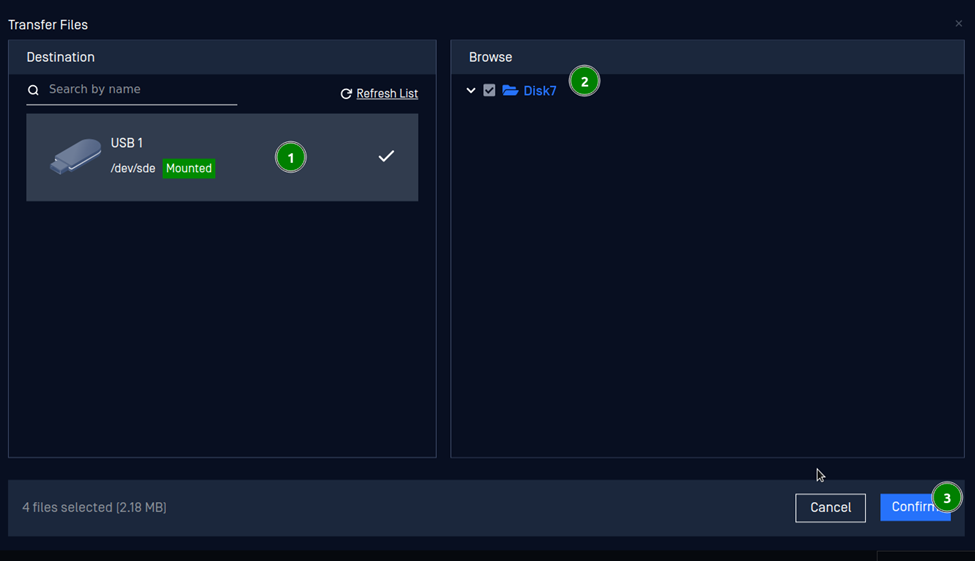
Choose the destination USB disk and the file path, then click Confirm:
You can track the data transfer progress in the status bar at the bottom of the screen:

After the transfer is completed, safely remove your external USB drive.
The file transfer will fail if the destination USB drive runs out of space while the transfer is in progress. To prevent any interruption, please ensure your external drive has enough storage space before initiating the transfer.
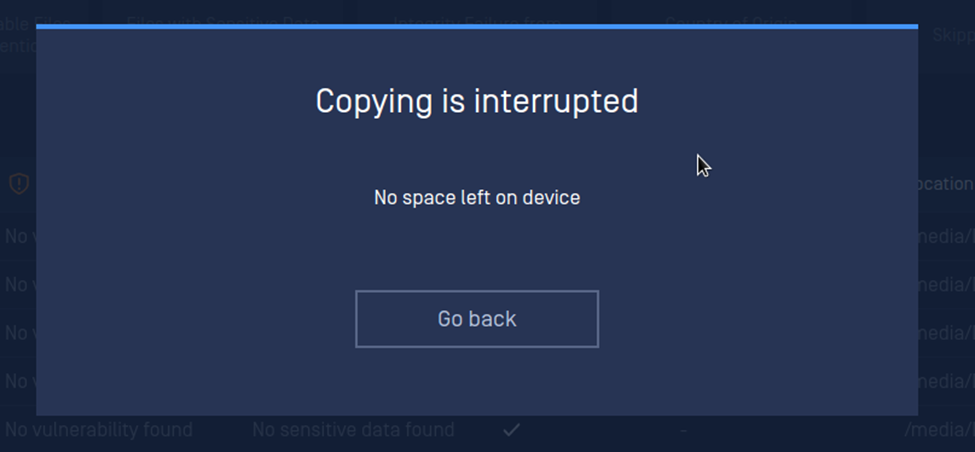
.