
OPSWAT MetaDefender Drive allows macOS and Linux users with FileVault or LUKS protection on their systems to run a scan on their protected drives.
All the instructions are available on the MetaDefender Drive itself in case the user doesn’t have access to the internet.
How can I tell if a drive is encrypted with FileVault or LUKS?
OPSWAT MetaDefender Drive will let users know during the scan if one or more of their volumes are encrypted with FileVault/LUKS.
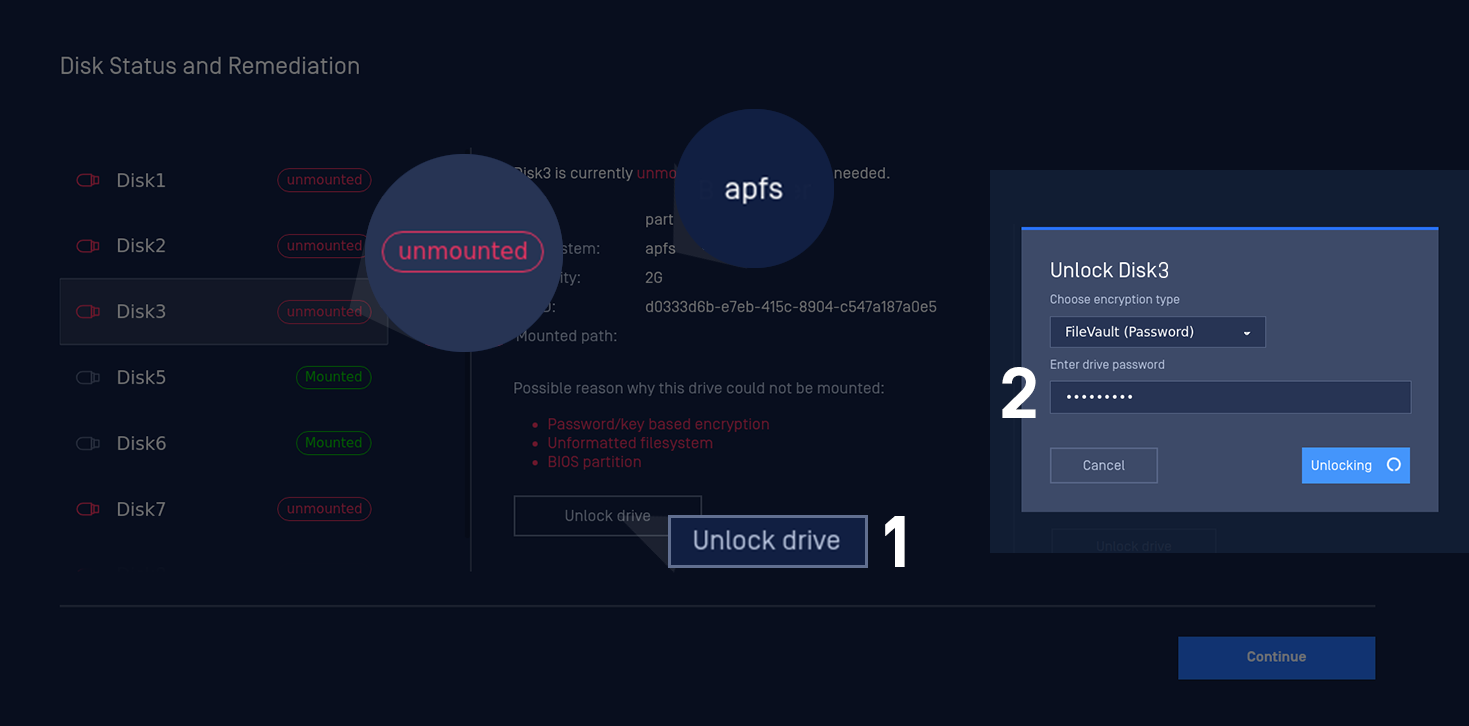
Upon detecting FileVault or LUKS encryption, OPSWAT MetaDefender Drive will display a notification in the lower-right corner of the screen, detailing the steps needed to unlock their drives.
Unlocking FileVault with Passwords
Unlocking LUKS with Passwords
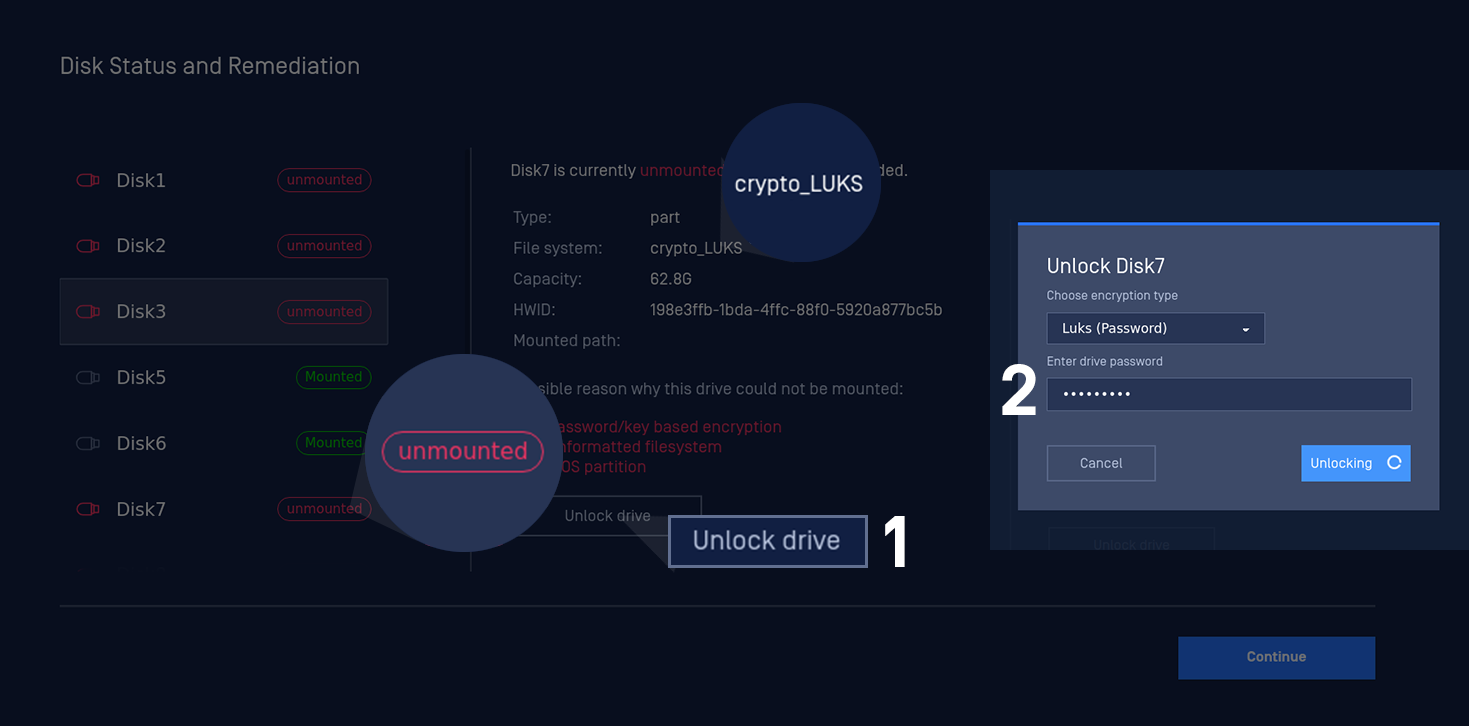
Please be noticed that LUKS deciphering process consumes a high RAM usage per design. Thus, please make sure the target system has at least 1.5GB in order for LUKS decryption feature to work properly.