
To ensure optimal performance from MetaDefender Drive, the target device should meet the recommended requirements listed on this page. On devices that fall below the recommended requirements, MetaDefender Drive recommends a reduced set of engines based on the detected processor, system memory, and USB port speed — see Running from hardware below the recommendation.
For Devices with Specs Below the Recommended Requirements
To boot and run MetaDefender Drive on a target device with hardware specifications below the recommended requirements, MetaDefender Drive must be flashed and activated with all the engines copied using the MetaDefender Drive Toolkit.
System CPU and Memory Minimum Hardware Requirements
Recent Intel i3 or comparable dual-core 64-bit (x86-64) processor Modern multi-core 64-bit processors are recommended for optimal performance |
8 GB of system memory (RAM) is recommended *8 GB is the recommended specification, not a hard minimum. On devices with less system memory, MetaDefender Drive recommends a reduced set of engines based on the detected hardware — see the table below and *Running from hardware below the recommendation |
HDD or SSD (PATA/IDE, SATA, NVME, SCSI, and USB interfaces are supported) |
Internet access (Only needed to perform license activation, engine updates, and software upgrades) |
1024×768 display |
USB Type-A port (USB Type-C is not provided out of the box but MetaDefender Drive can boot using a type-A to type-C USB adaptor) |
Recommended Engines by Detected Hardware
Detected hardware | Anti-malware engines | Other technologies |
Less than 2 GB RAM, or fewer than 2 processor cores | 1 (AhnLab) | Boot Sector, Firmware |
2 – 4 GB RAM, 2 or more cores | 2 (AhnLab, Avira) | Boot Sector, Firmware |
4 – 8 GB RAM, 4 or more cores, USB 2.0 port | Up to 4 (AhnLab, Avira, ESET, K7) | Boot Sector, Firmware, FileType |
4 – 8 GB RAM, 4 or more cores, USB 3.0 port (or faster) | Up to 8 (all licensed engines) | All, except Data Loss Prevention |
8 GB RAM or more | All licensed engines | All |
A device with 4 – 8 GB RAM but only 2 or 3 processor cores uses the 2 – 4 GB row. Device Integrity always runs. The recommendation only reduces the engines and technologies selected for the scan; it never adds new ones. With 2 engines on older hardware, a scan can take about 1 hour.
Use Smart Scan on Low Spec Hardware
Smart Scan can be set to a single anti-malware engine. On devices below the recommended requirements, use Smart Scan with one engine, or accept the recommended engines when MetaDefender Drive asks before the scan.
Engine Update Minimum Requirements
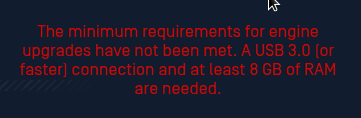
Updating engines from the MetaDefender Drive OS requires the target device to have at least 8GB of RAM. On a USB 2.0 port, engines are updated one at a time, so the update takes longer.
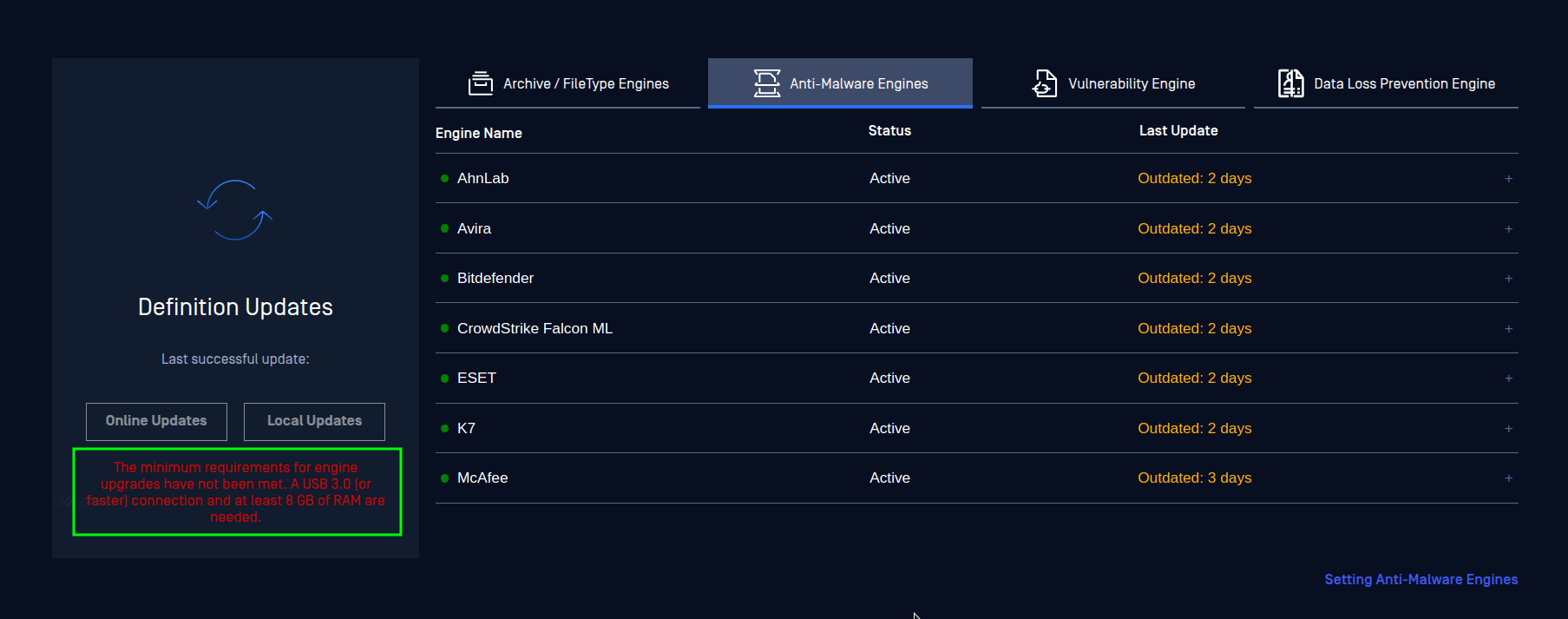
Version Upgrade Is Not Available When Booting From Low Spec Hardware
Unsupported Architecture
ARM and RISC-based processor architectures are not supported by MetaDefender Drive
Operating Systems, File Systems, and Disk Encryption Compatibility
The systems below are supported when booting from MetaDefender Drive (pre-boot scan). For scanning inside a running Windows session, see MetaDefender Drive In-Session below.
Windows:
The supported Windows systems are Windows® XP, 7, 8, 8.1, 10, 11, and Windows® Server 2012, 2016, 2019 on 64-bit (x86-64) devices.
File Systems | FAT16, FAT32, NTFS, exFAT |
Encryptions | BitLocker, both User Password and Recovery Key Currently, MetaDefender Drive does not support hardware-based full disk encryption , which comes as a default setting on some Windows Home laptops. |
macOS and Macs:
The supported macOS systems are Intel-based Macs from 2006 to 2017.
File Systems | HFS, HFS+, APFS |
Encryptions | FileVault for APFS |
Linux:
The supported Linux system are Debian 5 based (or newer), RHEL 6 based (or newer)
File Systems | EXT2, EXT3, EXT4, XFS, BTRFS, ReiserFS, JFS, ZFS |
Encryptions | LUKS/LVM2 |
MetaDefender Drive In-Session:
MetaDefender Drive In-Session scans the device while Windows is running. See Getting Started with MetaDefender Drive In-Session.
Operating System | Windows 10 or later |
System Memory | 4 GB RAM |
Processor | 4 CPU cores |
Supported Archive Files
Supported archive formats | Zip, 7z, JAR, RAR, RAR5, TAR, ISO, CAB, ARJ, LHA, LZH, RPM, DEB, LZMA, WIM, DMG, XAR, MSM, SFX, XZ, VDI, VHD, CPIO, HFS, APK, GZ, MSI, TAZ, TGZ, TBZ, BZ2, VIB, AR, ALZ, TSE, TSEC, TSEZ, ACE, PST, OST, OFT, IPA, JMOD, MSIX, APPX, EGG, DLL, PGP (with password only), TBWX, SPF, XPI, and VTAR |
Extract self-extracting archives | For archives created by 7zip, WinRAR, PKZIP, and IExpress |
Microsoft Office Documents | Files such as .docx files are detected as Archive files by defaults |
Email/Calendar | Files like EML, MSG, and ICS are extracted to scan header, body, attachments |
Virtual Disks | Virtual disks like VHD, VMDK, and VDI are supported but not recommended to be scanned using MetaDefender Drive USB due to its limited storage capacity (64GB). ***To scan virtual disks, we recommend the alternative approach documented here *"Boot and scan virtual machines" |
Supported Encryption Methods
For other 3rd party encryption, please contact OPSWAT Support. |