
To ensure optimal performance from MetaDefender Drive, the target device must meet the minimum requirements listed on this page. On devices that exactly meet or fall below the minimum requirements, MetaDefender Drive recommends a reduced set of engines based on the detected processor, system memory, and USB port speed — see Running from hardware below the recommendation.
To boot and run MetaDefender Drive on a target device with hardware specifications meeting or below the minimum requirements, MetaDefender Drive must be flashed activated with all the engines copied using the MetaDefender Drive Toolkit.
System CPU and Memory Minimum Hardware Requirements
Recent Intel i3 or comparable dual-core 64-bit processor *Modern multi-core 64-bit processors are recommended for optimal performance |
8 GB of system memory (RAM) *On devices with less system memory, MetaDefender Drive recommends a reduced set of engines based on the detected hardware — see Running from hardware below the recommendation |
HDD or SSD (PATA/IDE, SATA, NVME, SCSI, and USB interfaces are supported) |
Internet access (Only needed to perform license activation, engine updates, and software upgrades) |
1024×768 display |
USB Type-A port (USB Type-C is not provided out of the box but MetaDefender Drive can boot using a type-A to type-C USB adaptor) |
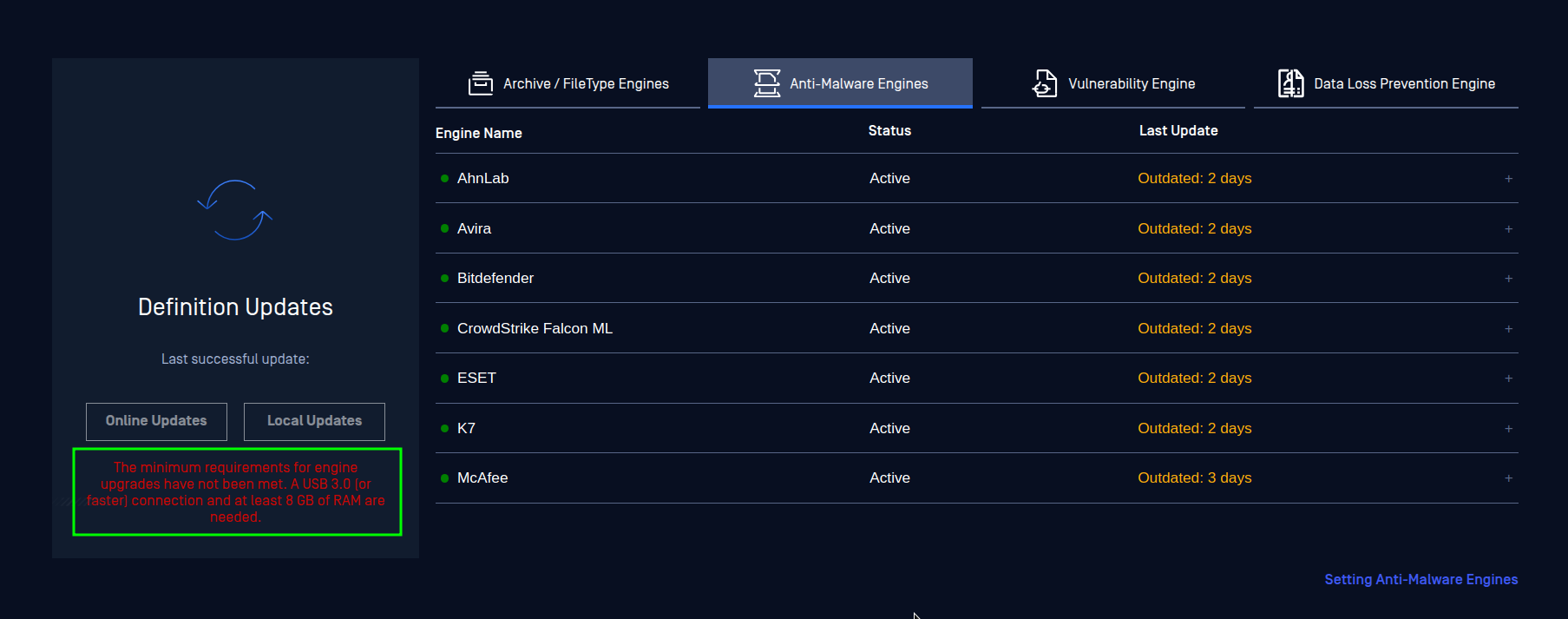
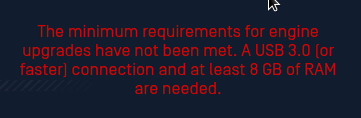
Updating engines from the MetaDefender Drive OS requires the target device to have at least 8GB of RAM and to be connected through a USB 3.0 port (or faster)
ARM and RISC-based processor architectures are not supported by MetaDefender Drive
Operating Systems, File Systems, and Disk Encryption Compatibility
Windows:
The supported Windows systems are Windows® XP, 7, 8, 8.1, 10, 11, and Windows® Server 2012, 2016, 2019.
File Systems | FAT16, FAT32, NTFS, exFAT |
Encryptions | BitLocker, both User Password and Recovery Key Currently, MetaDefender Drive does not support hardware-based full disk encryption , which comes as a default setting on some Windows Home laptops. |
macOS and Macs:
The supported macOS systems are Intel-based Macs from 2006 to 2017.
File Systems | HFS, HFS+, APFS |
Encryptions | FileVault for APFS |
Linux:
The supported Linux system are Debian 5 based (or newer), RHEL 6 based (or newer)
File Systems | EXT2, EXT3, EXT4, XFS, BTRFS, ReiserFS, JFS, ZFS |
Encryptions | LUKS/LVM2 |
Supported Archive Files
Supported archive formats | Zip, 7z, JAR, RAR, RAR5, TAR, ISO, CAB, ARJ, LHA, LZH, RPM, DEB, LZMA, WIM, DMG, XAR, MSM, SFX, XZ, VDI, VHD, CPIO, HFS, APK, GZ, MSI, TAZ, TGZ, TBZ, BZ2, VIB, AR, ALZ, TSE, TSEC, TSEZ, ACE, PST, OST, OFT, IPA, JMOD, MSIX, APPX, EGG, DLL, PGP (with password only), TBWX, SPF, XPI, and VTAR |
Extract self-extracting archives | For archives created by 7zip, WinRAR, PKZIP, and IExpress |
Microsoft Office Documents | Files such as .docx files are detected as Archive files by defaults |
Email/Calendar | Files like EML, MSG, and ICS are extracted to scan header, body, attachments |
Virtual Disks | Virtual disks like VHD, VMDK, and VDI are supported but not recommended to be scanned using MetaDefender Drive USB due to its limited storage capacity (64GB). **To scan virtual disks, we recommend the alternative approach documented here "Boot and scan virtual machines" |
Supported Encryption Methods
For other 3rd party encryption, please contact OPSWAT Support. |