
Since MetaDefender Update Downloader 2.4.0, the licensing mechanism has been changed.
No longer need to activate license of Update Downloader itself to make it operational.
Instead required to add license file (.yml) of offline MetaDefender products
Check 4.2.2 Products to learn more how to add
MetaDefender Update Downloader only support for MetaDefender Core
Generate a license file (.yml)
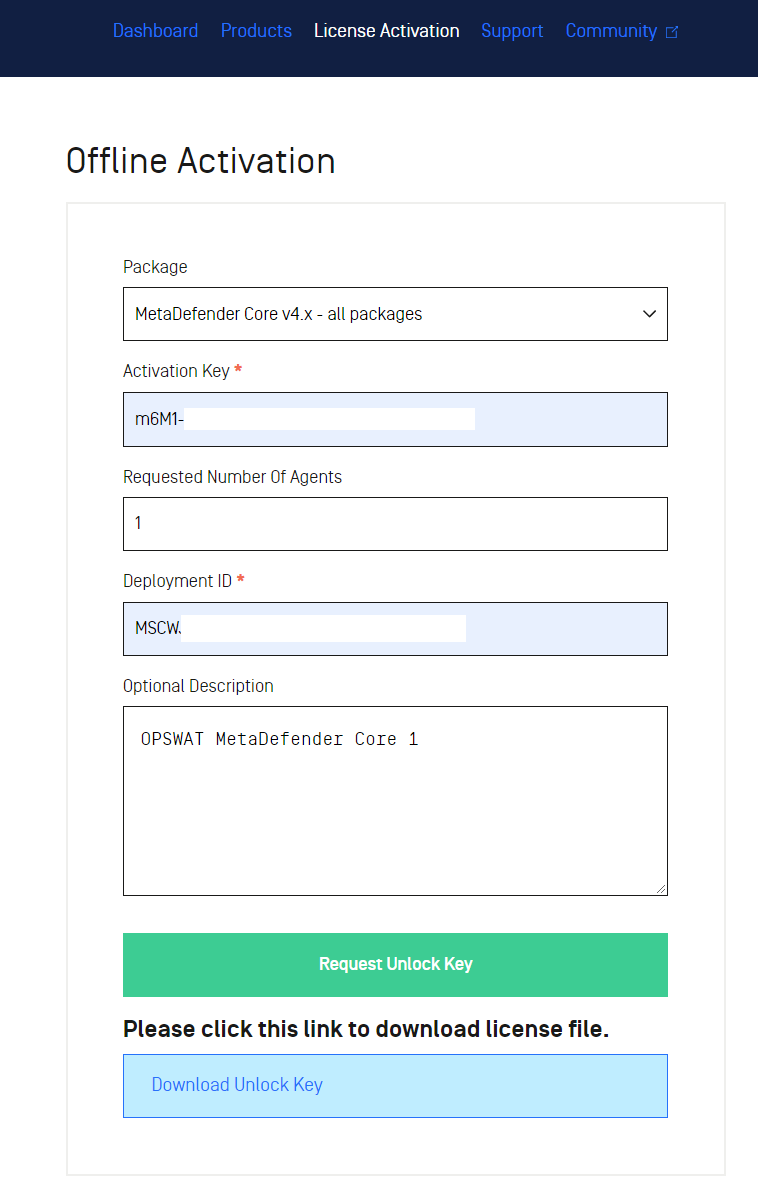
Navigate to OPSWAT Activation portal page - https://portal.opswat.com/licenses/activate (login required)
Choose right Package option assiociated to your MetaDefender product (e.g. MetaDefender Core, MetaDefender Drive)
Type or paste your associated MetaDefender product's license activation key.
Double check to ensure no redudant space unintentionally attached into the head or tail of license string
Keep default value for Requested Number of Agents
Type or paste your associated MetaDefender product's deployment ID.
Double check to ensure no redudant space unintentionally attached into the head or tail of license string
(Optional) Write a description to keep track of this particular activation on our system for Optional Description
Hit Request Unlock Key button to generate the license file (<deployment ID>.yml)
Hit the hyperlink Download Unlock Key to download the license file and save it locally on server where you pre-installed Update Downloader
Add a new product on Update Downloader
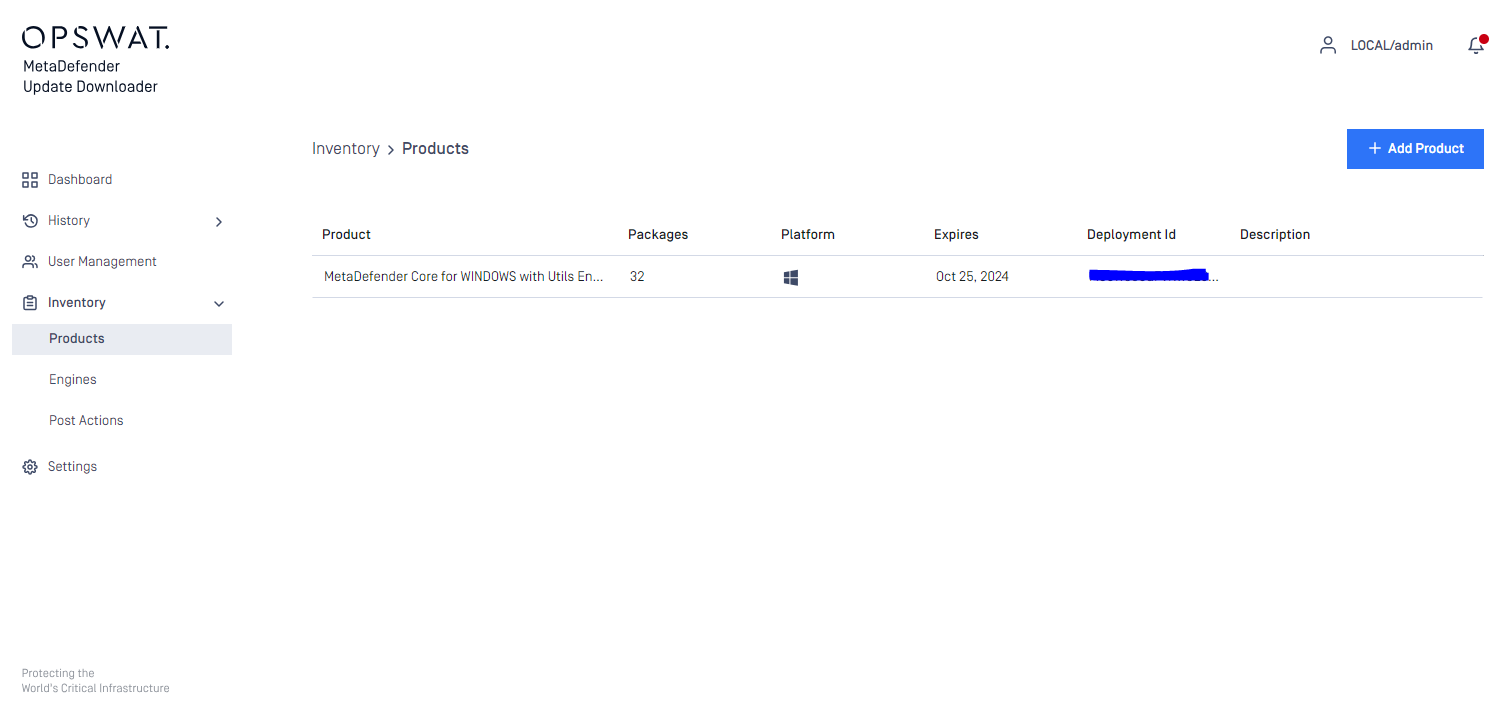
Ensure you already installed Update Downloader, and setup a local admin user through its wizard
Navigate to Inventory → Products page under left menu - http://localhost:8028/#/user/inventory/products
Hit ADD NEW PRODUCT button to add new product on Update Downloader
Select the license file (.yml) which was obtained in steps above
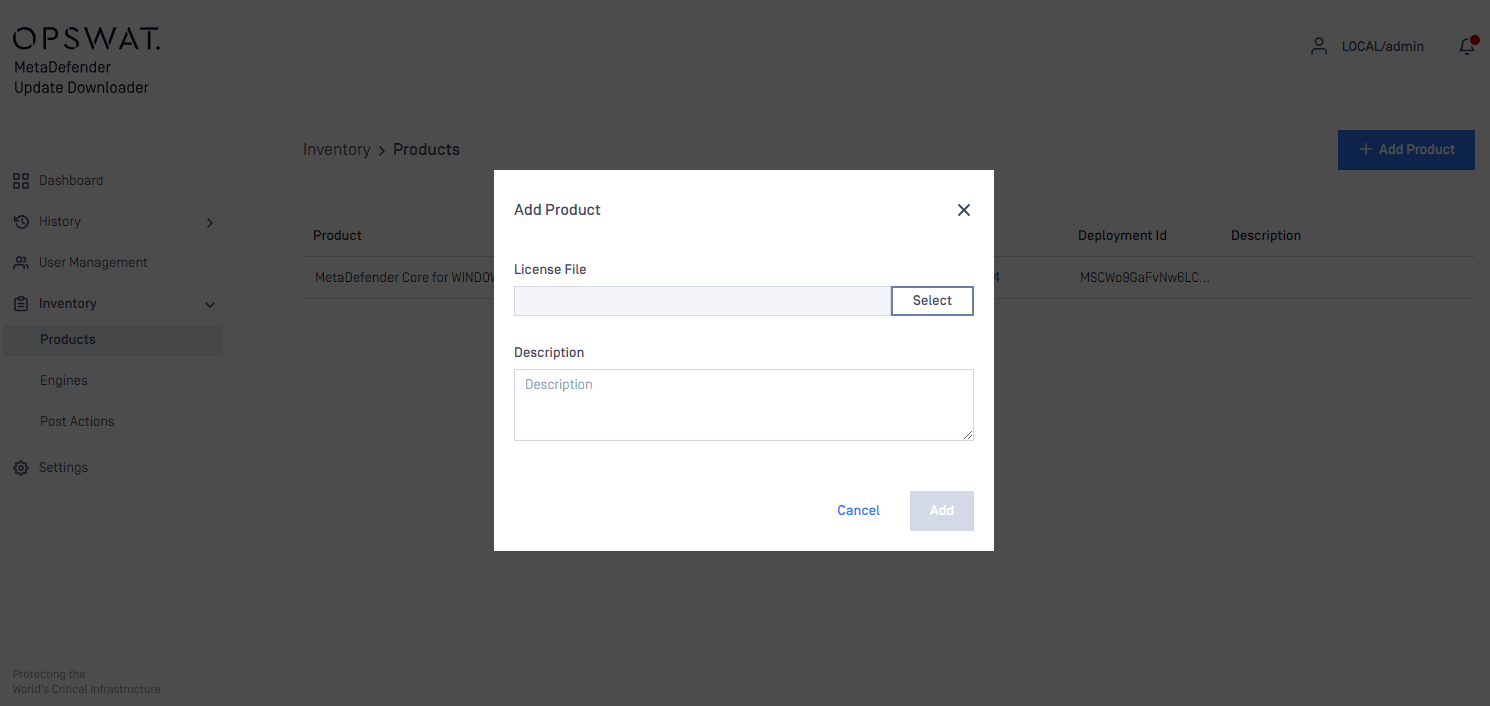
Hit ADD button to start downloading offline update packages for associated licensed product
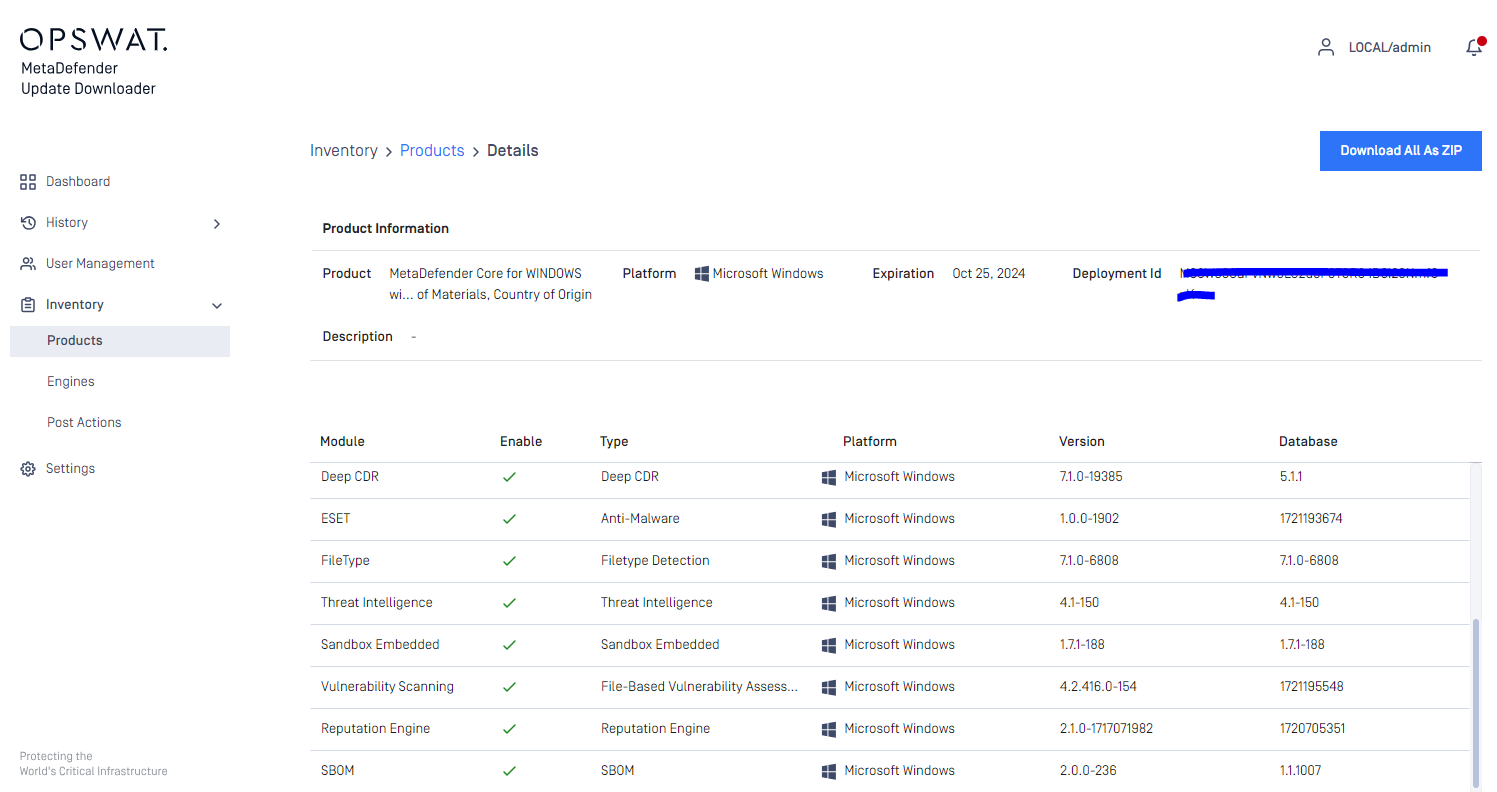
Hitting Download All As Zip button at the top right to download all engines' update packages as single archive .zip file, see more at Download all update packages
You can add and manage offline update packages for multiple licensed MetaDefender products