This feature is only available since Update Downloader 2.5.0
We do not recommend to create post action and assign it to a product when:
Update Downloader shares an export folder with any MetaDefender Core, and
In Update Settings of that MetaDefender Core, the setting DELETE FILES AFTER IMPORT is enabled.
Reason: the packages in shared folder might be removed by MetaDefender Core first before the post action takes action on those packages.
Pre-defined post actions to be auto triggered whenever a downloaded engine, or its database, turns to ready state to deliver to your all associated offline MetaDefender product(s).
This feature setting can be found under Inventory menu → Post Actions
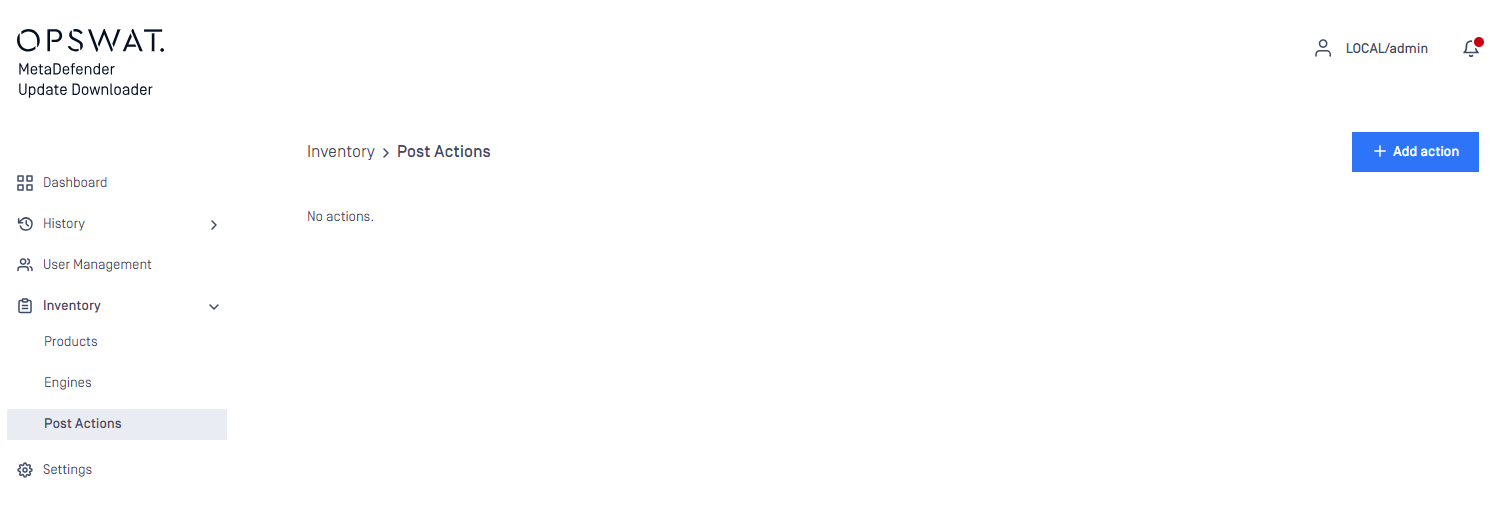
Hit ADD NEW POST ACTION to add a new one
One post action could be assigned to one or multiple created product(s) - Check 4.2.2 Products to learn how to create a product on Update Downloader
One created product can have one or multiple post action(s) assigned to run
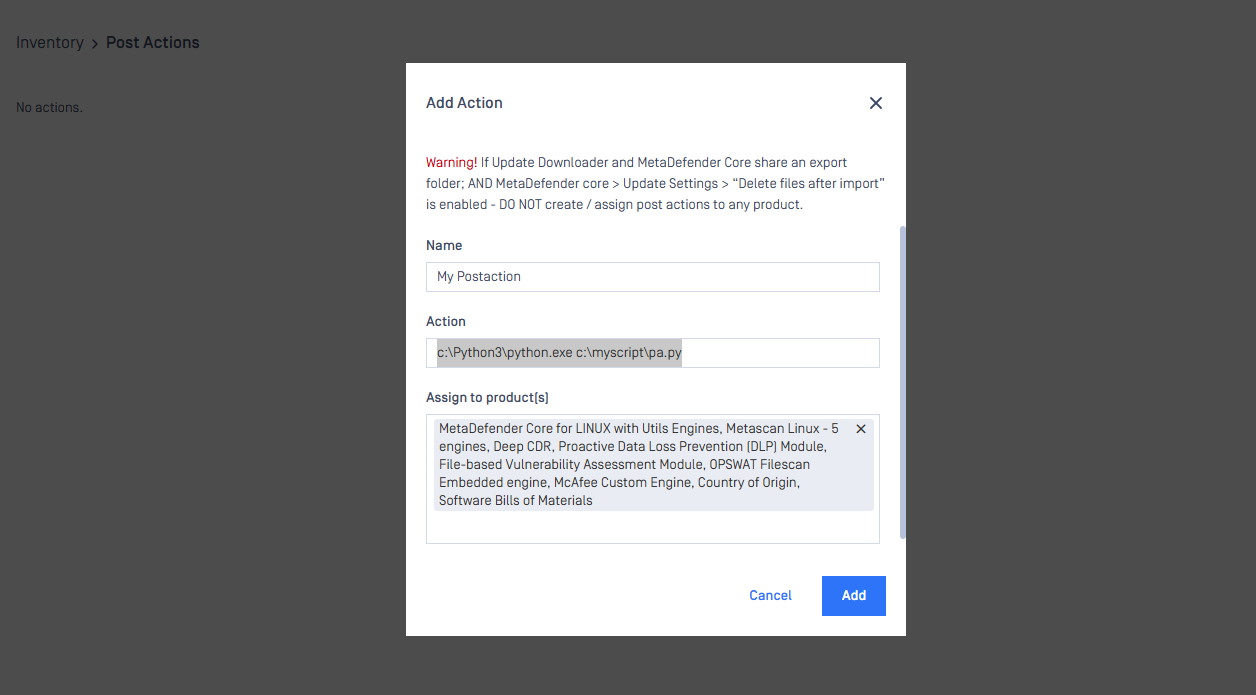
Windows
Example action: c:\Python3\python.exe c:\myscript\pa.py
Linux
Example action: `/usr/bin/python2 /home/opswat/test.py
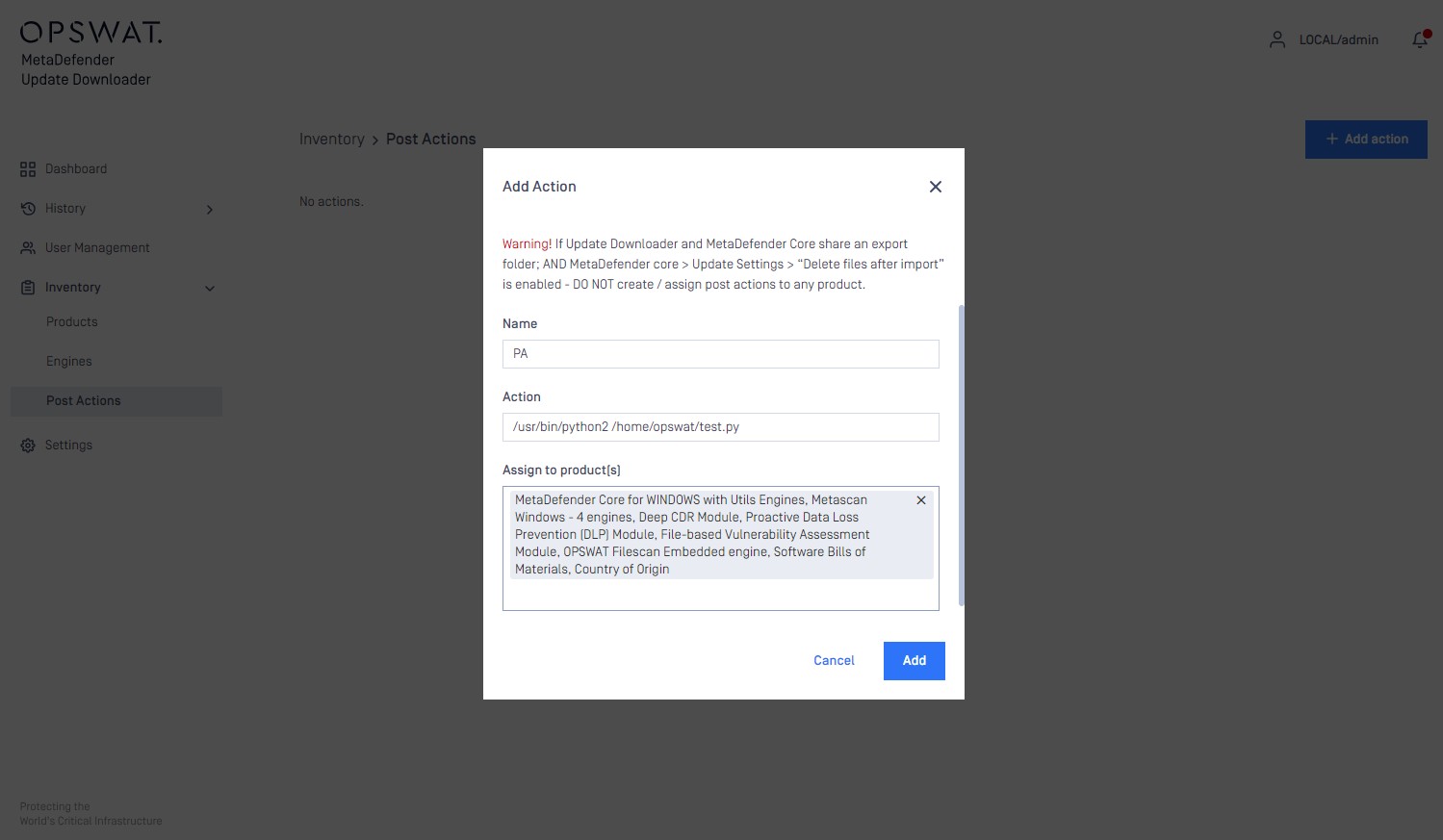
Hit ADD button to finish.
Integration instruction
STD input for your integrated script to consume and process:
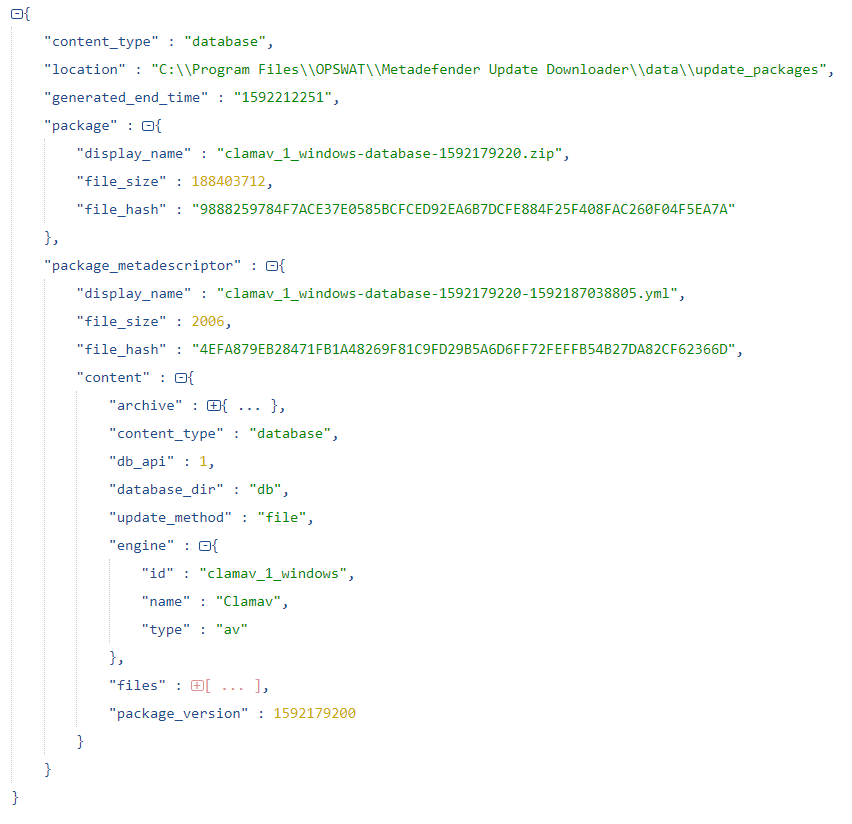
ORIGINAL file size and hash of .zip file are defined in the master .yml file "\data\updates\metadescriptor".
For example: