
Overview
This article explains how the Clean up function in Settings > Module Update behaves and whether it affects non-definition files stored in the same directory.
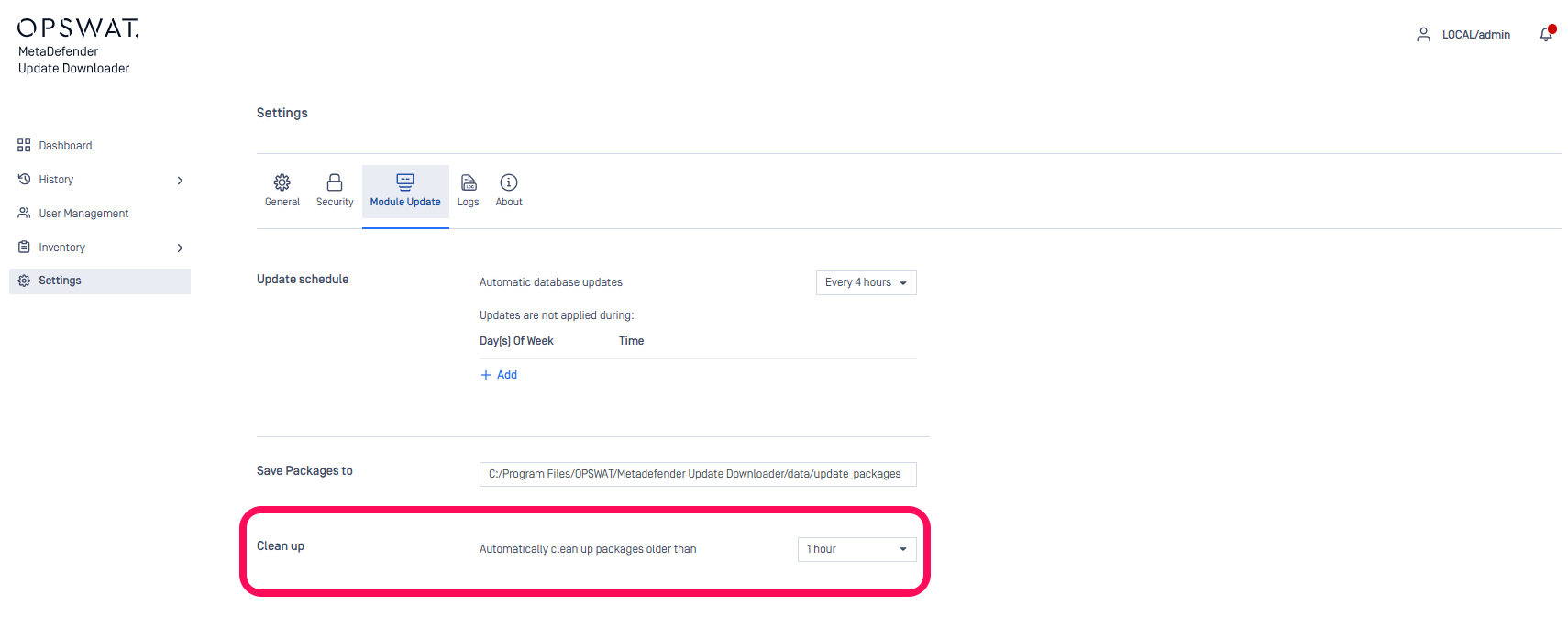
How the Clean Up Function Works
Cleanup applies only to official OPSWAT update packages downloaded by the Update Downloader.
Each update package includes a YML file with a timestamp embedded in its filename, for example:
ds_3_windows-database-1553828845-1555551582691.yml
The cleanup logic evaluates this timestamp. If the timestamp is older than the configured cleanup interval, the Update Downloader removes:
The YML file
The corresponding ZIP file for the same package
The process does not rely on Windows “Date Modified” or file creation dates, only the timestamp inside the filename.
Which Files Are Affected?
Files that may be deleted
Only valid OPSWAT update packages that follow the expected filename pattern containing a timestamp.
Files that will NOT be deleted
Any file that does not match the update package naming format, such as:
readme.txtcustom_config.ymlmanual_backup.zipnotes.docx
Even if the file extension is .yml or .zip, it is ignored unless the filename resembles an OPSWAT update package with an embedded timestamp.
If Further Assistance is required, please proceed to create a support case or chat with our support engineer.