
Proxy configuration is possible via management console UI, and with proxy authentication support. MetaDefender Core no longer relies on system configurations to obtain the proxy setting, but it will control the thing itself.
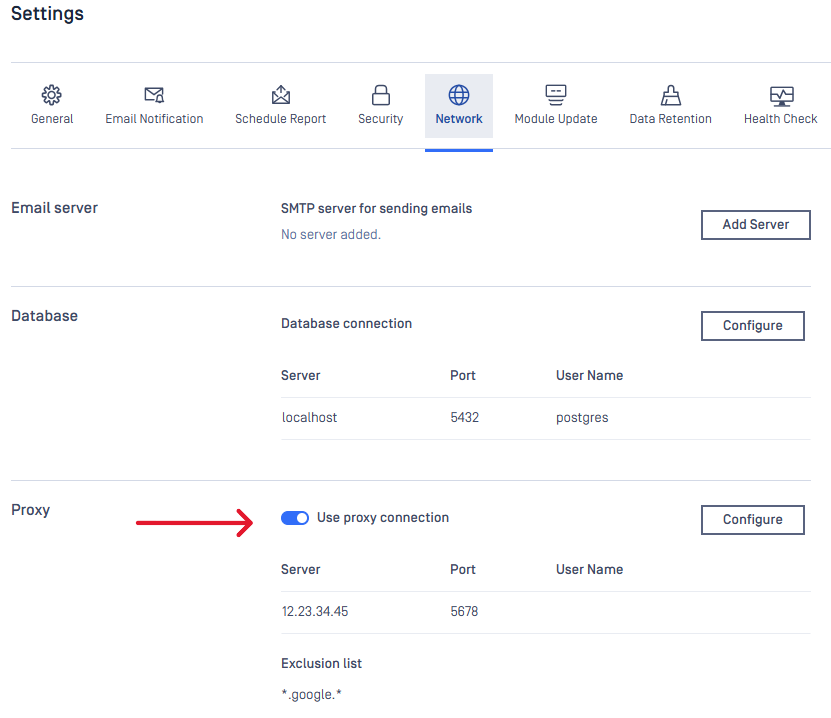
Server configuration
Properties | Description | Option |
|---|---|---|
SERVER | Proxy server host address | IP address / Domain all accepted |
PORT | Proxy server port | Some default common ports: 3128 (Squid), 49152 (ProxySG) |
User authentication
Properties | Description |
|---|---|
USERNAME | Username for proxy authentication |
PASSWORD | Password for proxy authentication |
Hit "SAVE SETTINGS" button once configuration is done.
Exclusion List
Define a list of destination addresses to be excluded from going through pre-configured proxy server (use semicolons ; to separate entries).
Applied to connections triggered by MetaDefender Core for following activities:
Callback (webhook)
Engine update
Scan by download link
Single Sign On integration (Fetch metadata from URL and login)
Remote PostgreSQL database connection
Supported formats:
Lowercase-only
IP range (CIDR notation). For example: 192.168.203.1/16
Valid IP address or host name. Wildcard character * is supported as prefix and/or suffix.
For example: 192.168.; .opswat.