
Environment: Windows - Standalone mode - Local (Bundle) PostgreSQL server
Goal: Move as much as possible (the data) from one machine to another machine
PG database data
Log files
Sanitized/DLP processed files
Quarantine files
etc
Some aspects need to be checked before and after the upgrade
Registry
Sanitized/DLP/Quarantine path
Custom directory
Custom log directory
External scanner/ Post-action configuration file paths
Certificated paths
SSL PostgreSQL: certificate path
Configure HTTPS via ssl.conf file
Sanitized/DLP/Quarantined files: can be downloaded
Custom local folder for module updates
Try to restart MetaDefender Core service
Steps by steps
Let's call the old (current server) Server A and the new server will be Server B
Have tested with MetaDefender Core 5.6.0
I. Server A
Stop MetaDefender Core service)and make sure MetaDefender Core is successfully stopped.
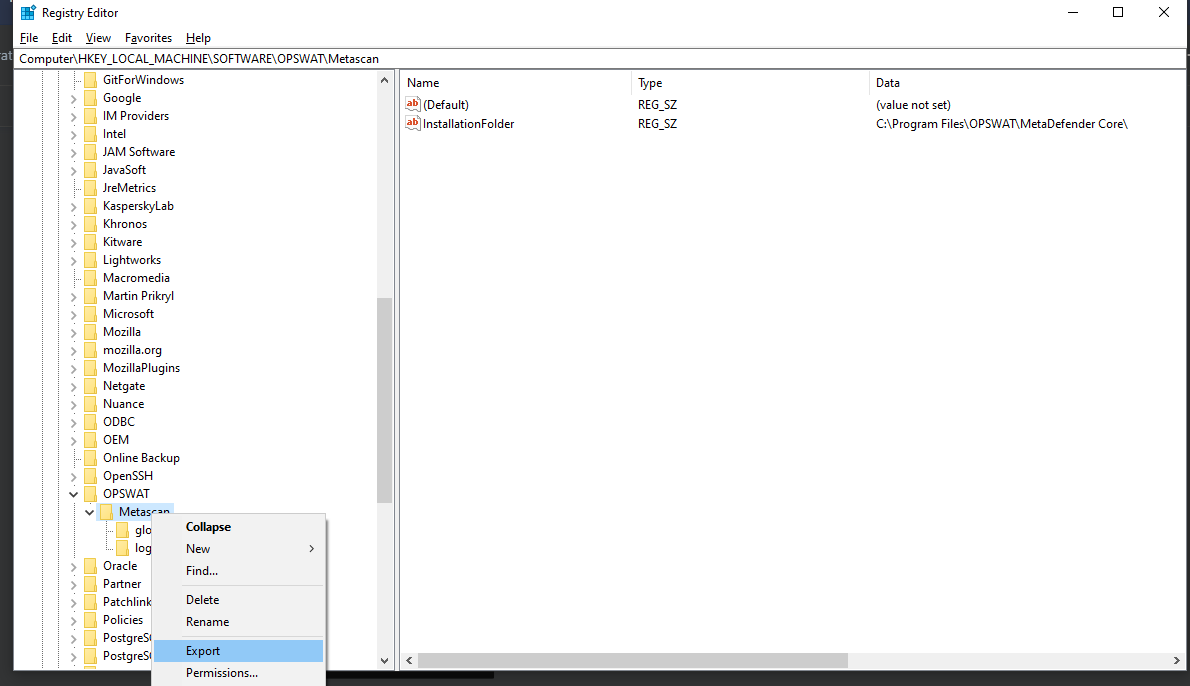
If you have any custom configuration on the registry (custom log file, custom temp dir etc): you need to export the registry config (if not please ignore this step):
Open the registry editor, go
Computer\HKEY_LOCAL_MACHINE\SOFTWARE\OPSWAT\MetascanExport the registry config
Compress MetaDefender Core’s installation directory to a zip file named MetaDefender Core.zip
For example: Compress whole folder
c:\Program Files\OPSWAT\MetaDefender Core\

You also might need to compress/backup the data (if have any) in the custom folder:
If you do not have any custom configured path, please ignore this step
Custom log files folder
Custom quarantine folder
Custom sanitized files folder
etc
II. Server B
Install MetaDefender Core with the same version and same installation path as MetaDefender Core A.
Stop MetaDefender Core service and make sure MetaDefender Core is successfully stopped.
Import registry that is exported from Server A (Step I.2).
Remove the MetaDefender Core's installation directory:
rd /s /q "C:\Program Files\OPSWAT\MetaDefender Core"Copy and extract the zip package of MetaDefender Core A (MetaDefender Core.zip) to the new MetaDefender Core’s installation path (default is
C:\Program Files\OPSWAT)Copy/move the backup files (which were backup at step I.4) to the desired location.
Start MetaDefender Core service, login, and activate the license.