
This article is only applicable to MetaDefender Core 4.19.0 and 4.19.1.
For MetaDefender Core 4.19.2 or newer, all engines could be removed directly on the MetaDefender Core management console UI under Modules page.
For MetaDefender Core 4.18.0 or older, please follow instructions here What are the engine clean-up instructions?.
Sometimes, during the engines downloading/deployment process, some of them may remain in "failed" or "permanently failed" status. In that case, you could perform an engine clean-up by using MetaDefender Core built-in engine sweeper tool:
Locate the tool in MetaDefender Core installation folder named ometascan-engine-sweeper
Usage: ometascan-engine-sweeper [options]
MetaDefender Core 4.19.x database information to connect
Host and port: Specified while installing Core 4.19.0. In default installation option, MetaDefender Core setups local and connect to PostgreSQL server at localhost via port 5432
Username: Specified while installing Core 4.19.0. In default installation option, MetaDefender Core uses username postgres
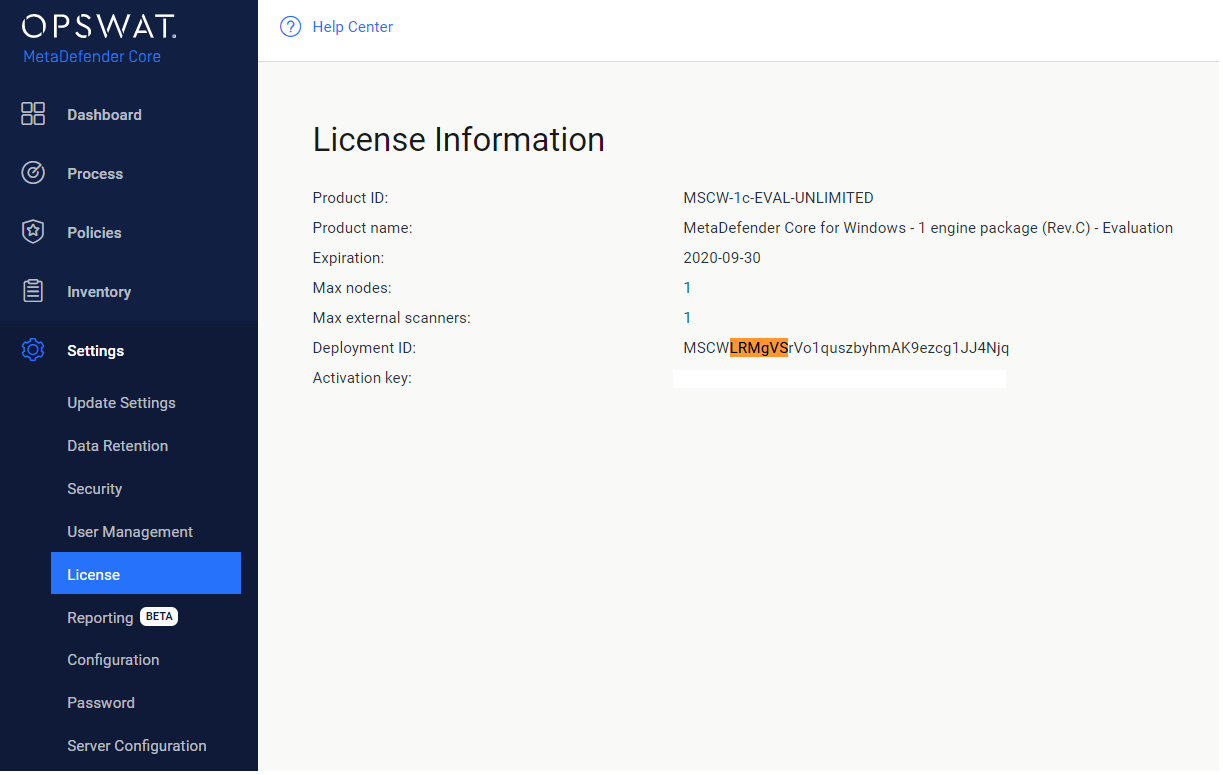
Database name: MetaDefender Core metadefender_core_xxxxxx - whereas xxxxxx is the 6 characters in lower case following product code name (Windows: MSCW, Linux: MSCL) in your current Deployment ID.
Making sure to lower case on all 6 characters
For example: database name should be metadefender_core_lrmgvs in the sample screenshot below
Example usages
Assuming we will connect to a local PostgreSQL server with following info:
localhost via port 5432
username = postgres
database name = metadefender_core_lrmgvs
Example 1: List all installed engines
note
Making sure to use “-B” parameter option if that is a local PostgreSQL server
Then the tool requires you to input PostgreSQL server password for MetaDefender Core (specified while installing MetaDefender Core)
Example output:
Example 2: Remove engine package and database package of Archive engine (e.g. 7z_13_windows)
Note: Making sure to use “-B” parameter option if that is a local PostgreSQL server
Example output:
Example 3: Remove engine only (retain its database)
Note: Making sure to use “-B” parameter option if that is a local PostgreSQL server
Example output:
Example 4: Remove all engines
Note: Making sure to use “-B” parameter option if that is a local PostgreSQL server
Example output: