
When processing a file containing a macro, you can configure the Deep CDR engine to either remove the macro or keep it while sanitizing the other active objects.
Please follow the below steps to allow a specific macro.
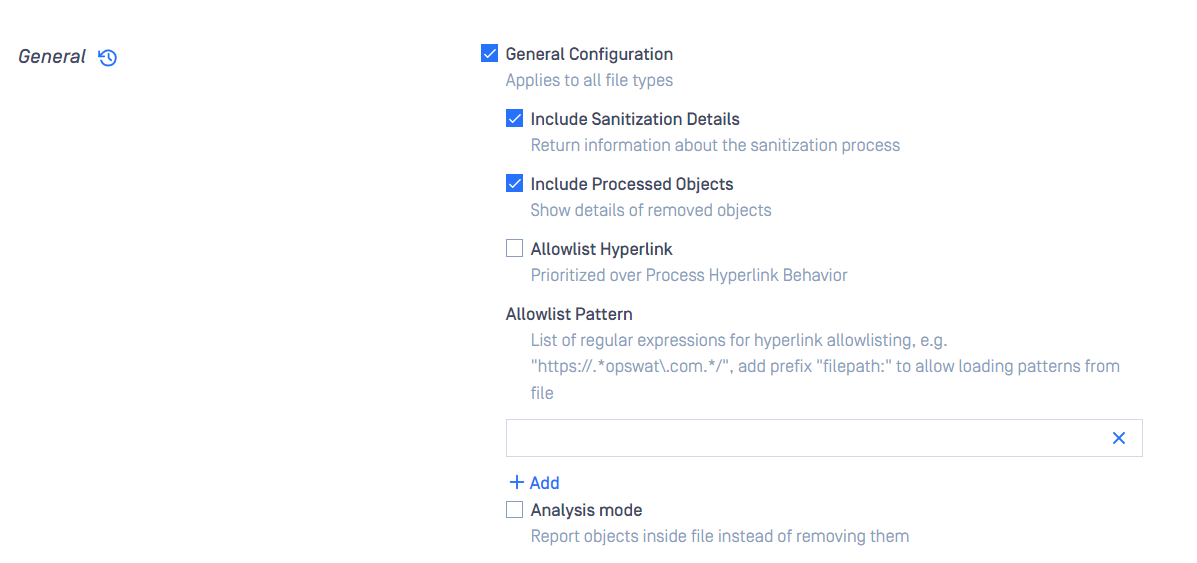
Enable “INCLUDE PROCESSED OBJECTS” in Workflow Deep CDR Setting
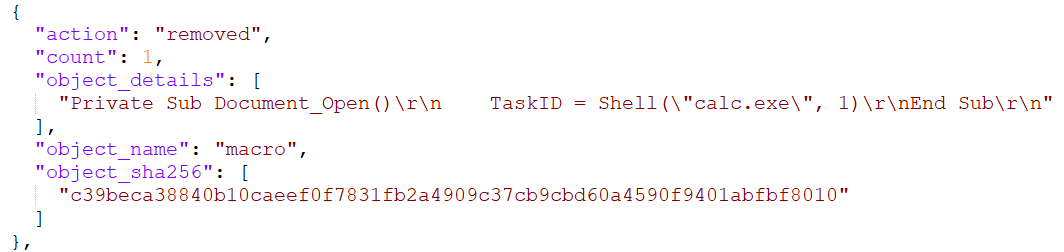
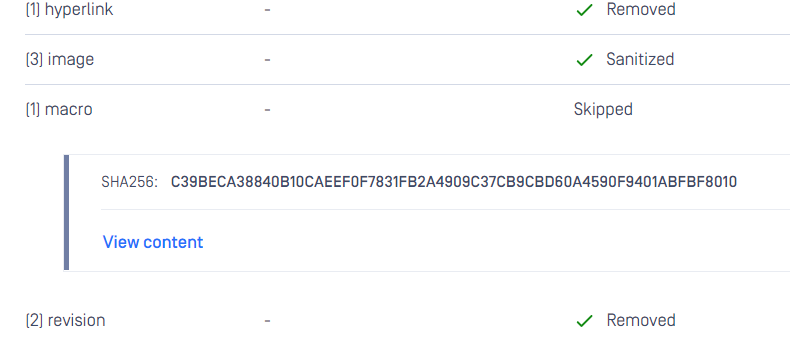
Process the file containing the Macro that you want to allowlist and check the JSON scan result. You should see the object_details and object_sha256 as in the example below**:**
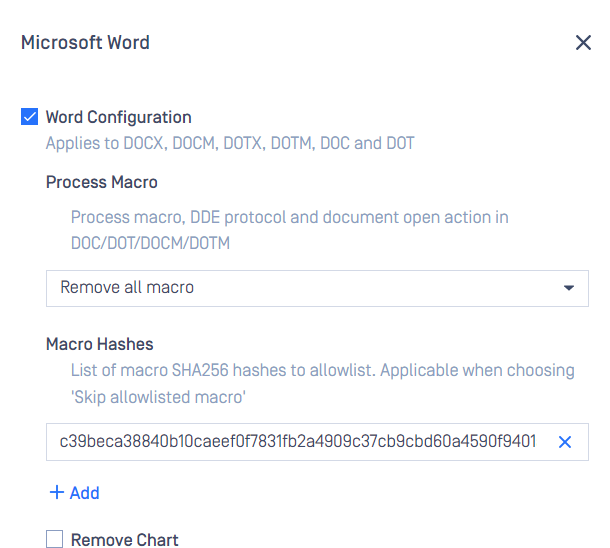
Go back to Workflow Deep CDR Setting, under Advanced, Microsoft Word, “Process Macro” select “Skip allowlisted macro” for the file type you sanitized, input the object_sha256 value into the “Macro Hashes” field.
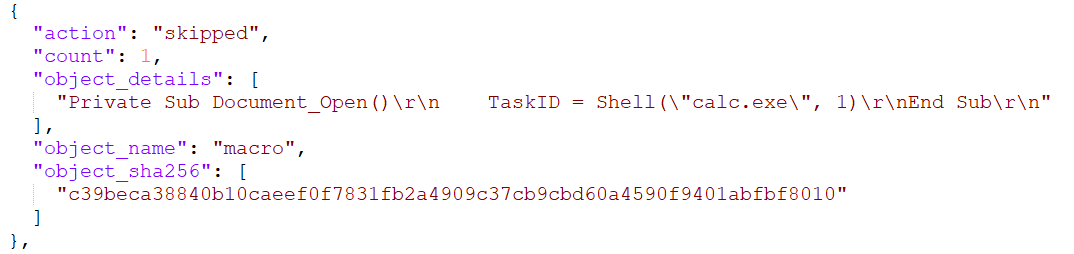
You can process the file again to test that your setup is working correctly. The Macro now should be skipped.
Process the file again
Supported file type: Microsoft Office 2007