
Applies to: SBOM engine 5.0.0+ and MetaDefender Core 5.23+.
What a CBOM is
A Cryptographic Bill of Materials (CBOM) is an inventory of the cryptography a file actually contains: the algorithms it uses, the libraries that implement them, the certificates it carries, the protocols it negotiates, and the key material it references.
An SBOM answers which third-party packages are in this artifact. A CBOM answers a different question: which cryptography am I relying on, and will it survive a quantum adversary? Government post-quantum mandates such as NSA CNSA 2.0, NIST IR 8547 and the EU Cyber Resilience Act all start with the same requirement: produce an inventory before planning a migration. The CBOM is that inventory.
Asset types
Each cryptographic item CBOM finds is reported as an asset of one of five types:
Type | What it covers |
|---|---|
Algorithm | A cryptographic algorithm, such as AES-GCM, ECDSA or MD5, with details like mode, padding, curve and key length |
Library | A cryptographic library the file depends on or links against, such as OpenSSL, BouncyCastle or PyCryptodome |
Certificate | An X.509 certificate, including its signature and public-key algorithms |
Protocol | A negotiated protocol such as TLS, including its cipher suites |
Related Crypto Material | Keys and similar material that use an algorithm rather than being one, such as an RSA private key |
Supported detection
CBOM finds cryptography in four kinds of input: key files, package manifests, source code, and binaries. The screenshots below show a sample result for each.
Supported input files
NAME | Files |
|---|---|
PYTHON |
|
C / C++ |
|
JAVA |
|
GO |
|
NAME | Files |
|---|---|
CMAKE |
|
MAKE |
|
PYTHON |
|
MAVEN / GRADLE |
|
GO |
|
NPM |
|
RUBY |
|
RUST |
|
PHP |
|
CONAN |
|
VCPKG |
|
MESON |
|
SCONS |
|
NAME | Files |
|---|---|
CONFIG |
|
CERTIFICATE |
|
KEY |
|
KEY CONTAINER |
|
WINDOWS PE |
|
Key files
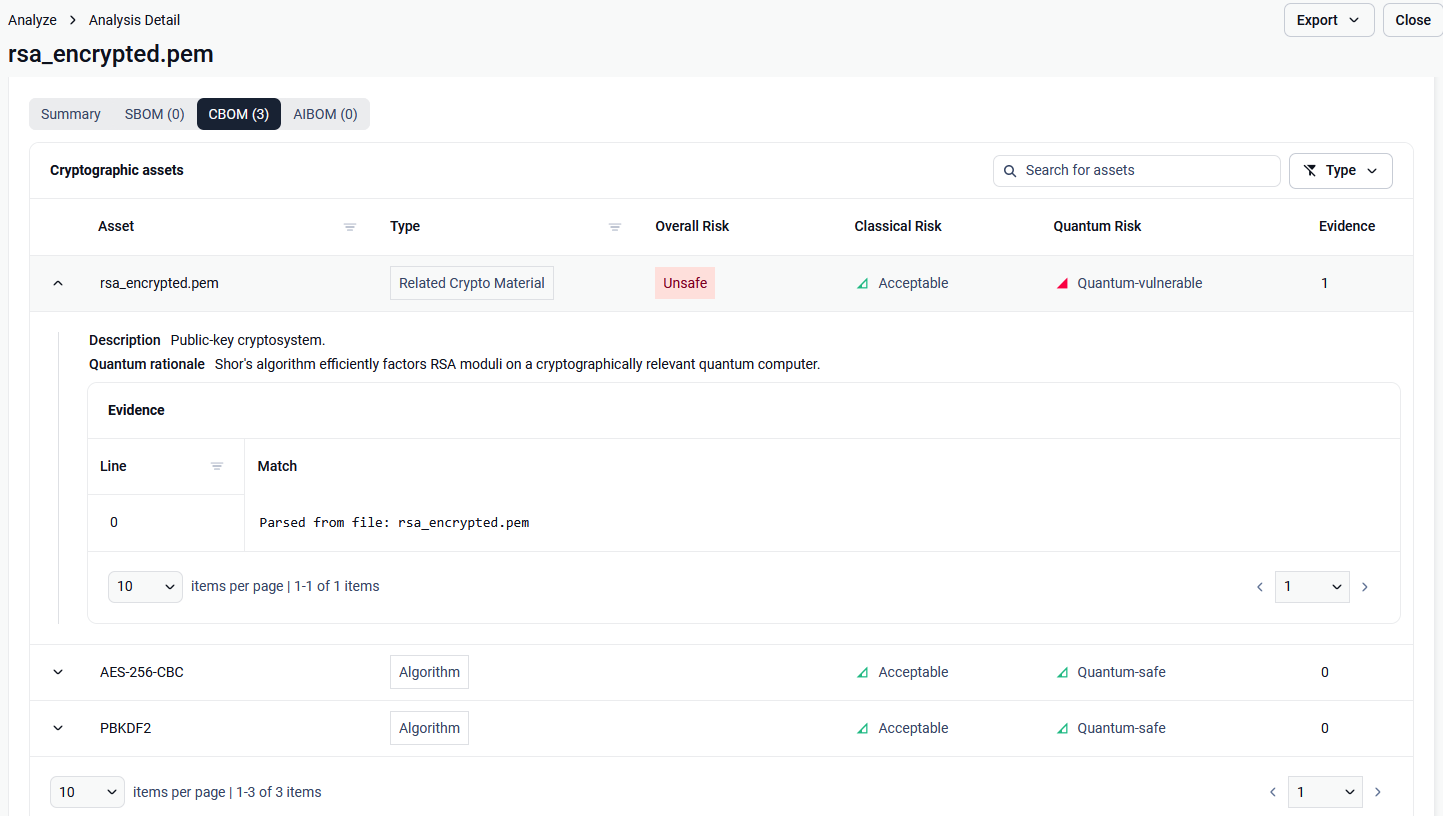
CBOM parses private and public key files such as PEM-encoded keys. It reports the key itself as related crypto material (for example an RSA key) and the algorithms protecting it: for an encrypted key, the cipher (such as AES-256-CBC) and the key-derivation function (such as PBKDF2).
Cryptographic libraries in package manifests
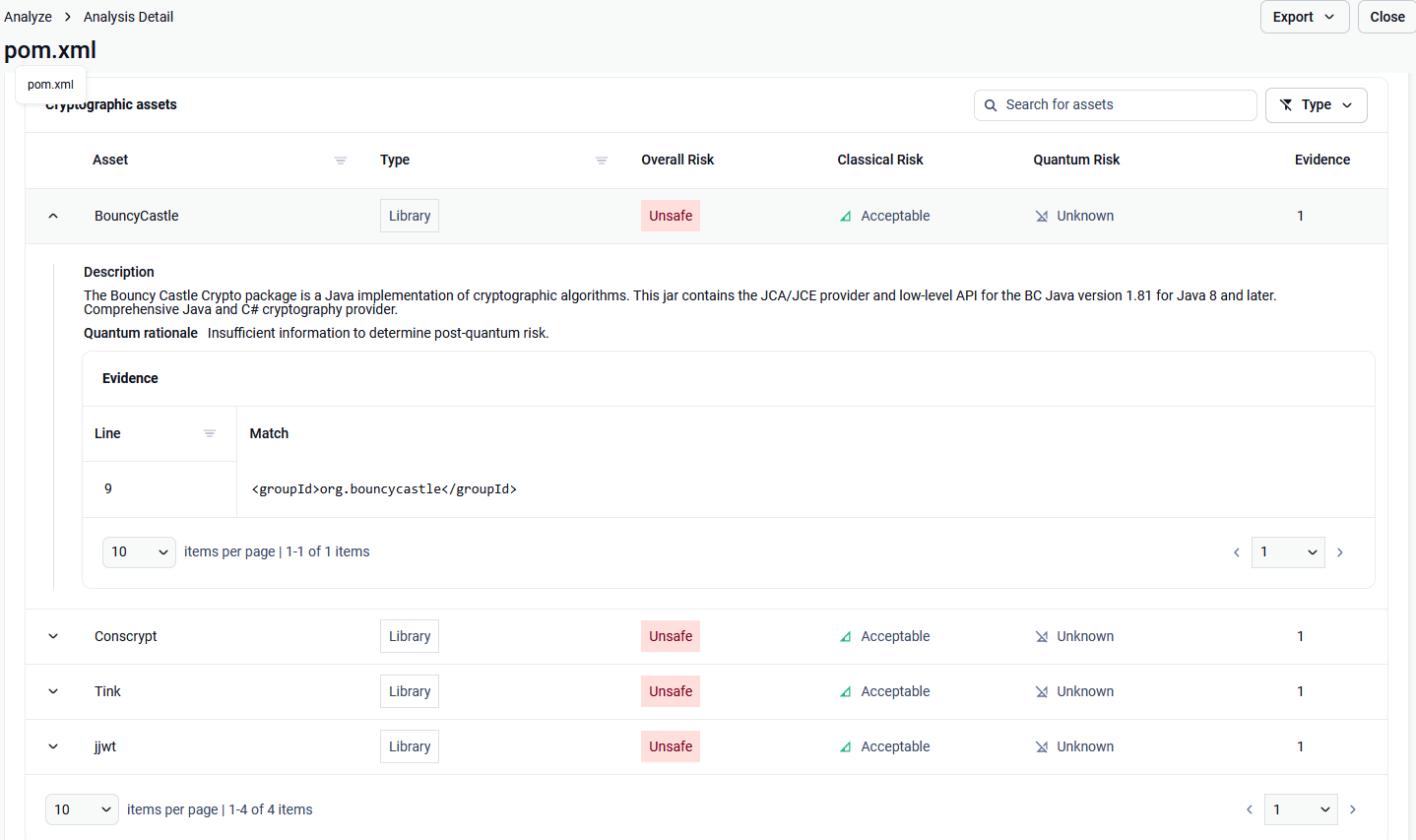
CBOM reads package management files such as pom.xml and reports the cryptographic libraries they declare, for example BouncyCastle, Conscrypt, Tink and jjwt. The evidence shows the line where each dependency is declared.
Cryptography used in source code
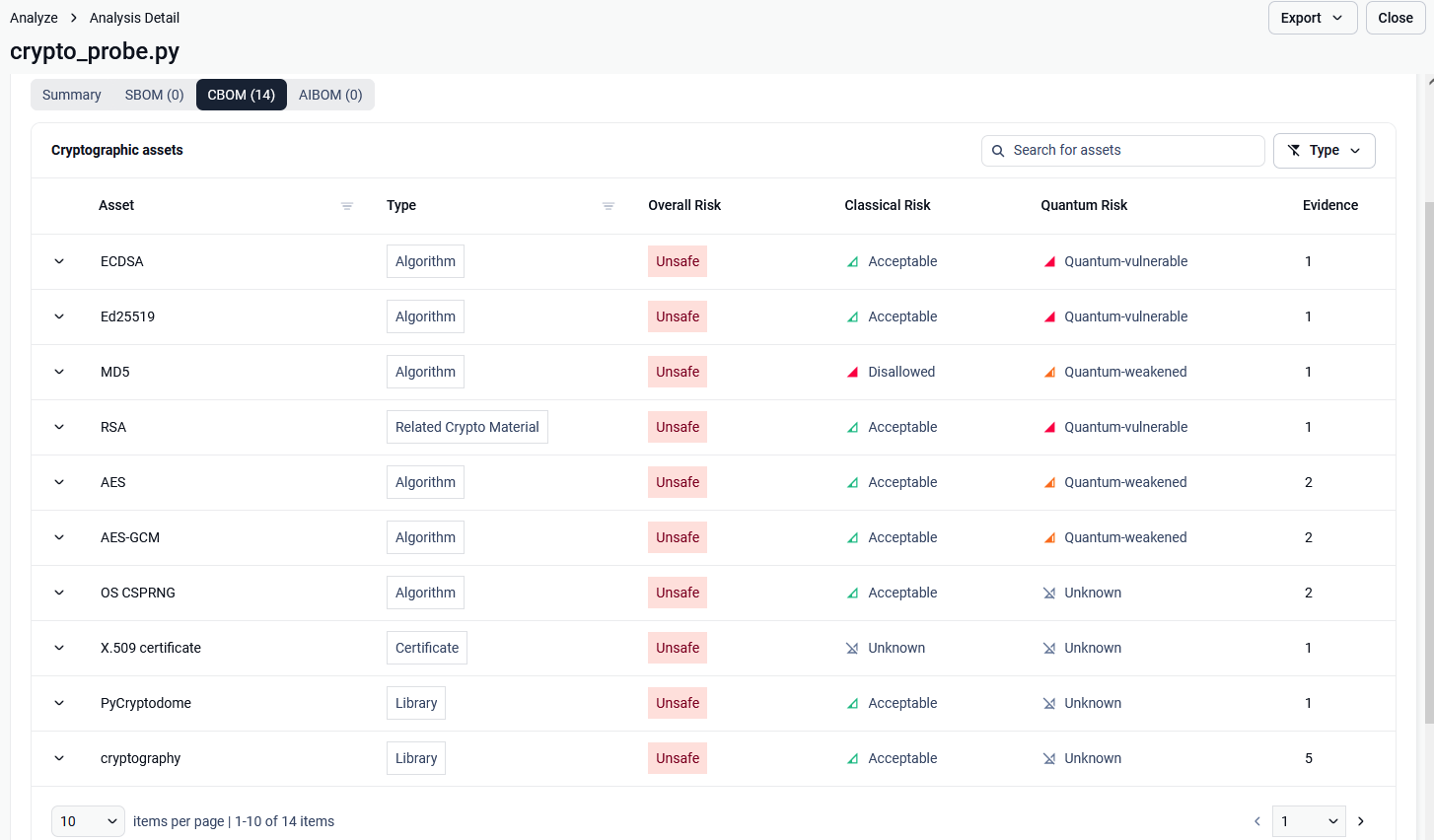
CBOM scans source code for cryptographic API calls and imports. It reports the algorithms in use (such as ECDSA, Ed25519, MD5, AES-GCM), the libraries that provide them (such as cryptography and PyCryptodome), and any keys or certificates the code handles, each with its own classical and quantum risk.
Certificates inside binaries
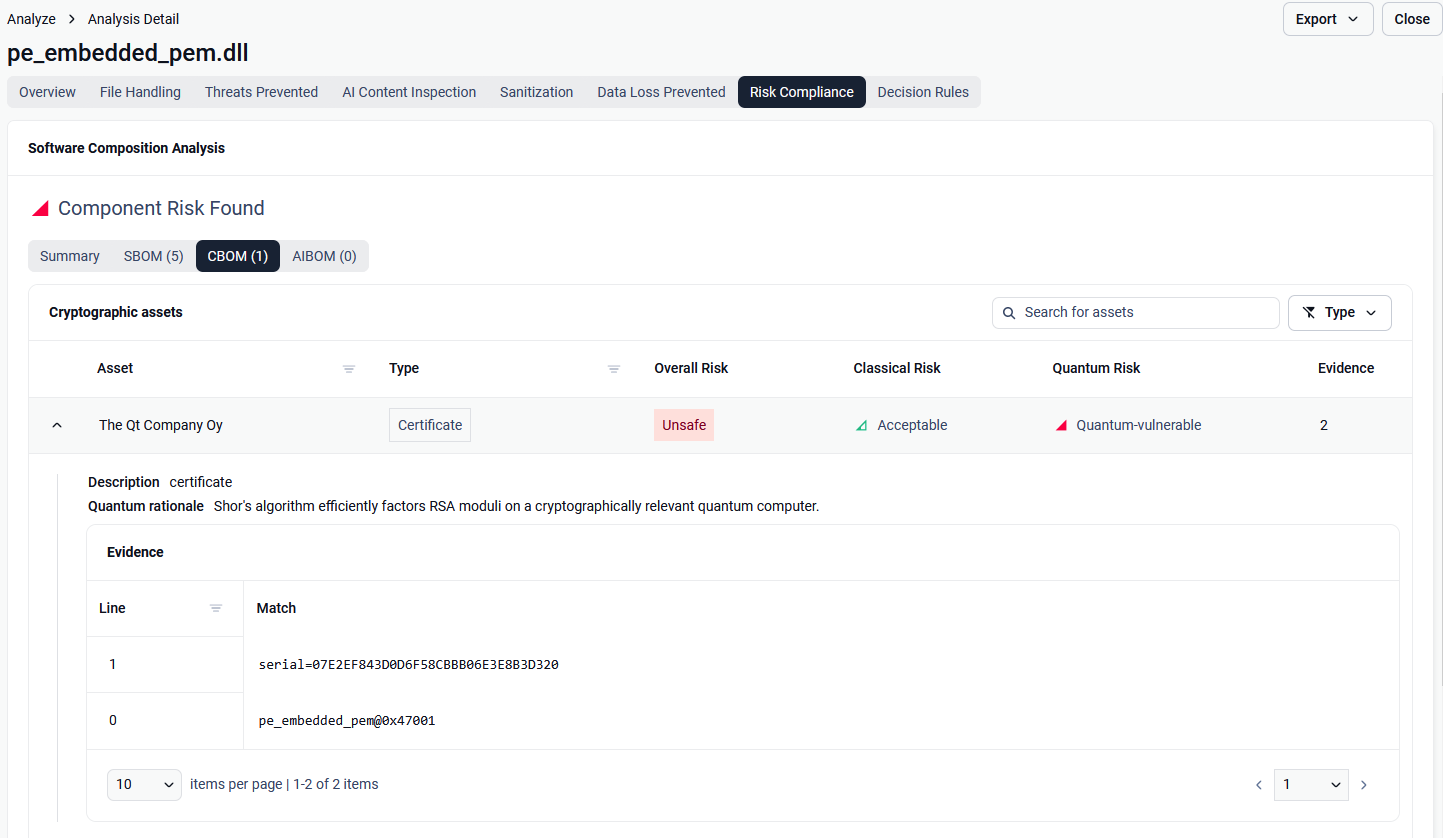
CBOM extracts certificates embedded in binary files: from the Windows PE attribute certificate table (Authenticode signatures) and from PEM blocks embedded in the file. The evidence shows the byte offset where each certificate was found, for example pe_embedded_pem@0x47001.
Crypto risk classification
Each asset is graded on two independent axes, so you can see both what is weak today and what needs to migrate to post-quantum cryptography.
Axis | Grades | Meaning |
|---|---|---|
Classical risk | Acceptable · Deprecated · Disallowed · Unknown | Strength against today's (non-quantum) attacks |
Quantum risk | Quantum-safe · Quantum-weakened · Quantum-vulnerable · Unknown | Resistance to an attacker with a cryptographically relevant quantum computer |
An asset's Overall Risk is Safe only when it is both classically Acceptable and Quantum-safe; anything else is Unsafe. Assets that have no quantum grading yet are counted as Unsafe, so modern libraries and ciphers can appear as Unsafe.
For assets that are not quantum-safe, CBOM recommends a post-quantum replacement. Some assets need more than one: RSA, for example, is replaced by ML-KEM (FIPS 203) for key establishment and ML-DSA (FIPS 204) for signatures.
CBOM verdict
CBOM gives each scan one of four verdicts: Cryptography Found, Risk Cryptography Found, No Cryptography Found. The verdict is advisory only and never blocks a file.
For the full result structure, see CBOM JSON response.
Export
CBOM results can be exported on their own or together with the other BOM types, in JSON or PDF. This lets you route a cryptography report to the CISO and post-quantum migration team without the surrounding software inventory.
Enabling CBOM
To enable CBOM, go to Workflow > Workflow name > SBOM.
