What an AIBOM is
An AI Bill of Materials (AIBOM) is an inventory of the AI and machine-learning model files in a scan: what each model file is, what its own bytes declare about it, and which public repositories are known to publish exactly those bytes.
An SBOM answers which third-party packages are in this artifact. An AIBOM answers the provenance question an SBOM cannot: this model file arrived in our pipeline — what is it, where does it come from, and under what license?
How it works
AIBOM reads two things: the bytes of the scanned file, and an offline model database that ships with the engine. It identifies a model by the SHA-256 of its bytes and looks that digest up in the database.
No network access. The lookup runs entirely against the local database, so an air-gapped deployment gets the same result as a connected one.
No risk rating. AIBOM reports what it read and what it looked up. It makes no claim about whether a model is safe to load.
Works without a match. When a file matches no known repository, AIBOM still reports what the file's own header declares, such as format, parameter count and architecture.
Supported model formats
AIBOM identifies the format from the file's signature, not its extension.
Format | Files |
|---|---|
GGUF |
|
SafeTensors |
|
ONNX |
|
HDF5 / Keras / Keras V3 |
|
PyTorch |
|
Others | . |
What gets reported
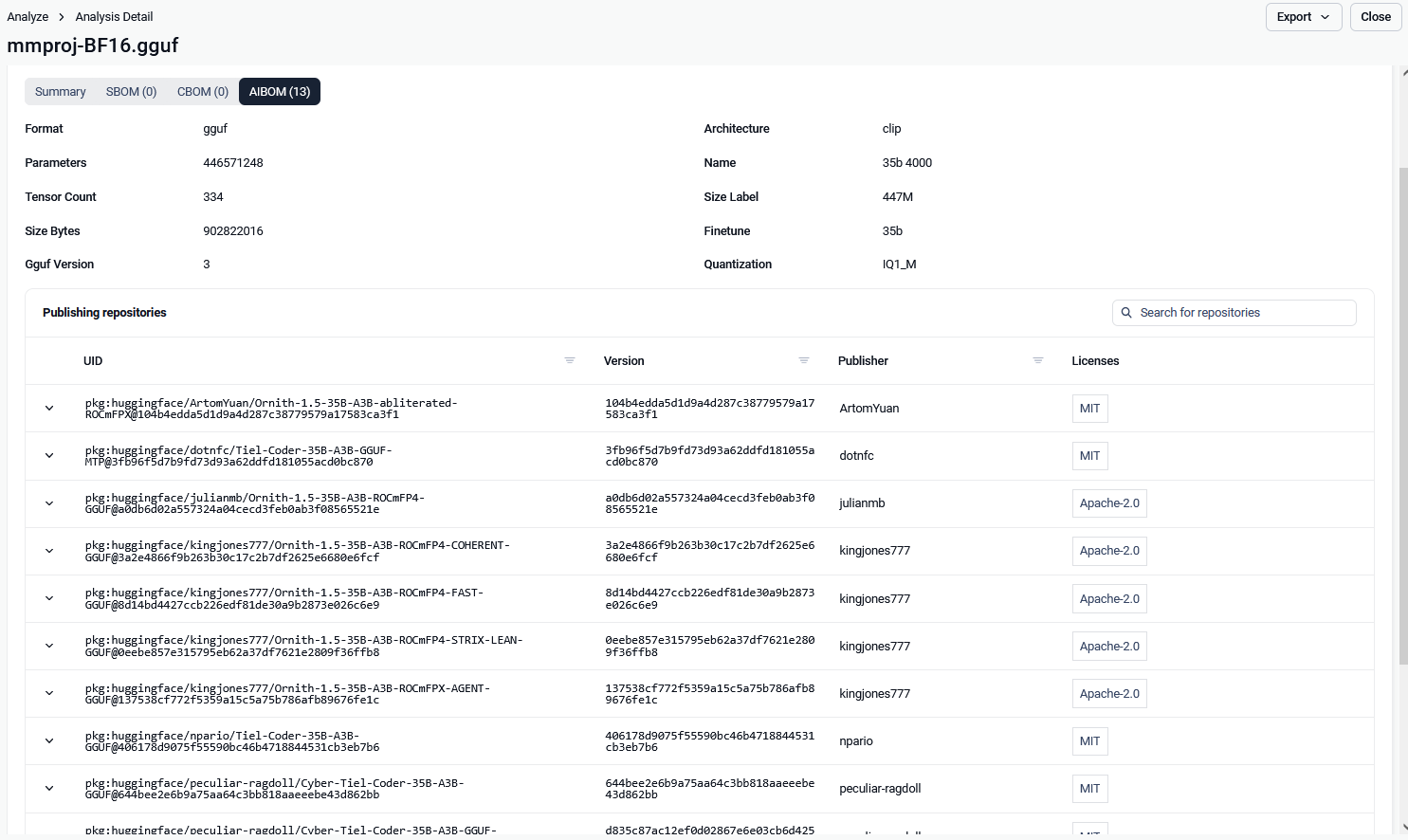
Each scan reports one component group for the scanned file and a list of components, one per public repository that publishes that file byte for byte.
The component group is the file. It carries the file's SHA-256, the name it was submitted under, and what its header declares. These facts come from the bytes on disk, so they are always current.
Components are repositories, not files. A model file is often published by several repositories: mirrors, re-uploads and forks. Each becomes its own component, with that repository's name, revision, license and model details. Several components mean several candidate identities for one file.
Disagreements stay visible. Repositories that publish identical bytes often declare different licenses or tasks. AIBOM reports all of them rather than picking one, so a license conflict is visible to your policy instead of being resolved arbitrarily.
A file that matches no known repository is reported as a single component that carries only its name.
License classification
Each license a repository declares is checked against the license policy of the workflow, the same policy SBOM applies to packages (see License risk detection).
Result | When |
|---|---|
Allowed | The repository declared a license that the policy does not forbid |
Blocked | The repository declared a license that the policy forbids |
Unknown | The repository declared no license, or the file matched no repository |
Note: Only a recognized license can be blocked. A license string that AIBOM does not recognize, such as
openrail, is always reported as allowed, whatever the policy says.
AIBOM verdict
AIBOM gives each scan one of three verdicts:
AI Components Found: model files were found.
License Risk Found: at least one component declares a license the workflow's policy forbids. This is the only case in which AIBOM blocks a file.
No AI Components Found: the file holds no AI or machine-learning content.
AIBOM never raises the severity of a scan.
For the full result structure, see AIBOM JSON response.
Enabling AIBOM
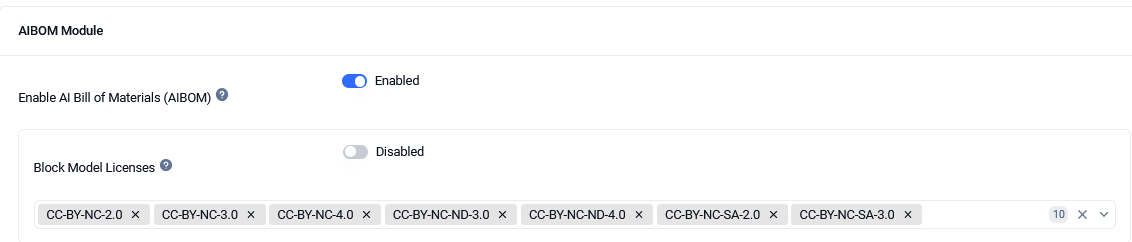
AIBOM is disabled by default. To enable it, go to Workflow > Workflow name > SBOM.