
PostgreSQL version 16.9 or higher is required.
To install PostgreSQL in an air-gapped environment, download the required packages on a preparation machine and then transfer them to the air-gapped server. The preparation machine should have internet access and run the same operating system version as the target server.
Debian, Ubuntu
Prepare packages
On the preparation machine, run commands.
Copy the
postgresql-<version>-offlinefolder to a USB drive or secure transfer medium.Move it to the air-gapped server.
Install PostgreSQL
On the target server, insert the USB drive or secure transfer medium.
Run the commands below in the
postgresql-<version>-offlinefolder.
Open connection
Locate the PostgreSQL data directory on your server.
To allow remote connections, open the postgresql.conf file and configure the following setting:
To allow MetaDefender Cluster services to access the database, open the pg_hba.conf file and add the following rule.
Restart the PostgreSQL service to apply the changes.
Rocky, RHEL 9
Prepare packages
On the preparation machine, run commands.
Copy the
postgresql-<version>-offlinefolder to a USB drive or secure transfer medium.Move it to the air-gapped server.
Install PostgreSQL
On the target server, insert the USB drive or secure transfer medium.
Run the commands below in the
postgresql-<version>-offlinefolder.
Sometimes, other dependencies require upgrading. Example:
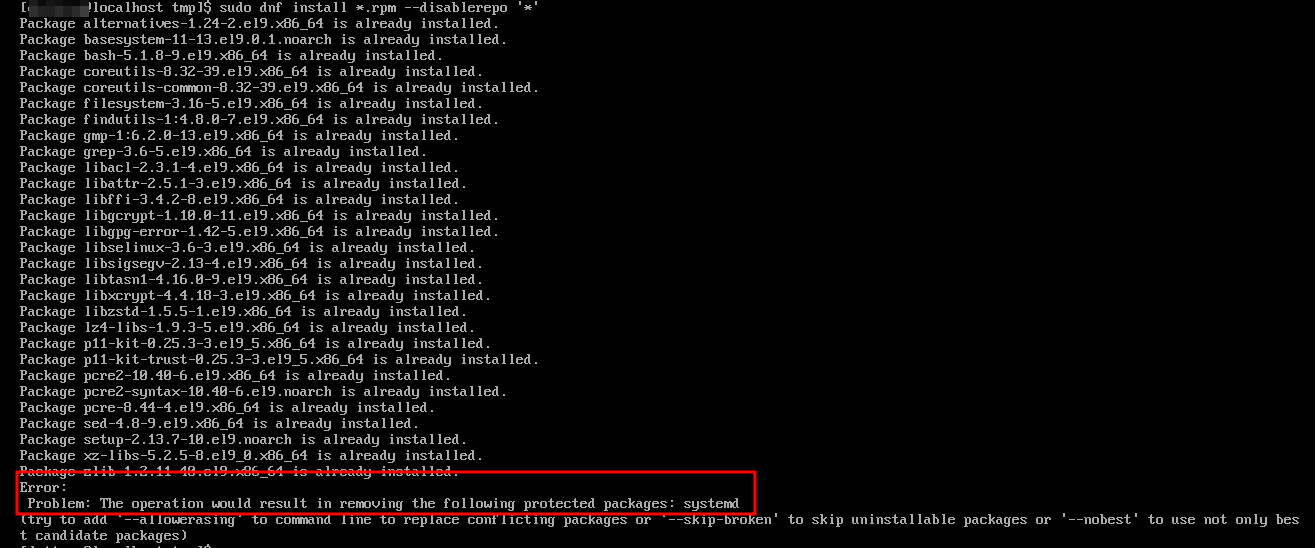
You should manually download the dependencies using the command dnf download --resolve --alldeps --downloaddir . <package_names> . Then copy them to the postgresql-<version>-offline folder and install again.
Open connection
Locate the PostgreSQL data directory on your server.
To allow remote connections, open the postgresql.conf file and configure the following setting:
To allow MetaDefender Cluster services to access the database, open the pg_hba.conf file and add the following rule.
Restart the PostgreSQL service to apply the changes.