
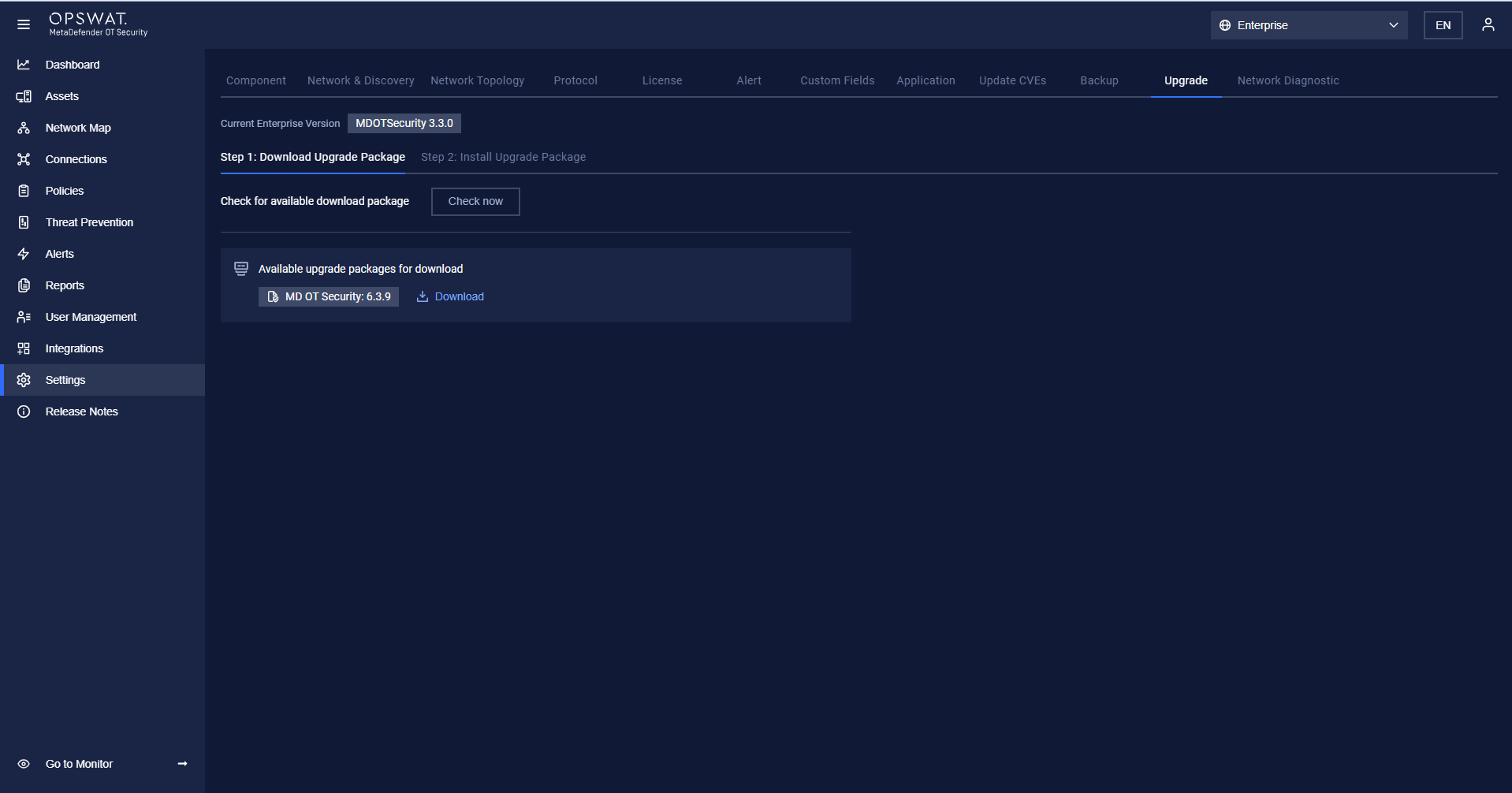
The Upgrade setting is accessible under Settings > Upgrade.
Before upgrading, the User has to check for a new version by clicking the “Check now” button, if having, The user clicks the “Download” button
After finishing the download, the User clicks on Start Install to upgrade all components (Enterprise Manager, Site Manager, and Network Sensor)
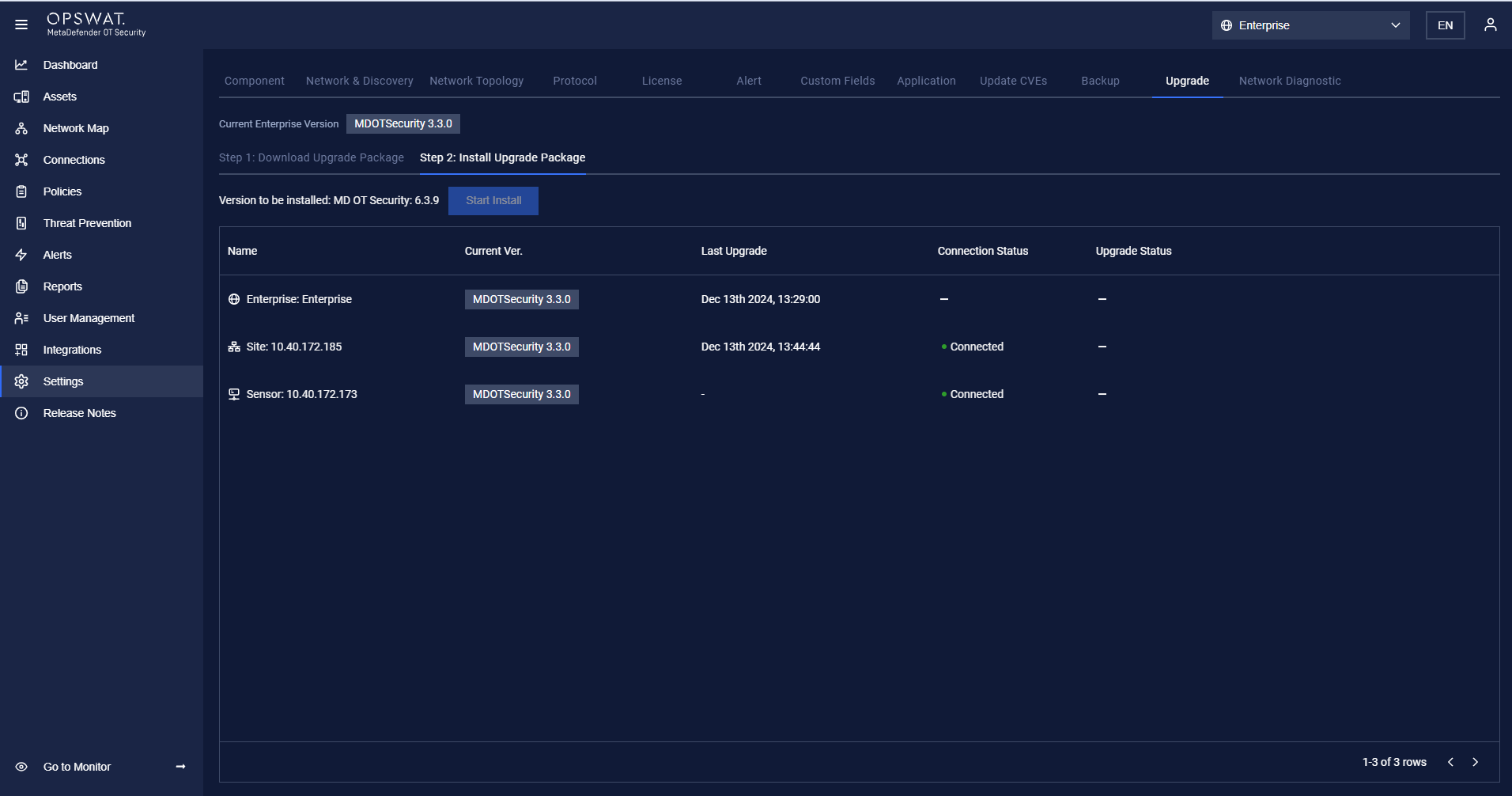
After the User clicks on Start Install, the installation package will be transferred from Enterprise Manager to Site Manager, then from Site Manager to Network Sensor.
When the package is completely transferred from Enterprise Manager to Site Manager, Enterprise Manager will start to update.
When the package is completely transferred from Site Manager to Network Sensor, Site Manager will start to update.
Was this page helpful?
Settings