
Version | v10.7.26092 |
|---|---|
Release date | October 6, 2026 |
Release Summary | This release strengthens file security with the new File Audit Trail, which traces a file's full journey in a single view. Endpoint & Patch Management expands patch control with Dell and Lenovo driver & firmware updates, pre- and post-deployment automation scripts, and real-time performance monitoring & alerting. Remote product management and visibility extend with quarantined file retrieval for MetaDefender Core, reboot and shutdown for MetaDefender Industrial Firewall devices, and installed applications visibility for MetaDefender Drive scanned-host records. |
Peripheral Media Protection Solution
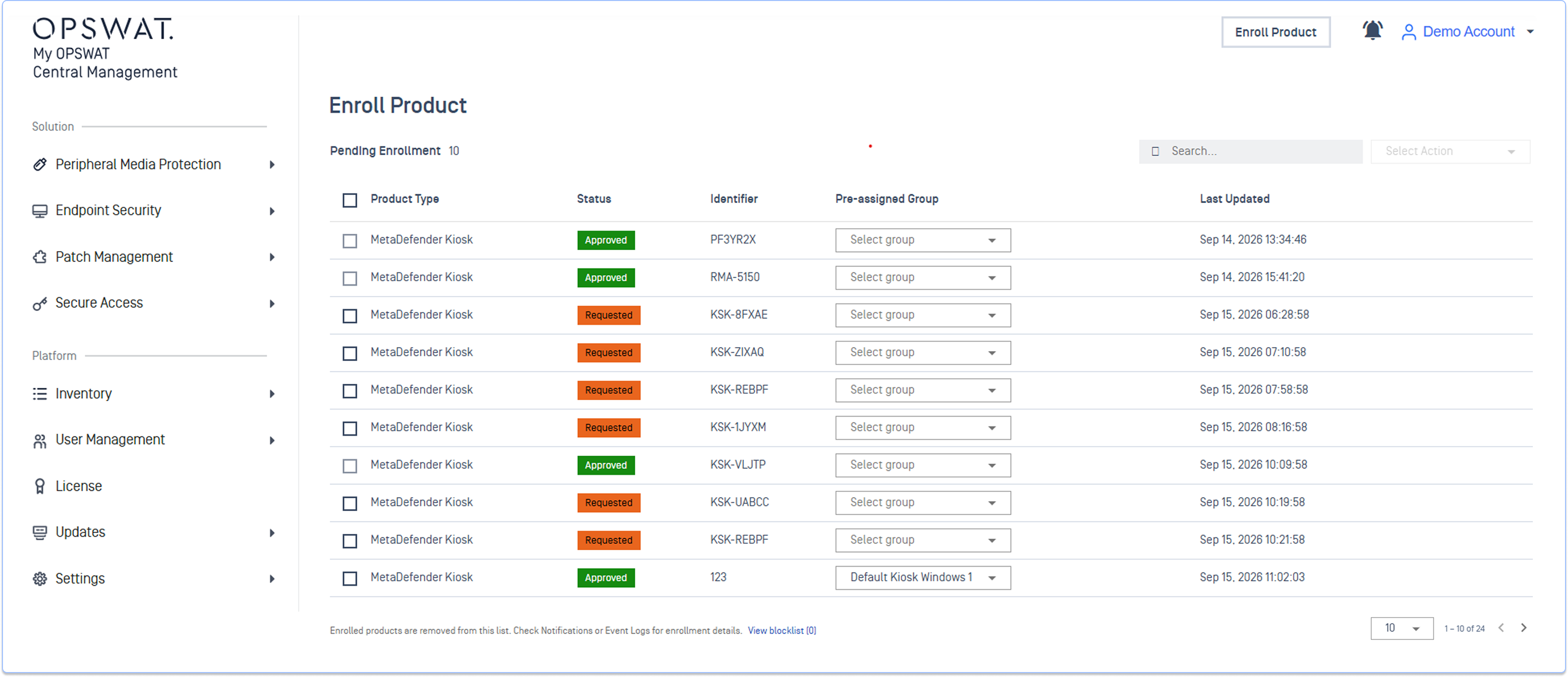
New Features Auto-Enrollment for MetaDefender Kiosk in On-Premises Deployments
MetaDefender Kiosk devices can now discover My OPSWAT Central Management On-premises server on the local network and send enrollment request automatically. Administrators can centrally review and approve requests, replacing manual one-by-one configuration.
See Enroll MetaDefender Kiosk for detailed instructions.
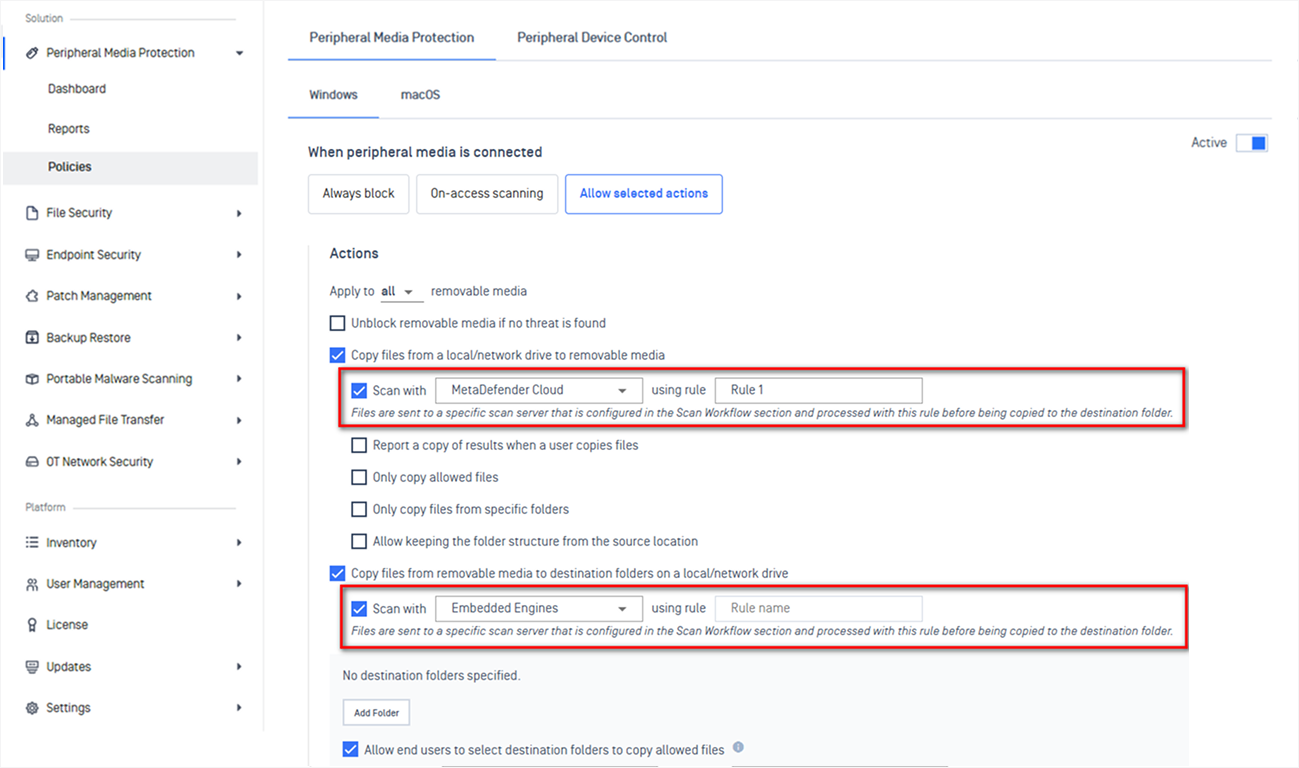
New Features Support Automatic Direction-Based Workflow for Peripheral Media Protection
Peripheral Media Protection now automatically applies the right scan workflow based on file transfer direction.
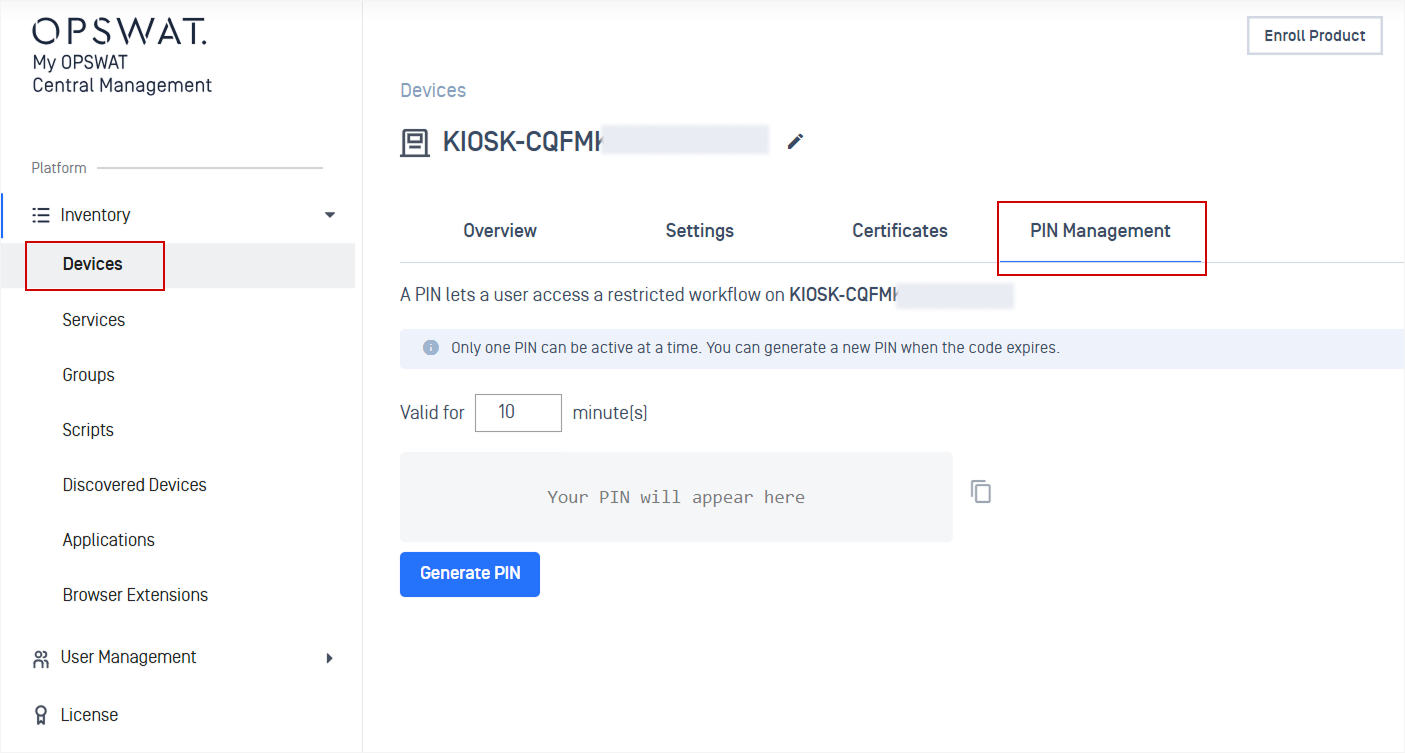
New Features One-Time PIN Verification for Restricted MetaDefender Kiosk Workflows
Administrators can generate one-time PINs that grant end users temporary access to restricted MetaDefender Kiosk workflows.
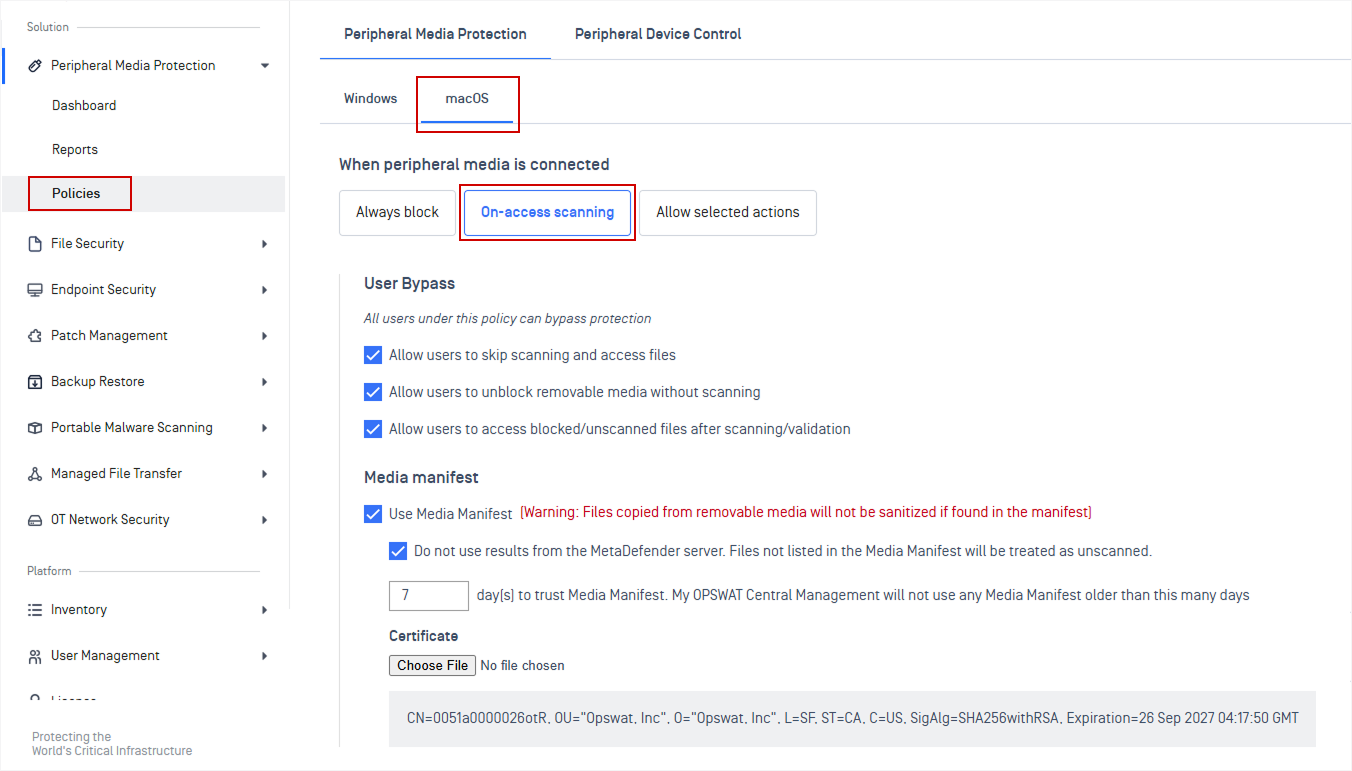
New Features On-Access File Scanning Protection Mode Configuration for macOS
Administrators can now configure On-Access File Scanning for macOS endpoints within Peripheral Media Protection policies.
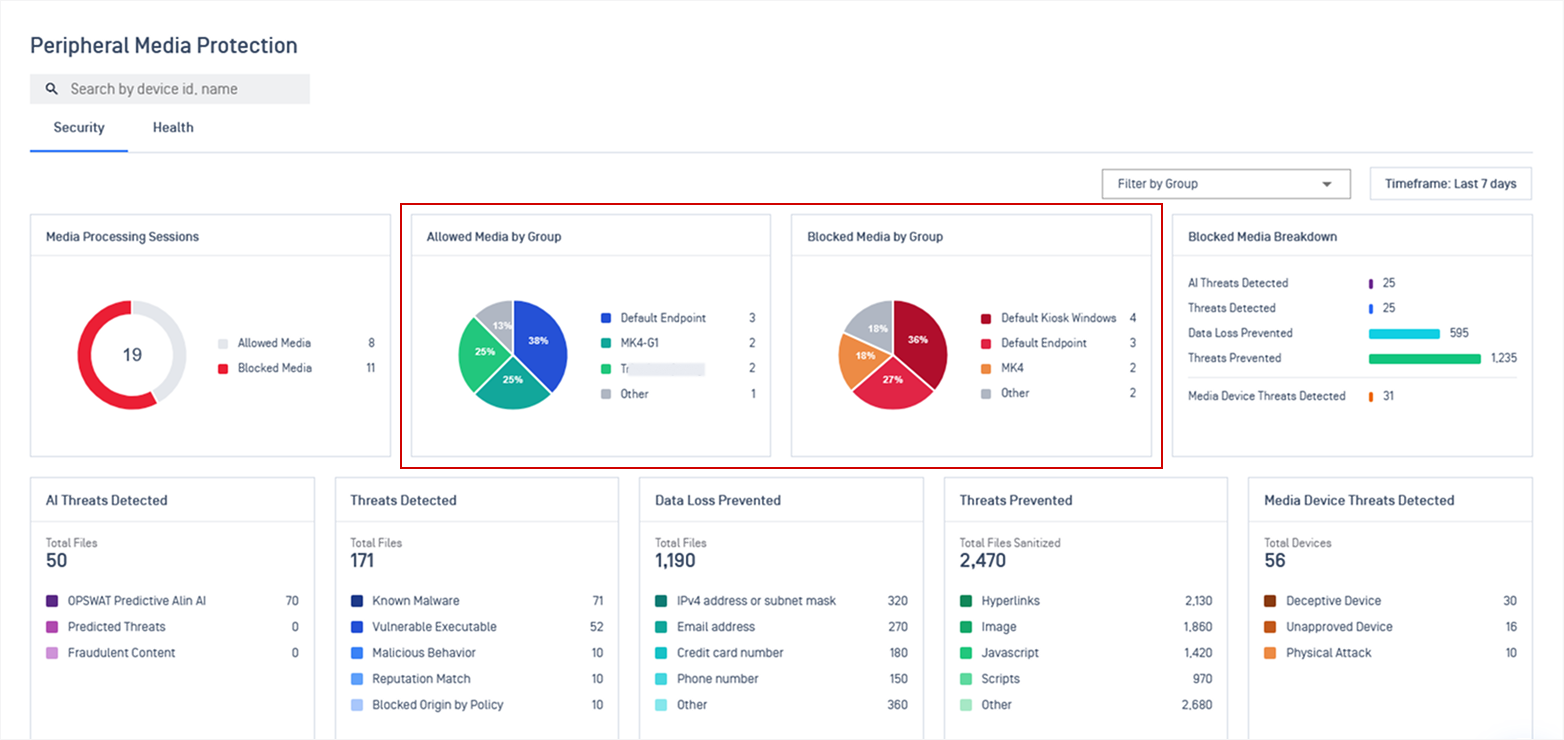
Enhancements Added "Allowed and Blocked Media by Group" Widgets to Peripheral Media Protection Dashboard
The Peripheral Media Protection dashboard now includes dedicated widgets showing allowed and blocked removable media activity grouped by device groups.
Refer to Peripheral Media Protection for more details.
Endpoint Security Solution
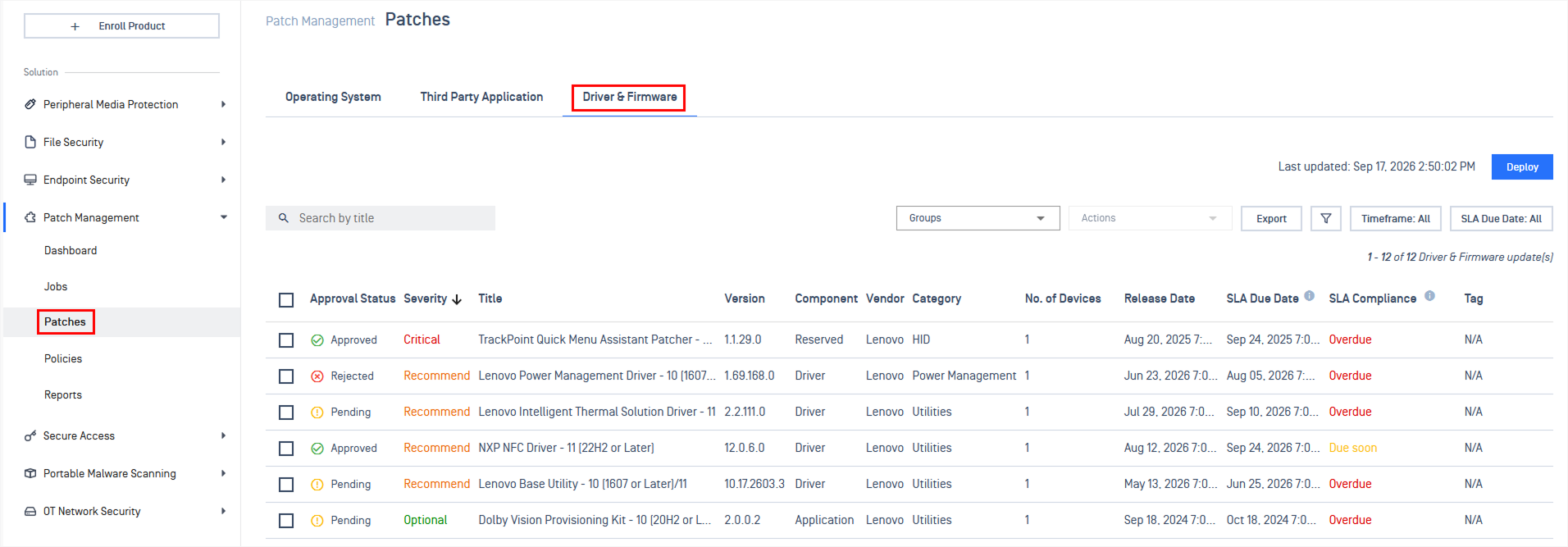
New Features Patch Management Now Supports Driver and Firmware Updates
Administrators can now detect outdated drivers, firmware, and BIOS on Dell and Lenovo Windows devices and deploy OEM vendor updates directly through on-demand, policy, and ring deployments.
Refer to Driver & Firmware Updates for more details.
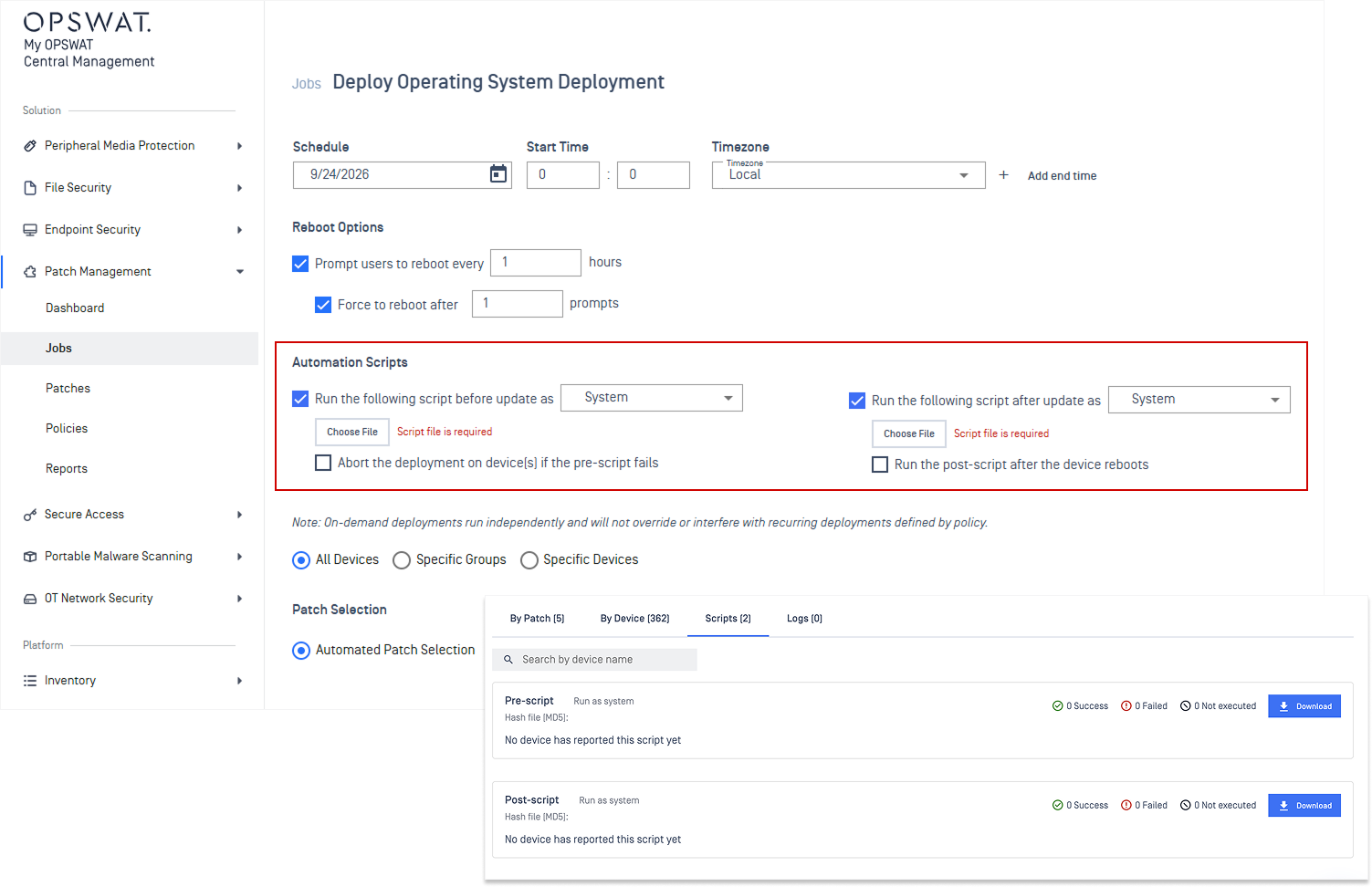
New Features Automation Scripts Now Available for On-Demand Patch Deployments
Administrators can execute custom pre- and post-deployment scripts during on-demand updates (e.g., stopping services, taking backups, or verifying application health post-install).
Refer to Deployment Scripts guidelines.
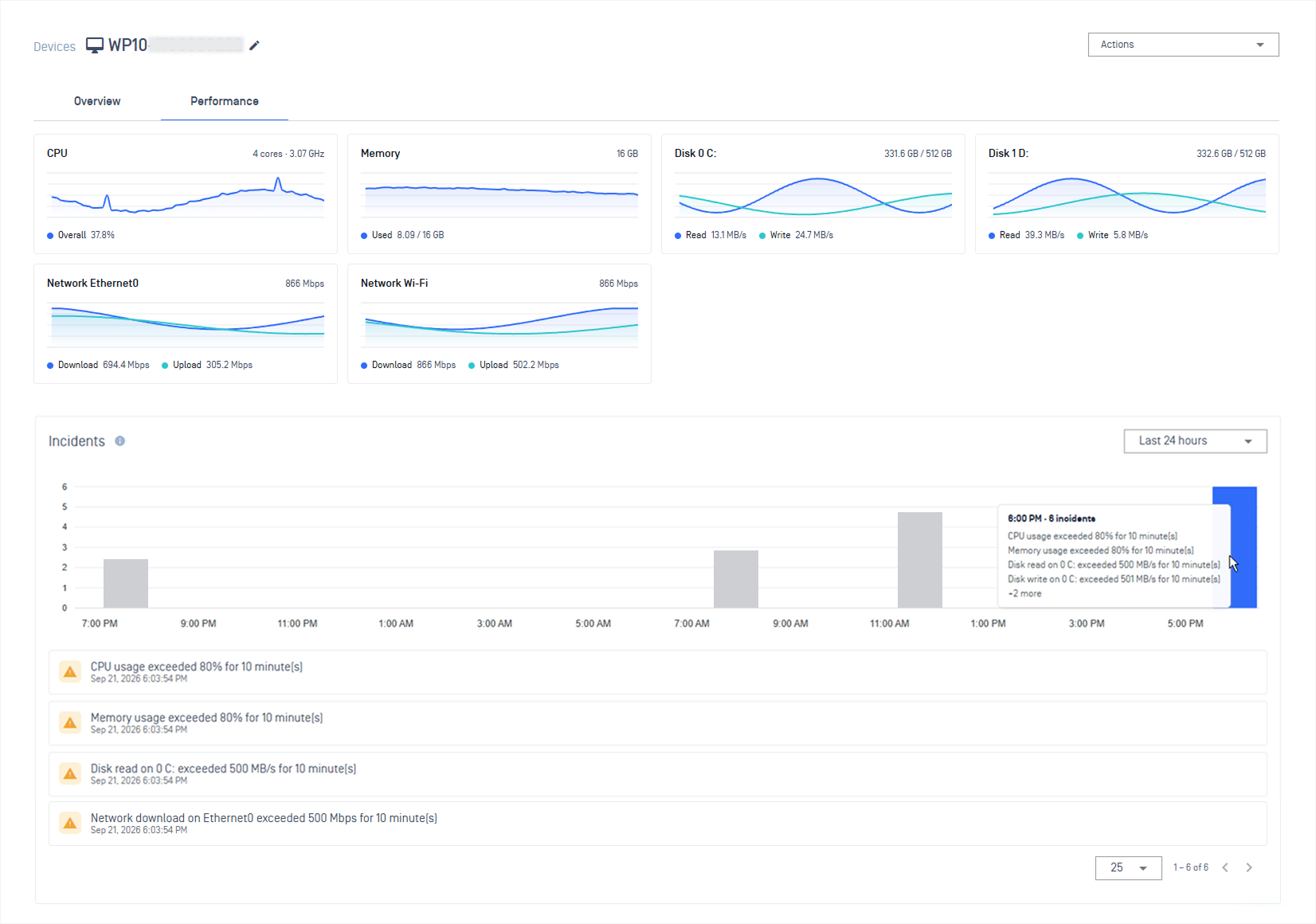
New Features Real-Time Endpoint Performance Monitoring and Incident Alerts
Administrators can monitor critical endpoint metrics from a single view, including CPU, memory, disk, and network usage, with configurable thresholds and automated alerts for high resource usage.
Refer to Endpoint Performance Monitoring guidelines for more details.
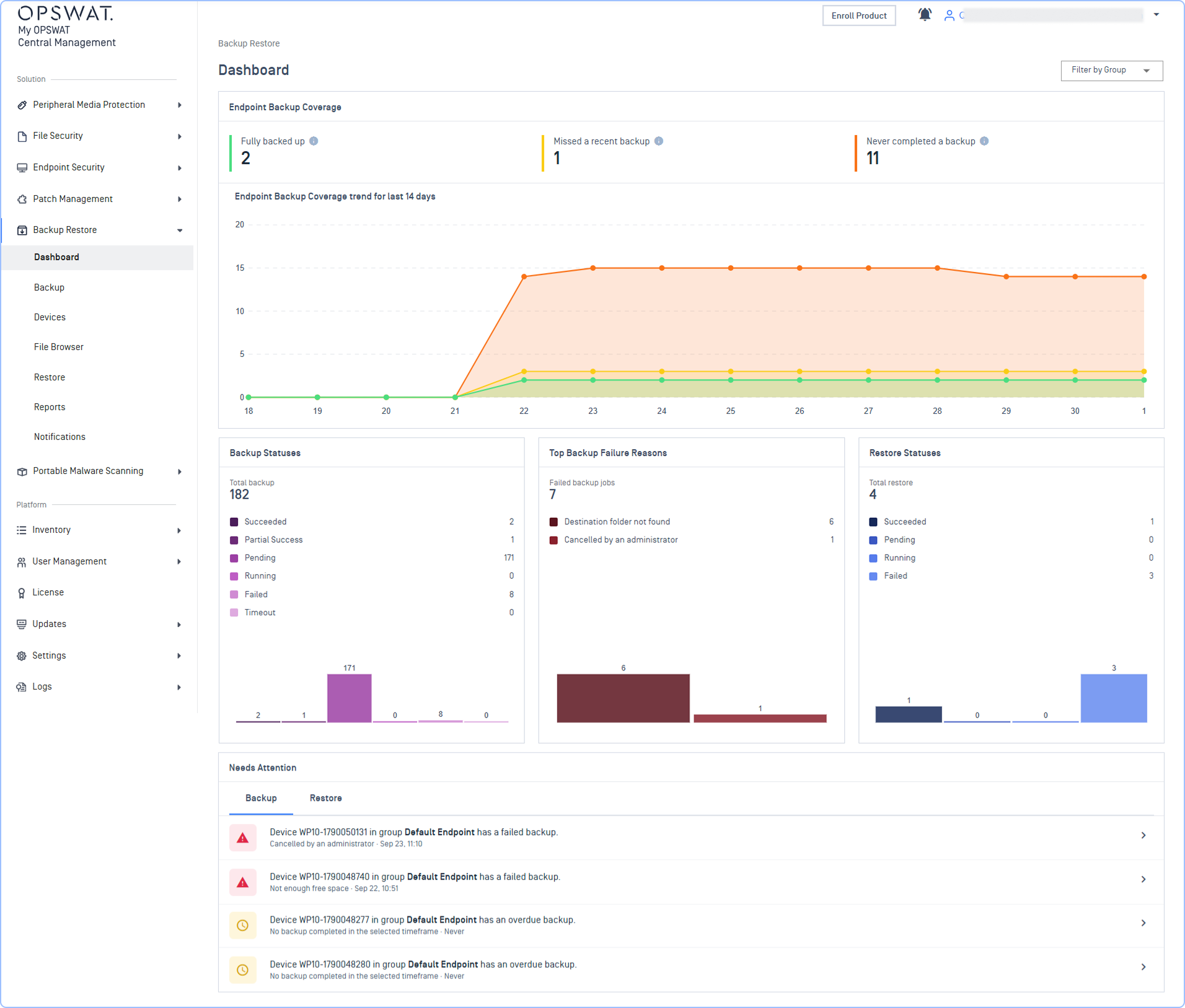
Enhancements End-to-End Backup & Restore Workflow
Backup & Restore now supports end-to-end recovery process, with integrated restore capabilities, real-time dashboard to monitor backup status and system health, plus automated reports and configurable notifications to stay informed and respond faster.
Refer to Backup & Restore guidelines for more details
Note This feature is available only through on-demand configuration. Please contact OPSWAT Support for assistance.
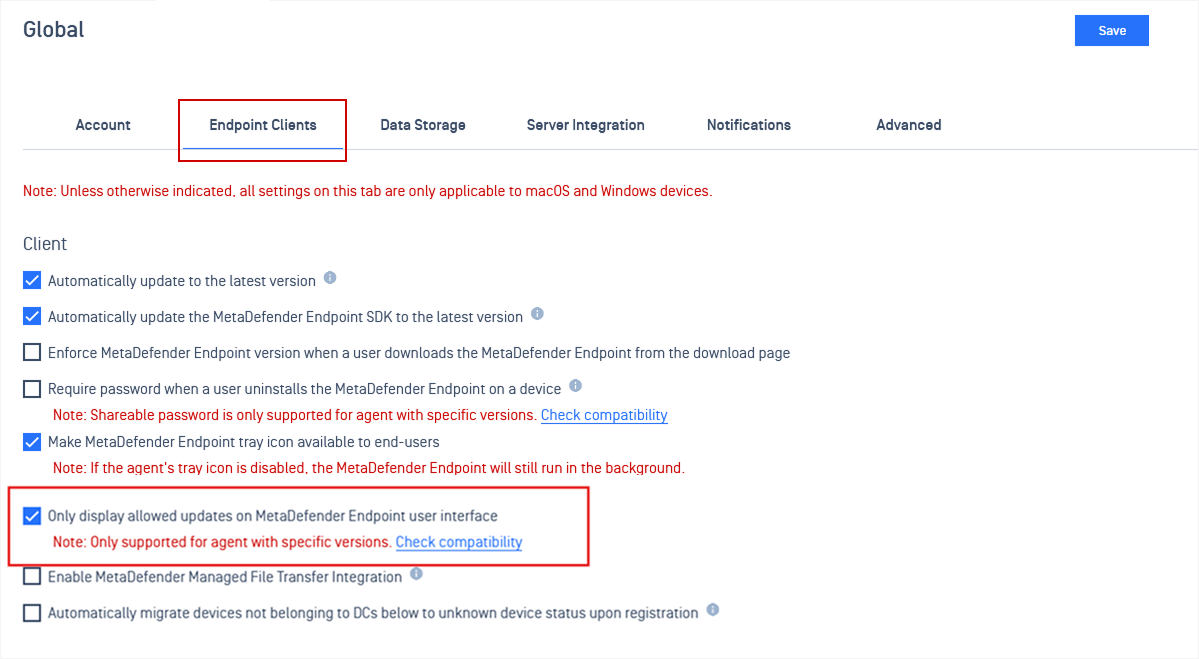
Enhancements Hide Unapproved Patches and Block Automatic Updates on MetaDefender Endpoint
A new setting allows admins to hide unapproved patches and prevent them from being updated automatically on MetaDefender Endpoint.
To enable this feature, go to: Settings > Global > Endpoint Clients > Select Only display allowed updates on MetaDefender Endpoint user interface.
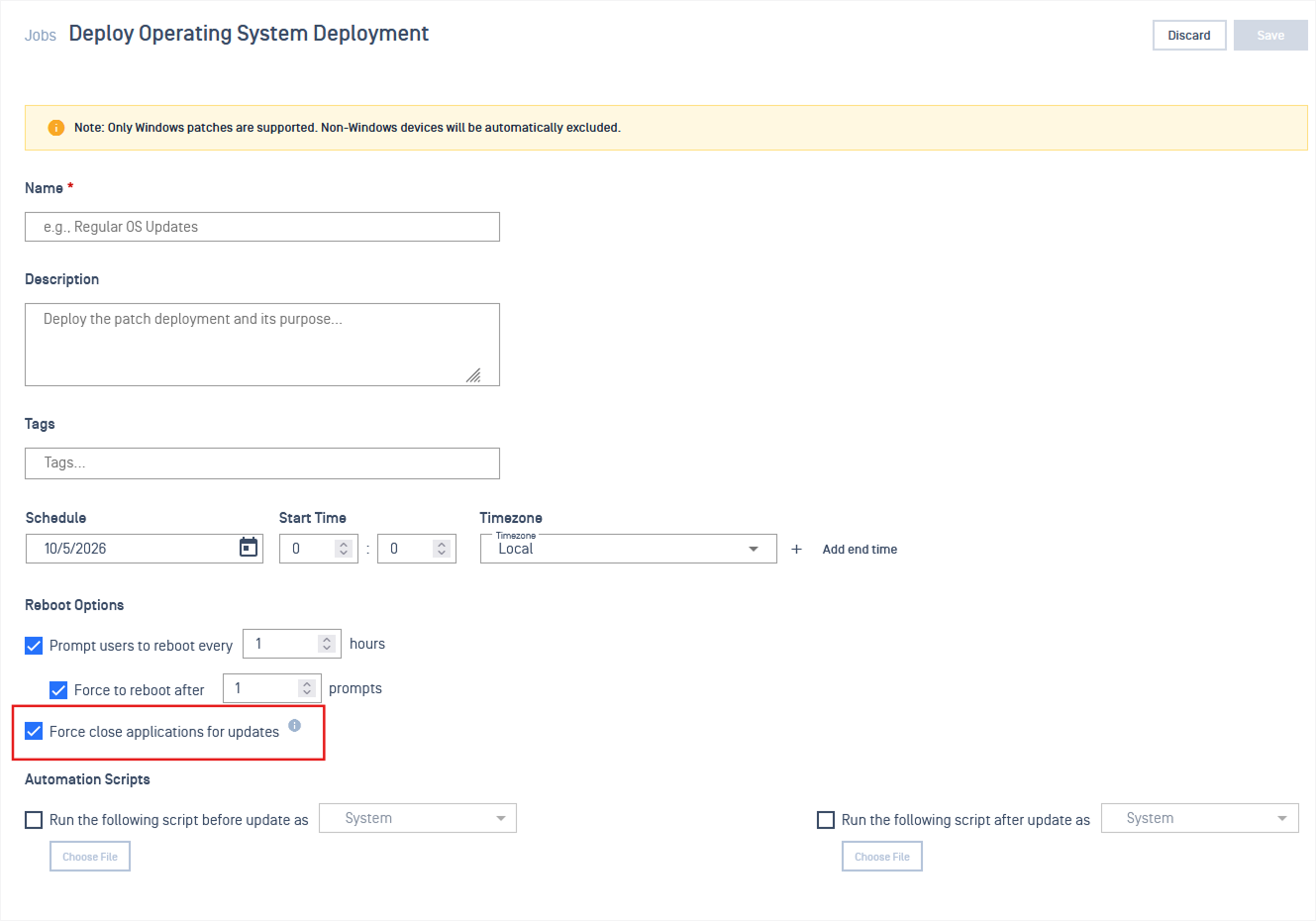
Enhancements Force-Close Microsoft Applications During OS Missing Patches Deployments
Offline Patch Settings now include an option to force-close running Microsoft applications before OS updates are installed.
Enhancements Cache Nodes Now Download and Distribute Specific Application Versions
Cache nodes can now keep every application version, enabling Endpoint to get the required version locally rather than downloading it from the main server.
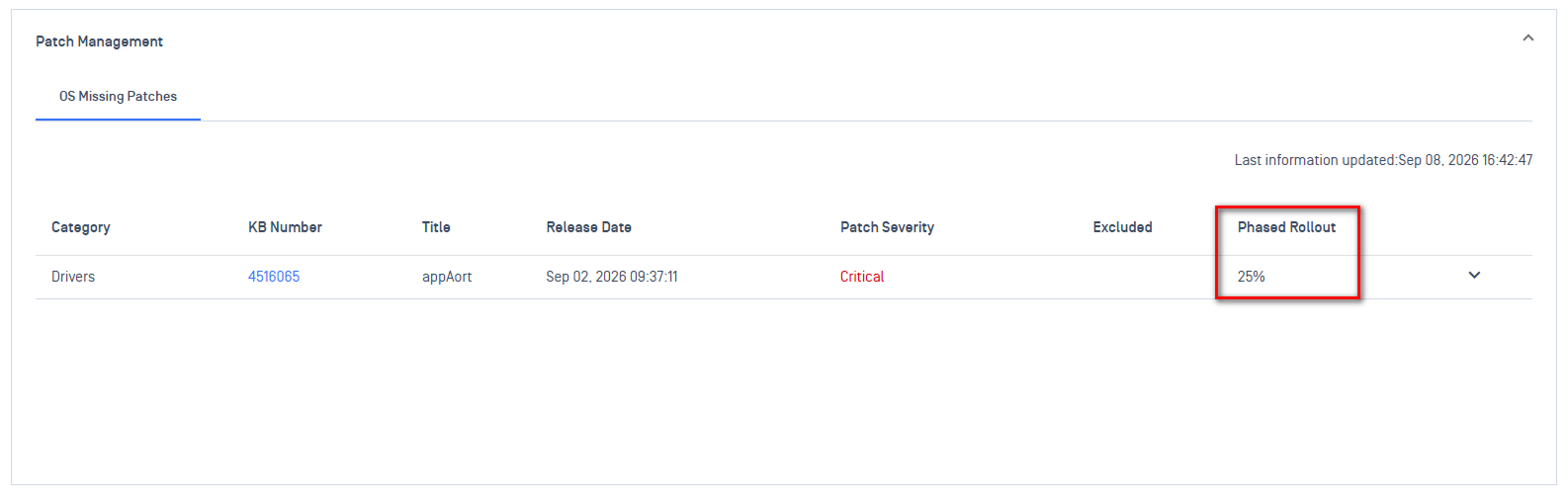
EnhancementHandle Ubuntu Phased Updates in Patch Compliance
Patch compliance reporting now accounts for Ubuntu phased updates, eliminating false-positive non-compliance alerts for devices not yet eligible for phased rollouts.
Portable Malware Scanning
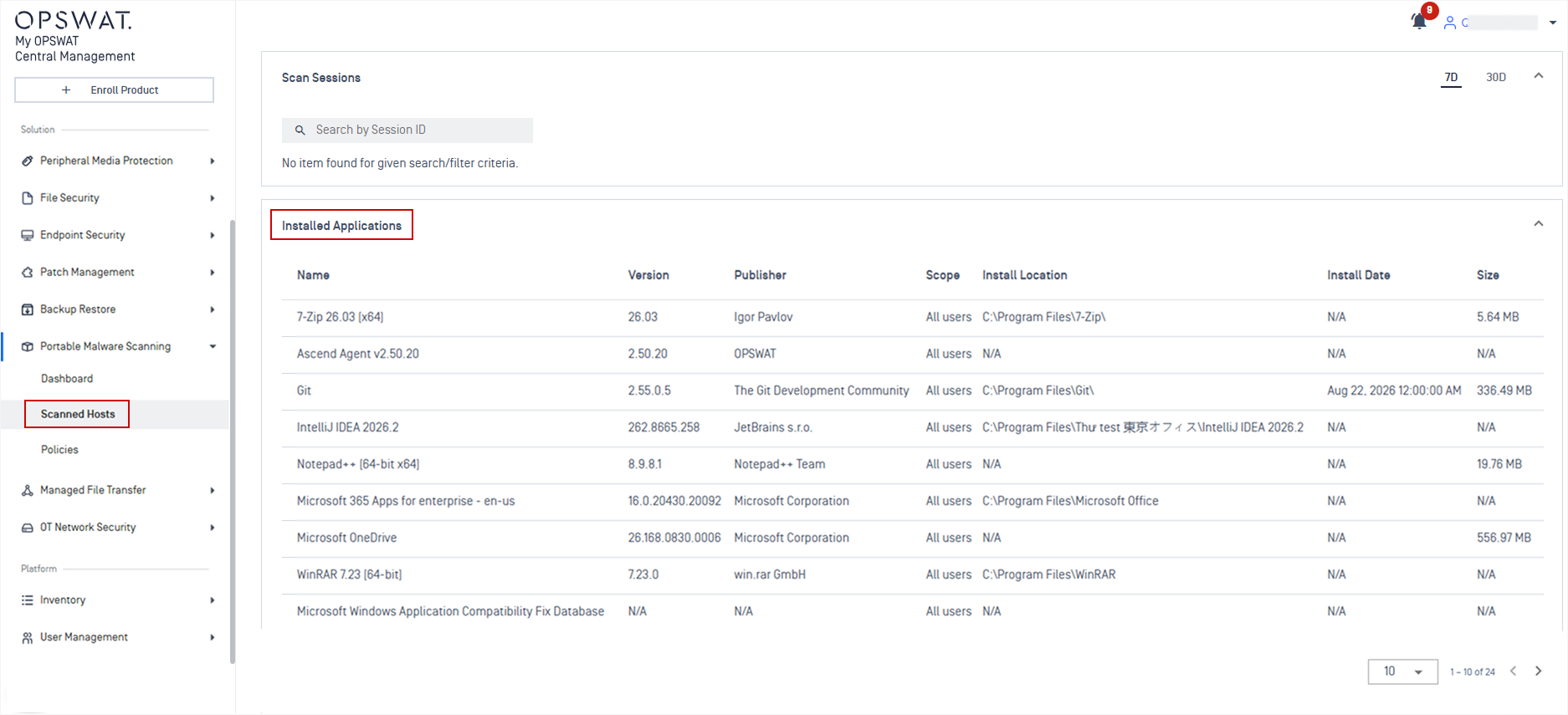
New Features Installed Applications Visibility on MetaDefender Drive Scanned Hosts
Scanned host records now list the installed applications detected by MetaDefender Drive, including application name, version, publisher, scope, install date, install location, and size.
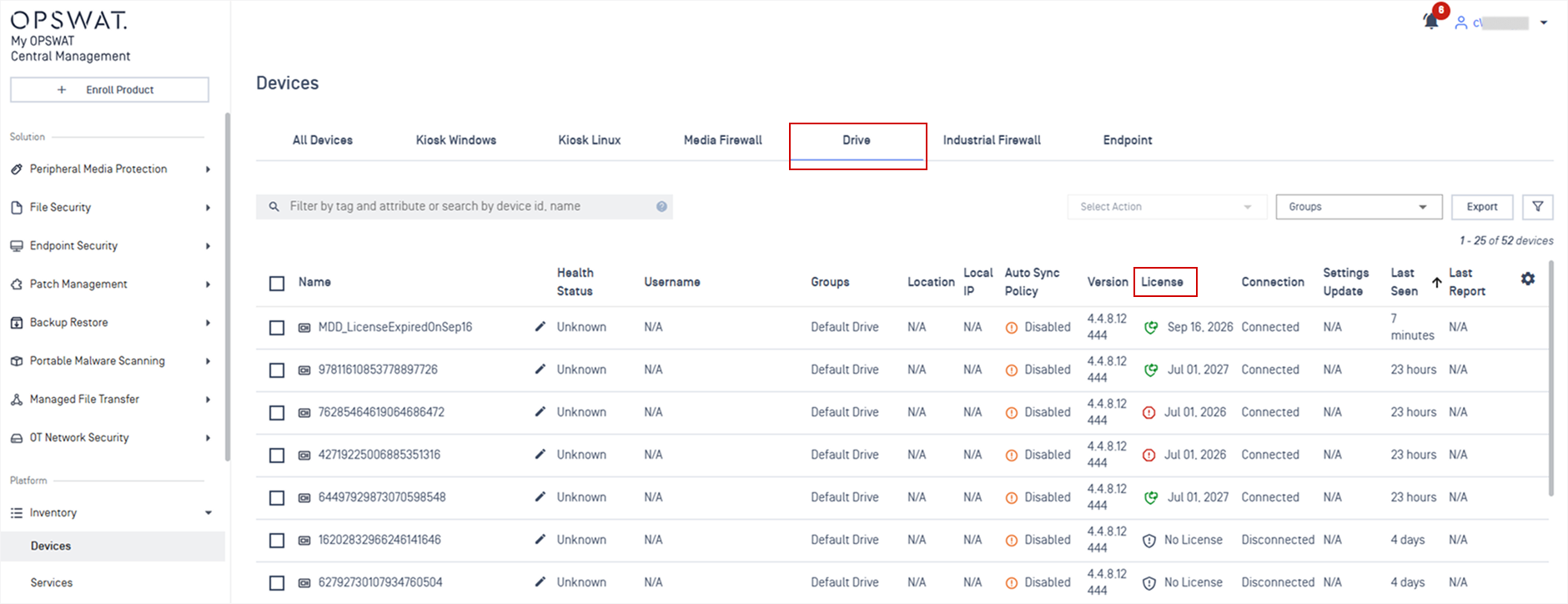
New Features Show License Details for MetaDefender Drive
Administrators can now view license details for managed MetaDefender Drive devices, including license status and expiration dates.
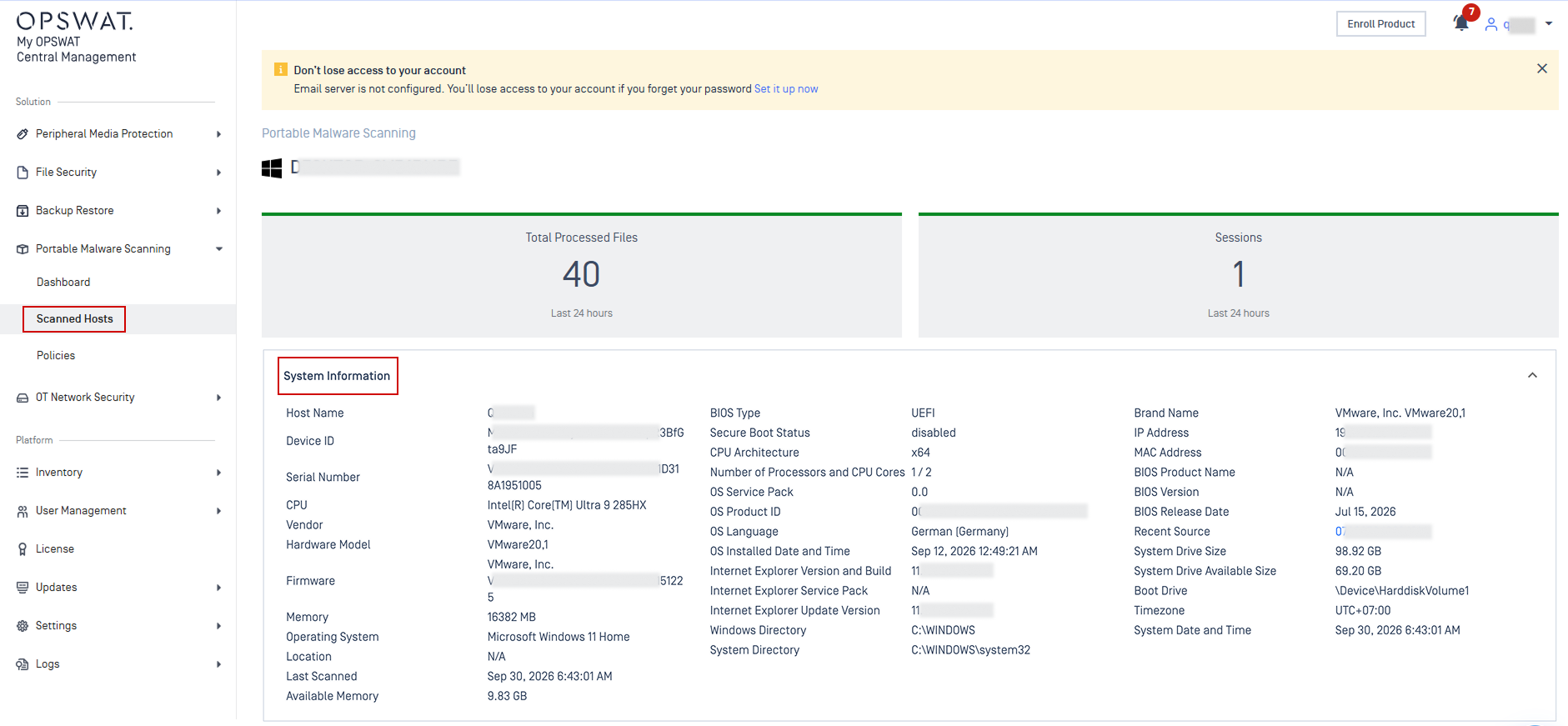
Enhancements Display System Information for MetaDefender Drive Scanned Hosts
Administrators can now view detailed system information for scanned hosts, including BIOS details, CPU architecture, storage capacity, operating system specifications, and more.
OT and Cyber-Physical Systems Solution
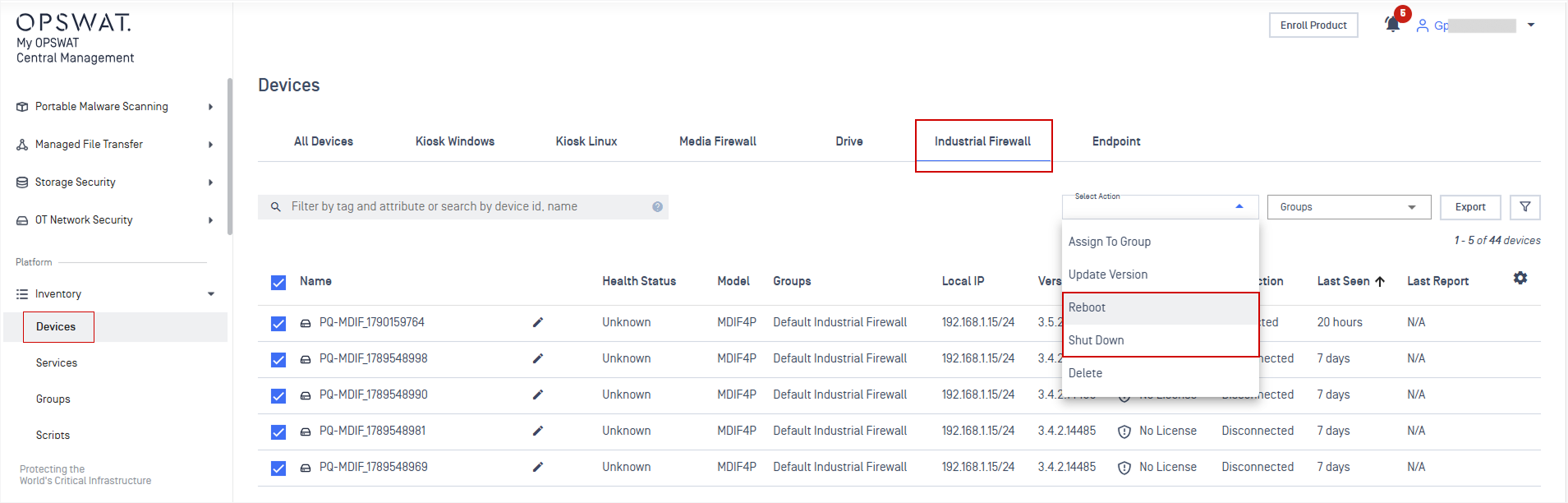
New Features Remote Reboot and Shut Down for MetaDefender Industrial Firewall
Administrators can remotely reboot or shut down MetaDefender Industrial Firewall devices from the console, eliminating the need for manual, on-site intervention.
Please Note: This feature is supported for MetaDefender Industrial Firewall version 3.5.1 or later.
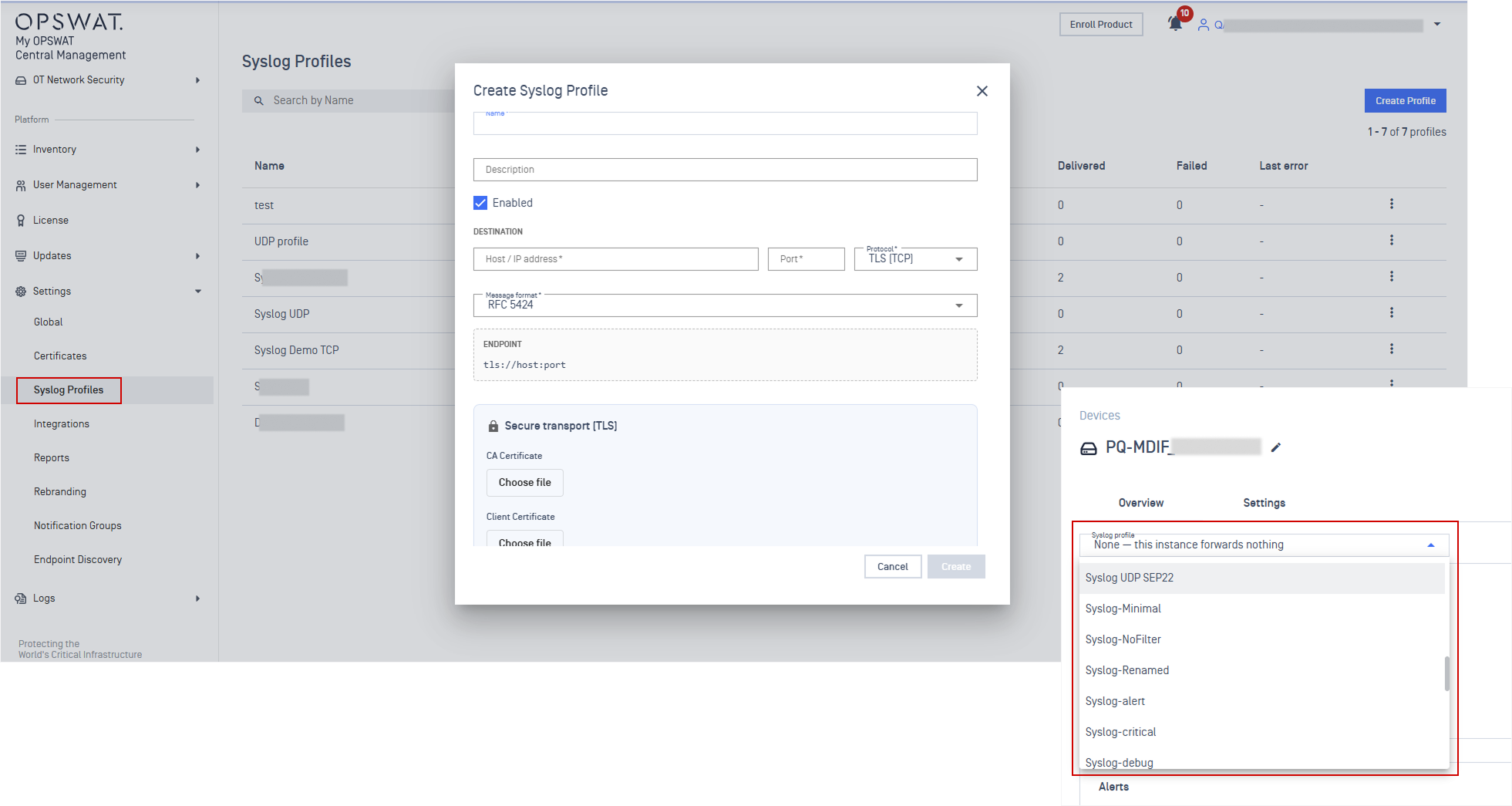
New Features Support Syslog Forwarder for MetaDefender Industrial Firewall
Added Syslog Profile support for MetaDefender Industrial Firewall, enabling administrators to centrally configure and apply syslog forwarding settings across multiple firewall devices.
Refer to Syslog Profile guidelines for detailed instruction.
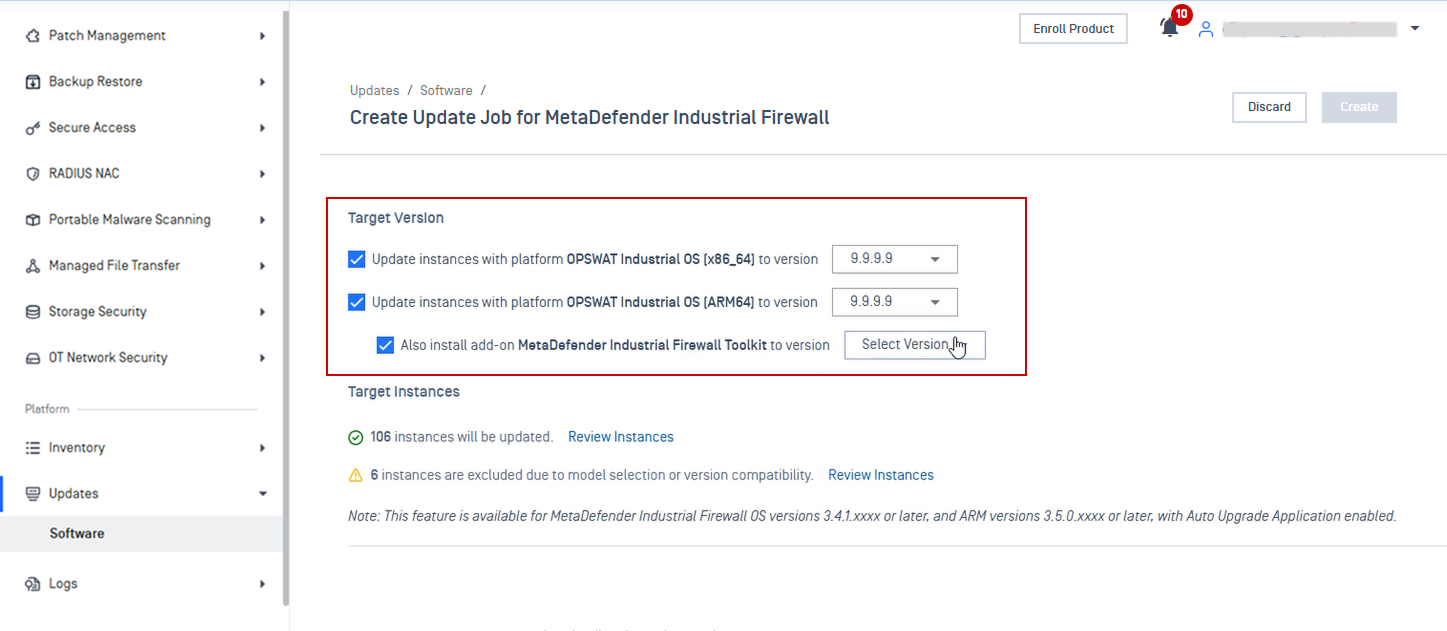
Enhancements Support Toolkit Upgrade for MetaDefender Industrial Firewall
Support OPSWAT Industrial OS platform and Toolkit upgrade for MetaDefender Industrial Firewall. Refer to Update Application guideline for more details.
File Security Solution
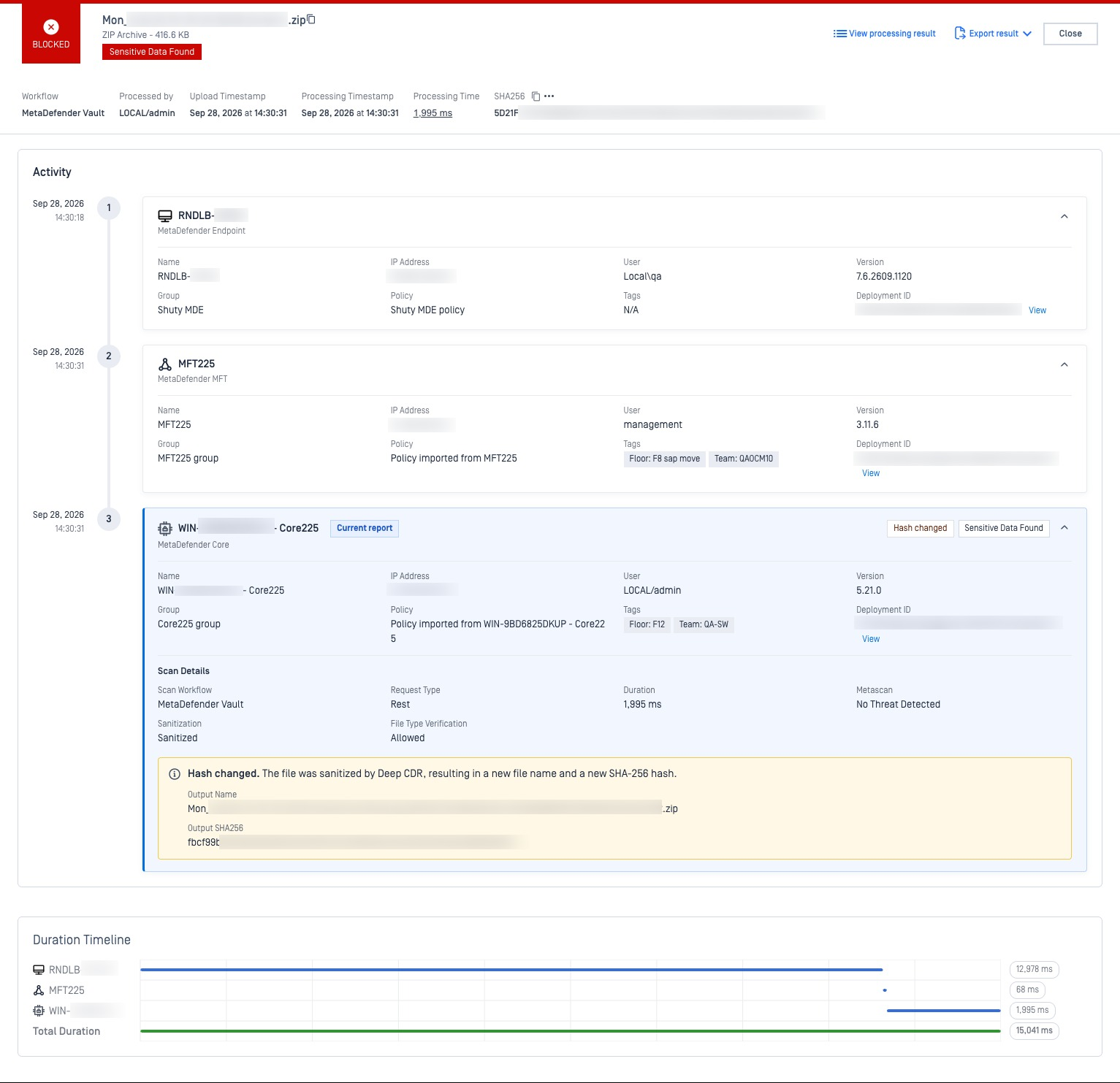
New Features End-to-End File Audit Trail
File Audit Trail gives administrators one centralized view of a file's full journey, displaying each product that handled it, detailing scan outcome, processing timestamps, and file alterations.
Refer to File Audit Trail guidelines for more details.
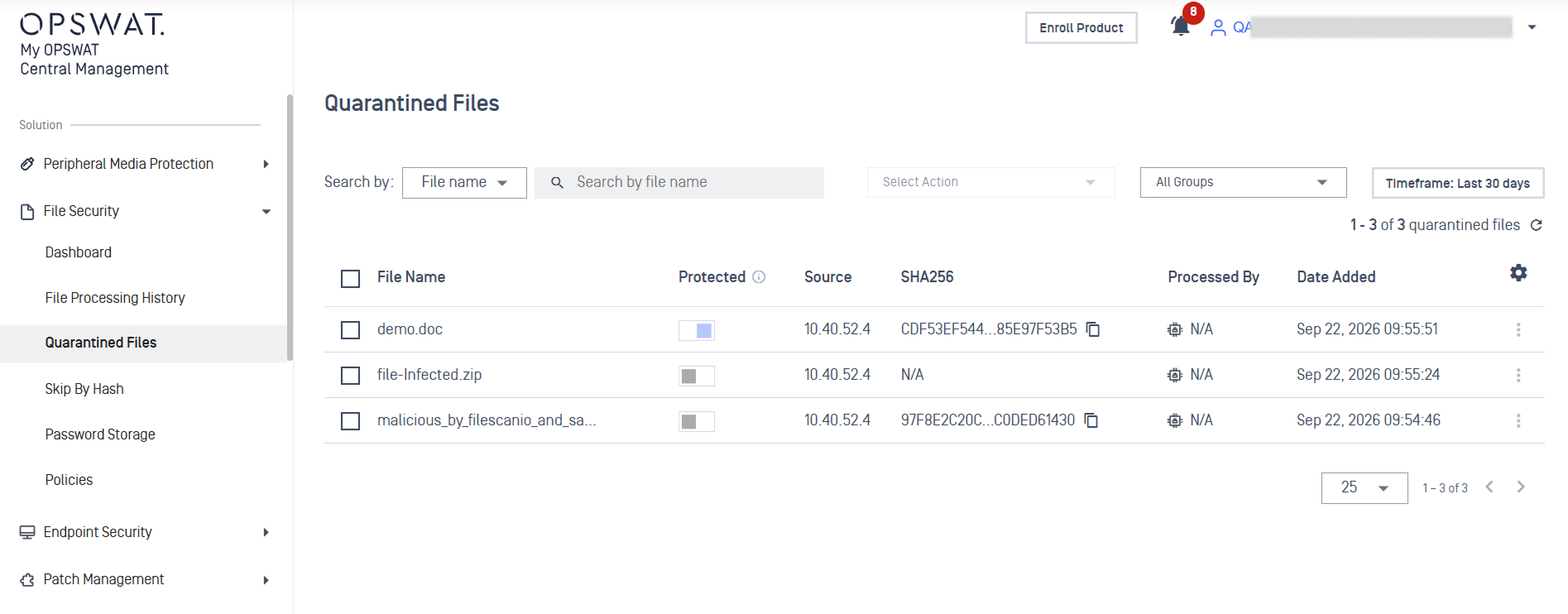
New Features Retrieve Quarantine Files from MetaDefender Core
Administrators can now view and remotely retrieve quarantined files from MetaDefender Core from centralized console. Administrators can also mark files as protected to prevent automatic cleanup.
See Quarantined Files guidelines for detailed instructions.
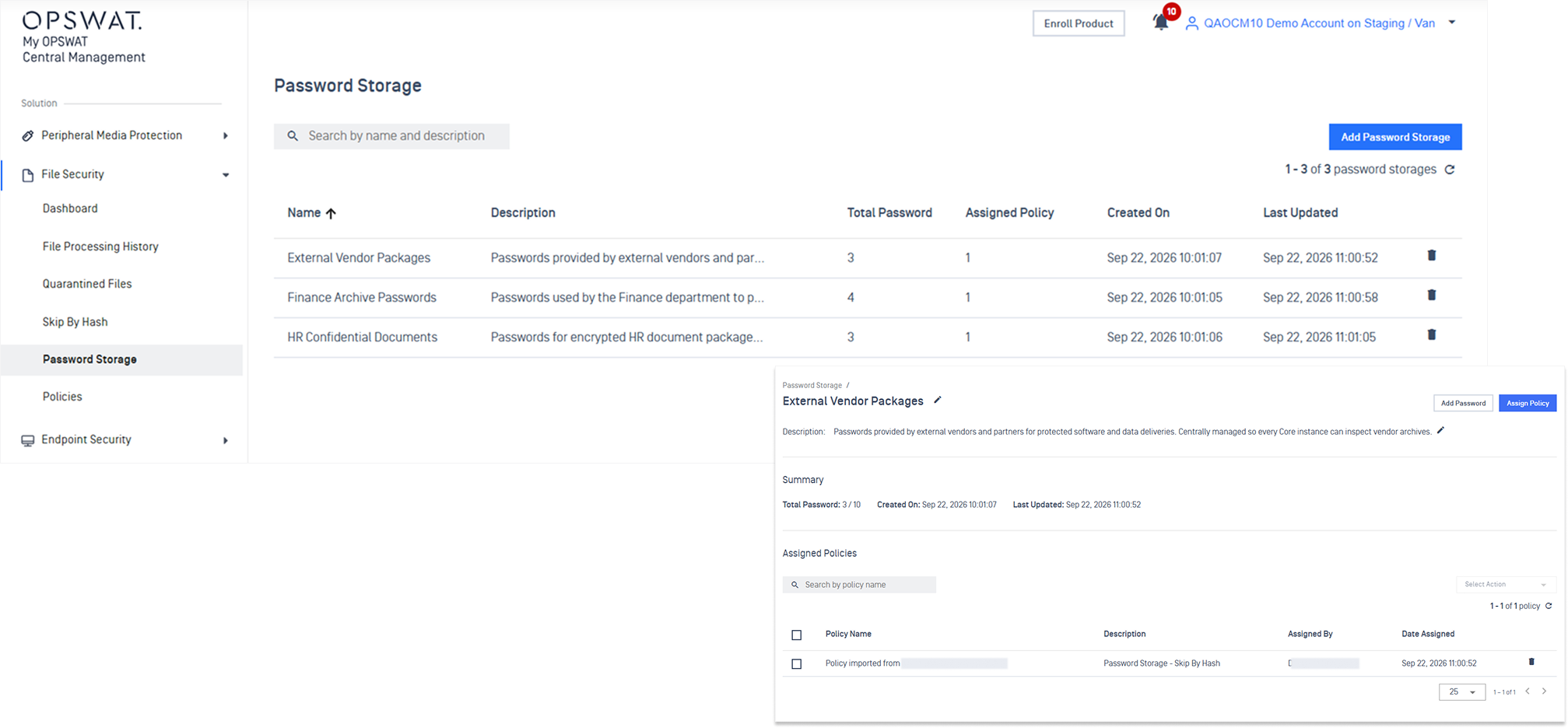
New Features Centralized Password Storage Management for MetaDefender Core
Password Storage entries can now be created, edited, and deleted in one central place and synced out to every managed MetaDefender Core instance.
Refer to Password Storage for detailed instruction.
Additional Features
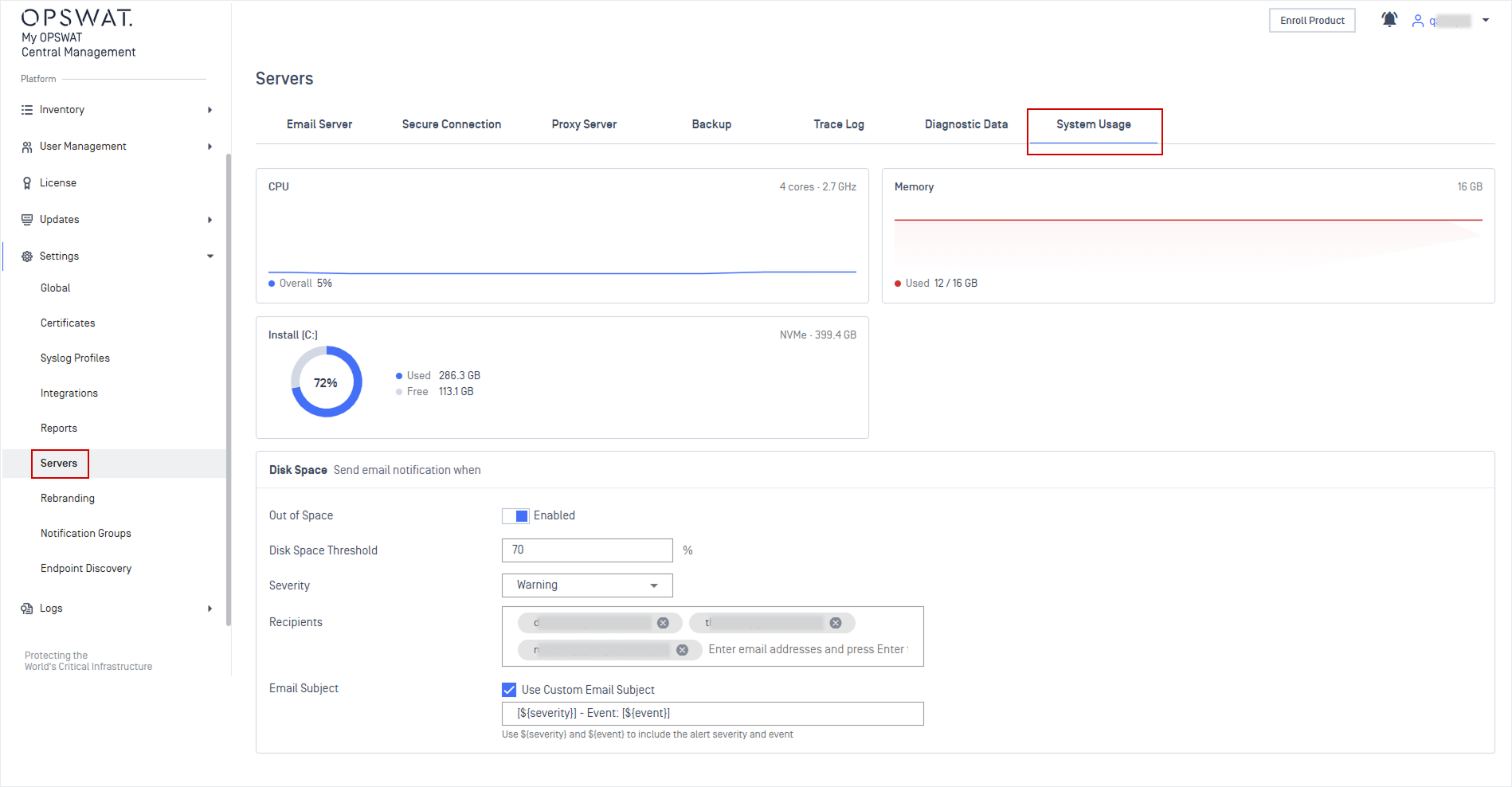
New Features Centralized System Usage Monitoring and Alerting
Monitor My OPSWAT Central Management On-Premises system usage in one place, including CPU, memory, and disk utilization, with custom thresholds configuration and automated email alerts for resource issues.
Refer to System Usage guidelines for more details.
New Features Configure File Storage Limits
Admins can configure custom limits for system-generated files, defining maximum file sizes, file counts per owner, and accepted file types.
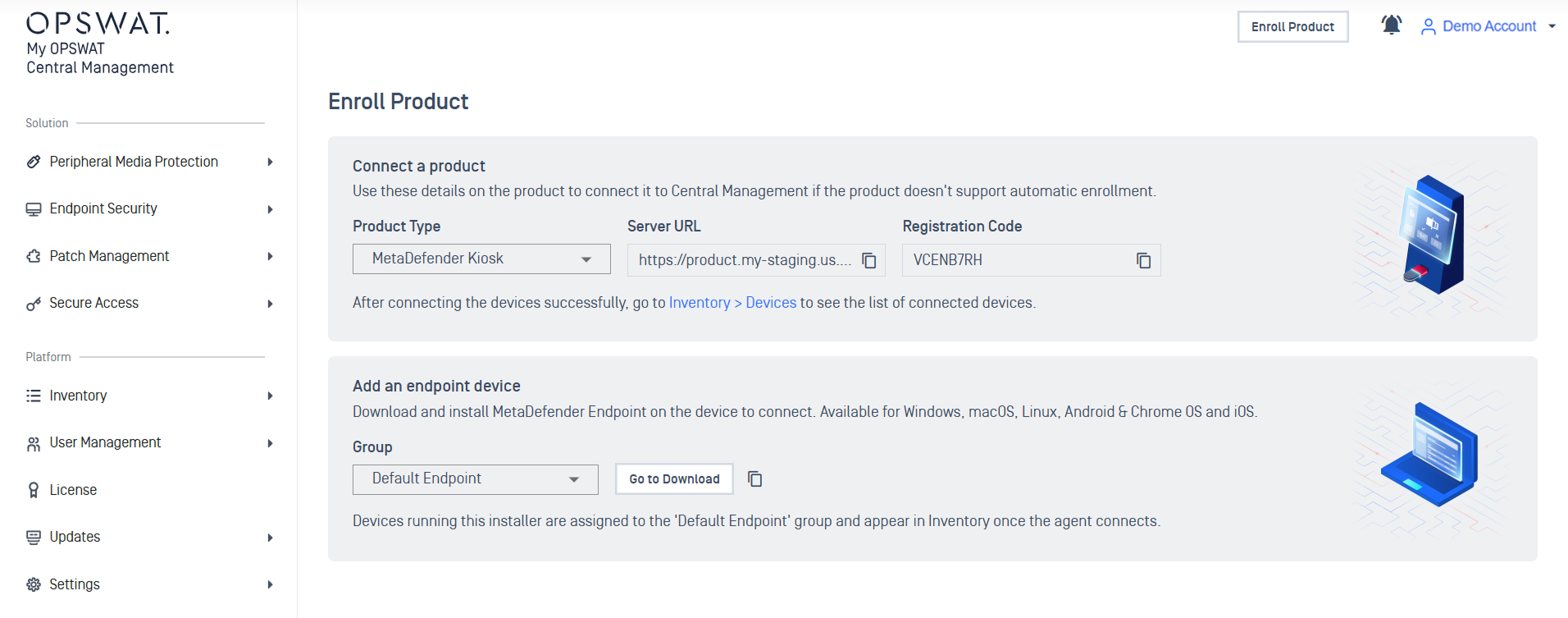
New Features Redesigned Enroll Product Page
Enroll Product page has been redesigned to provide a single-glance view of the onboarding path, clearly separating standalone product setup from endpoint device deployment.
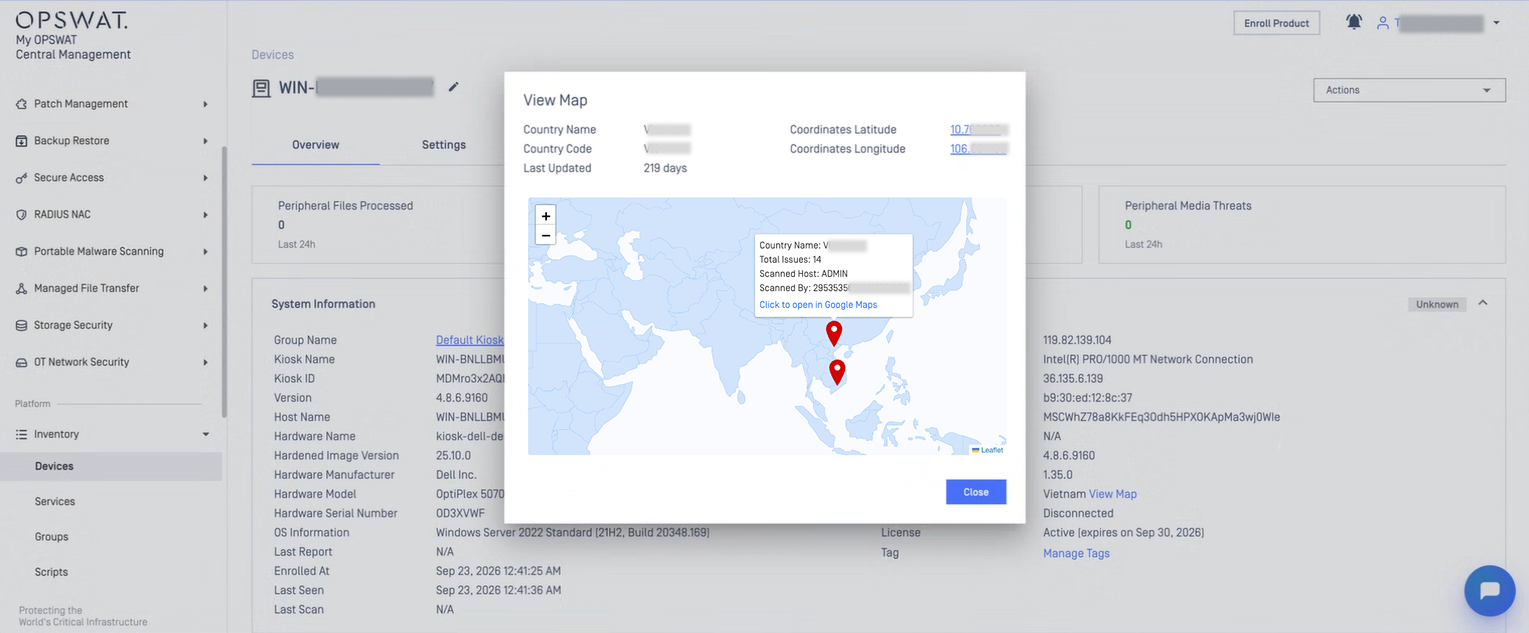
New Features Display Map and Location Details
Administrators can view device location details on an interactive map and access the location directly in Google Maps from the device marker.
Enhancements Set Active Directory as Default Login Method
Active Directory can now be selected as the default login method, saving users from manually switching directories for every login.