
The LLM Inference Server is configured in MetaDefender Core, in the workflow that sends model files to Aether. Core first needs a connection to Aether, and the workflow then needs the LLM Scan options.
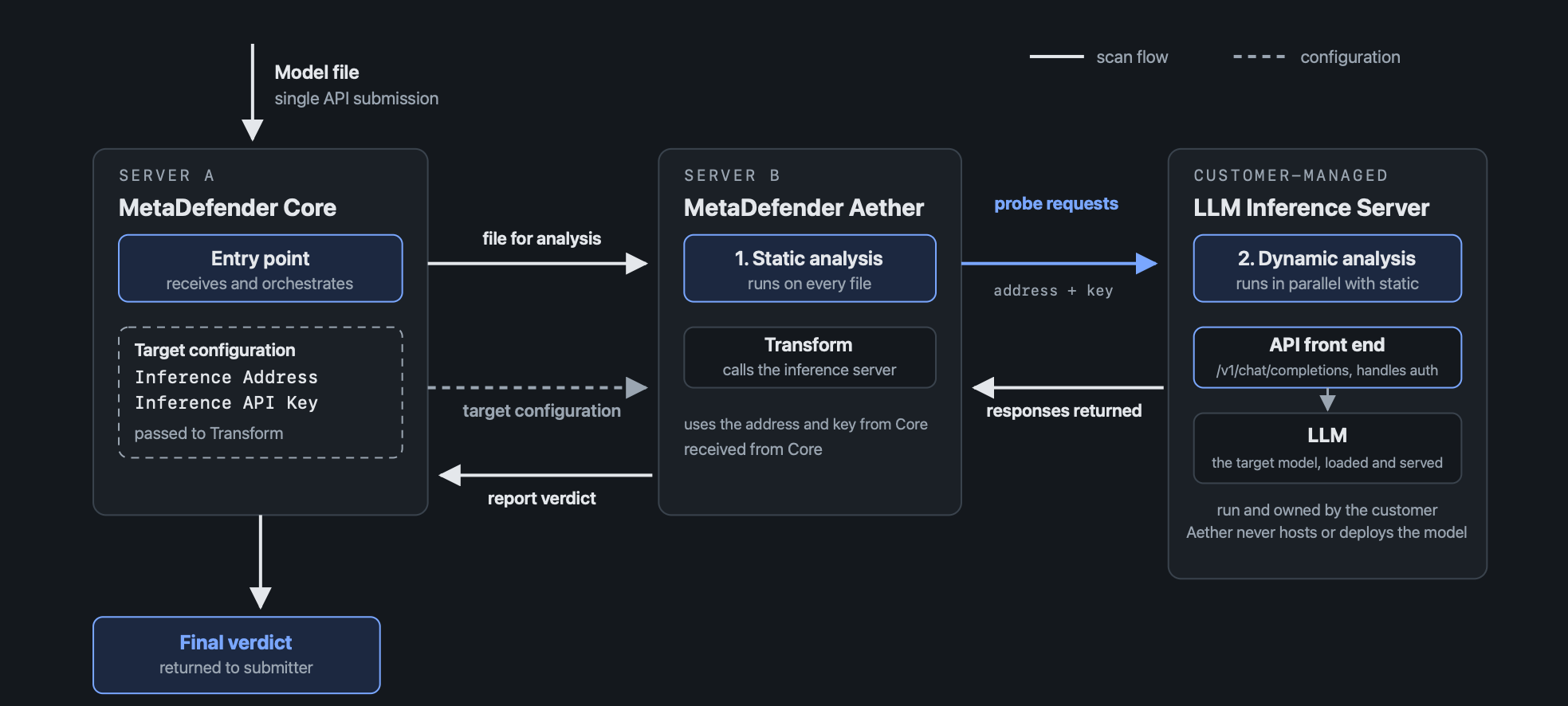
Connect Core to Aether
In MetaDefender Core, go to Engines > Adaptive Sandbox. Under Configuration, enter the Address of the Aether installation and an Aether API Key. If Aether uses a self-signed certificate, keep Verify Server TLS Certificate disabled.
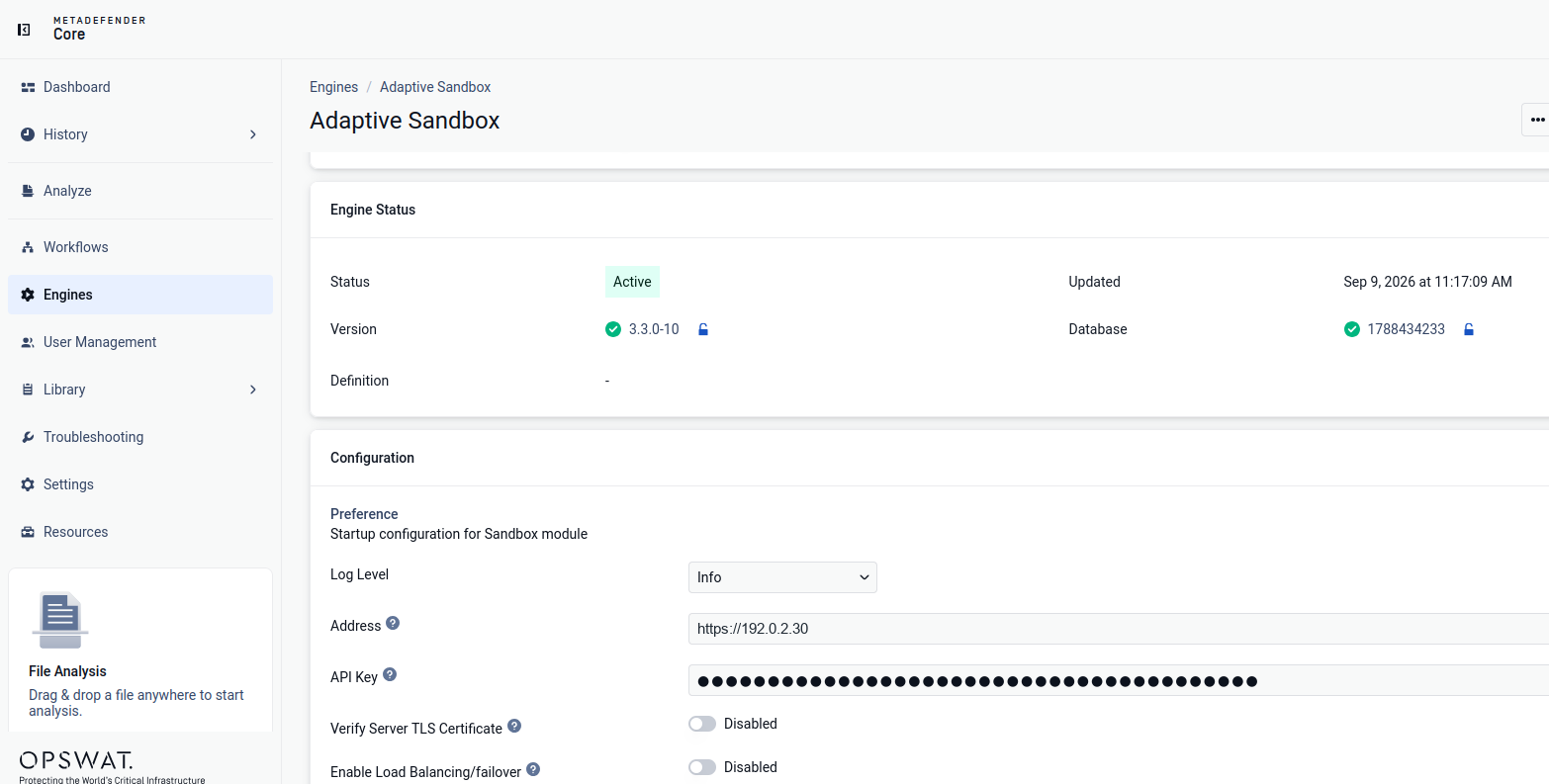
Set the LLM Scan options
Go to Workflows and open the workflow that processes model files.
Open the menu (...) in the top-right corner and select Workflow Configuration.
Under Threat Prevention, select Adaptive Sandbox.
Scroll to LLM Scan options, enable Dynamic LLM Scan, and enter the settings in the table below.
Click Save.
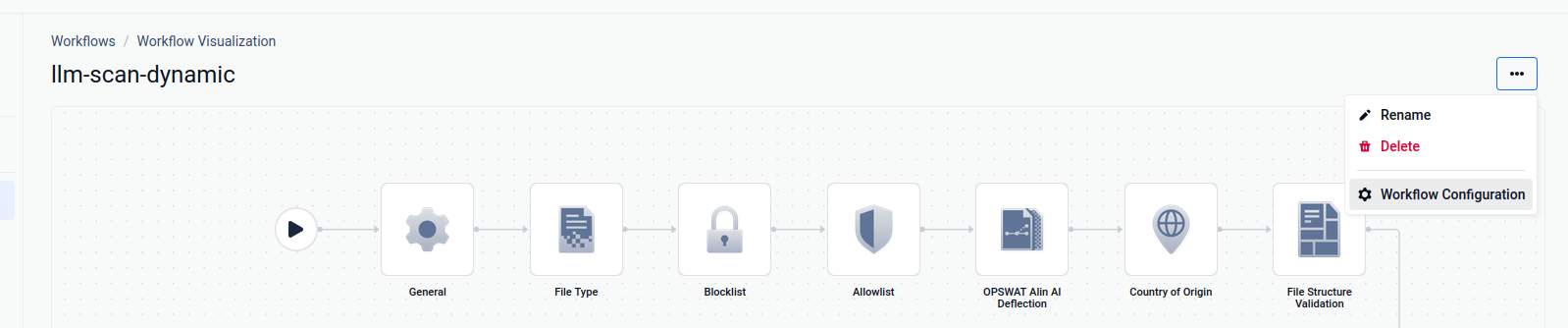
Open the workflow, then select Workflow Configuration from the menu.
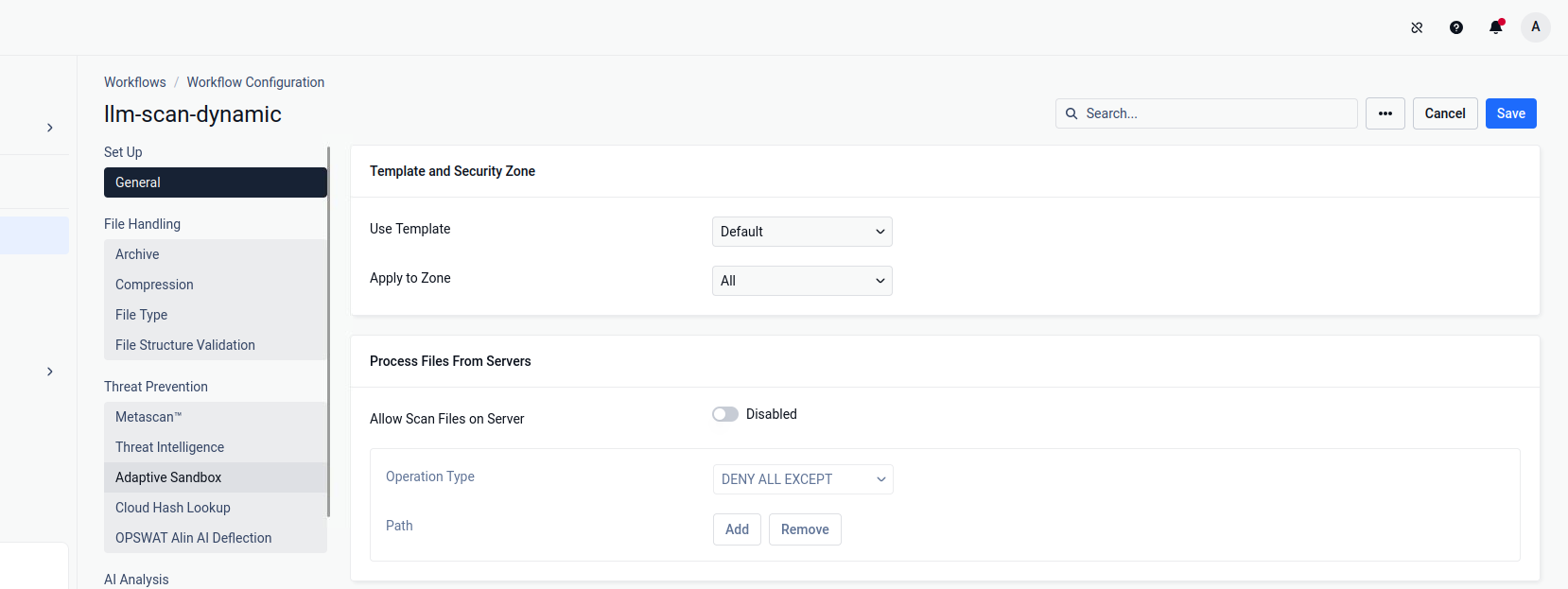
Adaptive Sandbox is under Threat Prevention.
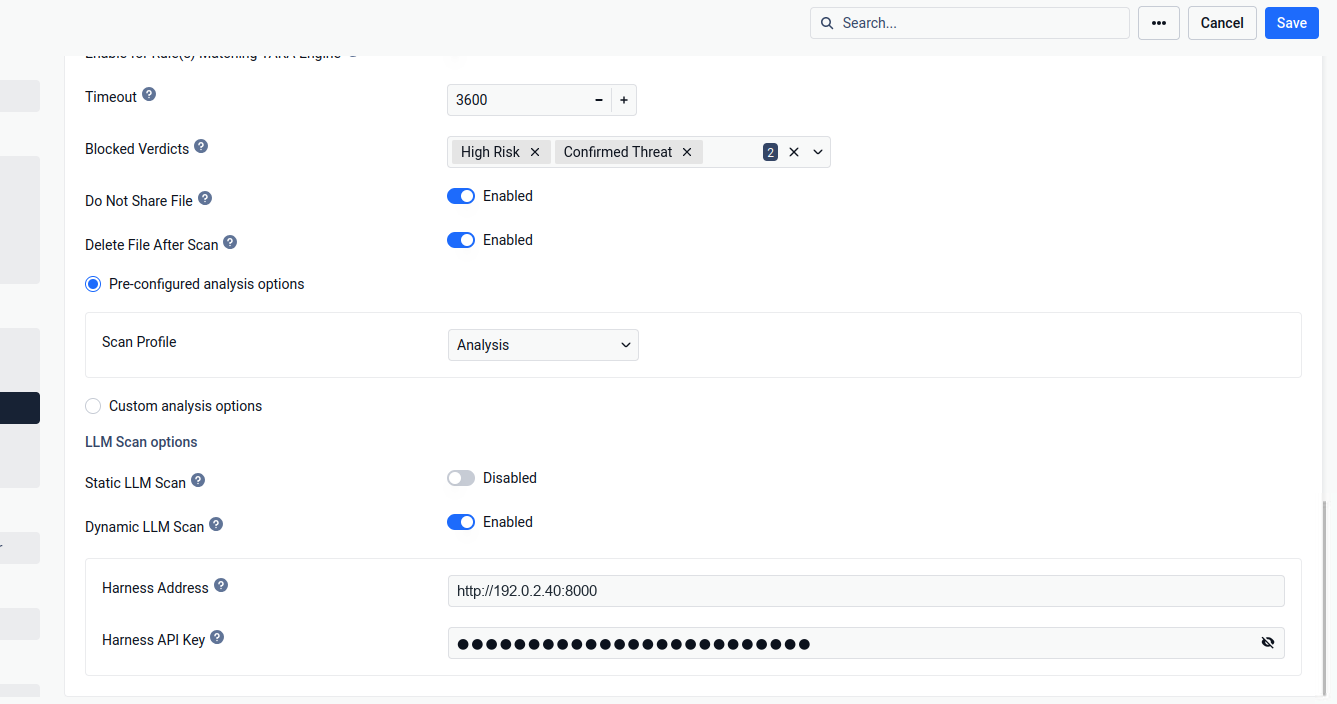
LLM Scan options at the bottom of the Adaptive Sandbox settings, below Timeout and Blocked Verdicts.
Setting | Description | Example |
|---|---|---|
Dynamic LLM Scan | Enables dynamic scanning for the workflow | Enabled |
Harness (Inference) Address | The address at which the LLM Inference Server (OpenAI-compatible API) is reachable, up to and including the port |
|
Harness (Inference) API Key (optional) | The Bearer key, if the endpoint requires one. Enter the key only, without the word "Bearer". |
|
Timeout | Seconds that Core waits for the Aether result. Allow for the length of a dynamic scan. |
|
Enter the Inference Address up to the port only, because Aether adds the API path (such as /v1/chat/completions) itself. There is no Model ID setting: Aether uses the name derived from the scanned file (see 3.3).
If the LLM Inference Server requires authentication, the Harness API Key must be set. Without the key, an authenticated endpoint rejects the requests (usually with HTTP 401 or 403) and the scan cannot run. If the server is unauthenticated, leave the key empty.
Configuring LLM Scanning in transform.cfg
The LLM scan settings can also be set directly on the Aether host, in the Aether configuration file. The properties below turn static and dynamic LLM scanning on or off and define the LLM Harness Server that dynamic scanning uses: its address, its API key and the maximum scan time.
Step #1 - Open /home/sandbox/sandbox/transform.cfg in a text editor
Step #2 - Modify the configuration by adding the following property:
Step #3 - Save the file and restart the sandbox service.